


System Progressive Protection is a rogue security software which will report that malware has been detected on your computer in an attempt to scare you into buying this malicious software.
In reality, none of the reported issues are real, and are only used to scare you into buying System Progressive Protection and stealing your personal financial information.
As part of its self-defense mechanism,System Progressive Protection has installed a rootkit on your computer,which will disable the Windows Task Manager and will block you from running any program that could lead to its removal.
System Progressive Protection is a scam and you should ignore any alerts that this malicious software might generate.
Under no circumstance should you buy this rogue security software as this could lead to identity theft,and if you have, you should contact your credit card company and dispute the charge stating that the program is a scam and a computer virus.
If you experience problems completing this guide, or the problem persists after following the instructions below or would like to have one of our staff members guide you through the process, please start a new thread in our Malware Removal Assistance forum.
STEP 1 : Start your computer in Safe Mode with Networking
STEP 2: Run RKill to terminate known malware processes associated with System Progressive Protection.
RKill is a program that will attempt to terminate all malicious processes associated with System Progressive Protection,so that we will be able to perform the next step without being interrupted by this malicious software.
Because this utility will only stop System Progressive Protection running process, and does not delete any files, after running it you should not reboot your computer as any malware processes that are configured to start automatically will just be started again.
STEP 3: Remove System Progressive Protection malicious files with Malwarebytes Anti-Malware FREE
STEP 4: Remove System Progressive Protection rootkit with HitmanPro
In reality, none of the reported issues are real, and are only used to scare you into buying System Progressive Protection and stealing your personal financial information.
As part of its self-defense mechanism,System Progressive Protection has installed a rootkit on your computer,which will disable the Windows Task Manager and will block you from running any program that could lead to its removal.
System Progressive Protection is a scam and you should ignore any alerts that this malicious software might generate.
Under no circumstance should you buy this rogue security software as this could lead to identity theft,and if you have, you should contact your credit card company and dispute the charge stating that the program is a scam and a computer virus.
Removal instructions for System Progressive Protection virus
This is a self-help guide, use at your own risk.If you experience problems completing this guide, or the problem persists after following the instructions below or would like to have one of our staff members guide you through the process, please start a new thread in our Malware Removal Assistance forum.
STEP 1 : Start your computer in Safe Mode with Networking
- Remove all floppy disks, CDs, and DVDs from your computer, and then restart your computer.
- Press and hold the F8 key as your computer restarts.Please keep in mind that you need to press the F8 key before the Windows start-up logo appears.
Note: With some computers, if you press and hold a key as the computer is booting you will get a stuck key message. If this occurs, instead of pressing and holding the "F8 key", tap the "F8 key" continuously until you get the Advanced Boot Options screen.

- On the Advanced Boot Options screen, use the arrow keys to highlight Safe Mode with Networking , and then press ENTER.
STEP 2: Run RKill to terminate known malware processes associated with System Progressive Protection.
RKill is a program that will attempt to terminate all malicious processes associated with System Progressive Protection,so that we will be able to perform the next step without being interrupted by this malicious software.
Because this utility will only stop System Progressive Protection running process, and does not delete any files, after running it you should not reboot your computer as any malware processes that are configured to start automatically will just be started again.
- While your computer is in <em>Safe Mode with Networking</em> ,please download the latest official version of RKill.Please note that we will use a renamed version of RKILL so that System Progressive Protection won’t block this utility from running.
RKILL DOWNLOAD LINK (This link will automatically download RKILL renamed as iExplore.exe)
- Double-click on the iExplore.exe icon in order to automatically attempt to stop any processes associated with System Progressive Protection.

- RKill will now start working in the background, please be patient while the program looks for various malware programs and tries to terminate them.
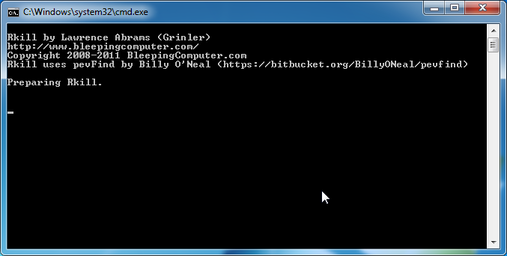
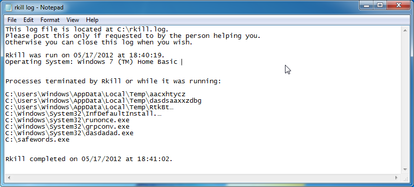
- When Rkill has completed its task, it will generate a log. You can then proceed with the rest of the guide.
STEP 3: Remove System Progressive Protection malicious files with Malwarebytes Anti-Malware FREE
- Download the latest official version of Malwarebytes Anti-Malware FREE.
MALWAREBYTES ANTI-MALWARE DOWNLOAD LINK (This link will open a download page in a new window from where you can download Malwarebytes Anti-Malware Free)
- Start the Malwarebytes' Anti-Malware installation process by double clicking on mbam-setup file.

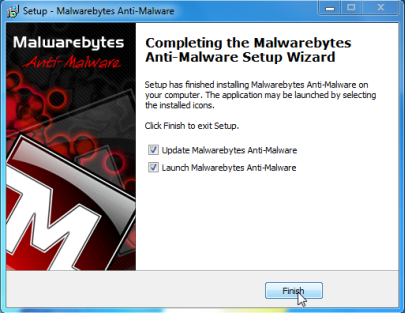
- When the installation begins, keep following the prompts in order to continue with the setup process. Do not make any changes to default settings and when the program has finished installing, make sure you leave both the Update Malwarebytes' Anti-Malware and Launch Malwarebytes' Anti-Malware checked. Then click on the Finish button. If Malwarebytes' prompts you to reboot, please do not do so.
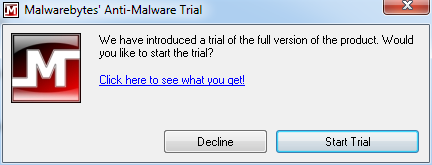
- Malwarebytes Anti-Malware will now start and you'll be prompted to start a trial period , please select 'Decline' as we just want to use the on-demand scanner.
- On the Scanner tab,select Perform full scan and then click on the Scanbutton to start scanning your computer.
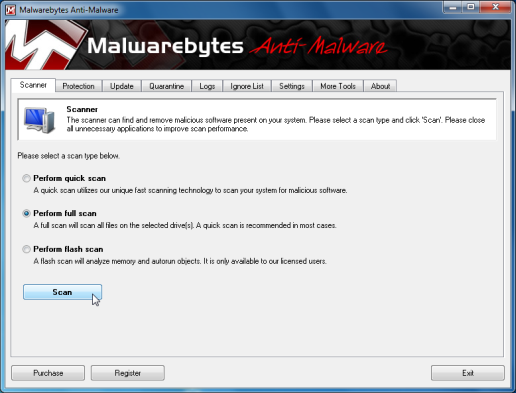
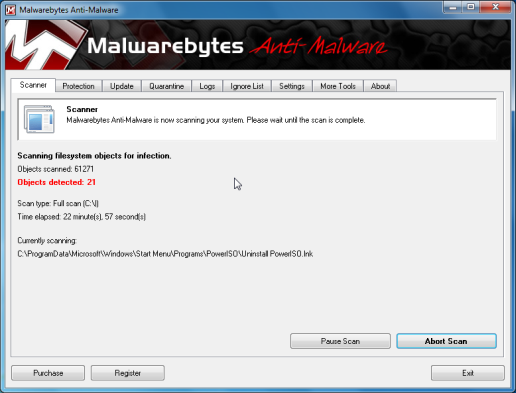
- Malwarebytes' Anti-Malware will now start scanning your computer for System Progressive Protection malicious files as shown below.
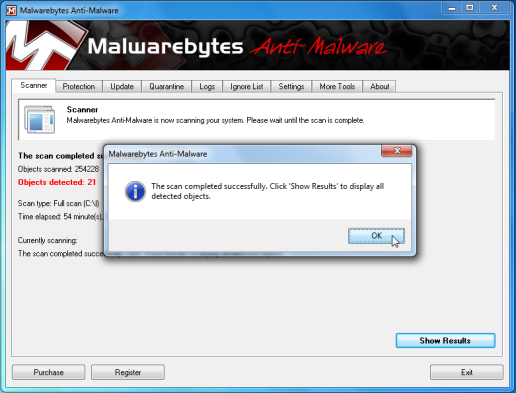
- When the scan is finished a message box will appear, click OK to continue
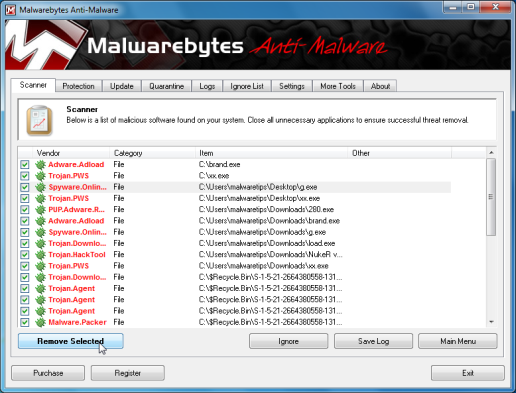
- You will now be presented with a screen showing you the malware infections that Malwarebytes' Anti-Malware has detected.Please note that the infections found may be different than what is shown in the image.Make sure that everything is Checked (ticked) and click on the Remove Selected button.
- Malwarebytes' Anti-Malware will now start removing the malicious files.After completing this task it will display a message stating that it needs to reboot,please allow this request and then let your PC boot in Normal mode.
STEP 4: Remove System Progressive Protection rootkit with HitmanPro
- This step can be performed in Normal Mode ,so please download the latest official version of HitmanPro.
HITMANPRO DOWNLOAD LINK (This link will open a download page in a new window from where you can download HitmanPro)
- Double click on the previously downloaded file to start the HitmanPro installation.

IF you are experiencing problems while trying to starting HitmanPro, you can use the "<em>Force Breach</em>" mode.To start this program in Force Breach mode, hold down the left CTRL-key when you start HitmanPro and all non-essential processes are terminated, including the malware process.
- Click on Next to install HitmanPro on your system.
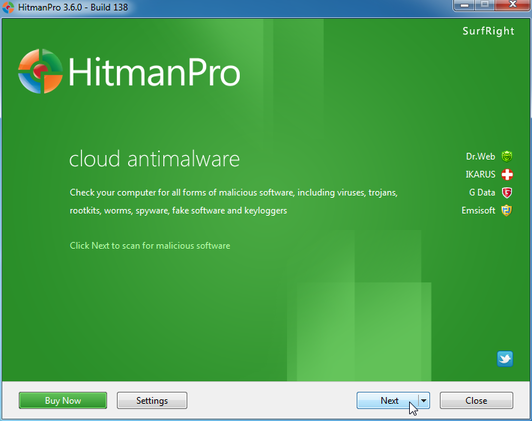
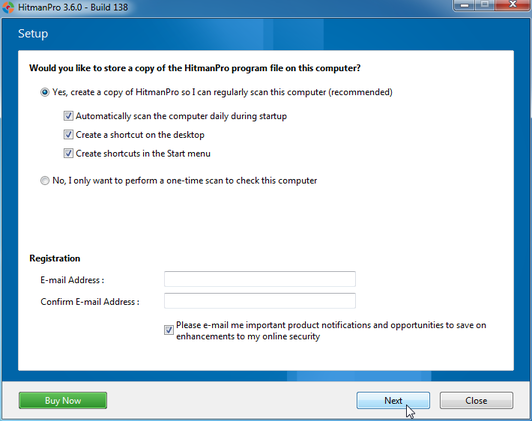
- The setup screen is displayed, from which you can decide whether you wish to install HitmanPro on your machine or just perform a one-time scan, select a option then click on Next to start a system scan.
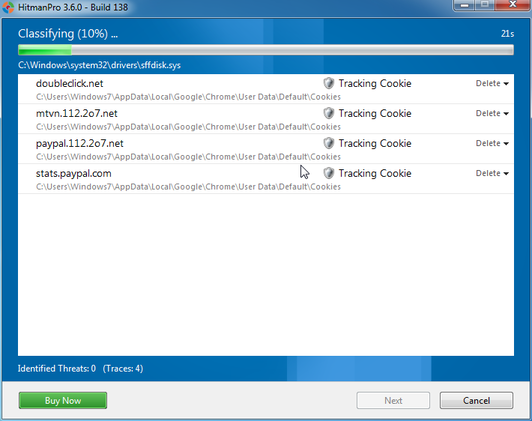
- HitmanPro will start scanning your system for malicious files. Depending on the the size of your hard drive, and the performance of your computer, this step will take several minutes.
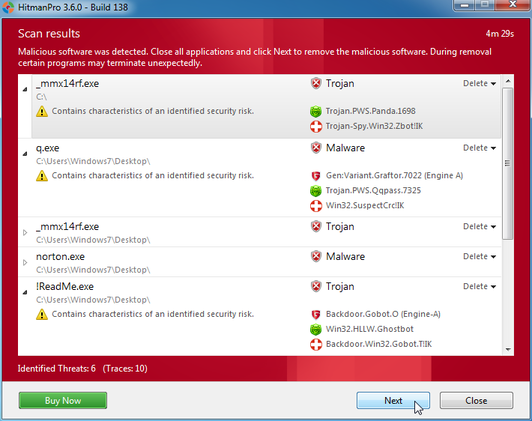
- Once the scan is complete,a screen displaying all the malicious files that the program found will be shown as seen in the image below.After reviewing each malicious object click Next.
- Click Activate free license to start the free 30 days trial and remove the malicious files.
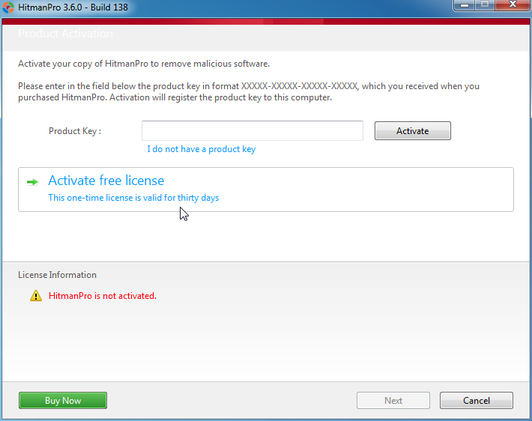
- HitmanPro will now start removing the infected objects, and in some instances, may suggest a reboot in order to completely remove the malware from your system. In this scenario, always confirm the reboot action to be on the safe side.
Last edited:

