


The REALTEK Wireless LAN Driver is a software component that enables your computer to connect to wireless networks. It is responsible for managing the communication between your computer’s operating system and the wireless network adapter. This driver is essential for the proper functioning of your wireless network connection.
Understanding the Importance of the REALTEK Wireless LAN Driver
In today’s digital age, wireless connectivity has become an integral part of our lives. Whether it’s for browsing the internet, streaming videos, or connecting to smart devices, a stable and reliable wireless connection is crucial. The REALTEK Wireless LAN Driver plays a vital role in ensuring that your computer can connect to and communicate with wireless networks effectively.
Without the REALTEK Wireless LAN Driver, your computer would not be able to detect and connect to any wireless networks. It acts as a bridge between your computer’s operating system and the wireless network adapter, allowing them to communicate and exchange data. This driver translates the signals received from the wireless network into a format that your computer can understand and vice versa.
Additionally, the REALTEK Wireless LAN Driver provides the necessary protocols and security measures to establish a secure connection with the wireless network. It ensures that your data is encrypted and protected from unauthorized access, safeguarding your privacy and sensitive information.
Should I Remove the REALTEK Wireless LAN Driver?
While the REALTEK Wireless LAN Driver is essential for wireless connectivity, there may be instances where you might consider removing it. Here are a few scenarios where removing the driver might be necessary:
1. Compatibility Issues:
In some cases, the REALTEK Wireless LAN Driver may not be compatible with certain hardware or software configurations. This can result in connectivity issues, frequent disconnections, or even system crashes. If you are experiencing such problems and have ruled out other potential causes, removing and reinstalling the driver might help resolve the issue.
2. Malware or Security Concerns:
In rare cases, the REALTEK Wireless LAN Driver may be compromised by malware or other security threats. These malicious programs can exploit vulnerabilities in the driver to gain unauthorized access to your computer or network. If you suspect that your system might be infected, it is recommended to scan your computer for malware using a reliable antivirus software like Malwarebytes Free.
3. Upgrading to a Newer Driver Version:
Manufacturers regularly release updated versions of drivers to improve performance, fix bugs, and enhance compatibility. If you are experiencing issues with your wireless connection, updating to the latest version of the REALTEK Wireless LAN Driver might help resolve the problem. In such cases, it is recommended to uninstall the existing driver before installing the new version.
How to Remove the REALTEK Wireless LAN Driver
If you have decided to remove the REALTEK Wireless LAN Driver, here are the steps you can follow:
- Open the Control Panel on your computer.
- Select “Programs” or “Programs and Features.”
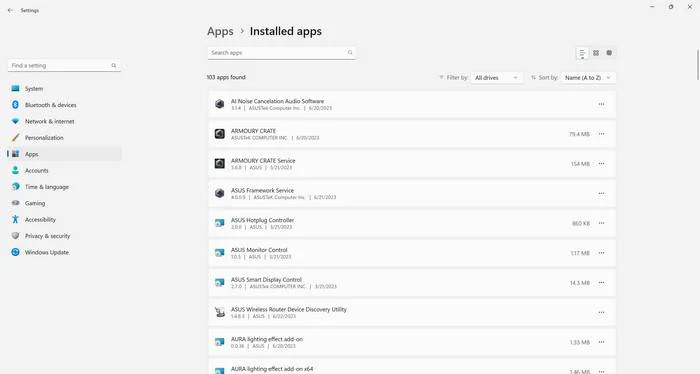
- Locate the REALTEK Wireless LAN Driver in the list of installed programs.
- Right-click on the driver and select “Uninstall” or “Remove.”
- Follow the on-screen instructions to complete the uninstallation process.
- Restart your computer to apply the changes.
After removing the driver, it is recommended to install the latest version of the REALTEK Wireless LAN Driver from the official website of the manufacturer. This ensures that you have the most up-to-date and compatible driver for your wireless network adapter.
Conclusion
The REALTEK Wireless LAN Driver is a crucial component for establishing and maintaining a wireless network connection on your computer. It enables your computer’s operating system to communicate with the wireless network adapter, ensuring a stable and secure connection. While there may be instances where removing the driver becomes necessary, it is generally recommended to keep it installed and updated to ensure optimal performance and compatibility.
If you encounter any issues with your wireless connection, it is advisable to troubleshoot other potential causes before considering removing the REALTEK Wireless LAN Driver. In cases where removal is necessary, following the proper uninstallation process and installing the latest version of the driver can help resolve the problem.
Remember, if you suspect malware or security threats, it is always recommended to scan your computer using a reliable antivirus software like Malwarebytes Free to ensure the safety of your system.

Join the discussion
0 commentsShare your experience or ask a question about this article.
Discussion
Start the conversation
Have a question or something useful to share? Add the first comment.