

Online shopping can be convenient and fun, but it also comes with some risks. One of them is falling prey to scam shopping sites that lure customers with low prices, fake reviews, and attractive products. In this blog post, we will expose one of the most common email addresses used by these scam shopping sites: Service@mebstored.com.
What are the Service@mebstored.com scam shopping sites?
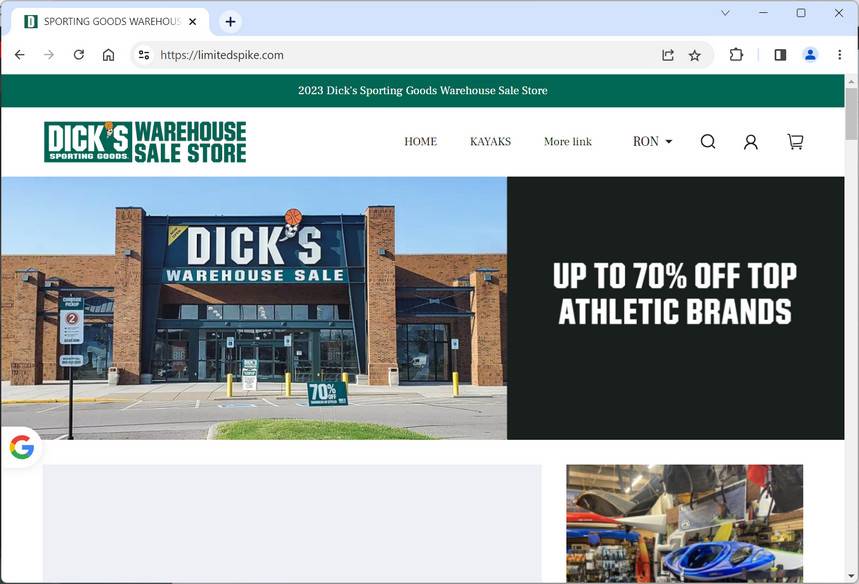
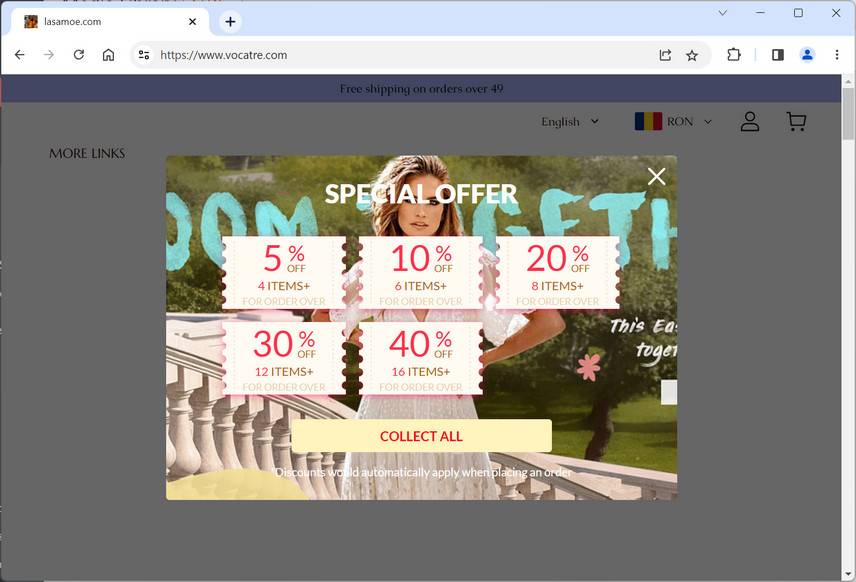
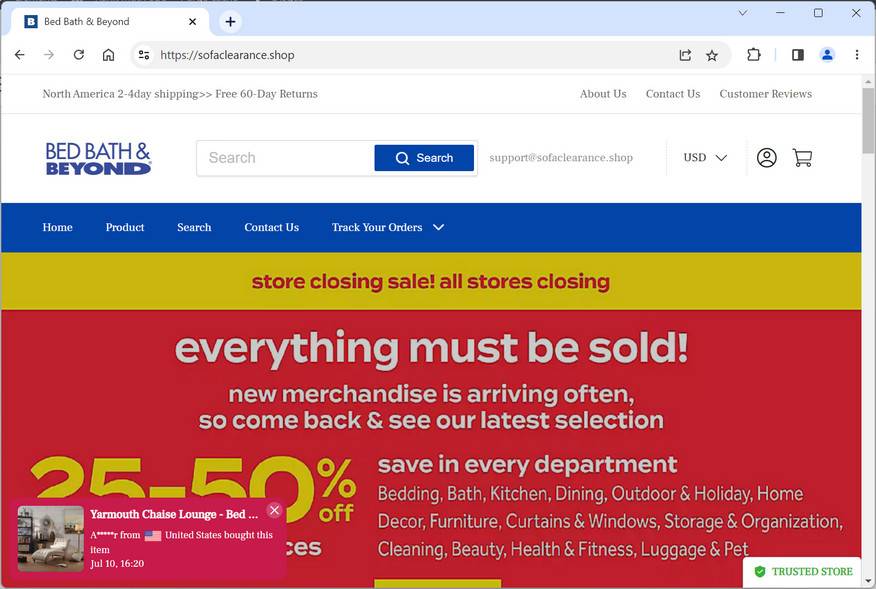
Service@mebstored.com is an email address that appears on many websites that claim to sell various items, such as clothing, shoes, electronics, toys, and more. However, these websites are not legitimate online stores, but rather fraudulent schemes that aim to steal money and personal information from unsuspecting buyers.
These websites have several red flags that indicate they are not trustworthy, such as:
- Unrealistically low prices that are too good to be true.
- Poor grammar and spelling errors on the website content and product descriptions.
- Lack of information about the company, such as its address, phone number, or return policy.
- Fake or copied reviews from other websites or platforms.
- No secure payment methods or encryption on the checkout page.
- No customer service or response to inquiries or complaints.
How do the Service@mebstored.com scam shopping sites operate?
The Service@mebstored.com scam shopping sites operate by enticing customers with attractive products and discounts, and then asking them to pay with their credit card or other online payment methods. However, once the payment is made, the customer either receives nothing at all, or a low-quality or counterfeit product that does not match the description or image on the website.
In some cases, the customer may also receive an email from Service@mebstored.com asking for more personal information, such as their address, phone number, or bank account details. This is a phishing attempt that tries to obtain more sensitive data that can be used for identity theft or fraud.
The Service@mebstored.com scam shopping sites also use fake tracking numbers or shipping confirmation emails to make customers believe that their order is on its way. However, these tracking numbers are either invalid or belong to other unrelated shipments. The customer may also receive an email from Service@mebstored.com asking for more money to cover customs fees or taxes. This is another scam tactic that tries to extort more money from the customer.
How to Spot and Avoid Scam Online Shopping Websites
Fraudulent shopping websites often share common patterns that make them easier to detect once you know what to look for. Before entering personal information or making a payment, take a few minutes to check for these warning signs:
- Unrealistic prices and discounts
If a website offers products at prices far below trusted retailers, it’s often a red flag. Many of these sites advertise luxury or high-demand products at massive discounts to create a sense of urgency. A $300 product listed for $49.99 should immediately raise suspicion. - Recently registered or suspicious domain names
Many fraudulent websites operate on newly created domains that disappear after a few weeks. Look for signs like random characters in the URL, misspellings of well-known brands, or hyphenated domains.
You can check a site’s age using tools like WHOIS lookups or ScamAdviser. - Missing or vague company details
Legitimate businesses clearly display their company name, tax information, phone numbers, physical address, and return policies. Fraudulent sites often provide incomplete, fake, or no company details at all. A lack of verifiable contact information is a major warning sign. - No reliable customer service
Real businesses provide clear ways to contact support—email, phone, live chat, or physical return addresses. Fake stores often list nonfunctional contact forms, invalid phone numbers, or reply with generic automated messages. - Poor website quality and structure
Many fake stores are set up quickly with low-effort templates. Look for poor grammar, spelling errors, low-resolution product images, broken links, or missing legal pages (Terms of Service, Privacy Policy, Return Policy). A sloppy website often signals something isn’t right. - Copied product descriptions and images
Fraudulent sites often lift product listings directly from real retailers or marketplaces. If you reverse image search a product photo and find it on multiple unrelated websites, the listing is likely not original. - Lack of credible reviews or suspicious review patterns
A real store will usually have a mix of customer reviews across different platforms. Warning signs include no reviews at all, obviously fake five-star reviews, or multiple identical reviews posted on the same day. Searching “[website name] reviews” or “[website name] scam” on Google often reveals warnings from other consumers. - Unclear or unfair return and refund policies
Fake stores often use vague language around returns and refunds—or avoid the topic entirely. If you can’t easily find clear instructions for how to return an item or get a refund, proceed with caution. - Aggressive urgency and pressure tactics
Fraudulent websites commonly use fake scarcity (e.g., “Only 2 left in stock!”) or countdown timers (“Sale ends in 10 minutes!”) to push you to buy before you think it through. Legitimate stores don’t rely on fabricated urgency to make sales.
Quick Steps to Verify a Website’s Legitimacy
Before entering payment or personal details on a new shopping website, take a few simple precautions:
- Search for the store’s name along with words like “reviews” or “complaints” on Google and Trustpilot.
- Check the website’s domain registration using Whois.com.
- Use trusted tools to scan for malicious or fraudulent links:
- Malwarebytes ScamGuard – detect scams and unsafe links before they reach you on Android and iOS phone.
- Malwarebytes Browser Guard – block dangerous or fake websites on Windows and macOS browsers.
- Verify the business address on Google Maps to ensure it’s a legitimate location.
- Review the store’s accepted payment methods – credit cards and PayPal are traceable and safer than cryptocurrency or bank transfers.
- Trust your instincts; if something feels off, it’s better not to proceed.
How to Spot Similar Scams on Social Media
Many fraudulent shopping websites rely heavily on sponsored social media ads to draw in large numbers of potential buyers. These ads often promise extraordinary discounts—sometimes up to 90% off—and use emotionally charged language to push users into buying immediately.
They frequently appear on Facebook, Instagram, and TikTok, blending in with legitimate content. However, these ads follow predictable patterns that make them easier to identify once you know what to look for.
Spotting Fraudulent Facebook Ads
Facebook’s advertising platform is a favorite tool for fake online stores because of its massive reach. These ads often feature “unbelievable” offers designed to create urgency and bypass critical thinking. Warning signs include:
- Extreme, unrealistic discounts such as “90% OFF,” “Store Closing Sale,” or “Final Liquidation.” Real retailers rarely discount new products this aggressively.
- Poor grammar, awkward phrasing, or inconsistent language throughout the ad or website, indicating low-effort, mass-produced content.
- Generic stock photos or images with watermarks, suggesting the images were taken from legitimate brands or stolen from other sources.
- Recently created Facebook Pages, which is common for temporary fraudulent campaigns. Check the “Page Transparency” section to see when the page was created.
- Limited or no engagement from real customers. Authentic brands usually have reviews, comments, and visible user interaction.
If an ad raises doubts, search for reviews of the website or reverse image search the product photos to see if they’re copied from elsewhere. Never provide payment information until the site is verified.
Spotting Fraudulent Instagram Ads
Instagram is another major platform used to promote fake shopping sites through eye-catching visuals and short-lived “flash sale” captions. Warning signs to look for:
- New or disposable accounts with few posts and followers, often created just weeks or days before launching ads.
- Lack of tagged users in product posts. Legitimate stores often feature real customers, influencers, or product usage.
- Unsecured checkout pages. If the website linked in the bio does not use HTTPS, do not enter payment information.
- Fake or missing customer reviews. Fraudulent stores rarely have authentic purchase feedback.
- Unclear or restrictive return policies, often hidden or written vaguely to make refunds difficult.
When in doubt, search for independent reviews before buying, and only enter payment details on verified, secure websites.
Catching Fake TikTok Ads
TikTok is increasingly used to promote questionable shopping deals through short, persuasive videos. While many ads look polished, the same red flags apply:
- Links to unknown stores that don’t appear in search results or have no external reputation. Many of these sites are temporary and disappear after a short time.
- No verification badge on the TikTok account. While not every legitimate store is verified, the lack of a badge is one more indicator to check further.
- Aggressive countdown timers or “one-day only” promotions designed to rush decision-making.
- Lack of genuine customer reviews or real user content demonstrating the product in actual use.
- Comment sections filled with complaints or warnings from other users. This is often the first place victims speak up.
TikTok scams often rely on impulse buying. Take a moment to verify the website, read independent reviews, and use trusted browser protection before visiting external links.
What to do if you have fallen victim to the Scam Websites
If you made a purchase or entered personal information this website, acting quickly can help you minimize financial loss, secure your accounts, and prevent further misuse of your data. Follow these steps carefully:
- Contact your bank or payment provider immediately
If you paid with a credit or debit card, call your bank’s customer service line and explain that you placed an order on a website that may be fraudulent. Request to dispute the transaction or initiate a chargeback.
If you used PayPal or another payment processor, file a dispute through their resolution center and provide order confirmations, emails, or screenshots as supporting evidence.
Fast action gives you the best chance of recovering your money and preventing additional unauthorized charges. - Freeze or replace your payment method
If your card or account details were entered on this website, it’s safest to have your bank or provider issue a replacement card. This prevents future unauthorized transactions and protects your financial accounts.
Some banks may also offer temporary holds or fraud alerts, ensuring no additional transactions can be made without your consent. - Run a personal data removal scan
Fraudulent websites often collect personal information such as names, phone numbers, addresses, and emails. This data may be shared with third parties or added to marketing and phishing lists.
A trusted service such as Malwarebytes Personal Data Remover can identify where your information is listed across data broker networks and help you request its removal. - Check your digital footprint
Even if you didn’t lose money, your personal data could already be circulating online. Running a digital footprint scan can help reveal whether your email address, phone number, or other personal information is present in leaks or broker databases.
This allows you to take proactive measures such as changing credentials, monitoring accounts, or setting up alerts before your data is misused. - Change your passwords and enable 2FA
If the same email or password used during checkout is also used on other websites or services, update those credentials immediately.
Choose strong, unique passwords and enable two-factor authentication (2FA) on all important accounts, especially your primary email, banking apps, and social media. This extra security layer makes unauthorized access significantly harder. - Scan your device for potential threats
Many fraudulent sites contain hidden tracking scripts, phishing pop-ups, or files designed to compromise your security.
Run a full system scan using a trusted security solution such as Malwarebytes Free or ESET Online Scanner to make sure your device hasn’t been exposed to malware or spyware during the visit.
If any suspicious files are found, remove them and restart your device. - Check your accounts and statements regularly
Monitor your bank and credit card statements closely for any unauthorized activity. Look for unfamiliar charges, subscription renewals, or repeated small test transactions.
Also review your email inbox and online accounts for password reset notices or sign-in alerts you didn’t initiate. Report anything unusual to your bank or account provider immediately. - Report the incident to the appropriate authorities
Reporting helps law enforcement track fraudulent websites and can support your claim if needed.- In the U.S., file a report with FTC ReportFraud.ftc.gov.
- In the EU, contact Europol or your national cybercrime unit.
- Globally, you can also submit the site to ScamAdviser to help warn other consumers.
Providing the website URL, order details, and communications increases the impact of your report.
- Save all evidence and communication
Keep copies of order confirmations, emails, payment records, chat logs, and screenshots of the website. This documentation can be crucial for supporting your chargeback request, reporting the case, or pursuing legal remedies if needed.
Store everything in one secure folder so you can easily provide it to your bank or relevant agencies. - Be cautious of follow-up contact
After incidents like this, affected individuals may receive fake refund messages, phishing emails, or phone calls pretending to offer “assistance.”
Do not click on unsolicited links, download attachments, or provide additional personal information. If you receive any message related to this website, verify its authenticity directly through your bank or official payment provider channels.
Conclusion
Service@mebstored.com is an email address that is used by many scam shopping sites that try to deceive customers with fake products and low prices. These scam shopping sites are not reliable or safe, and they should be avoided at all costs. If you have encountered any of these scam shopping sites, you should report them and take measures to protect yourself from further harm.








