

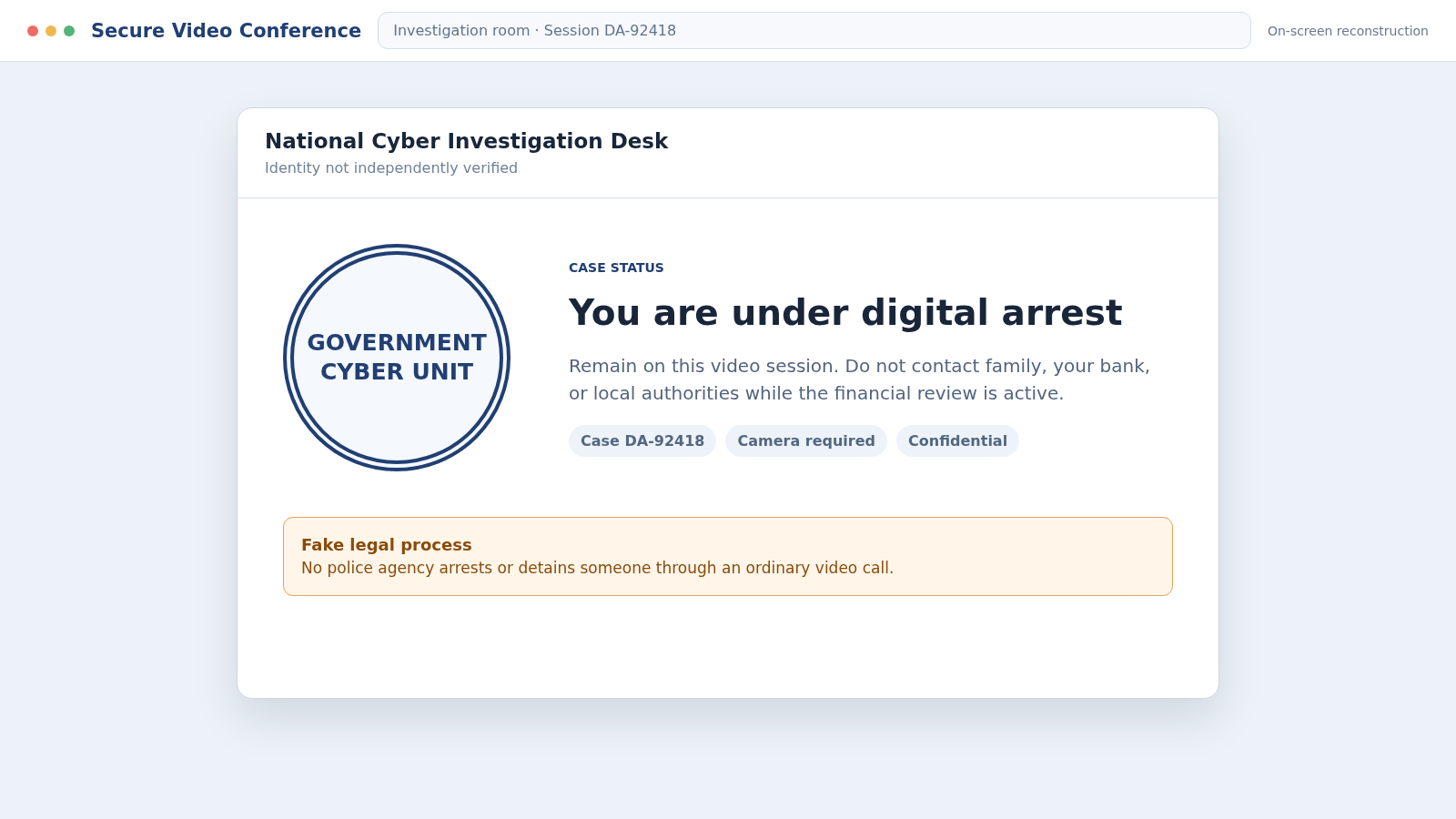
A video call opens with an officer in uniform, a case number, and a document carrying your name. The caller says a parcel or bank account connected to you has been linked to a serious crime.
The Digital Arrest scam turns that frightening claim into hours of isolation and pressure. What looks like an official investigation is a carefully staged attempt to keep you frightened, silent, and ready to move money.
Overview
There is no legal procedure called a digital arrest
A Digital Arrest scam is a law-enforcement impersonation scheme most often reported in India. Criminals pretend to represent police, customs, the Central Bureau of Investigation, telecom authorities, courts, or financial regulators.
They claim the victim must remain on a call or video conference while an investigation takes place. No genuine agency arrests, detains, or places a person under surveillance through WhatsApp, Skype, or an ordinary video call.
The accusation is designed to overwhelm ordinary judgment
The story may involve a parcel containing drugs, a SIM registered in the victim’s name, money laundering, identity theft, unpaid taxes, or a bank account used by criminals. The details change, but the emotional purpose stays the same.
The caller wants the victim to feel that hanging up will make the situation worse. Fake officers may display badges, uniforms, government seals, arrest warrants, court papers, evidence photographs, or a room arranged to resemble a police station.
The real objective is money, information, and control
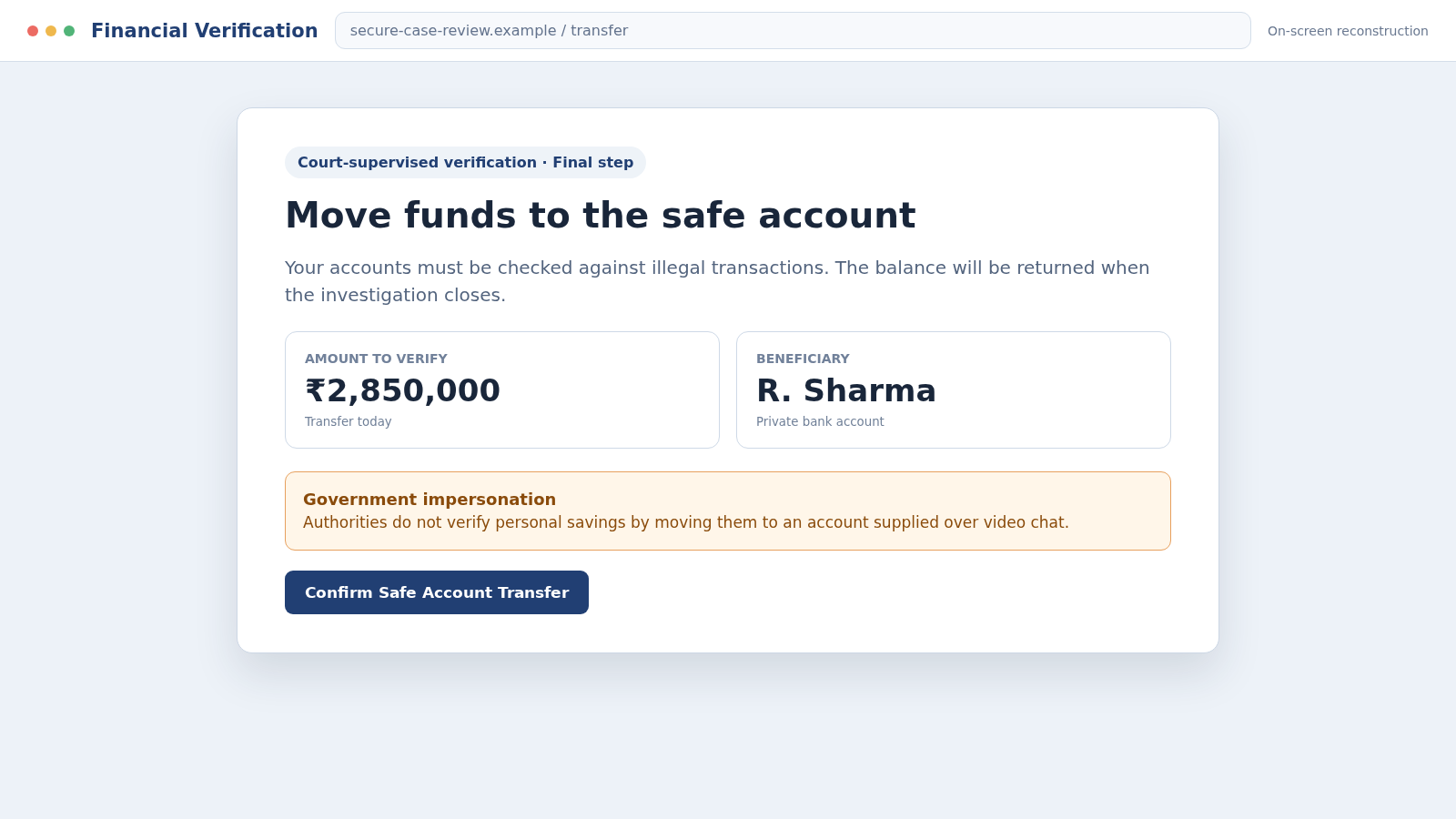
Victims are told to transfer savings into a “safe account,” pay a bond, complete a financial verification, or prove that their money is legitimate. The receiving accounts belong to criminals or money mules.
The scheme may also collect:
- Bank account numbers, balances, and transaction histories
- Aadhaar, PAN, passport, or other identity documents
- One-time passwords and account recovery codes
- Workplace, family, property, and investment information
- Screen-sharing or remote access to a device
- Selfies, signatures, and recordings useful for later impersonation
The phrase “digital arrest” is not a warning about a new legal process. It is the name given to a coercive scam that tries to make the victim police their own movements while the criminals empty accounts.
Why the Fake Investigation Can Feel Real
This scheme is more elaborate than a single threatening text. A first caller may pose as a courier employee and then “transfer” the victim to a police officer. A third person may appear as an investigator, prosecutor, judge, or bank official.
Each handoff creates the impression that separate institutions are confirming the same case. In reality, the voices may be sitting together, using a shared script and passing information between them.
Caller ID can display an official-looking number without proving who placed the call. Video backgrounds can be staged, copied, or generated. A badge held near a camera is no more reliable than a logo pasted into an email.
The scammers may already know the victim’s name, address, employer, or partial identity number from a data breach or public profile. Repeating accurate details makes the invented accusation feel personally investigated.
They often demand privacy and say the case is covered by national-security or court-secrecy rules. That instruction prevents a spouse, child, colleague, bank employee, or real police officer from interrupting the story.
How the Digital Arrest Scam Works
Step 1: An unexpected call introduces a serious problem
The first contact may claim to come from a courier, mobile carrier, customs desk, bank, or government helpline. The caller says an account, telephone number, or package registered to the victim is connected to illegal activity.
The victim is told that the matter cannot be handled by ordinary customer service. The call is quickly transferred to a supposed officer before there is time to verify the original claim.
Step 2: A fake officer raises the stakes
The second caller names a frightening offense such as money laundering, narcotics trafficking, or financing criminal activity. A badge number and case reference are read aloud with practiced confidence.
The alleged officer may know personal information and use it as proof. In truth, knowing a name or identity detail does not show that a criminal case exists or that the caller works for law enforcement.
Step 3: Forged documents create a paper trail
Arrest warrants, First Information Reports, court orders, bank-freeze notices, and confidentiality agreements arrive by message or email. Official seals, signatures, and photographs are copied to make the files look formal.
The documents usually direct all communication back to the same caller or messaging account. Real legal papers can be confirmed through the issuing authority, court registry, or local police station using contact information found independently.
Step 4: The victim is moved onto a continuous video call
The scammer says a video link is required for identity verification or remote questioning. The victim may be ordered to keep the camera on, stay inside one room, and report before using the bathroom or speaking with anyone.
This is the “arrest” part of the performance. Constant observation keeps the victim emotionally exhausted and allows the criminal to notice any attempt to contact family or a bank.
Step 5: Isolation is presented as a legal command
The caller warns that discussing the case will compromise an investigation, implicate relatives, or trigger an immediate arrest. Some victims are instructed to check into a hotel so family members cannot overhear the conversation.
Secrecy is not protecting a case. It is protecting the scam from outside scrutiny. A genuine officer does not need to stop a citizen from calling a lawyer, family member, or independently verified agency.
Step 6: A financial review becomes the supposed solution
The fake investigator asks for balances, investments, loans, and account statements. The victim is told that every asset must be checked against criminal funds or moved temporarily for an audit.
A “safe account,” “RBI verification account,” “court escrow,” or “security account” is introduced. Government agencies do not test whether money is clean by having a suspect transfer personal savings to an account supplied on a video call.
Step 7: Transfers are split across accounts
The victim may be guided through online banking while the caller watches. Large amounts can be divided among several beneficiary accounts to reduce attention and move the proceeds through layers of money mules.
If a bank questions the payment, the scammer may dictate a false explanation such as a property purchase or family loan. Coaching someone to lie to the bank is a clear sign that the transfer cannot survive honest review.
Step 8: More charges follow until the victim breaks contact
After the first transfer, a new problem appears: an additional account requires checking, a tax must be paid, or the court has not released the original amount. Fake receipts promise that everything will be returned.
The criminals disappear when no more money is available or the victim speaks to someone outside the call. Stolen documents and recordings may later be used for identity fraud, blackmail, or a fake recovery service.
Warning Signs That End the Call Immediately
No single badge, telephone number, document, or video image can authenticate a surprise investigation. Judge the behavior. Real authorities follow formal procedures and allow independent verification.
- You are told that you are under “digital arrest.”
- A caller claims a parcel or SIM in your name is tied to a crime.
- The conversation is transferred between several supposed agencies.
- You must keep a video call running for hours.
- You are forbidden to contact family, a lawyer, or local police.
- Money must move to a safe, verification, or government account.
- The caller asks for an OTP, PIN, password, or screen share.
- You are coached to give the bank a false reason for a transfer.
- Arrest is threatened unless payment happens immediately.
- A refund is promised after the investigation is complete.
If any of these signs appear, end the call. Do not negotiate, announce that you are reporting the scam, or wait for permission to disconnect.
How to Verify a Real Law-Enforcement Contact
Ask for the caller’s full name, rank, department, station, and case number, but do not treat the answers as proof. A scammer can invent each item or copy the details of a real officer.
Hang up and find the agency’s number on its official government website. Call the public switchboard, describe the contact, and ask whether the named officer and case can be confirmed.
For a local accusation, visit or call the nearest police station through a known number. If the caller says customs intercepted a parcel, contact the courier and customs authority separately, not through a transfer arranged by the caller.
Do not open a link or scan a QR code supplied as a verification route. A professional-looking government portal can be a credential-stealing page controlled by the same group.
A real investigation does not require secrecy from your own lawyer. If the matter feels serious, obtain independent legal advice before providing documents, attending an interview, or moving money.
Company, Address, and Fulfillment Checks
Confirm the named agency through a government directory
Search the official government domain for the department, office, and public switchboard. Do not use a number from the video call, message, document, search advertisement, or caller ID.
Check whether the station and officer can receive a callback
Call the independently found number and ask to be connected. A scammer may borrow a real station address or employee name, so confirmation must include the specific contact and alleged case.
Verify documents with the actual issuing office
A seal and reference number can be copied. Ask the court, police records office, courier, or regulator whether the document exists, without replying to the sender or visiting its link.
Reject any private account presented as government escrow
Check the legal payment process directly with the verified agency or lawyer. A beneficiary name, QR code, UPI ID, crypto wallet, or personal bank account sent over chat is not proof of government custody.
What to Do if You Have Fallen Victim to This Scam
- End the call and break the isolation. Disconnect video, block the accounts, and tell a trusted person what happened. Do not let threats of arrest keep you inside the scammer’s controlled conversation.
- Call your bank immediately. Use an official number and report fraud, not a voluntary family transfer. Ask whether pending payments can be stopped, beneficiary accounts flagged, and online banking access secured.
- Report quickly through local cybercrime channels. In India, contact the national cybercrime helpline at 1930 and use the official cybercrime reporting portal. Also report the impersonated police unit through its verified switchboard.
- Preserve the evidence. Save call logs, usernames, recordings, messages, forged warrants, account details, UPI IDs, receipts, wallet addresses, and the exact timeline. Do not edit the original files.
- Secure identity and banking accounts. Change passwords from a trusted device, end unfamiliar sessions, replace exposed cards, and enable strong multifactor authentication. Tell the bank which identity documents were shared.
- Remove remote access. If you installed an app or shared your screen, disconnect the device and run a full scan with Malwarebytes. Remove unknown administrative, accessibility, and screen-sharing permissions.
- Block malicious follow-up pages. AdGuard can help reduce access to reported phishing domains and deceptive redirects, although it cannot reverse a completed transfer.
- Protect exposed identity documents. Monitor accounts and credit activity, replace documents when authorities recommend it, and be alert for new SIM, loan, or account applications in your name.
- Warn close contacts. Criminals may impersonate you using a recorded voice, selfie, or copied documents. Give family a separate phrase or callback routine for urgent financial requests.
- Ignore recovery agents. Anyone promising guaranteed recovery for an upfront fee may be using information from the original scam. Work only with your bank, law enforcement, and independently verified legal professionals.
Frequently Asked Questions
Is a digital arrest a real legal procedure?
No. Police and courts do not detain a person through a continuous telephone or video call. The phrase describes a criminal coercion tactic, not a lawful form of custody.
Can real police question someone by video?
Some official processes may use remote communication, but that does not include secret detention or transferring savings for verification. Confirm every contact through the agency’s independently located public number and seek legal advice.
Why did the caller know my personal information?
Names, addresses, employer details, telephone numbers, and identity fragments can come from breaches, public profiles, marketing records, or earlier phishing. Accurate personal data does not authenticate the person repeating it.
What if the caller showed an arrest warrant?
Treat an image sent by the caller as unverified. Contact the named court or police records office through an official channel and ask whether the document and case number exist.
Will a government agency ask me to transfer money for checking?
No legitimate investigation tests personal funds by moving them into a safe account supplied over a call. End the conversation and notify the bank if such a transfer is requested.
What should I do if the scammer is still calling?
Do not answer or argue. Save the call history, block the accounts, report the numbers, and let trusted people know. If threats mention immediate physical danger, contact local police through an official emergency route.
The Bottom Line
The Digital Arrest scam succeeds by creating a private emergency in which the caller appears to control the law, the evidence, and the victim’s movements. Uniforms, documents, and video backgrounds are pieces of that performance.
No real officer needs your savings in a safe account or your camera running all day. End the call, verify through an independent authority, and involve someone you trust before fear turns a fabricated case into a real financial loss.

Join the discussion
0 commentsShare your experience or ask a question about this article.
Discussion
Start the conversation
Have a question or something useful to share? Add the first comment.