

A card statement shows an Explodely charge, yet the name does not match the product you remember buying. When you return to the original sales page, the promise that convinced you to pay may be much harder to find.
That mismatch can signal an affiliate sales funnel, a forgotten subscription, or a genuinely unauthorized transaction. The right response starts with identifying which seller and order sit behind the billing descriptor.
Overview
Explodely is a real checkout platform used by third-party sellers
Explodely provides checkout, billing, affiliate, and support tools for online products. A customer may first see a course, software tool, e-book, or money-making offer on a separate website, then complete payment through an Explodely-hosted checkout.
For that reason, the Explodely name on a bank statement does not automatically identify the product or prove that Explodely created the sales claims. The seller, affiliate, checkout platform, and card descriptor can all be different parts of one transaction.
Deceptive merchants can hide behind a legitimate payment layer
A polished checkout does not verify that a product works as advertised. An affiliate may promise effortless income, automated results, limited-time access, or a dramatic transformation that the underlying product cannot reasonably deliver.
After the first payment, the buyer may encounter one-click upgrades, recurring billing, expensive coaching, or additional tools described as necessary to make the original purchase useful.
The immediate task is to separate a disputed purchase from card theft
If you recognize the underlying order but believe the claims or billing were misleading, preserve the sales page and use the platform’s refund process. If you never authorized the transaction, treat it as possible card fraud and contact the issuer promptly.
Keep these distinctions in mind:
- An unfamiliar billing descriptor may belong to a purchase made under another product name.
- A real checkout platform does not guarantee that every seller’s marketing is accurate.
- A low initial price may lead into optional or recurring upgrades.
- Pre-checked boxes and vague renewal terms deserve close attention before payment.
- A refund request should create a dated written record.
- A charge you never approved should be reported to the card issuer as unauthorized.
Do not begin by clicking a support link found in an unrelated email or search advertisement. Start from the official Explodely website or the contact details on the original receipt.
How a Deceptive Sales Funnel Reaches an Explodely Charge
An advertisement promises a simple answer to a difficult problem
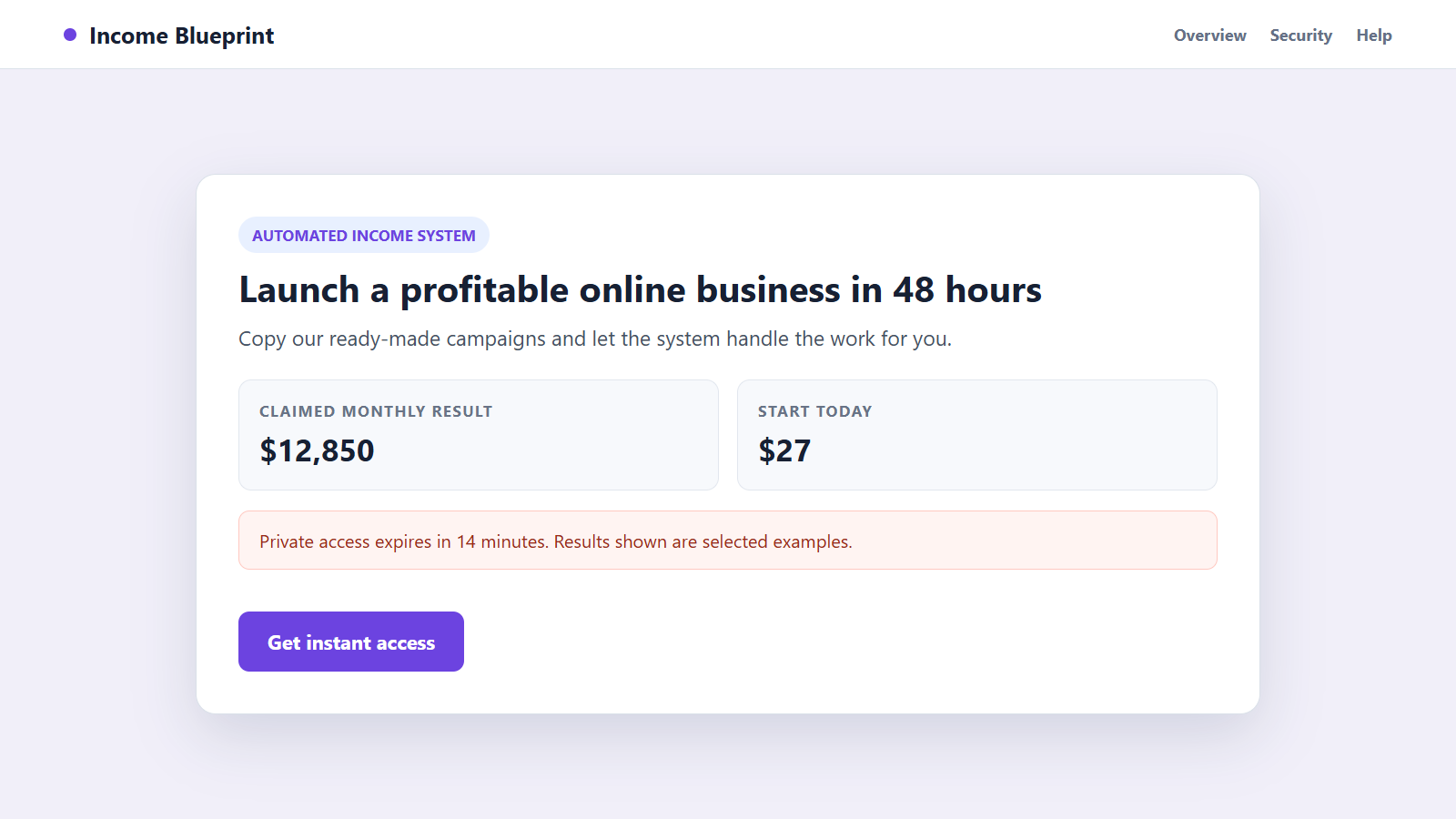
The promotion may claim that a short guide, automated system, trading method, health program, or online-business blueprint can produce exceptional results with little experience. Testimonials and countdowns make the opportunity feel proven and scarce.
The most important limitations may appear only in fine print, an earnings disclaimer, or terms opened through a small footer link.
A low-cost entry product reduces the buyer’s resistance
The first offer may be inexpensive enough to feel harmless. Its real purpose can be to turn a visitor into a paying customer and save payment details for the rest of the funnel.
Once the purchase is complete, the page may say the buyer needs an advanced version to obtain the result advertised at the beginning.
One-click upsells make several purchases feel like one decision
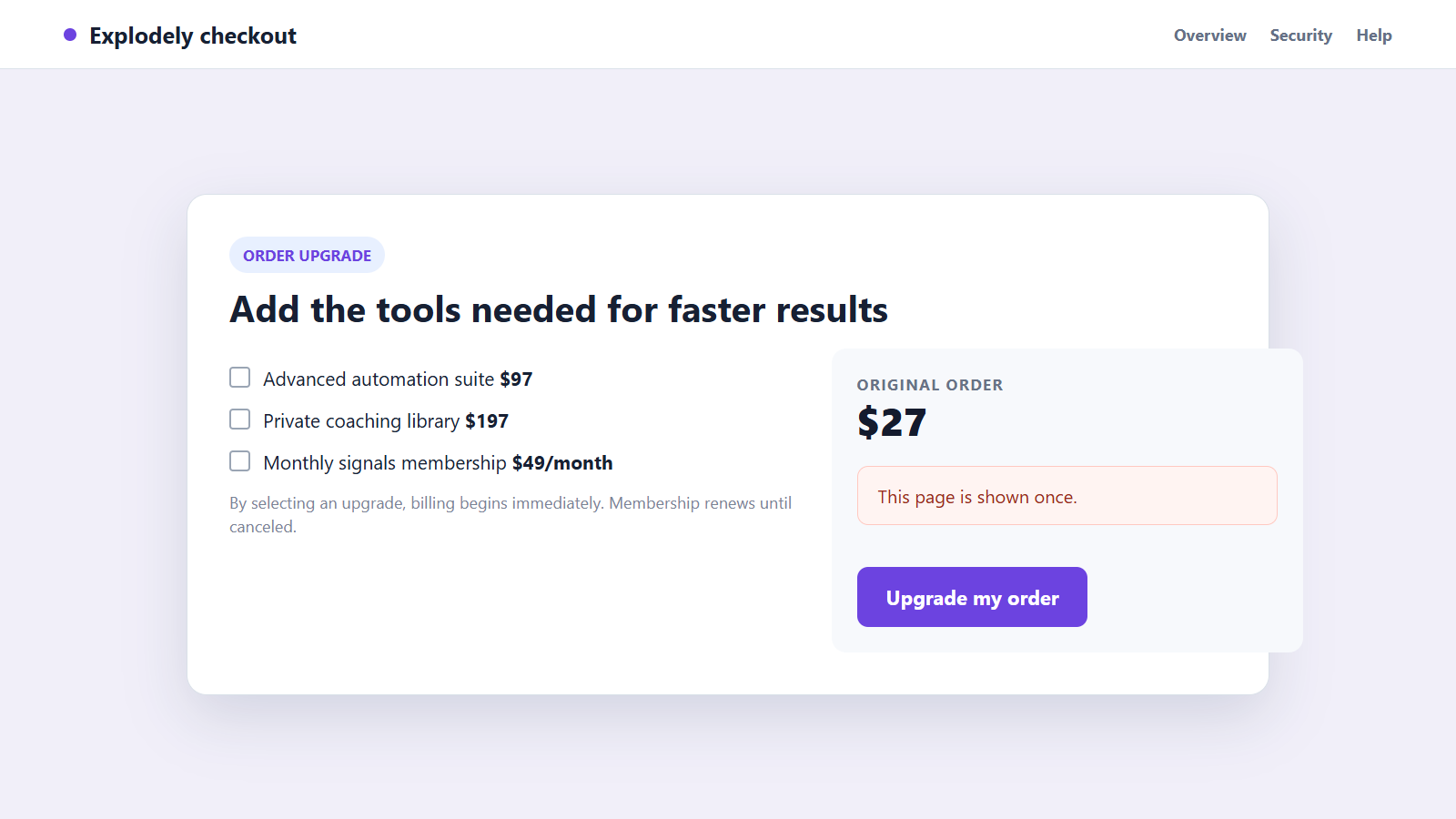
Upgrade pages can appear before the customer reaches the product. Buttons may emphasize the premium option while the link to decline is visually muted or worded as giving up an important benefit.
Each click can create a separate charge. A buyer who moves quickly may not realize that the cart total has changed or that a recurring plan was selected.
The statement uses a descriptor the buyer does not recognize
The bank may display Explodely rather than the marketing name seen in the advertisement. This creates confusion when the buyer searches email or account history for the charge.
The descriptor itself is a clue, not proof of fraud. Explodely’s official order lookup is designed to connect billing details with a specific order.
Why These Offers Can Feel More Credible Than They Are
Affiliate marketing separates the person making the pitch from the company processing payment. A seller can change the landing page while the checkout remains familiar and technically functional.
Video testimonials, screenshots, income counters, and social comments can be selected, edited, or fabricated. They rarely show the typical customer’s costs, time commitment, refunds, or failed attempts.
Countdown timers may restart after a page reload, and a supposedly private discount may be available to every visitor. Artificial scarcity pushes the buyer to pay before comparing the claims with independent information.
A money-back guarantee can also lower caution. A guarantee is useful only when its conditions, deadline, seller identity, and refund route are clear enough to enforce.
The checkout page may be secure in the narrow technical sense that it encrypts card data. Encryption protects information in transit; it does not make an exaggerated earnings promise true.
How to Investigate an Explodely Charge Safely
Locate the original receipt and record the order number, product name, purchase date, amount, seller, and every line item. Search all email folders for those details rather than only the word Explodely.
Use the official Explodely order lookup by typing the address yourself. Do not use a lookalike page reached through a refund email or sponsored search result.
Compare the receipt with the card statement. Several charges on the same day may correspond to separate upsells, while a later charge may be a subscription renewal.
Capture the sales page, checkout boxes, refund promise, earnings disclaimer, order confirmation, and product-access screen. Marketing pages can change after complaints begin.
Decide which description fits: authorized but not as described, an unwanted renewal, a duplicate charge, or a transaction you never made. The difference helps support and the card issuer route the case correctly.
How an Explodely Charge Scam Funnel Works
Step 1: An affiliate attracts the buyer with a dramatic claim
Social advertisements, email promotions, videos, and review-style pages promise fast money, effortless automation, exclusive information, or another unusually strong result.
The affiliate may earn a commission from the initial sale and later upgrades, creating an incentive to make the pitch as persuasive as possible.
Step 2: The visitor is shown selective proof
The page presents testimonials, before-and-after stories, dashboards, or revenue screenshots without enough information to verify them. Risk and typical outcomes receive far less attention.
A countdown or limited quantity encourages the visitor to skip independent research.
Step 3: A small first payment opens the funnel
The customer enters contact and card information for the entry product. The page may mention that Explodely is the checkout provider even though the advertisement uses another brand.
The low price makes the decision feel separate from the more expensive offers that follow.
Step 4: Immediate upgrades redefine what is needed
The next page claims the basic product is incomplete without premium software, coaching, templates, or a faster method. Declining can be framed as accepting worse results.
Each acceptance may create another order, sometimes without requiring the full card number again.
Step 5: Recurring terms or additional charges appear
A membership, trial, or support plan may renew unless canceled. If the disclosure was unclear or overlooked, the later statement is the first time the buyer notices it.
An actual unauthorized transaction can look similar, which is why the order record matters.
Step 6: The product does not match the headline promise
The material may be generic, incomplete, difficult to use, or dependent on more spending. The buyer discovers that exceptional results were marketing examples rather than a realistic expectation.
This gap between the advertisement and the delivered product becomes central to a refund or dispute.
Step 7: Confusion slows the refund attempt
The buyer contacts the product brand, affiliate, or an unofficial support address instead of the entity shown on the receipt. Each handoff consumes time while the refund window continues to run.
Explodely’s published support process says a refund request is opened with the seller and can automatically refund after 48 hours if unresolved, so keeping a written ticket is important.
Step 8: Follow-up sellers target the same contact details
The customer may receive more offers for coaching, recovery help, or upgraded systems. Information entered during the purchase can support related marketing under the platform’s stated terms.
Someone promising to recover a loss for an advance fee may be running a separate recovery scam.
Company, Address, and Fulfillment Checks
The seller must be identified separately from the checkout platform
Write down the product brand, legal seller, affiliate, support contact, and Explodely order number. Do not treat those names as interchangeable.
A seller that cannot provide a consistent legal identity is difficult to hold to a guarantee or earnings claim.
The web addresses must belong to the parties they claim to represent
Check the final domain of the sales page, checkout, receipt, member area, and support portal. A copied Explodely logo on an unrelated domain is not the official platform.
Type the official order-lookup address yourself when investigating a charge.
The business address and support route must remain consistent
Compare addresses and contact details across the sales terms, receipt, refund policy, and card statement. A virtual mailbox is not automatic proof of fraud, but unexplained differences reduce accountability.
Keep communication in writing whenever possible so dates, promises, and responses can be shown to the card issuer.
The delivered product must match the advertised purchase
Record what was promised, what arrived, when access was provided, and which features require more payment. A working download does not settle whether the description was accurate.
The FTC’s guidance on business and coaching offers recommends demanding clear details about how the opportunity works, its costs, and its realistic path to profit.
Warning Signs in a High-Pressure Explodely Sales Funnel
- The headline promises guaranteed income or unusually fast results.
- A countdown restarts or the same final discount is always available.
- Typical outcomes and total costs are missing from the main sales pitch.
- The entry product is followed by several urgent one-click upgrades.
- Recurring billing is disclosed only in faint or crowded text.
- The seller’s legal name and address are difficult to locate.
- The product requires more purchases before it can supposedly work.
- Support discourages a refund and pushes another paid solution.
One upsell does not automatically make a seller fraudulent. The danger comes from the combined pattern of unverifiable claims, hidden total cost, pressure, and a product that cannot support the promise.
What to Do if You Have Fallen Victim to This Scam
- Identify every related transaction. Review the receipt and statement for the initial purchase, upgrades, subscriptions, duplicate charges, and any later renewals.
- Preserve the sales evidence. Save the advertisement, landing page, testimonials, earnings claims, checkout selections, refund policy, receipt, and product-access screen.
- Open an official support ticket. Use Explodely’s verified order lookup or help center and state exactly which charge and remedy you are requesting. Keep the ticket number and timestamps.
- Contact the seller in writing. Explain how the delivered product or billing differed from the offer. Avoid telephone-only promises that leave no record.
- Call the card issuer if the charge is unauthorized. If you never approved it, report possible card fraud immediately and ask whether the card number should be replaced.
- Discuss a dispute for an unresolved purchase. Give the issuer accurate evidence and describe whether the issue is non-delivery, misleading description, unwanted renewal, duplicate billing, or another category.
- Change compromised credentials. Replace reused passwords and review email, payment, and shopping accounts if you entered details on a lookalike support or order page.
- Scan the device. Use Malwarebytes if the product required an unknown download, browser extension, remote-access tool, or executable file.
- Reduce repeat exposure. AdGuard can block many deceptive ads, phishing pages, and malicious redirects, but it cannot evaluate every earnings claim or cancel an existing charge.
- Report deceptive marketing. File a report with the FTC and the advertising platform if the offer used false income claims, hidden billing, or fabricated endorsements.
Frequently Asked Questions
Is every Explodely charge a scam?
No. Explodely is a real checkout platform used by third-party sellers. The charge may belong to an authorized order marketed under a different product name.
Why does Explodely appear instead of the product name?
The platform may process or act as the retailer for the transaction, so its billing descriptor can appear on the statement. Use the official order lookup to identify the underlying purchase.
What if I recognize the order but not the amount?
Check for one-click upgrades, subscriptions, taxes, and separate line items. Compare each receipt with the statement before opening a support ticket.
Does Explodely offer refunds?
Its published policy describes a 60-day refund period for covered purchases, while the support process explains how seller tickets and automatic refunds are handled. Confirm the terms attached to your specific order.
Should I dispute the charge before contacting support?
An unauthorized charge should be reported to the issuer immediately. For a recognized but disputed purchase, preserve evidence and ask the issuer how its timing rules interact with the merchant’s refund process.
Can a secure checkout make a misleading offer safe?
No. A secure connection protects payment data in transit. It does not validate testimonials, income claims, product quality, or the fairness of recurring terms.
The Bottom Line
An Explodely charge can come from a real order whose product name was different, but it can also sit at the end of a deceptive affiliate funnel or signal unauthorized card use.
Identify the seller and order, preserve the original promise, use official support, and involve the card issuer quickly when the charge was not approved or the dispute remains unresolved.

Join the discussion
0 commentsShare your experience or ask a question about this article.
Discussion
Start the conversation
Have a question or something useful to share? Add the first comment.