

The Memory Wave enters a familiar worry with an unusually small promise: listen for twelve minutes and give an aging mind a brighter daily rhythm.
Elsewhere, the same offer becomes an “8-second ear trick” linked with dramatic scientific storytelling. The gap between those messages deserves investigation.
Overview
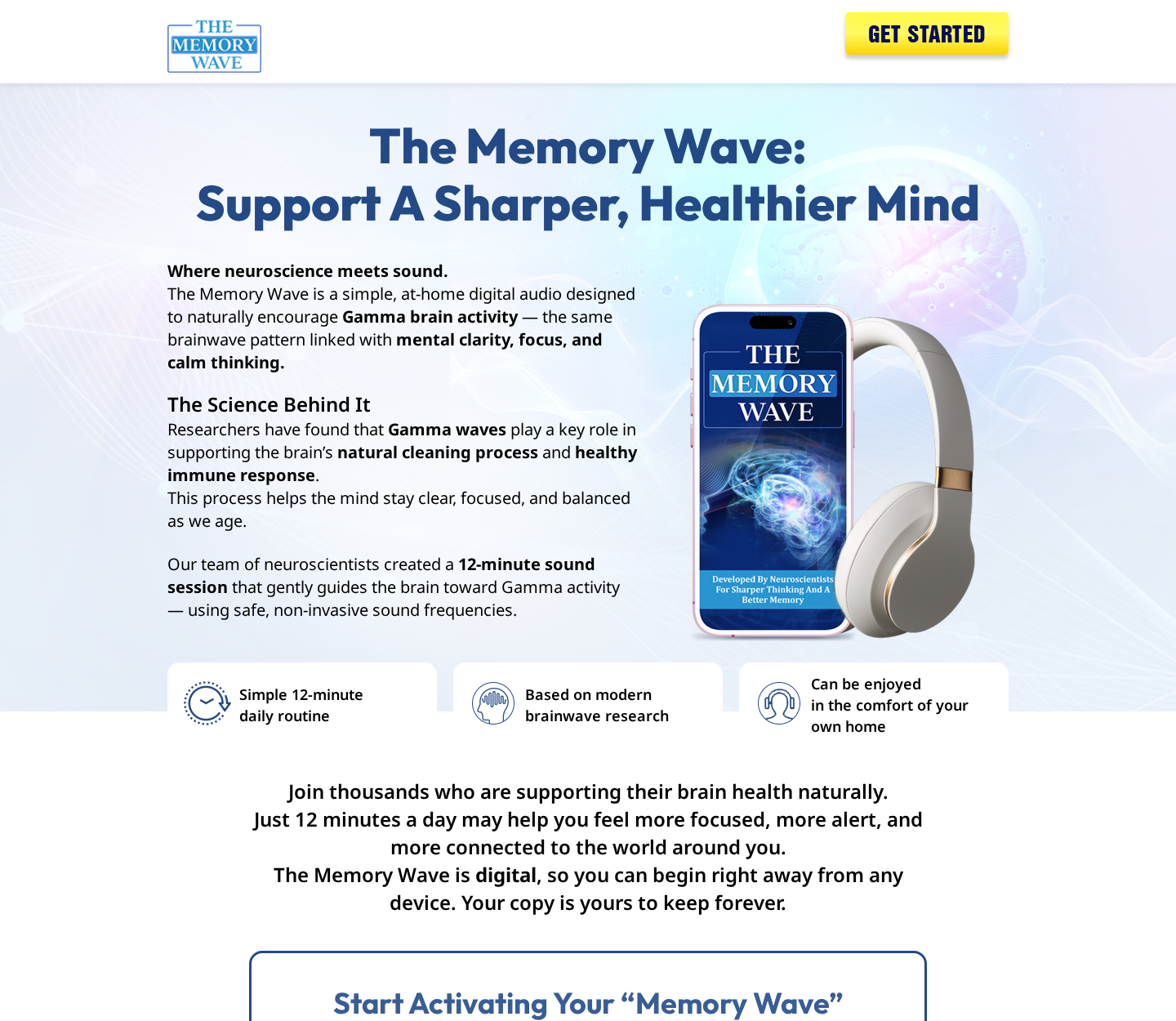
The Memory Wave is a real digital audio package
The Memory Wave is sold as downloadable audio with guides and bonus material. Current promotional pages commonly display a $39 one-time price.
The main routine lasts about twelve minutes. Buyers are told to listen regularly using headphones or speakers from home.
The product is not a physical medical device, prescription, or diagnostic service. Delivery usually means receiving access to digital files.
Its pages name ClickBank as the retailer and advertise a 90-day guarantee. That creates a clearer payment trail than an anonymous cryptocurrency checkout.
Receiving working audio does not prove improved memory. Transaction legitimacy and neurological effectiveness must be judged separately.
The advertising stretches from gentle wellness to extraordinary science
One page says the recording supports focus, calm thinking, memory, and a healthier mind through gamma brain activity.
More aggressive promotions introduce a supposed neuroscientist, NASA training, brain fog, a hidden “brain invader,” and an eight-second ear ritual.
Those stories imply a breakthrough while the official disclaimer says the product is not intended to diagnose, treat, cure, or prevent disease.
- The product is digital and commonly advertised at $39.
- The daily listening session is described as twelve minutes.
- Some funnels lead with an eight-second “ear trick” rather than the full program.
- Scientific logos and neuroscience vocabulary appear in promotional material.
- The guarantee is presented as lasting 90 days.
- Sales pages acknowledge that some scenes may be dramatized or use actors.
The disclaimer does not automatically excuse a misleading headline. Consumers form expectations from the entire presentation, not one paragraph near the footer.
Our verdict: delivered product, exaggerated memory narrative
The Memory Wave is not best described as a website that simply steals payment and disappears. A real audio program is offered through an established retailer.
However, we found no robust product-specific clinical trial showing that this exact recording reverses cognitive decline or produces the transformations implied by sensational ads.
The marketing borrows credibility from genuine brainwave research, then moves far beyond what that research establishes for a downloadable consumer audio.
We consider the offer high risk for people seeking help with memory symptoms. It should never replace professional assessment or evidence-based care.
Someone who simply enjoys relaxation audio may value it differently. They should still understand the price, upsells, evidence limits, and refund procedure.
The Two Different Stories Used to Sell One Product
The restrained version describes a daily sound session that may encourage gamma activity and support a sharper, calmer mind.
This language resembles general wellness advertising. It avoids promising a diagnosis or guaranteed outcome, though it still needs evidence for product-specific benefits.
The sensational version behaves differently. It announces a top neuroscientist, an eight-second action, NASA connections, dramatic success counts, and a hidden explanation for brain fog.
That presentation is built like a news discovery rather than an ordinary product advertisement. Logos, quotations, and scientific references create an atmosphere of authority.
The supposed mechanism may change between promotions. The memorable hook remains simple enough to repeat in a short video or social-media caption.
This flexibility is useful to affiliates. They can sell the same $39 package through different stories aimed at fear, curiosity, aging, or distrust of conventional advice.
A buyer may remember the ear trick but not the disclaimer. That mismatch is central to understanding the campaign.
How the Memory Wave Offer Works
Step 1: A short ad introduces a strange memory secret
The viewer encounters a claim involving the ear, a frequency, an overlooked breakfast habit, or a brain discovery supposedly ignored by ordinary medicine.
The wording withholds the complete answer. Curiosity carries the viewer from the social platform into a longer sales presentation.
Older adults and relatives worried about cognitive decline are especially vulnerable because the subject feels urgent and deeply personal.
Step 2: An advertorial borrows the appearance of reporting
The next page may resemble a health article, interview, documentary, or breaking-science report rather than a conventional advertisement.
A credentialed-looking narrator explains why familiar approaches supposedly miss the real problem. Technical language makes the story sound discovered rather than invented.
Look for an advertising disclosure, affiliate statement, or order button repeated throughout the page. Those clues reveal the commercial purpose.
Step 3: A named expert and institutions create authority
Promotions reference a “Dr. James Rivers” and describe neuroscience or NASA-related training. We found no clear independent record validating the biography as presented.
Logos for universities or journals can also appear near references. A logo does not mean that institution tested, approved, or endorsed The Memory Wave.
Scientific citations may discuss brain rhythms generally. Unless the commercial recording was actually studied, those papers cannot prove the advertised outcome.
Step 4: The eight-second hook expands into twelve-minute listening
The advertisement’s tiny ritual creates an expectation of effortless change. The product itself is described as a longer daily audio routine.
That does not make the recording unusable. It shows that the acquisition story and the delivered activity are not the same proposition.
A careful buyer should ask whether the headline describes the product accurately or merely attracts attention for an unrelated checkout.
Step 5: The checkout emphasizes a discounted one-time price
The main offer is often shown at $39 against a much larger reference value. Instant delivery removes shipping and inventory costs from the purchase.
ClickBank normally acts as retailer and payment handler. The statement descriptor and receipt should identify the transaction route used for support.
Review every checkbox and button before paying. Affiliate funnels may introduce optional bonuses, upgrades, coaching, or additional products after the initial order.
Step 6: Upsells can increase the total immediately
A customer who expects only $39 may encounter one-click offers after payment. These pages can present additional content as essential for better results.
Trustpilot feedback includes a buyer describing confusing prices and upsells, although that reviewer also reported receiving a refund through PayPal.
One review cannot establish the experience of every buyer. It illustrates why the receipt must be checked before closing the browser.
Step 7: The customer evaluates an outcome that naturally fluctuates
Focus and memory vary with sleep, stress, mood, medication, health, expectation, and the type of task being performed.
Relaxing for twelve minutes may feel pleasant. That subjective benefit is not evidence that gamma stimulation repaired an underlying disease process.
Without a controlled comparison, ordinary good days can be attributed to the audio while difficult days are dismissed as insufficient practice.
Step 8: Refund success depends on using the correct transaction path
The offer displays a 90-day guarantee, but a refund still requires the buyer to locate the order and contact the responsible retailer.
Use the ClickBank order lookup or the payment provider connected to the receipt. Do not ask an unrelated review website to cancel the purchase.
Record the request date and confirmation. If a promised refund is not processed, provide that evidence to the card issuer or payment service.

What Gamma Brainwave Research Really Means
Gamma activity is a measurable pattern of coordinated neural oscillation, commonly discussed at frequencies above the slower alpha, theta, and delta ranges.
Scientists study relationships between these rhythms and attention, perception, memory, and neurological conditions. The work is complex and remains actively debated.
Some experiments use precisely controlled light or sound stimulation. Researchers measure brain responses, biomarkers, cognition, safety, and persistence under defined conditions.
A commercial MP3 is not automatically equivalent to laboratory equipment. Headphones, volume, hearing, encoding, environment, and the recording itself can change the stimulus.
Even successful entrainment would not guarantee meaningful daily improvement. A measurable rhythm change and a lasting clinical benefit are different endpoints.
Product evidence would need participants similar to intended buyers, a suitable comparison, blinded evaluation where possible, and transparent reporting of negative results.
We did not find that level of evidence for The Memory Wave as sold. General papers about gamma cannot fill the gap.
The phrase “where neuroscience meets sound” is promotional positioning. It should not be read as proof of approval by neurologists, NASA, or a university.
Memory Symptoms Should Not Be Diagnosed by an Advertisement
Forgetfulness has many possible causes. Sleep deprivation, depression, anxiety, hearing loss, medication effects, vitamin deficiency, thyroid problems, and infections can contribute.
Some causes are treatable. Others require monitoring and planning. A dramatic video cannot distinguish them from normal age-related lapses.
Sudden confusion, trouble speaking, weakness, severe headache, or abrupt behavior change can be an emergency. Seek immediate medical help rather than starting an audio program.
Gradual changes also deserve assessment when they interfere with bills, driving, appointments, cooking, medication, navigation, judgment, or familiar tasks.
Early evaluation does not guarantee a frightening diagnosis. It creates a chance to identify reversible contributors and establish a useful baseline.
Families should be especially cautious with advertisements that claim doctors hide a cure or that one simple ritual reverses Alzheimer’s disease.
No consumer audio should be used to stop prescribed medication, cancel appointments, or postpone support for safety and daily living.

Company, Address, and Fulfillment Checks
ClickBank provides a traceable retail layer
The product pages identify ClickBank as retailer. That is useful because an order number can connect payment, access, support, and refund handling.
It does not mean ClickBank created the audio or independently verified every memory claim used by an affiliate.
The expert identity needs independent confirmation
A compelling sales persona should be verifiable outside the funnel. Search professional licenses, publications, institutional directories, and disclosed conflicts of interest.
We could not confirm the “Dr. James Rivers” authority story at the level needed to rely on it for a health decision.
Digital fulfillment can hide changing versions
There is no sealed bottle with a batch number. Sales pages, audio files, bonuses, and instructions can change without creating an obvious public record.
Save the file names, access date, invoice, and promotional promises. Those details matter if the delivered package differs from the offer.
Affiliate pages may not be the responsible support channel
Many promoters can send traffic to the same product. The page that persuaded you may not control payment, refunds, or future access.
Follow the receipt to the retailer. Never give remote computer access or another payment to a stranger claiming to recover the original charge.
What to Do if You Bought The Memory Wave
- Read the receipt immediately. Confirm the final total, product names, merchant descriptor, additional offers, refund deadline, and whether any item carries separate terms.
- Save the original promises. Capture the ear-trick claim, expert biography, price, guarantee, bonuses, disclaimer, and order page before an affiliate changes them.
- Request a refund through the retailer. Use the ClickBank order details or stated payment route. Keep the case number, date, response, and refund confirmation.
- Escalate a missing refund accurately. Contact the card issuer or PayPal if the retailer fails to honor a documented request. Provide the full timeline.
- Seek medical evaluation for concerning symptoms. Do not let the audio delay assessment, prescribed care, safety planning, or support for worsening memory.
- Ignore recovery impersonators. No legitimate refund requires cryptocurrency, gift cards, banking passwords, or remote-control access to your computer.
- Inspect your browser. If the funnel caused downloads, notifications, or extensions, remove unfamiliar items and run a Malwarebytes scan.
- Reduce repeat exposure. AdGuard can block many aggressive pop-ups and advertising redirects, but it cannot validate neuroscience claims.
Is Your Device Infected? Run a Free Malware Scan
Slow performance, constant pop-ups, or strange behavior? These are classic signs of a malware infection. The fastest way to find out is to scan your device with Malwarebytes Free — one of the most trusted malware removal tools available.
The free version detects and removes the most common threats, including:
- Adware — the cause of those annoying pop-ups
- Browser hijackers — unwanted redirects and changed homepages
- Trojans and spyware — hidden programs stealing your data
- Potentially unwanted programs (PUPs) — software you never asked for
👉 Select your device below — Windows, Mac, or Android — then follow the simple steps to download Malwarebytes, scan your system, and remove any threats it finds. The scan usually takes 5 to 20 minutes.
Run a Malware Scan with Malwarebytes for Windows
Malwarebytes is one of the most popular and trusted anti-malware tools for Windows — and it’s completely free for removing infections. It catches threats that many antivirus programs miss, including adware, browser hijackers, and trojans. Follow the steps below to scan and clean your PC in just a few minutes.
Download Malwarebytes
Click the button below to download the latest version of Malwarebytes for Windows from the official source. The free version is all you need — it will scan your computer and remove adware, browser hijackers, and other malicious software at no cost.
Download MalwarebytesOfficial installer for Windows 11 and 10. Your download starts right away.Want real-time protection? See Malwarebytes Premium Malwarebytes Free for WindowsScans and removes malware at no cost
-
Install Malwarebytes
When the download finishes, open your Downloads folder and double-click the MBSetup file. If Windows shows a User Account Control pop-up, click “Yes” to allow the installation.

Follow the On-Screen Prompts to Install Malwarebytes
The setup wizard will walk you through a few quick screens:
-
Choose where you’re installing the program — “Personal Computer” or “Work Computer” — then click Next.

-
Malwarebytes will now install on your device. This usually takes under a minute.

-
When installation is complete, the “Welcome to Malwarebytes” screen will open automatically.

-
On the final screen, click Open Malwarebytes to launch the program.

-
Enable “Scan for Rootkits”
Before scanning, turn on rootkit detection so Malwarebytes can find even the most hidden threats. Click the Settings gear icon on the left side of the screen.

In the settings menu, find “Scan for rootkits” and click the toggle so it turns blue.

Done? Click “Dashboard” in the left pane to return to the main screen.
Start the Scan
Click the blue Scan button. Malwarebytes will automatically update its virus database and start checking your computer for malware.

-
Wait for the Scan to Finish
The scan checks your entire system for browser hijackers and other malicious programs, so it can take 5 to 20 minutes depending on your computer. Feel free to do something else — just check back occasionally to see the progress.

-
Quarantine the Detected Threats
When the scan is done, you’ll see a list of everything Malwarebytes found — malware, adware, and potentially unwanted programs. Click the “Quarantine” button to remove all of them at once.

Malwarebytes will now remove the malicious files and registry entries and move them safely into quarantine.

-
Restart Your Computer
Some threats can only be fully removed after a reboot. If Malwarebytes asks you to restart, click Yes. Once you’re logged back in, Malwarebytes has finished removing the threats it found.

That’s it — your Windows PC is now clean of trojans, adware, and other malware, and should be back to running smoothly.
If you are still having problems with your computer after completing these instructions, then please follow one of the steps:
- Run a computer scan with ESET Online Scanner
- Ask for help in our Windows Malware Removal Help & Support forum.
Run a Malware Scan with Malwarebytes for Mac
Malwarebytes for Mac is a free on-demand scanner that removes the malware other security software tends to miss — adware, browser hijackers, and unwanted programs included. Cleaning an infected Mac with Malwarebytes has always been completely free, and it’s our go-to recommendation. Follow the steps below to scan and clean your Mac in just a few minutes.
-
Download Malwarebytes for Mac
Click the button below to download the latest version of Malwarebytes for Mac.
Download MalwarebytesOfficial installer for macOS. Your download starts right away.Want real-time protection? See Malwarebytes PremiumMalwarebytes Free for MacScans and removes malware at no cost -
Open the Malwarebytes setup file
When the download finishes, open your Downloads folder and double-click the setup file to begin the installation.

-
Follow the On-Screen Prompts to Install Malwarebytes
The Malwarebytes for Mac Installer will guide you through a few quick screens. Click “Continue” and keep following the prompts until the installation completes.



When the installation is complete, Malwarebytes opens to the Welcome to Malwarebytes screen. Click “Get started“.
-
Select “Personal Computer” or “Work Computer”
Malwarebytes will ask what type of computer you’re installing it on. Click either Personal Computer or Work Computer, whichever applies.

-
Start the Scan
Click the “Scan” button. Malwarebytes will automatically update its detection database and begin checking your Mac for malware.

-
Wait for the Scan to Finish
Malwarebytes will scan your Mac for adware, browser hijackers, and other malicious programs. This can take a few minutes, so feel free to do something else — just check back occasionally to see the progress.

-
Quarantine the Detected Threats
When the scan is done, you’ll see a list of everything Malwarebytes found. Click the “Quarantine” button to remove all the threats at once.

-
Restart Your Mac
Malwarebytes will now remove all the malicious files it found. Some threats can only be fully removed after a reboot — if Malwarebytes asks you to restart, allow it. Once you’re logged back in, your Mac is clean.

That’s it — your Mac is now free of adware, rogue browser extensions, and other potentially harmful software.
If you are still experiencing problems while trying to remove a malicious program from your computer, please ask for help in our Mac Malware Removal Help & Support forum.
Run a Malware Scan with Malwarebytes for Android
Malwarebytes for Android automatically detects and removes dangerous threats like malware and ransomware so you don’t have to worry about your most-used device being compromised. Aggressive detection of adware and potentially unwanted programs keeps your Android phone or tablet running smooth.
-
Download Malwarebytes for Android.
You can download Malwarebytes for Android by clicking the link below.
Get Malwarebytes for AndroidOpens Google Play in a new tab.Want real-time protection? See Malwarebytes Premium for AndroidMalwarebytes for AndroidScans your phone and removes malware at no cost -
Install Malwarebytes for Android on your phone.
In the Google Play Store, tap “Install” to install Malwarebytes for Android on your device.

When the installation process has finished, tap “Open” to begin using Malwarebytes for Android. You can also open Malwarebytes by tapping on its icon in your phone menu or home screen.

-
Follow the on-screen prompts to complete the setup process
When Malwarebytes will open, you will see the Malwarebytes Setup Wizard which will guide you through a series of permissions and other setup options.
This is the first of two screens that explain the difference between the Premium and Free versions. Swipe this screen to continue.
Tap on “Got it” to proceed to the next step.
Malwarebytes for Android will now ask for a set of permissions that are required to scan your device and protect it from malware. Tap on “Give permission” to continue.
Tap on “Allow” to permit Malwarebytes to access the files on your phone.
-
Update database and run a scan with Malwarebytes for Android
You will now be prompted to update the Malwarebytes database and run a full system scan.

Click on “Update database” to update the Malwarebytes for Android definitions to the latest version, then click on “Run full scan” to perform a system scan.

-
Wait for the Malwarebytes scan to complete.
Malwarebytes will now start scanning your phone for adware and other malicious apps. This process can take a few minutes, so we suggest you do something else and periodically check on the status of the scan to see when it is finished.

-
Click on “Remove Selected”.
When the scan has been completed, you will be presented with a screen showing the malware infections that Malwarebytes for Android has detected. To remove the malicious apps that Malwarebytes has found, tap on the “Remove Selected” button.

-
Restart your phone.
Malwarebytes for Android will now remove all the malicious apps that it has found. To complete the malware removal process, Malwarebytes may ask you to restart your device.
That’s it — your Android phone is now clean — no more malicious apps, adware, or browser redirects.
If you are still having problems with your phone after completing these instructions, then please follow one of the steps:
- Restore your phone to factory settings by going to Settings > General management > Reset > Factory data reset.
- Ask for help in our Mobile Malware Removal Help & Support forum.
Stay Protected: Block Ads and Malicious Sites
Now that your device is clean, keep it that way. Most infections start with a malicious ad or a fake download button — so blocking them at the source is your best defense.
We recommend AdGuard, which blocks malicious ads, phishing pages, and dangerous redirects before they can reach you.
👉 Download AdGuard and browse safely
How to Evaluate Any Brainwave Audio Offer
Separate relaxation from treatment. Music may help someone unwind without proving it alters disease, repairs memory, or removes a harmful brain process.
Ask whether the exact commercial recording was tested. A citation about brainwaves generally is not a product trial.
Verify the narrator and named expert through independent professional records. A white coat, title, or institutional logo is not sufficient.
Compare the headline with the delivered routine. An eight-second secret that becomes twelve minutes daily reveals an advertising hook.
Read negative results and safety information. Honest research describes uncertainty, limitations, dropouts, adverse experiences, and people who did not improve.
Look for a simple refund route tied to the actual retailer. Screenshot the deadline and avoid buying extra products before testing the first one.
A Simple Reality Check for the Promised Results
Choose one ordinary task before listening, such as recalling a short list after a fixed delay. Repeat it under similar conditions.
Do not redesign the test after seeing the result. Moving the goal makes every outcome easier to interpret as success.
Record sleep, illness, stress, caffeine, and medication changes. These factors can affect performance more strongly than a brief audio session.
A family member should not prompt answers or reveal expectations. Encouragement can unintentionally change both effort and scoring.
Improvement on one homemade exercise is not a diagnosis or clinical benefit. It can reflect practice, chance, mood, or familiarity.
Stop if listening produces headache, ringing ears, agitation, dizziness, or sleep problems. Lower volume is not a substitute for medical advice.
Most importantly, never use a better score to dismiss worsening real-world function. Bills, driving, cooking, and medication safety matter far more.
Frequently Asked Questions
Is The Memory Wave a scam?
It is a real digital product, but its sensational expert and memory-improvement narrative goes beyond the product-specific evidence we found.
Does the 8-second ear trick improve memory?
We found no credible clinical proof that this tiny ritual reverses cognitive decline. It functions primarily as an advertising hook.
Can gamma sound cure Alzheimer’s disease?
No consumer audio is proven to cure Alzheimer’s disease. Research interest in gamma stimulation does not establish a commercial recording as treatment.
Who is Dr. James Rivers?
The sales persona is presented as a neuroscience authority, but we could not verify the biography independently enough to rely on it.
Is The Memory Wave a subscription?
The core offer is commonly presented as a one-time $39 digital purchase. Check your receipt for separate upsells or other products.
Can I get a refund?
The current offer advertises 90 days through ClickBank. Submit the request with the order number and keep the written confirmation.
The Bottom Line
The Memory Wave may deliver usable relaxation audio, but that modest reality does not validate an eight-second secret, a mysterious brain invader, or dramatic memory promises.
Buyers should judge it as a $39 digital wellness product, not medical care. Preserve the receipt, avoid impulsive upsells, and investigate memory changes professionally.

Join the discussion
0 commentsShare your experience or ask a question about this article.
Discussion
Start the conversation
Have a question or something useful to share? Add the first comment.