

A scraped bumper can turn a normal day into an expensive repair estimate. That is exactly when a “magic” cloth promising instant restoration feels most appealing.
FixaPro presents an easy alternative to polishing or repainting. We examined the demonstration, checkout, policies, and company details to see what buyers are actually getting.
Overview
What FixaPro claims to sell
FixaPro is marketed as a reusable cloth that wipes away scuffs, stains, swirl marks, oxidation, and scratches on vehicles of any color.
The sales page calls it a nanotechnology product and promises professional results without a body shop or expensive compounds.
Several cloth bundles are offered. The page displayed two, five, seven, and ten-unit packages during this investigation.
A treated cloth can potentially clean paint transfer or reduce very shallow clear-coat marks. It cannot replace paint that has been physically removed.
Why the demonstration can mislead
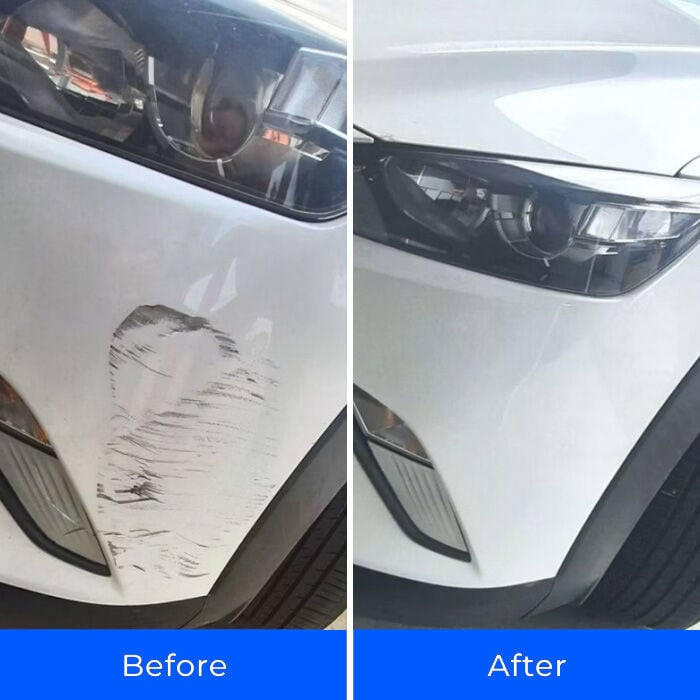
Before-and-after photographs show dark marks disappearing from a white bumper after wiping.
That appearance may represent surface transfer, residue, dirt, or a light clear-coat imperfection rather than a deep scratch through the paint.
The distinction matters because viewers commonly use “scratch” for several completely different kinds of damage.
- Loose contamination may wash away.
- Foreign paint transfer may be removable.
- Fine clear-coat marks may respond to polishing.
- A gouge through color needs touch-up paint.
- Dented or cracked panels require physical repair.
Our conclusion is about exaggeration, not impossible chemistry
We did not independently test a FixaPro cloth on automotive finishes.
The concern is the page’s broad promise to remove all scratches, including testimonials describing deep damage and paint chips.
No cleaning cloth can create missing primer, colored base coat, or clear coat from nothing.
Buyers may receive a usable cleaning or polishing accessory yet still feel misled when structural paint damage remains visible.
How the FixaPro Scratch Remover Offer Works
Step 1: The advertisement begins with an expensive fear
Professional paint correction and body repair can be costly. A dramatic scrape also looks worse when photographed closely.
The offer positions FixaPro between doing nothing and paying a repair shop, presenting the cloth as the obvious inexpensive choice.
That comparison skips ordinary alternatives such as washing, clay treatment, reputable compound, touch-up paint, or a local inspection.
The emotional promise is simple: one wipe avoids an unpredictable bill.
Step 2: Different types of damage are grouped together
The page lists scratches, scuffs, swirl marks, oxidation, and stains as though one mechanism handles them equally.
In practice, those conditions involve different materials and depths. A stain sits on a surface, while a deep scratch removes part of that surface.
Oxidation may require controlled abrasion. Swirl marks are usually fine clear-coat defects. Paint transfer can be residue from another object.
Grouping them makes an easy cleaning demonstration appear relevant to severe damage it never actually shows.
Step 3: “Nanotechnology” supplies a scientific explanation
Nanotechnology is a broad scientific field, not a performance standard for automotive cloths.
A seller should identify the active material, safe surfaces, abrasion level, chemical warnings, and supporting tests when using that term.
The checkout emphasizes the label more than verifiable technical documentation.
Scientific language can make a familiar treated microfiber product feel proprietary, even when shoppers cannot compare its formulation.
Step 4: The checkout adds scarcity, a timer, and social proof
The page said only 46 items remained and displayed a countdown showing the discount was reserved for several minutes.
It also described FixaPro as America’s number-one scratch remover, cited more than 75,000 happy customers, and displayed thousands of five-star reviews.
Those figures were seller-presented. They should not be confused with independent laboratory validation or a representative customer study.
Scarcity and a countdown reward quick action. Neither tells the buyer how deep a scratch can be before the cloth stops helping.
Step 5: Bundle math raises the transaction
The checkout leads with multi-unit packages such as buy one get one free and buy two get three free.
Per-item figures can look small while the order summary reflects the entire selected bundle.
For example, five units displayed at $15.73 each imply $78.65 before any taxes, shipping, handling, or optional additions.
Never rely on a large crossed-out comparison price. Read the final payable total and selected quantity immediately before authorizing payment.
This review did not establish a recurring FixaPro subscription. The primary billing risk is bundle size and final-order clarity.
Step 6: Refund wording leaves costs with the buyer
The checkout promotes a 30-day money-back guarantee and describes a hassle-free return.
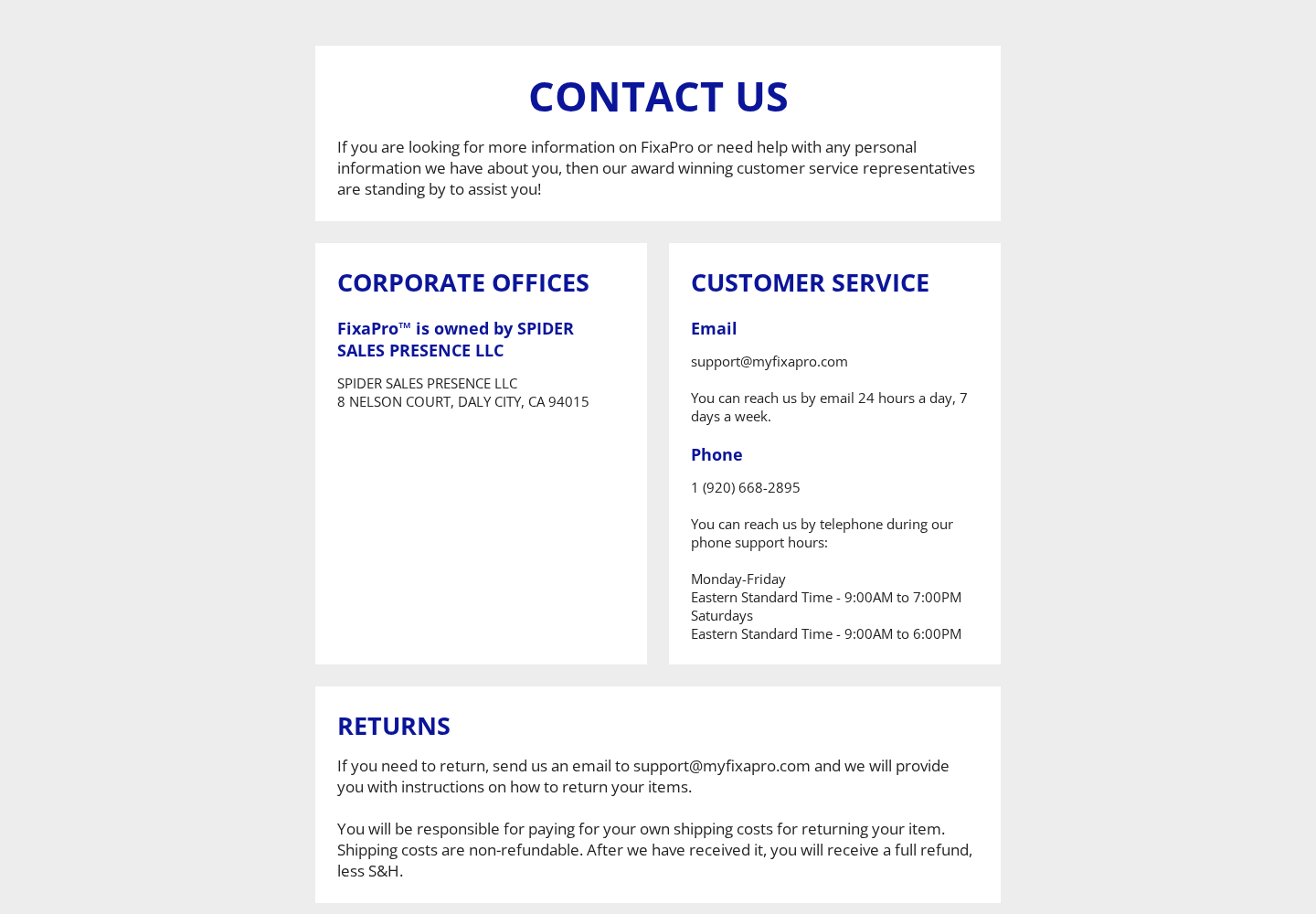
The contact page says customers must obtain instructions, pay their own return shipping, and accept that shipping and handling are nonrefundable.
That means a refund can be smaller than the amount originally paid, even when the merchandise is accepted.
The site does not prominently state a return address in the guarantee panel itself.
Customers should request written authorization and calculate postage before sending multiple cloths back.
What a Scratch Cloth Can Realistically Fix
Start with the fingernail test
Clean the panel gently, then run a fingernail across the mark without pressing hard.
If the nail does not catch, the defect may be surface transfer or a shallow clear-coat mark.
If it catches clearly, the damage is deeper. A cloth may clean the edges but cannot restore material that is gone.
Paint transfer can create dramatic demonstrations
A dark object rubbing against a white car may leave its own material on top of intact paint.
Removing that transfer produces an impressive transformation because the original white coating was never deeply cut.
Viewers can mistake this cleanup for repair of a gouge. The before photograph alone rarely reveals depth.
Polishing works by changing the surrounding surface
Legitimate compounds contain abrasives that level a tiny amount of clear coat around a shallow defect.
That process requires restraint. Excessive rubbing, dirty cloths, unsuitable chemicals, or repeated treatment can haze or thin the finish.
Professional products publish instructions about pad choice, pressure, speed, temperature, and compatible coatings.
Missing color requires matching material
A scratch exposing primer, metal, or plastic needs more than cleaning. Repair may involve sanding, filling, matched color, and protective clear coat.
Stone chips likewise require added coating. Claims that a cloth permanently erases paint loss should be treated skeptically.
When corrosion, cracking, or exposed metal is present, prompt professional advice may prevent further damage.
Red Flags in the FixaPro Presentation
“Works on all paints” is too broad without limitations
Automotive finishes include factory clear coat, single-stage paint, matte finishes, vinyl wraps, ceramic coatings, resprays, and aged lacquer.
A chemical or abrasive safe on one surface may stain, gloss, haze, or soften another.
The page’s universal wording needs detailed compatibility instructions and exclusions to be trustworthy.
Owners of repainted panels should be especially careful because curing time and coating hardness can differ from factory specifications.
Test documentation should identify surfaces, application pressure, number of passes, temperature, and inspection method.
The demonstration does not prove scratch depth
Camera distance and glare can conceal whether the original coating was cut.
A proper demonstration would clean the area first, show multiple light angles, measure depth, and document the result without changing exposure.
It would also reveal the cloth after wiping, since transferred pigment on the cloth may explain the apparent repair.
One striking bumper photograph cannot establish performance across all colors and damage types.
Consumers should judge what is physically happening, not simply how dramatic the two frames appear.
Testimonials describe outcomes the mechanism cannot deliver
The page includes customer language suggesting deep scratches and paint chips disappeared instantly.
Cleaning and polishing may improve their appearance, but a missing chip requires replacement coating to become whole again.
A testimonial can be mistaken, exaggerated, selectively presented, or based on damage that only looked deep.
Even authentic customers are not material scientists, and their labels do not determine the actual depth.
Look for close photographs after washing, not only enthusiastic text beside a five-star symbol.
The countdown provides no technical information
A timer cannot reveal abrasiveness, durability, shelf life, safe storage, or the number of effective uses.
It exists to shorten the deliberation period while the page increases the selected bundle size.
If the product is suitable today, it should remain suitable after ten minutes of comparison.
Leave the page, identify the damage, and calculate alternatives before returning to any offer.
Safer Ways to Assess and Treat a Mark
Wash before diagnosing
Rinse loose grit and wash the panel with automotive soap before rubbing any treated material across it.
Dirt trapped under a cloth can create fresh scratches that obscure whether the original mark improved.
Dry with a clean microfiber towel, then inspect under diffuse daylight and a separate handheld light.
Use the least aggressive method first
Start with a gentle cleaner intended for the exact finish, following its directions.
Progress to clay or polish only when the mark’s nature supports that choice.
Aggressive rubbing is not automatically more effective. It can level healthy clear coat surrounding a small defect.
Stop frequently, remove residue, and inspect rather than completing dozens of uninterrupted passes.
Protect exposed material
A chip reaching metal can admit water and road salt, allowing corrosion to spread beneath surrounding paint.
Temporary cleaning is useful, but the exposed area still needs an appropriate protective repair.
Plastic bumpers do not rust, although open coating can continue peeling and remain visually obvious.
A trusted body shop can explain repair options without forcing the most expensive choice.
Estimate the real repair before choosing a shortcut
Many owners assume every professional visit means repainting an entire panel.
A detailer may identify removable transfer or offer localized polishing at a price far below bodywork.
Conversely, a deep chip ignored for months may become more expensive once corrosion or peeling develops.
Get a photograph-based opinion or brief inspection before buying a large bundle of universal cloths.
The correct comparison is not cloth versus maximum repair bill. It is cloth versus the least aggressive appropriate remedy.
Protect yourself during a small test
Wear suitable gloves if the package does not clearly identify the treatment compound.
Work in ventilation, keep the material away from children, and avoid contact with eyes or skin.
Mask an inconspicuous square and use minimal pressure for one pass.
Inspect the dried surface from several angles before treating a visible door, hood, or bumper.
Do not mix the cloth with solvents or compounds because chemical interactions can change performance and safety.
Store a treated cloth as directed
A reusable product may dry out, collect grit, or transfer residue if stored incorrectly.
Seal it only as the manufacturer directs, and never return a contaminated cloth to ordinary household laundry.
Label the container so another person does not use it for glass, interiors, skin, or food surfaces.
Dispose of the material according to its ingredients and local rules when the treatment is exhausted.
Never use an unknown treatment on a collector vehicle without advice from someone familiar with that finish.
Company, Address, and Fulfillment Checks
The website uses two company identities
The contact page states that FixaPro is owned by Spider Sales Presence LLC.
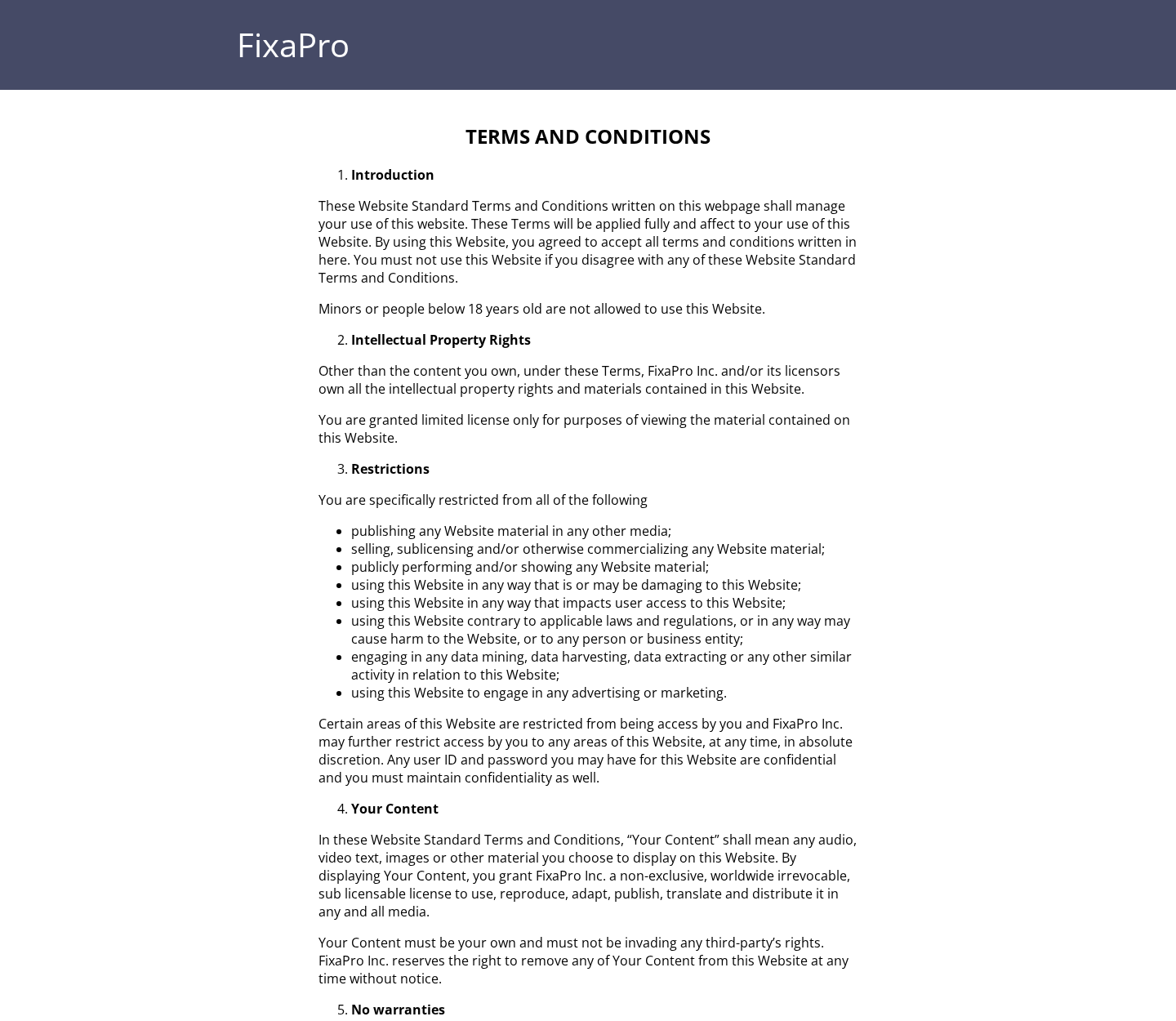
The terms repeatedly refer to “FixaPro Inc.” without explaining whether that is a corporation, trade name, or template label.
That inconsistency does not prove fraud, but a buyer should know which entity accepted the order and owes the refund.
A Daly City address is published
The contact page lists 8 Nelson Court, Daly City, California 94015 as the corporate office.
A listed office is not automatically a warehouse, manufacturer, testing laboratory, or approved return facility.
Do not send merchandise there unless support provides that exact destination in a return authorization.
Phone and email details are visible
The site publishes support@myfixapro.com and +1 920-668-2895 with weekday and Saturday telephone hours.
The email domain differs from the sales domain, which can be legitimate but should be saved carefully to avoid impersonation.
We did not place a call or send customer information, so responsiveness was not independently tested.
Manufacturing information is not prominent
The reviewed pages did not clearly identify the cloth manufacturer, country of manufacture, complete treatment formulation, or independent finish-safety testing.
That missing transparency creates uncertainty, particularly when the cloth may contain abrasives or chemicals used on expensive automotive coatings.
Request a safety sheet and precise instructions before using it on matte paint, wraps, ceramic coatings, fresh paint, or specialty finishes.
What to Do if Your FixaPro Order or Car Finish Has a Problem
- Stop rubbing immediately. If the surface hazes, changes color, becomes sticky, or shows new fine marks, continuing may make professional correction harder.
- Photograph the panel carefully. Capture wide and close views in neutral light before and after use, plus the cloth, packaging, instructions, and product lot information.
- Preserve the advertisement. Save the specific before-and-after demonstration, promise, bundle, countdown, final total, guarantee, and confirmation page that influenced your purchase.
- Request written return instructions. Quote your order number and desired remedy. Ask what deductions apply and whether opened or used cloths qualify.
- Calculate the recovery. Compare tracked return postage and nonrefundable shipping or handling with the refund expected. Keep the seller’s written estimate.
- Ask a detailer before correcting damage. An experienced technician can distinguish transfer, clear-coat damage, exposed base coat, and panel damage without relying on advertising terminology.
- Escalate a documented mismatch. If the merchant refuses the published guarantee, provide your issuer with the offer, correspondence, return proof, and exact disputed amount.
- Check for digital risks. Use Malwarebytes after suspicious downloads or redirects. AdGuard can reduce aggressive sales overlays and potentially harmful advertising chains.
Is Your Device Infected? Run a Free Malware Scan
Slow performance, constant pop-ups, or strange behavior? These are classic signs of a malware infection. The fastest way to find out is to scan your device with Malwarebytes Free — one of the most trusted malware removal tools available.
The free version detects and removes the most common threats, including:
- Adware — the cause of those annoying pop-ups
- Browser hijackers — unwanted redirects and changed homepages
- Trojans and spyware — hidden programs stealing your data
- Potentially unwanted programs (PUPs) — software you never asked for
👉 Select your device below — Windows, Mac, or Android — then follow the simple steps to download Malwarebytes, scan your system, and remove any threats it finds. The scan usually takes 5 to 20 minutes.
Run a Malware Scan with Malwarebytes for Windows
Malwarebytes is one of the most popular and trusted anti-malware tools for Windows — and it’s completely free for removing infections. It catches threats that many antivirus programs miss, including adware, browser hijackers, and trojans. Follow the steps below to scan and clean your PC in just a few minutes.
Download Malwarebytes
Click the button below to download the latest version of Malwarebytes for Windows from the official source. The free version is all you need — it will scan your computer and remove adware, browser hijackers, and other malicious software at no cost.
Download MalwarebytesOfficial installer for Windows 11 and 10. Your download starts right away.Want real-time protection? See Malwarebytes Premium Malwarebytes Free for WindowsScans and removes malware at no cost
-
Install Malwarebytes
When the download finishes, open your Downloads folder and double-click the MBSetup file. If Windows shows a User Account Control pop-up, click “Yes” to allow the installation.

Follow the On-Screen Prompts to Install Malwarebytes
The setup wizard will walk you through a few quick screens:
-
Choose where you’re installing the program — “Personal Computer” or “Work Computer” — then click Next.

-
Malwarebytes will now install on your device. This usually takes under a minute.

-
When installation is complete, the “Welcome to Malwarebytes” screen will open automatically.

-
On the final screen, click Open Malwarebytes to launch the program.

-
Enable “Scan for Rootkits”
Before scanning, turn on rootkit detection so Malwarebytes can find even the most hidden threats. Click the Settings gear icon on the left side of the screen.

In the settings menu, find “Scan for rootkits” and click the toggle so it turns blue.

Done? Click “Dashboard” in the left pane to return to the main screen.
Start the Scan
Click the blue Scan button. Malwarebytes will automatically update its virus database and start checking your computer for malware.

-
Wait for the Scan to Finish
The scan checks your entire system for browser hijackers and other malicious programs, so it can take 5 to 20 minutes depending on your computer. Feel free to do something else — just check back occasionally to see the progress.

-
Quarantine the Detected Threats
When the scan is done, you’ll see a list of everything Malwarebytes found — malware, adware, and potentially unwanted programs. Click the “Quarantine” button to remove all of them at once.

Malwarebytes will now remove the malicious files and registry entries and move them safely into quarantine.

-
Restart Your Computer
Some threats can only be fully removed after a reboot. If Malwarebytes asks you to restart, click Yes. Once you’re logged back in, Malwarebytes has finished removing the threats it found.

That’s it — your Windows PC is now clean of trojans, adware, and other malware, and should be back to running smoothly.
If you are still having problems with your computer after completing these instructions, then please follow one of the steps:
- Run a computer scan with ESET Online Scanner
- Ask for help in our Windows Malware Removal Help & Support forum.
Run a Malware Scan with Malwarebytes for Mac
Malwarebytes for Mac is a free on-demand scanner that removes the malware other security software tends to miss — adware, browser hijackers, and unwanted programs included. Cleaning an infected Mac with Malwarebytes has always been completely free, and it’s our go-to recommendation. Follow the steps below to scan and clean your Mac in just a few minutes.
-
Download Malwarebytes for Mac
Click the button below to download the latest version of Malwarebytes for Mac.
Download MalwarebytesOfficial installer for macOS. Your download starts right away.Want real-time protection? See Malwarebytes PremiumMalwarebytes Free for MacScans and removes malware at no cost -
Open the Malwarebytes setup file
When the download finishes, open your Downloads folder and double-click the setup file to begin the installation.

-
Follow the On-Screen Prompts to Install Malwarebytes
The Malwarebytes for Mac Installer will guide you through a few quick screens. Click “Continue” and keep following the prompts until the installation completes.



When the installation is complete, Malwarebytes opens to the Welcome to Malwarebytes screen. Click “Get started“.
-
Select “Personal Computer” or “Work Computer”
Malwarebytes will ask what type of computer you’re installing it on. Click either Personal Computer or Work Computer, whichever applies.

-
Start the Scan
Click the “Scan” button. Malwarebytes will automatically update its detection database and begin checking your Mac for malware.

-
Wait for the Scan to Finish
Malwarebytes will scan your Mac for adware, browser hijackers, and other malicious programs. This can take a few minutes, so feel free to do something else — just check back occasionally to see the progress.

-
Quarantine the Detected Threats
When the scan is done, you’ll see a list of everything Malwarebytes found. Click the “Quarantine” button to remove all the threats at once.

-
Restart Your Mac
Malwarebytes will now remove all the malicious files it found. Some threats can only be fully removed after a reboot — if Malwarebytes asks you to restart, allow it. Once you’re logged back in, your Mac is clean.

That’s it — your Mac is now free of adware, rogue browser extensions, and other potentially harmful software.
If you are still experiencing problems while trying to remove a malicious program from your computer, please ask for help in our Mac Malware Removal Help & Support forum.
Run a Malware Scan with Malwarebytes for Android
Malwarebytes for Android automatically detects and removes dangerous threats like malware and ransomware so you don’t have to worry about your most-used device being compromised. Aggressive detection of adware and potentially unwanted programs keeps your Android phone or tablet running smooth.
-
Download Malwarebytes for Android.
You can download Malwarebytes for Android by clicking the link below.
Get Malwarebytes for AndroidOpens Google Play in a new tab.Want real-time protection? See Malwarebytes Premium for AndroidMalwarebytes for AndroidScans your phone and removes malware at no cost -
Install Malwarebytes for Android on your phone.
In the Google Play Store, tap “Install” to install Malwarebytes for Android on your device.

When the installation process has finished, tap “Open” to begin using Malwarebytes for Android. You can also open Malwarebytes by tapping on its icon in your phone menu or home screen.

-
Follow the on-screen prompts to complete the setup process
When Malwarebytes will open, you will see the Malwarebytes Setup Wizard which will guide you through a series of permissions and other setup options.
This is the first of two screens that explain the difference between the Premium and Free versions. Swipe this screen to continue.
Tap on “Got it” to proceed to the next step.
Malwarebytes for Android will now ask for a set of permissions that are required to scan your device and protect it from malware. Tap on “Give permission” to continue.
Tap on “Allow” to permit Malwarebytes to access the files on your phone.
-
Update database and run a scan with Malwarebytes for Android
You will now be prompted to update the Malwarebytes database and run a full system scan.

Click on “Update database” to update the Malwarebytes for Android definitions to the latest version, then click on “Run full scan” to perform a system scan.

-
Wait for the Malwarebytes scan to complete.
Malwarebytes will now start scanning your phone for adware and other malicious apps. This process can take a few minutes, so we suggest you do something else and periodically check on the status of the scan to see when it is finished.

-
Click on “Remove Selected”.
When the scan has been completed, you will be presented with a screen showing the malware infections that Malwarebytes for Android has detected. To remove the malicious apps that Malwarebytes has found, tap on the “Remove Selected” button.

-
Restart your phone.
Malwarebytes for Android will now remove all the malicious apps that it has found. To complete the malware removal process, Malwarebytes may ask you to restart your device.
That’s it — your Android phone is now clean — no more malicious apps, adware, or browser redirects.
If you are still having problems with your phone after completing these instructions, then please follow one of the steps:
- Restore your phone to factory settings by going to Settings > General management > Reset > Factory data reset.
- Ask for help in our Mobile Malware Removal Help & Support forum.
Stay Protected: Block Ads and Malicious Sites
Now that your device is clean, keep it that way. Most infections start with a malicious ad or a fake download button — so blocking them at the source is your best defense.
We recommend AdGuard, which blocks malicious ads, phishing pages, and dangerous redirects before they can reach you.
👉 Download AdGuard and browse safely
Frequently Asked Questions
Is FixaPro Scratch Remover a scam?
A product is offered and may clean some surface marks. The advertising overgeneralizes what one cloth can repair and uses strong urgency tactics.
Can FixaPro repair deep scratches?
A cloth cannot replace missing layers of color or clear coat. Deep defects normally need matched material and controlled refinishing.
Why do some before-and-after images look convincing?
Surface paint transfer can look severe yet wipe away dramatically. That result does not prove repair of a cut through the coating.
Does FixaPro charge a subscription?
No recurring program was confirmed in this review. Check the final page for quantity, optional services, and the complete one-time total.
Who sells FixaPro?
The contact page names Spider Sales Presence LLC, while the generic terms use FixaPro Inc. The relationship is not clearly explained.
Can the cloth damage paint?
Any abrasive or treated material can create risk when misused. Test an inconspicuous area and avoid specialty finishes without manufacturer guidance.
The Bottom Line
FixaPro Scratch Remover may help with residue, transferred paint, or very shallow marks. It cannot make missing automotive coating reappear.
The sweeping repair claims, bundle-first checkout, countdown, and return deductions justify caution. Identify the damage before buying a purported universal solution.

Join the discussion
0 commentsShare your experience or ask a question about this article.
Discussion
Start the conversation
Have a question or something useful to share? Add the first comment.