

A stubborn drain can turn an ordinary morning into a messy emergency. That urgency makes a dramatic blue bottle and a five-minute promise difficult to ignore.
Pipe Bobo appears across several marketplaces, yet the name alone reveals surprisingly little about what a buyer will actually receive.
Overview
What Pipe Bobo Drain Cleaner is supposed to do
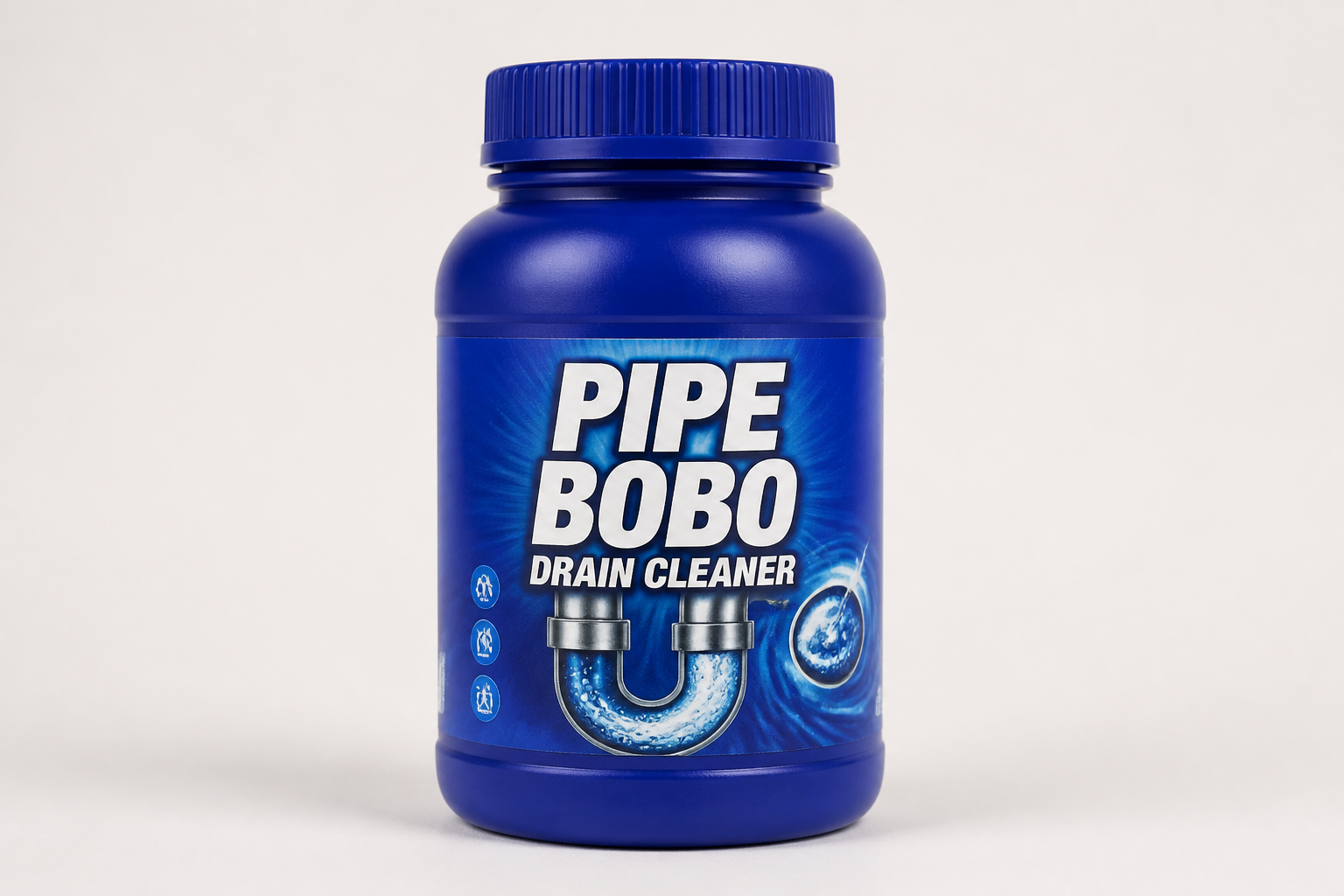
Pipe Bobo is marketed as a powdered or concentrated drain treatment that foams inside sinks, showers, tubs, and other household plumbing.
Advertisements say the formula attacks hair, grease, soap residue, food waste, and odors. Some listings promise visible unclogging within five minutes.
The product is commonly shown in a small dark-blue bottle. Multipacks are promoted as a practical way to treat several drains or repeat an application.
Why the offer is difficult to evaluate
Pipe Bobo does not appear to have one easily verified official manufacturer, specification sheet, or customer-service operation controlling every listing.
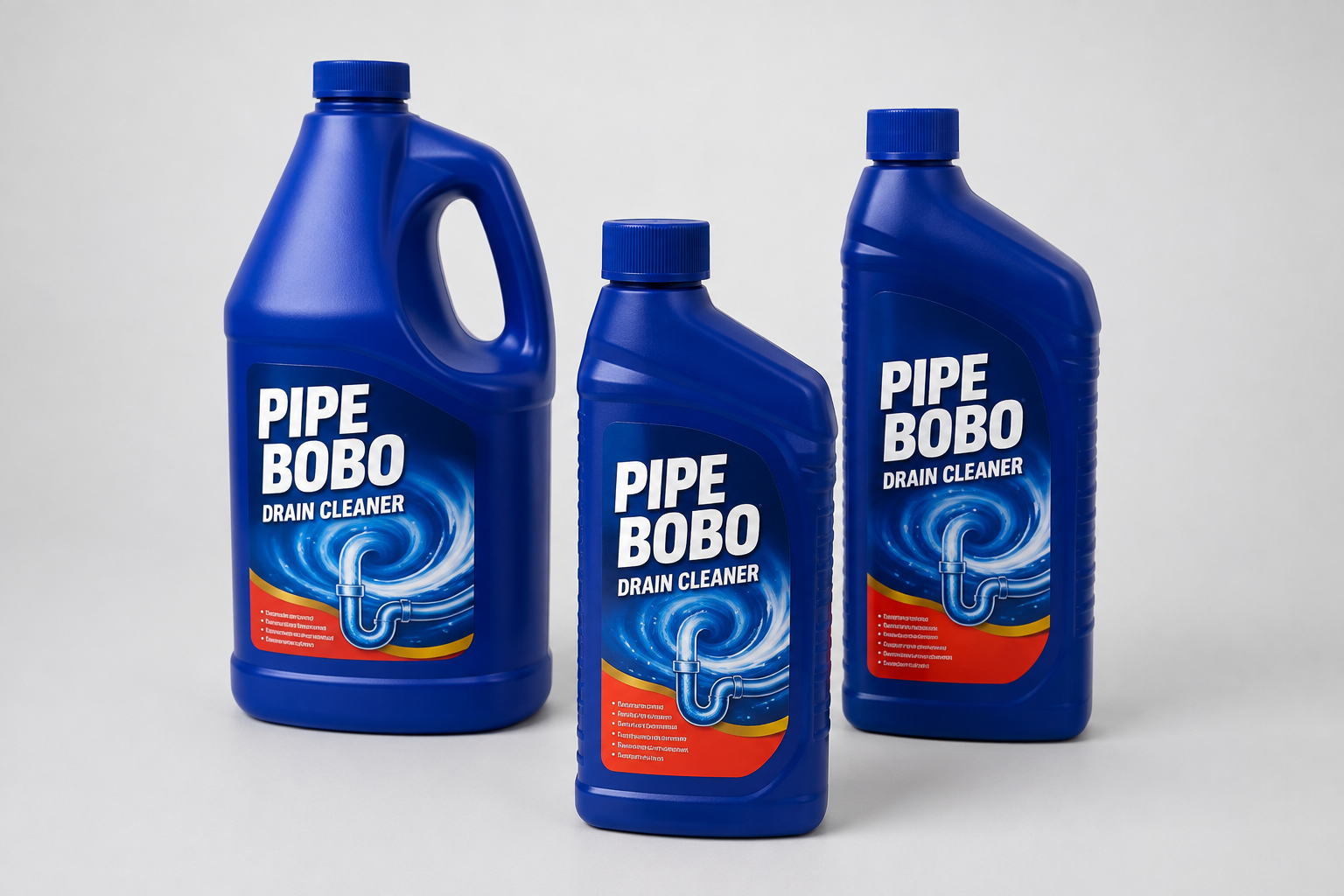
The same bottle design appears under different seller names and sometimes different brand descriptions. Prices, quantities, instructions, and return terms also vary.
That fragmentation matters because a drain cleaner is a chemical product. Buyers need accurate ingredients, warnings, dosage instructions, and responsible-party information.
- A physical drain-cleaning product appears to be offered.
- The marketing makes unusually fast and broad performance claims.
- Seller ratings and return rules vary sharply by marketplace.
- The brand and manufacturer identity are inconsistent.
- No automatic refill subscription was established during this review.
Our assessment of Pipe Bobo
We found no basis for claiming every Pipe Bobo order is fraudulent. Some buyers may receive a product that helps with light organic buildup.
The larger concern is uncertainty. A generic bottle sold by rotating marketplace merchants cannot be judged like a clearly labeled cleaner from an accountable manufacturer.
Buyers should treat the five-minute transformation as advertising, not a guaranteed outcome. Serious obstructions often require mechanical removal or professional diagnosis.
How the Pipe Bobo Offer Works
Step 1: A disgusting clog creates instant urgency
Short videos usually begin with standing water, dark residue, or a slow drain. The scene makes the problem feel both embarrassing and urgent.
A bottle is poured into the opening, foam rises quickly, and the drain appears clear. The entire demonstration may fit inside a few seconds.
That presentation leaves out important details, including the obstruction type, previous cleaning, video cuts, waiting time, and whether another tool was used.
A dramatic reaction can look effective without proving that the formula removed the blockage shown at the beginning.
Step 2: Broad claims make one bottle sound universal
Listings describe use in kitchen sinks, bathrooms, showers, tubs, floor drains, septic systems, and pipes made from several materials.
They may also promise action against grease, hair, food, soap, bacteria, and odors. Those problems do not all respond to the same chemistry.
A wad of hair near a shower opening differs from hardened grease deep in a kitchen line. Tree roots and collapsed pipes require completely different solutions.
“Safe for all pipes” also needs supporting compatibility information. Older metal, rubber seals, garbage disposals, and septic systems can introduce special restrictions.
Step 3: Marketplace listings blur the product’s identity
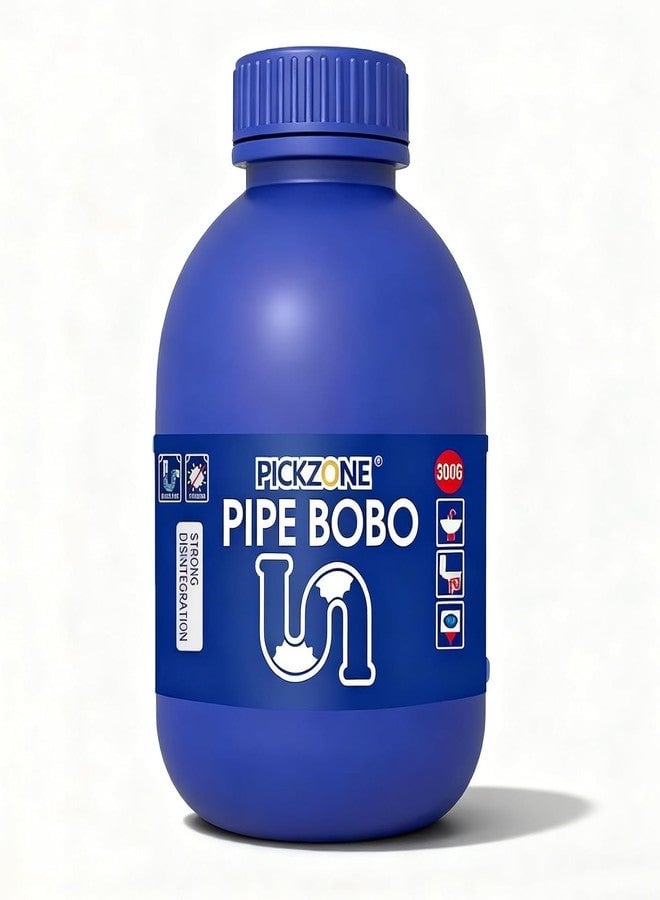
Searches reveal Pipe Bobo bottles offered by unrelated sellers. One listing may call the brand PICKZONE, while another describes the manufacturer as generic.
Other merchants use the same imagery with different bundle sizes. That does not prove the contents are identical, even when the packaging looks familiar.
Private-label products can be legitimate. However, inconsistent attribution makes batch quality, ingredient verification, and accountability harder to establish.
The relevant merchant is the seller named on the exact checkout, not whichever company appears in a recycled advertisement.
Step 4: The price grows through bundles and shipping
A single bottle may look inexpensive in a short advertisement. The landing page can then emphasize three-bottle, five-bottle, or larger value packs.
Marketplace delivery charges may make a small order much less attractive. One observed listing displayed a separate shipping fee beside the product price.
Buyers should divide the final total by the actual bottle count and volume. A crossed-out reference price does not prove genuine savings.
Check whether the cart adds extra packs automatically. This investigation found no confirmed refill subscription, but every checkout should still be read carefully.
Step 5: Results depend on a problem the seller never inspected
The advertisement cannot see inside the buyer’s pipe. It does not know whether the obstruction is hair, mineral scale, grease, a damaged line, or an object.
If the cleaner fails, the seller may blame application technique, insufficient quantity, or an unusually severe clog.
That makes the bold promise difficult to test fairly. A vague product claim can survive almost any disappointing result.
Repeated applications can also waste money and delay the repair that the plumbing actually needs.
Step 6: Refund protection depends on the marketplace seller
There is no single Pipe Bobo return policy covering every listing we examined. A major marketplace may offer returns while an independent seller refuses them.
One current eBay listing stated that returns were not accepted. Another marketplace displayed a return window but showed weak ratings for the specific seller.
The platform name does not eliminate merchant risk. Customers must verify who ships the item and who will handle a leak, wrong quantity, or failed delivery.
Take screenshots of the seller name, listing description, return window, expected delivery, and complete total before paying.
What the Formula Claims Can Really Tell You
Foam is visually impressive, but not proof
Foaming demonstrates a chemical or physical reaction. It does not reveal how far the product traveled or whether it dissolved the main obstruction.
A narrow opening may look cleaner while material remains deeper inside. Water can briefly drain faster before the problem returns.
Videos rarely measure flow before and after treatment. They also seldom show the same pipe days later.
A credible performance demonstration would control the clog material, pipe length, dosage, water temperature, contact time, and final residue.
Enzyme language needs a complete label
Some listings describe enzymes and plant-based surfactants. Those terms sound gentler than conventional caustic drain openers.
Without a complete ingredient disclosure, concentration, and safety data, consumers cannot confirm exactly what is inside a particular bottle.
Enzyme-based maintenance products may work gradually on compatible organic matter. That differs from instantly clearing a dense mechanical blockage.
“Plant-based” does not automatically mean harmless. Concentrated cleaning agents can still irritate eyes, skin, lungs, or digestive tissue.
Odor removal is not the same as clearing a line
A cleaner may reduce surface residue or mask an odor while leaving the underlying drainage problem untouched.
Persistent sewer smells can indicate a dry trap, venting issue, failed seal, bacterial buildup, or another condition requiring inspection.
Pouring repeated chemicals into the pipe may complicate later work. A plumber needs to know what products were used before opening the system.
Safety Questions to Answer Before Pouring It
Can you identify the ingredients and warnings?
Do not rely on a marketplace title for chemical safety. Inspect the physical label for ingredients, hazard symbols, first-aid guidance, and responsible-party information.
If the bottle arrives without readable English instructions, a sealed cap, or a lot identifier, do not experiment with it.
Keep the package away from children and pets. Never transfer the contents into a drink bottle or an unlabeled household container.
Could another cleaner still be inside the drain?
Mixing drain products can create heat, splashing, or toxic gas. Never combine an unknown formula with bleach, acids, ammonia, or another opener.
If an earlier chemical remains in standing water, stop and consult the product guidance or a qualified plumber.
Wear the protection specified on the label. Avoid leaning over the opening while a reaction develops.
Is the clog actually suitable for chemicals?
A dropped cap, toy, utensil, dense hair plug, root intrusion, or broken pipe will not become safe because a video promised five-minute action.
Simple mechanical removal is often more predictable near an accessible opening. Deeper or recurring blockages deserve professional inspection.
Stop using the fixture if liquid backs up elsewhere, sewage appears, or multiple drains slow simultaneously.
Price, Reviews, and Marketplace Warning Signs
Seller history matters more than a polished photograph
The same stock image can travel between storefronts. A familiar bottle does not guarantee the same warehouse, batch, service, or refund experience.
Read feedback for the current merchant, not only product reviews pooled across multiple sellers. Look specifically for leakage, missing seals, and unresponsive support.
A marketplace seller with a large share of recent one-star feedback deserves caution, even if the platform itself is well known.
Star averages can hide the useful complaints
One reviewed marketplace listing showed a low product score from a small number of ratings. Another regional listing displayed a stronger average.
Neither figure settles the question. Small samples move easily, and regional merchants may supply different stock.
Read the newest detailed reports. Repeated descriptions of watery contents, no reaction, damaged packaging, or rejected returns are more informative than isolated praise.
Before-and-after clips deserve skepticism
A sales clip can use a prepared pipe, an easy clog, speed changes, selective angles, or cuts between treatment and result.
That does not mean every demonstration is staged. It means the viewer cannot independently inspect the conditions.
Look for unedited tests from buyers who show the sealed package, exact dosage, full waiting period, and measured water flow.
What a Responsible Drain Cleaner Listing Should Show
A readable label before checkout
Customers should be able to inspect the bottle’s front and back before ordering, not discover essential warnings only after delivery.
The listing should show net contents, active ingredients, manufacturer or importer, lot tracking, first aid, storage, and disposal directions.
Blurred mockups and decorative bottle photographs cannot provide that safety information.
Instructions matched to the promised result
A useful seller explains dosage, water temperature, contact time, rinsing, maximum applications, incompatible materials, and circumstances requiring professional help.
The instructions should also distinguish routine odor maintenance from opening a fully blocked pipe.
If the only direction is “pour and watch,” the buyer cannot reproduce the demonstration safely or judge whether a failure reflects the formula.
A traceable response when something goes wrong
Chemical products need more than a generic marketplace chat. Customers may require urgent composition information after a spill, burn, or accidental mixture.
A responsible label connects the batch with a company capable of answering health and safety questions.
That company should also describe damaged-package refunds without forcing a buyer to ship a leaking bottle through ordinary mail.
Clear documentation protects careful sellers too, because customers can follow one verified procedure instead of guessing from short videos.
Company, Address, and Fulfillment Checks
No single legal company controls the visible marketplace offers
Pipe Bobo appears through multiple merchants rather than one clearly documented brand headquarters. Seller names can change while the bottle imagery remains nearly identical.
Before paying, record the legal merchant shown in the checkout, invoice, and card descriptor. Those details determine whom a dispute actually concerns.
A brand word printed on plastic is not enough. Accountability requires a reachable business connected to the exact batch being sold.
The address may belong only to a seller or fulfillment route
Marketplace profiles sometimes provide a business address, but that location may be a warehouse, forwarding service, residence, or registration address.
It does not automatically identify the factory that blended or bottled the cleaner.
Search the address before ordering. If unrelated stores use it, ask where returns go and which company assumes product-safety responsibility.
Support details are tied to each listing
We did not find one dependable Pipe Bobo support telephone number or email serving all observed offers.
Use the marketplace message system before purchase. Ask for ingredients, bottle volume, return eligibility after opening, and the correct response to accidental exposure.
If the merchant ignores basic safety questions before receiving money, expect greater difficulty after a problem.
Fulfillment can obscure origin and quality control
Some listings describe the product as made in China or identify a generic manufacturer. Similar packaging can be distributed through unrelated international supply chains.
Manufacturing location alone does not make a product unsafe. Missing traceability, inconsistent labels, and absent batch information create the real concern.
Mass-produced cleaners can vary when sellers source from different suppliers. Refuse leaking, unsealed, relabeled, or undocumented containers.
What to Do if Pipe Bobo Causes a Problem or Fails to Work
- Stop using the product. Do not add another cleaner. Ventilate the area, keep people away, and follow the physical label’s exposure instructions.
- Handle symptoms seriously. For eye contact, breathing difficulty, burns, or swallowing, contact emergency services or your local poison-control center promptly.
- Preserve the evidence. Photograph the bottle, seal, lot markings, package, shipping label, leakage, residue, and the drain before cleaning anything away.
- Save the sales record. Keep the advertisement, listing, seller name, order confirmation, promised delivery, return terms, and every support message.
- Request a written resolution. Use the marketplace dispute system and describe the exact defect, incorrect quantity, undisclosed hazard, or performance representation.
- Escalate the payment dispute. If the seller refuses a valid remedy, ask your card issuer or payment service about its deadline and required documentation.
- Secure the device used for ordering. If a deceptive advertisement triggered downloads or redirects, scan with Malwarebytes and use AdGuard to block malicious advertising.
- Report a dangerous product. Notify the marketplace and the appropriate consumer-product or chemical-safety authority, especially after injury, leakage, or missing warnings.
Is Your Device Infected? Run a Free Malware Scan
Slow performance, constant pop-ups, or strange behavior? These are classic signs of a malware infection. The fastest way to find out is to scan your device with Malwarebytes Free — one of the most trusted malware removal tools available.
The free version detects and removes the most common threats, including:
- Adware — the cause of those annoying pop-ups
- Browser hijackers — unwanted redirects and changed homepages
- Trojans and spyware — hidden programs stealing your data
- Potentially unwanted programs (PUPs) — software you never asked for
👉 Select your device below — Windows, Mac, or Android — then follow the simple steps to download Malwarebytes, scan your system, and remove any threats it finds. The scan usually takes 5 to 20 minutes.
Run a Malware Scan with Malwarebytes for Windows
Malwarebytes is one of the most popular and trusted anti-malware tools for Windows — and it’s completely free for removing infections. It catches threats that many antivirus programs miss, including adware, browser hijackers, and trojans. Follow the steps below to scan and clean your PC in just a few minutes.
Download Malwarebytes
Click the button below to download the latest version of Malwarebytes for Windows from the official source. The free version is all you need — it will scan your computer and remove adware, browser hijackers, and other malicious software at no cost.
Download MalwarebytesOfficial installer for Windows 11 and 10. Your download starts right away.Want real-time protection? See Malwarebytes Premium Malwarebytes Free for WindowsScans and removes malware at no cost
-
Install Malwarebytes
When the download finishes, open your Downloads folder and double-click the MBSetup file. If Windows shows a User Account Control pop-up, click “Yes” to allow the installation.

Follow the On-Screen Prompts to Install Malwarebytes
The setup wizard will walk you through a few quick screens:
-
Choose where you’re installing the program — “Personal Computer” or “Work Computer” — then click Next.

-
Malwarebytes will now install on your device. This usually takes under a minute.

-
When installation is complete, the “Welcome to Malwarebytes” screen will open automatically.

-
On the final screen, click Open Malwarebytes to launch the program.

-
Enable “Scan for Rootkits”
Before scanning, turn on rootkit detection so Malwarebytes can find even the most hidden threats. Click the Settings gear icon on the left side of the screen.

In the settings menu, find “Scan for rootkits” and click the toggle so it turns blue.

Done? Click “Dashboard” in the left pane to return to the main screen.
Start the Scan
Click the blue Scan button. Malwarebytes will automatically update its virus database and start checking your computer for malware.

-
Wait for the Scan to Finish
The scan checks your entire system for browser hijackers and other malicious programs, so it can take 5 to 20 minutes depending on your computer. Feel free to do something else — just check back occasionally to see the progress.

-
Quarantine the Detected Threats
When the scan is done, you’ll see a list of everything Malwarebytes found — malware, adware, and potentially unwanted programs. Click the “Quarantine” button to remove all of them at once.

Malwarebytes will now remove the malicious files and registry entries and move them safely into quarantine.

-
Restart Your Computer
Some threats can only be fully removed after a reboot. If Malwarebytes asks you to restart, click Yes. Once you’re logged back in, Malwarebytes has finished removing the threats it found.

That’s it — your Windows PC is now clean of trojans, adware, and other malware, and should be back to running smoothly.
If you are still having problems with your computer after completing these instructions, then please follow one of the steps:
- Run a computer scan with ESET Online Scanner
- Ask for help in our Windows Malware Removal Help & Support forum.
Run a Malware Scan with Malwarebytes for Mac
Malwarebytes for Mac is a free on-demand scanner that removes the malware other security software tends to miss — adware, browser hijackers, and unwanted programs included. Cleaning an infected Mac with Malwarebytes has always been completely free, and it’s our go-to recommendation. Follow the steps below to scan and clean your Mac in just a few minutes.
-
Download Malwarebytes for Mac
Click the button below to download the latest version of Malwarebytes for Mac.
Download MalwarebytesOfficial installer for macOS. Your download starts right away.Want real-time protection? See Malwarebytes PremiumMalwarebytes Free for MacScans and removes malware at no cost -
Open the Malwarebytes setup file
When the download finishes, open your Downloads folder and double-click the setup file to begin the installation.

-
Follow the On-Screen Prompts to Install Malwarebytes
The Malwarebytes for Mac Installer will guide you through a few quick screens. Click “Continue” and keep following the prompts until the installation completes.



When the installation is complete, Malwarebytes opens to the Welcome to Malwarebytes screen. Click “Get started“.
-
Select “Personal Computer” or “Work Computer”
Malwarebytes will ask what type of computer you’re installing it on. Click either Personal Computer or Work Computer, whichever applies.

-
Start the Scan
Click the “Scan” button. Malwarebytes will automatically update its detection database and begin checking your Mac for malware.

-
Wait for the Scan to Finish
Malwarebytes will scan your Mac for adware, browser hijackers, and other malicious programs. This can take a few minutes, so feel free to do something else — just check back occasionally to see the progress.

-
Quarantine the Detected Threats
When the scan is done, you’ll see a list of everything Malwarebytes found. Click the “Quarantine” button to remove all the threats at once.

-
Restart Your Mac
Malwarebytes will now remove all the malicious files it found. Some threats can only be fully removed after a reboot — if Malwarebytes asks you to restart, allow it. Once you’re logged back in, your Mac is clean.

That’s it — your Mac is now free of adware, rogue browser extensions, and other potentially harmful software.
If you are still experiencing problems while trying to remove a malicious program from your computer, please ask for help in our Mac Malware Removal Help & Support forum.
Run a Malware Scan with Malwarebytes for Android
Malwarebytes for Android automatically detects and removes dangerous threats like malware and ransomware so you don’t have to worry about your most-used device being compromised. Aggressive detection of adware and potentially unwanted programs keeps your Android phone or tablet running smooth.
-
Download Malwarebytes for Android.
You can download Malwarebytes for Android by clicking the link below.
Get Malwarebytes for AndroidOpens Google Play in a new tab.Want real-time protection? See Malwarebytes Premium for AndroidMalwarebytes for AndroidScans your phone and removes malware at no cost -
Install Malwarebytes for Android on your phone.
In the Google Play Store, tap “Install” to install Malwarebytes for Android on your device.

When the installation process has finished, tap “Open” to begin using Malwarebytes for Android. You can also open Malwarebytes by tapping on its icon in your phone menu or home screen.

-
Follow the on-screen prompts to complete the setup process
When Malwarebytes will open, you will see the Malwarebytes Setup Wizard which will guide you through a series of permissions and other setup options.
This is the first of two screens that explain the difference between the Premium and Free versions. Swipe this screen to continue.
Tap on “Got it” to proceed to the next step.
Malwarebytes for Android will now ask for a set of permissions that are required to scan your device and protect it from malware. Tap on “Give permission” to continue.
Tap on “Allow” to permit Malwarebytes to access the files on your phone.
-
Update database and run a scan with Malwarebytes for Android
You will now be prompted to update the Malwarebytes database and run a full system scan.

Click on “Update database” to update the Malwarebytes for Android definitions to the latest version, then click on “Run full scan” to perform a system scan.

-
Wait for the Malwarebytes scan to complete.
Malwarebytes will now start scanning your phone for adware and other malicious apps. This process can take a few minutes, so we suggest you do something else and periodically check on the status of the scan to see when it is finished.

-
Click on “Remove Selected”.
When the scan has been completed, you will be presented with a screen showing the malware infections that Malwarebytes for Android has detected. To remove the malicious apps that Malwarebytes has found, tap on the “Remove Selected” button.

-
Restart your phone.
Malwarebytes for Android will now remove all the malicious apps that it has found. To complete the malware removal process, Malwarebytes may ask you to restart your device.
That’s it — your Android phone is now clean — no more malicious apps, adware, or browser redirects.
If you are still having problems with your phone after completing these instructions, then please follow one of the steps:
- Restore your phone to factory settings by going to Settings > General management > Reset > Factory data reset.
- Ask for help in our Mobile Malware Removal Help & Support forum.
Stay Protected: Block Ads and Malicious Sites
Now that your device is clean, keep it that way. Most infections start with a malicious ad or a fake download button — so blocking them at the source is your best defense.
We recommend AdGuard, which blocks malicious ads, phishing pages, and dangerous redirects before they can reach you.
👉 Download AdGuard and browse safely
Frequently Asked Questions
Is Pipe Bobo Drain Cleaner a scam?
We could not prove that every listing is a scam. The concern is inconsistent branding, seller-dependent support, aggressive claims, and limited formula transparency.
Does Pipe Bobo really unclog drains in five minutes?
That result is not guaranteed. Performance depends on the formula, dosage, blockage material, pipe layout, temperature, and whether the obstruction can respond to chemicals.
Is Pipe Bobo safe for every type of pipe?
Do not assume so. Follow the exact bottle label and verify compatibility with older plumbing, seals, disposals, septic systems, and previously used chemicals.
Is Pipe Bobo sold through a subscription?
We found no confirmed automatic-refill program in the offers reviewed. Buyers should still check the final checkout for recurring language or unwanted bundle additions.
Why does the product appear under different seller names?
It appears to circulate as a widely distributed marketplace product. Similar packaging can be listed by independent merchants with different sourcing and service policies.
What is the safest alternative for a serious clog?
A suitable mechanical tool or licensed plumber is often more predictable. Stop experimenting when several drains back up, sewage appears, or the blockage repeatedly returns.
The Bottom Line
Pipe Bobo Drain Cleaner may be a real product, but its familiar blue bottle does not guarantee a consistent formula, seller, return policy, or five-minute result.
Buy only from an accountable merchant that provides complete labeling and usable returns. For severe or recurring clogs, diagnose the plumbing instead of repeatedly pouring unknown chemicals.
The strongest warning is not one dramatic complaint. It is the combination of rotating sellers, unclear manufacturing identity, sweeping promises, and chemical-safety uncertainty.

Join the discussion
0 commentsShare your experience or ask a question about this article.
Discussion
Start the conversation
Have a question or something useful to share? Add the first comment.