

Infomercial cleaners make stubborn kitchen grime look almost theatrical. One wipe reveals a perfect surface, and an unpleasant weekend chore suddenly feels solved.
Wowee Cleaner uses that familiar promise, but the most useful clues appear in the dilution instructions, order terms, and company information.
Overview
What comes in the Wowee Cleaner offer
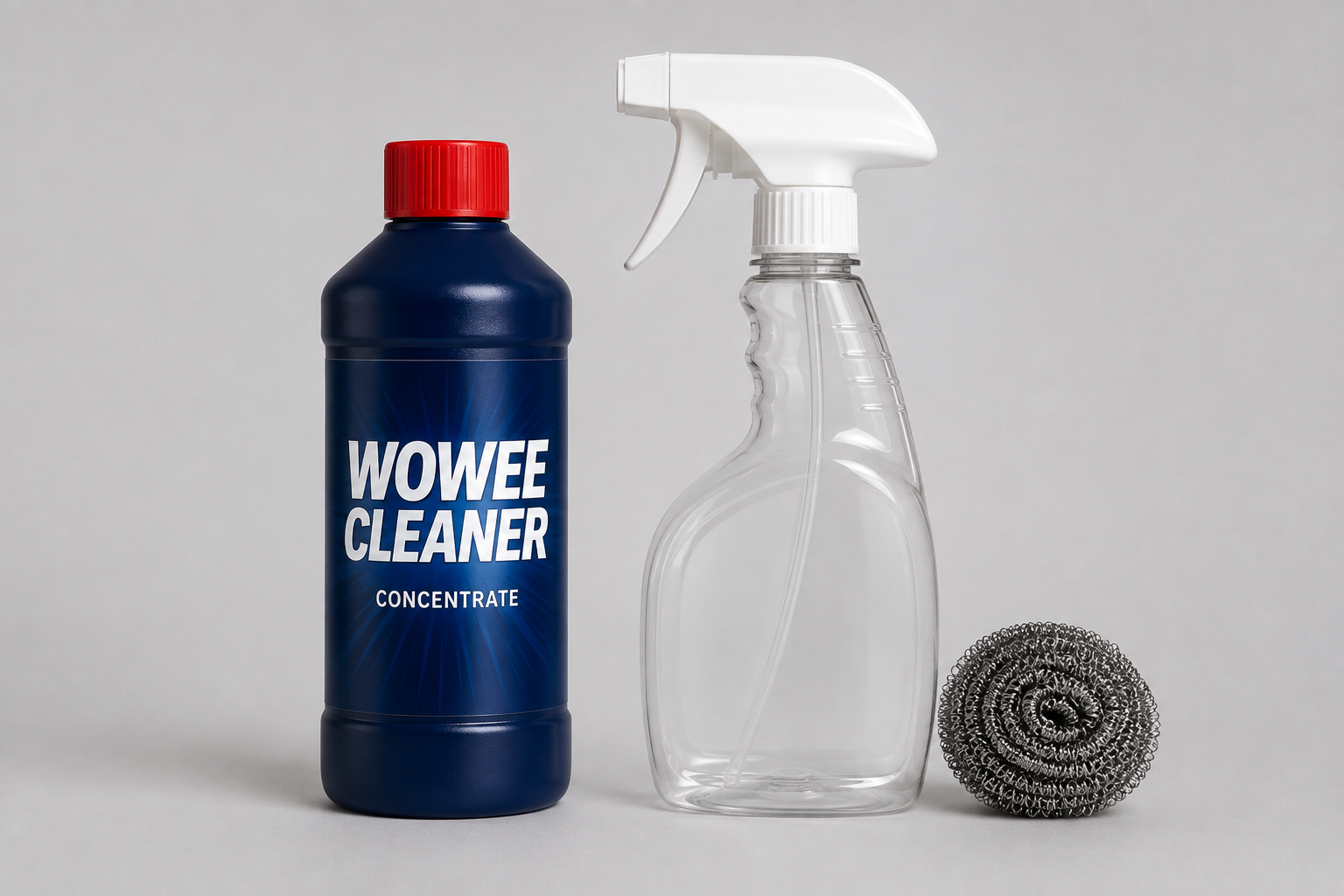
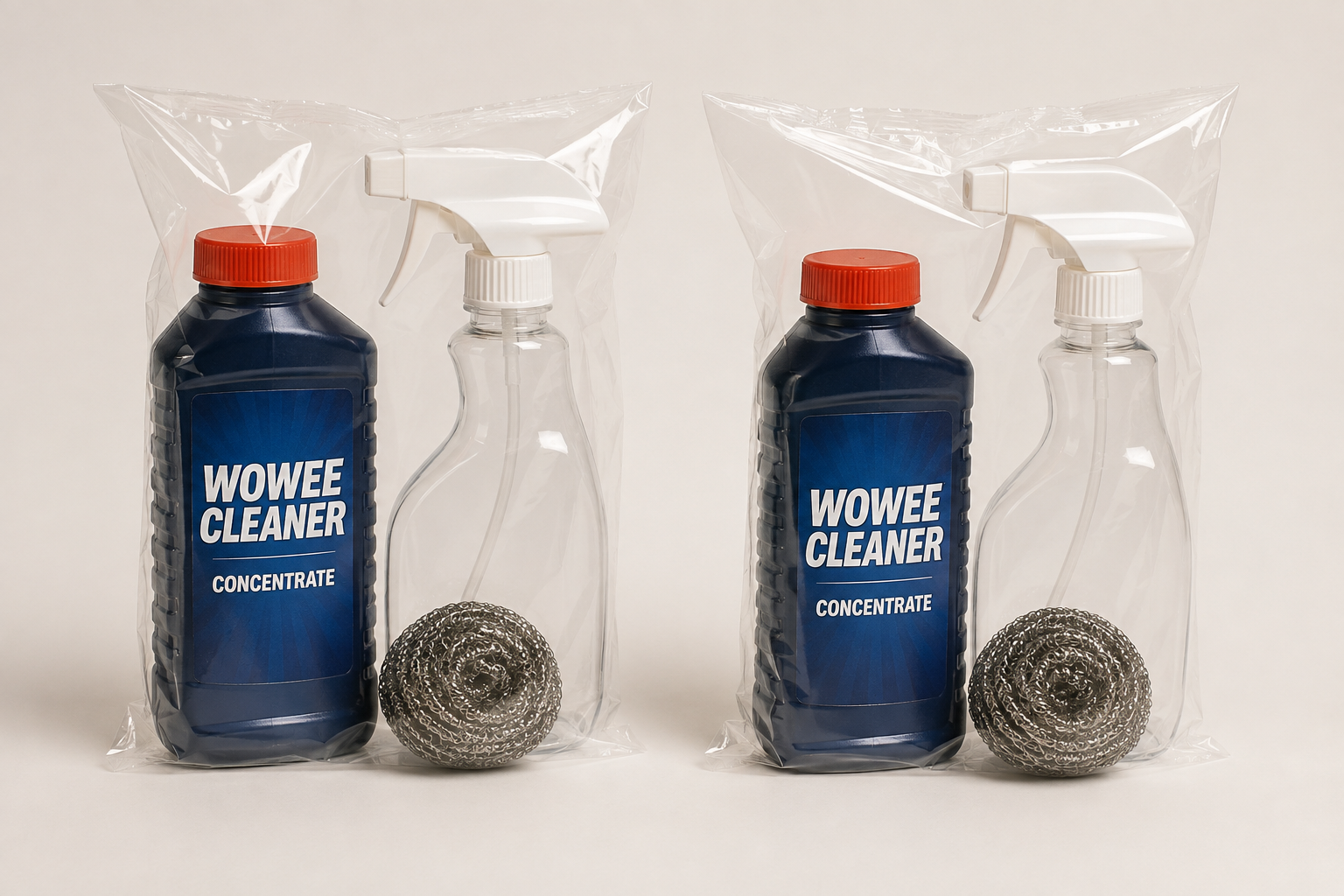
The advertised kit includes an 8-ounce bottle of concentrated cleaner, a reusable spray bottle, a trigger sprayer, and a stainless-steel scrubber.
The main offer has been displayed at $29.99 plus $8.95 processing and handling. Tax can increase the final total.
Wowee is promoted for grease and household soil on kitchen, bathroom, outdoor, and automotive surfaces.
Why the headline value needs examination
The website says one concentrate bottle can make as many as 16 bottles of cleaner.
Yet the official FAQ describes filling one-quarter of the supplied spray bottle with concentrate, then adding water.
Following that ratio would produce four full spray bottles from one concentrate bottle, not 16. Smaller or weaker mixtures may explain the larger number.
- Wowee is a physical direct-response cleaning product.
- The base price excludes $8.95 processing and handling.
- The advertised bottle yield needs clarification.
- Returns exclude original processing and handling.
- A named established distributor handles support.
- No refill subscription was established.
Our conclusion after checking the seller
Wowee Cleaner is not an anonymous phantom offer. Top Dog Direct provides a customer-service number, email, mailing address, and published return process.
The company also has an established Better Business Bureau profile. A real operator, however, can still use optimistic demonstrations or confusing value language.
The sensible question is not whether a bottle exists. It is whether the final delivered value matches what the infomercial leads a buyer to expect.
How the Wowee Cleaner Offer Works
Step 1: A visual demonstration creates the first impression
Direct-response cleaning ads rely on surfaces that look hopeless: burned pans, greasy grills, stained counters, dirty shoes, or marked vehicle parts.
The presenter applies diluted cleaner, scrubs briefly, and reveals a dramatic contrast.
Video is powerful because viewers can imagine the same result at home. They cannot inspect how the surface was prepared or how long cleaning actually took.
The cleaner may work, yet the demonstration alone cannot establish typical effort, concentration, or results across every material.
Step 2: One concentrate becomes an all-purpose solution
Wowee is positioned as useful throughout the home and beyond it. That broad scope increases perceived value.
The formula is described with AOS cleaning-agent language and presented as non-toxic, biodegradable, and safe around people, pets, and food-related areas.
“Non-toxic” should not be interpreted as edible or harmless under every exposure. Concentrated surfactants can still irritate eyes, skin, or the digestive system.
Surface compatibility also depends on finish, dwell time, concentration, rubbing force, and the tool used.
Step 3: The price looks smaller before fees appear
A $29.99 headline sounds modest for a versatile cleaning kit. The separate $8.95 processing and handling charge raises the initial cost to $38.94 before tax.
That fee matters because the satisfaction guarantee excludes processing and handling.
A returned order can therefore cost the outbound fee, return postage, and the customer’s time even when the product price is refunded.
Always evaluate the delivered total and recoverable amount, not only the large number shown in the advertisement.
Step 4: The dilution claim multiplies perceived value
“Makes up to 16 bottles” turns a small concentrate into what sounds like a long-term household supply.
The official FAQ’s quarter-bottle mixing instruction creates an obvious question. Four quarter portions fit into one bottle of concentrate.
Sixteen batches would require each mixture to use only one-sixteenth of the concentrate, unless the seller means smaller containers or task-specific dilutions.
Ask which bottle size and ratio support the 16-bottle statement. A buyer should not have to reverse-engineer the advertised yield.
Step 5: The 60-day guarantee lowers resistance
Wowee provides a 60-day money-back guarantee measured from receipt. Customers must contact support and return the merchandise.
The refund covers the purchase price rather than processing and handling. The buyer generally pays return postage.
This is a conventional direct-response structure. It is not the same as a free trial, because exercising the guarantee still has an unrecoverable cost.
Keep the original packaging and decide early. Waiting until the final days can make timely tracked delivery difficult.
Step 6: The order enters broad legal terms
The checkout terms include dispute provisions and arbitration language. These clauses are easy to overlook when the purchase is made by phone or from a television ad.
Read the current terms before ordering. Save a copy because direct-response pages and availability can change.
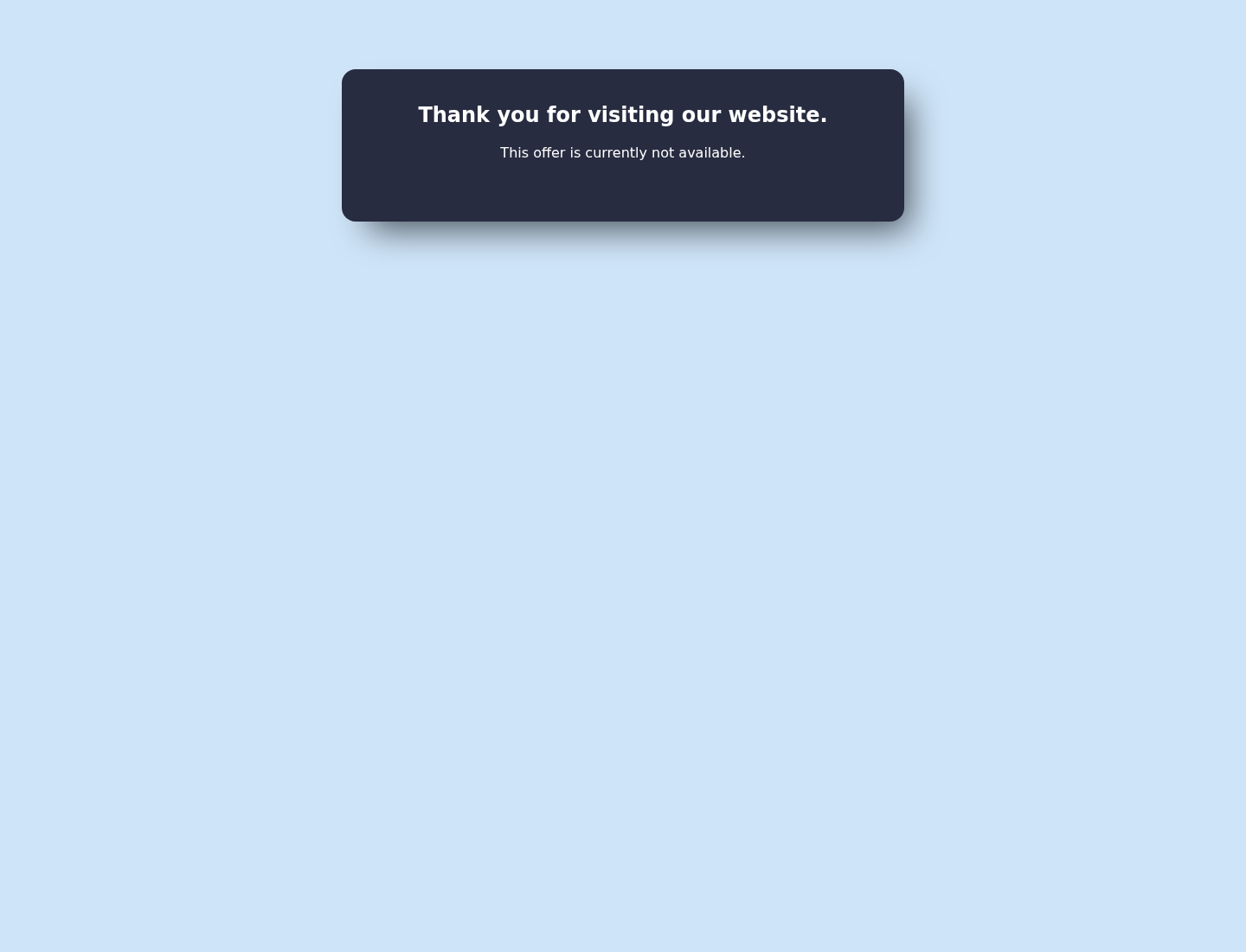
The official sales page was not accepting the offer from our test location during a later live check.
That temporary message does not prove the product ended. It means availability should be confirmed through an authorized channel before submitting payment information elsewhere.
Does Wowee Really Make 16 Bottles?
The arithmetic depends on an undefined bottle
An 8-ounce concentrate divided into 16 equal portions provides 0.5 ounces for each batch.
If the reusable spray bottle holds substantially more than a few ounces, that mixture would be far weaker than a quarter-bottle formula.
The advertisement might count smaller bottles, lighter cleaning jobs, or several approved dilution strengths. The public wording should explain that basis.
Without a defined final volume, “up to 16 bottles” is more persuasive than informative.
The FAQ points toward four stronger batches
The published instructions tell users to pour concentrate to roughly one-quarter of the supplied bottle, then complete the mixture with water.
Using that method four times would consume the 8-ounce concentrate, assuming the measuring proportions are consistent.
A customer expecting 16 full-strength bottles could therefore feel misled even if the cleaner itself performs acceptably.
Strength changes both performance and safety
A weaker mixture may stretch further but remove heavy grease less effectively. A stronger mixture can increase cost per use and exposure.
Do not improvise concentration merely to recreate an infomercial result. Follow the exact label for the surface and task.
Never put concentrate into an unlabeled bottle. Mark the diluted container and keep it away from children.
Cleaning Claims Versus Real-World Surfaces
“All-purpose” still has limits
Stone, sealed wood, painted metal, aluminum, coated cookware, textiles, leather, and automotive finishes react differently to cleaners and abrasives.
A small hidden-area test is essential. Wait for the surface to dry before deciding that color and finish remain unchanged.
Manufacturer instructions for the surface should take priority over a general demonstration.
The steel scrubber can do much of the visible work
Mechanical abrasion removes stubborn deposits, but it can also scratch polished, coated, painted, or delicate materials.
A demonstration using the included stainless scrubber does not isolate what the liquid accomplished.
Start with a soft cloth. Use abrasive tools only where the surface maker explicitly permits them.
Safe around food does not mean food-safe without rinsing
A cleaner can be marketed for kitchen surfaces while still requiring rinsing after use.
Read the physical label for food-contact instructions, ventilation, protective equipment, and first aid.
Do not rely on a presenter saying the formula is natural or non-toxic. Those words cannot replace directions and ingredient disclosure.
What Independent Buyers Should Verify
Check the total before approving the order
Confirm quantity, product price, $8.95 processing and handling, tax, and any added units.
Phone orders deserve special care. Ask the representative to repeat the complete total and whether any future shipment will occur.
Do not accept a rushed upsell. A second kit is not a saving if it was not wanted.
Compare cost per prepared ounce
Calculate the finished volume using the dilution you will actually use, not the most optimistic “up to” number.
Then compare it with established degreasers designed for the same surfaces.
Include shipping, return exposure, and any specialized scrubber. Convenience may justify a premium, but the calculation should be honest.
Read reviews for practical details
The most useful reviews explain concentration, surface type, effort, odor, packaging, delivery, and support.
Be cautious with perfect testimonials lacking photographs or task details. Also avoid treating one angry review as proof of a universal failure.
Patterns across recent, specific accounts carry more weight than either extreme.
Availability and Lookalike Offers
The official page may not accept every order
Our live capture displayed a message that the offer was not currently available in the visitor’s area.
Regional restrictions, inventory, campaign changes, or technical routing could explain that result.
Do not assume a different website is authorized simply because it uses the Wowee name or copied product images.
Imitation checkout pages can borrow a real product
Scammers sometimes clone genuine infomercial pages, replace the order number, and collect cards through unrelated domains.
That possibility does not make Top Dog Direct’s product fraudulent. It means customers should verify the domain and published support details.
Never call a number shown only in a social-media comment, pop-up, or unsolicited message.
A recurring charge was not part of the reviewed offer
We did not find evidence that the standard Wowee kit automatically enrolls buyers in cleaner refills.
Still, listen carefully during telephone orders and inspect the receipt. Direct-response representatives may present additional products or quantities.
Challenge any later recurring charge immediately if no clear authorization exists.
Telephone Orders Need Extra Attention
Spoken totals are easy to misunderstand
A representative may move quickly through product quantity, processing fees, tax, delivery, optional upgrades, and the guarantee.
Ask for each amount separately. Then request the complete charge that will appear today.
Do not provide final approval until the agent confirms there is no membership, automatic shipment, or additional kit.
Upsells can change the economics
Extra bottles, brushes, priority processing, or related cleaners may be presented after the customer agrees to the main kit.
Decline anything unclear. Repeat that authorization covers only the exact quantity and total already discussed.
Write down the call time, representative’s name, promised delivery, and cancellation instructions.
An online receipt should follow promptly
Review the confirmation immediately while the conversation is fresh.
If the quantity or amount differs, contact support the same day and state that the unapproved portion must be cancelled.
Keep the email and a screenshot of the pending card charge. Early documentation can prevent a minor misunderstanding from becoming a prolonged dispute.
Never trust an unofficial order number
Search advertisements can display telephone numbers supplied by affiliates or impersonators.
Verify the number against the official Top Dog Direct customer-service page before sharing card details.
If a caller requests remote computer access, gift cards, cryptocurrency, or banking passwords, end the call. Those requests are unrelated to buying household cleaner.
A legitimate order agent needs shipping and payment details, but never a one-time banking code intended for account login.
When uncertain, disconnect and place a fresh call using the number printed on the verified company page.
This simple pause prevents an impersonator from turning a modest cleaner purchase into identity theft or unauthorized account access.
Never allow urgency around stock or discounts to override that basic verification.
Company, Address, and Fulfillment Checks
Top Dog Direct is the visible operator
The Wowee customer-service pages identify Top Dog Direct as the company handling the offer.
Its Better Business Bureau profile shows a longstanding direct-response business and an A+ rating, although it is not BBB accredited.
A BBB rating is not a product-performance guarantee. It does make the offer more traceable than an anonymous storefront.
The listed address is a business contact point
The official site lists 402 Middletown Boulevard, Suite 216, Langhorne, Pennsylvania 19047.
Do not assume that address is the factory or authorized return destination.
Returns should follow the instructions supplied by customer service. Unapproved parcels can be delayed or rejected.
Phone and email support are published
Customers can use 1-800-340-3418 or customerservice@TopDogDirect.com.
Call before purchase to confirm availability, delivered total, dilution yield, guarantee deductions, and whether the order is strictly one-time.
Follow a telephone conversation with email so the answer exists in writing.
Distribution does not identify the chemical manufacturer
Top Dog Direct markets and supports the offer, but the visible pages do not prominently explain every manufacturing and quality-control detail.
The product is described as made in the USA. Check the delivered label for the responsible party, ingredient directions, lot markings, and warnings.
A fulfillment address proves where a parcel moves, not where a formula was developed or blended.
What to Do if Your Wowee Cleaner Order Has a Problem
- Stop after an adverse reaction. Rinse the affected area as directed, ventilate the room, and seek poison-control or medical guidance for serious exposure.
- Photograph the evidence. Record the package, bottle, seal, lot code, leak, surface damage, order label, and the dilution used.
- Contact official support. Use the number or email on the published customer-service page, not contact details from an unrelated advertisement.
- Request return instructions early. Confirm the deadline, authorization number, destination, tracking requirement, refund amount, and excluded fees before mailing the kit.
- Keep the full sales record. Save the advertised yield, price, processing fee, guarantee, receipt, and every representative’s statement.
- Dispute unauthorized charges. Ask the card provider to block and investigate any amount or recurring payment that you did not approve.
- Check for malicious advertising. If a copied offer forced pop-ups, check the computer with Malwarebytes. Configure AdGuard to filter similar advertising traps.
- Report dangerous defects. Notify the seller and relevant consumer-safety authority when packaging, labeling, leakage, or chemical injury presents a genuine hazard.
Is Your Device Infected? Run a Free Malware Scan
Slow performance, constant pop-ups, or strange behavior? These are classic signs of a malware infection. The fastest way to find out is to scan your device with Malwarebytes Free — one of the most trusted malware removal tools available.
The free version detects and removes the most common threats, including:
- Adware — the cause of those annoying pop-ups
- Browser hijackers — unwanted redirects and changed homepages
- Trojans and spyware — hidden programs stealing your data
- Potentially unwanted programs (PUPs) — software you never asked for
👉 Select your device below — Windows, Mac, or Android — then follow the simple steps to download Malwarebytes, scan your system, and remove any threats it finds. The scan usually takes 5 to 20 minutes.
Run a Malware Scan with Malwarebytes for Windows
Malwarebytes is one of the most popular and trusted anti-malware tools for Windows — and it’s completely free for removing infections. It catches threats that many antivirus programs miss, including adware, browser hijackers, and trojans. Follow the steps below to scan and clean your PC in just a few minutes.
Download Malwarebytes
Click the button below to download the latest version of Malwarebytes for Windows from the official source. The free version is all you need — it will scan your computer and remove adware, browser hijackers, and other malicious software at no cost.
Download MalwarebytesOfficial installer for Windows 11 and 10. Your download starts right away.Want real-time protection? See Malwarebytes Premium Malwarebytes Free for WindowsScans and removes malware at no cost
-
Install Malwarebytes
When the download finishes, open your Downloads folder and double-click the MBSetup file. If Windows shows a User Account Control pop-up, click “Yes” to allow the installation.

Follow the On-Screen Prompts to Install Malwarebytes
The setup wizard will walk you through a few quick screens:
-
Choose where you’re installing the program — “Personal Computer” or “Work Computer” — then click Next.

-
Malwarebytes will now install on your device. This usually takes under a minute.

-
When installation is complete, the “Welcome to Malwarebytes” screen will open automatically.

-
On the final screen, click Open Malwarebytes to launch the program.

-
Enable “Scan for Rootkits”
Before scanning, turn on rootkit detection so Malwarebytes can find even the most hidden threats. Click the Settings gear icon on the left side of the screen.

In the settings menu, find “Scan for rootkits” and click the toggle so it turns blue.

Done? Click “Dashboard” in the left pane to return to the main screen.
Start the Scan
Click the blue Scan button. Malwarebytes will automatically update its virus database and start checking your computer for malware.

-
Wait for the Scan to Finish
The scan checks your entire system for browser hijackers and other malicious programs, so it can take 5 to 20 minutes depending on your computer. Feel free to do something else — just check back occasionally to see the progress.

-
Quarantine the Detected Threats
When the scan is done, you’ll see a list of everything Malwarebytes found — malware, adware, and potentially unwanted programs. Click the “Quarantine” button to remove all of them at once.

Malwarebytes will now remove the malicious files and registry entries and move them safely into quarantine.

-
Restart Your Computer
Some threats can only be fully removed after a reboot. If Malwarebytes asks you to restart, click Yes. Once you’re logged back in, Malwarebytes has finished removing the threats it found.

That’s it — your Windows PC is now clean of trojans, adware, and other malware, and should be back to running smoothly.
If you are still having problems with your computer after completing these instructions, then please follow one of the steps:
- Run a computer scan with ESET Online Scanner
- Ask for help in our Windows Malware Removal Help & Support forum.
Run a Malware Scan with Malwarebytes for Mac
Malwarebytes for Mac is a free on-demand scanner that removes the malware other security software tends to miss — adware, browser hijackers, and unwanted programs included. Cleaning an infected Mac with Malwarebytes has always been completely free, and it’s our go-to recommendation. Follow the steps below to scan and clean your Mac in just a few minutes.
-
Download Malwarebytes for Mac
Click the button below to download the latest version of Malwarebytes for Mac.
Download MalwarebytesOfficial installer for macOS. Your download starts right away.Want real-time protection? See Malwarebytes PremiumMalwarebytes Free for MacScans and removes malware at no cost -
Open the Malwarebytes setup file
When the download finishes, open your Downloads folder and double-click the setup file to begin the installation.

-
Follow the On-Screen Prompts to Install Malwarebytes
The Malwarebytes for Mac Installer will guide you through a few quick screens. Click “Continue” and keep following the prompts until the installation completes.



When the installation is complete, Malwarebytes opens to the Welcome to Malwarebytes screen. Click “Get started“.
-
Select “Personal Computer” or “Work Computer”
Malwarebytes will ask what type of computer you’re installing it on. Click either Personal Computer or Work Computer, whichever applies.

-
Start the Scan
Click the “Scan” button. Malwarebytes will automatically update its detection database and begin checking your Mac for malware.

-
Wait for the Scan to Finish
Malwarebytes will scan your Mac for adware, browser hijackers, and other malicious programs. This can take a few minutes, so feel free to do something else — just check back occasionally to see the progress.

-
Quarantine the Detected Threats
When the scan is done, you’ll see a list of everything Malwarebytes found. Click the “Quarantine” button to remove all the threats at once.

-
Restart Your Mac
Malwarebytes will now remove all the malicious files it found. Some threats can only be fully removed after a reboot — if Malwarebytes asks you to restart, allow it. Once you’re logged back in, your Mac is clean.

That’s it — your Mac is now free of adware, rogue browser extensions, and other potentially harmful software.
If you are still experiencing problems while trying to remove a malicious program from your computer, please ask for help in our Mac Malware Removal Help & Support forum.
Run a Malware Scan with Malwarebytes for Android
Malwarebytes for Android automatically detects and removes dangerous threats like malware and ransomware so you don’t have to worry about your most-used device being compromised. Aggressive detection of adware and potentially unwanted programs keeps your Android phone or tablet running smooth.
-
Download Malwarebytes for Android.
You can download Malwarebytes for Android by clicking the link below.
Get Malwarebytes for AndroidOpens Google Play in a new tab.Want real-time protection? See Malwarebytes Premium for AndroidMalwarebytes for AndroidScans your phone and removes malware at no cost -
Install Malwarebytes for Android on your phone.
In the Google Play Store, tap “Install” to install Malwarebytes for Android on your device.

When the installation process has finished, tap “Open” to begin using Malwarebytes for Android. You can also open Malwarebytes by tapping on its icon in your phone menu or home screen.

-
Follow the on-screen prompts to complete the setup process
When Malwarebytes will open, you will see the Malwarebytes Setup Wizard which will guide you through a series of permissions and other setup options.
This is the first of two screens that explain the difference between the Premium and Free versions. Swipe this screen to continue.
Tap on “Got it” to proceed to the next step.
Malwarebytes for Android will now ask for a set of permissions that are required to scan your device and protect it from malware. Tap on “Give permission” to continue.
Tap on “Allow” to permit Malwarebytes to access the files on your phone.
-
Update database and run a scan with Malwarebytes for Android
You will now be prompted to update the Malwarebytes database and run a full system scan.

Click on “Update database” to update the Malwarebytes for Android definitions to the latest version, then click on “Run full scan” to perform a system scan.

-
Wait for the Malwarebytes scan to complete.
Malwarebytes will now start scanning your phone for adware and other malicious apps. This process can take a few minutes, so we suggest you do something else and periodically check on the status of the scan to see when it is finished.

-
Click on “Remove Selected”.
When the scan has been completed, you will be presented with a screen showing the malware infections that Malwarebytes for Android has detected. To remove the malicious apps that Malwarebytes has found, tap on the “Remove Selected” button.

-
Restart your phone.
Malwarebytes for Android will now remove all the malicious apps that it has found. To complete the malware removal process, Malwarebytes may ask you to restart your device.
That’s it — your Android phone is now clean — no more malicious apps, adware, or browser redirects.
If you are still having problems with your phone after completing these instructions, then please follow one of the steps:
- Restore your phone to factory settings by going to Settings > General management > Reset > Factory data reset.
- Ask for help in our Mobile Malware Removal Help & Support forum.
Stay Protected: Block Ads and Malicious Sites
Now that your device is clean, keep it that way. Most infections start with a malicious ad or a fake download button — so blocking them at the source is your best defense.
We recommend AdGuard, which blocks malicious ads, phishing pages, and dangerous redirects before they can reach you.
👉 Download AdGuard and browse safely
Frequently Asked Questions
Is Wowee Cleaner a scam?
We found a real product offer handled by an identifiable direct-response company. Questions concern value, dilution claims, advertising expectations, and nonrefundable fees.
How much does Wowee Cleaner cost?
The reviewed offer displayed $29.99 plus $8.95 processing and handling, before applicable tax. Confirm the current total because campaigns can change.
Does one bottle really make 16 bottles?
The claim needs clarification. The official quarter-bottle mixing instruction appears to yield four full batches of that strength from one concentrate bottle.
Is Wowee safe on every surface?
No cleaner should be assumed universally safe. Read the label, follow the surface manufacturer’s guidance, and test a hidden area before wider use.
Does Wowee Cleaner have a subscription?
No automatic refill program was established in the standard offer reviewed. Verify the receipt and challenge any future charge that was not clearly authorized.
What does the 60-day guarantee refund?
The published policy covers the product purchase price after return. Original processing and handling are excluded, and return postage can remain the buyer’s responsibility.
The Bottom Line
Wowee Cleaner is a traceable direct-response product, not an obvious disappearing-store scheme. Its demonstrations and broad versatility claims still deserve ordinary skepticism.
The clearest issue is the gap between “up to 16 bottles” and the stronger quarter-bottle mixing direction, plus fees that the guarantee does not return.
Confirm availability through official support, calculate the real prepared cost, protect delicate surfaces, and keep the entire sales record until the 60-day window closes.

Join the discussion
0 commentsShare your experience or ask a question about this article.
Discussion
Start the conversation
Have a question or something useful to share? Add the first comment.