

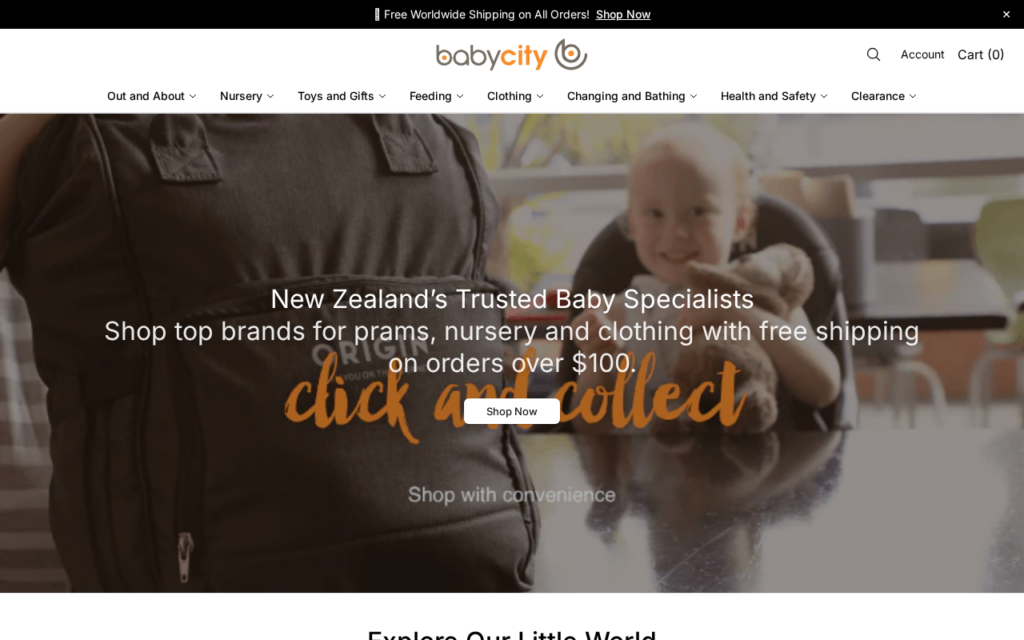
Shoppers who find Babycityglobal.shop see what looks like an established brand’s online store: polished product imagery, detailed descriptions and prices that seem too good to pass up.
Before adding a thing to your cart, it helps to know who’s really operating this site and what usually happens to your money after you pay.
Overview
A copied catalog on a domain you’ve never seen
Babycityglobal.shop copied its catalog, its photos and its branding from real brands and stores. None of those companies operates it, and the genuine sellers trade from their own websites.
That gets lost on a phone. The site looks right, the products look like the ones you know, and the checkout button works.
The network running copycat stores like this one has a clear cycle. Ads go out in force, orders roll in, and once complaints build, it moves on to new domains.
Behind the cheap price tags
The prices themselves are the hook: $39 for something that normally runs $180. You’ll often see a countdown timer or a “closing sale” banner right beside them.
No real clearance works like this. That price exists to rush you through checkout before you realize the store behind the page isn’t the brand it pretends to be.
Genuine brand markdowns happen on the brand’s own website or through retailers it names. A store nobody can trace knocking 70% off the whole catalog isn’t that.
What lands on your doorstep, if anything
Orders placed with fake stores like Babycityglobal.shop usually end in one of these ways:
- The order simply never shows. Tracking sits still forever, or it’s really following another person’s package.
- A low-quality fake turns up. Wrong materials, wrong size, wrong finish, and nothing genuine about it.
- Something else entirely arrives. It’s cheap and unrelated, shipped just so there’s a delivery record.
- Strange payments follow. The same card you typed in at checkout begins listing charges that aren’t yours.
The verdict is simple: Babycityglobal.shop is a fake store built from a copied catalog. Do not order from it or type your card number into its checkout.
What We Found on Babycityglobal.shop
A few details about Babycityglobal.shop stand out:
- Babycityglobal.shop was registered on April 14, 2026, about 6 months ago.
- The MalwareTips URL scanner gives Babycityglobal.shop a Safety Score of 12/100, rated Dangerous (full report).
How the Babycityglobal.shop Scam Works
Nothing about this scheme is unique. It’s a reused script running across hundreds of copycat stores, and knowing its steps helps you spot the next one before paying.
Step 1: You see an ad with borrowed photos
A sponsored post on Facebook, Instagram or TikTok is the hook. It uses photos and videos taken from real brands and stores, so there’s nothing that looks off.
The caption is written to rush you: an anniversary sale, a warehouse clearance, a “we’re closing our stores” announcement. Comments may be disabled or stuffed with one-line compliments.
That one tap lands you on Babycityglobal.shop, a site built to resemble an established retailer.
Step 2: The fake shop copies the real one
The product photos, descriptions and branding all belong to real stores. The copying can go as far as menus, guides and “free returns” badges that look identical.
One thing can’t be copied: a real company. With stores like this, the business name, address and customer service are usually absent or dead ends.
Start with the footer, then the legal pages. Those are usually the weakest parts of the copy: a generic company name, a missing address, a free email address.
Step 3: Pressure that hurries you to checkout
You’ll see countdown timers, “only 3 left” badges and pop-ups saying “12 people are viewing this.” They keep you moving, since a longer look would reveal more holes.
The basket grows on purpose. “Buy 2, get 1 free” bundles and free-shipping thresholds make you add more, so every card at checkout pays out the maximum.
Step 4: You get a confirmation, then silence
A confirmation email follows your payment, and it looks like one from any real shop. That’s by design: the longer it reassures you, the longer before you ask questions.
About a week later, a tracking number may arrive. Often it never moves, stays stuck on “label created,” or shows delivery to a city you’ve never lived in.
Each day you wait brings you closer to the end of your card’s dispute window. That delay isn’t accidental. It’s part of the plan.
Step 5: Either a knockoff shows up or nothing does
Anything that does arrive is usually a cheap overseas copy. It doesn’t match the photos, and it’s not the product you ordered and paid for.
In some cases, a cheap accessory goes out to a real address just so tracking can show “delivered.” Later, the store uses that status to argue against your refund.
Step 6: Waiting for a refund that doesn’t arrive
Ask support where your order is, and you’ll get silence or a script saying to wait “a few more days.” Any refund that comes up later has impossible conditions.
Keep the item for 20% back, or return it to China at your own expense: those may be your options. Either way, the store keeps most of what you paid.
Red Flags at Babycityglobal.shop
Any one of these details could have an innocent explanation. Stores like Babycityglobal.shop pile up several at once, though, and you can check each one yourself in a minute.
A web address the real brand never uses
Babycityglobal.shop is neither the brand’s own domain nor a retailer listed on its official site, and those are the places real brands sell from.
Do your own search for the brand and click through to its official website. If that address differs from the one in your browser, you aren’t shopping with the brand.
No named company anywhere
There’s rarely a registered company, tax number or real address you can check behind stores like this. When an order goes wrong, there’s simply no one to hold responsible.
A real brand’s site answers a simple question: who is selling this? Usually the company name appears in the footer, terms of service or imprint page. Find it before checkout.
A contact page that goes nowhere
The support options on stores like this are usually thin: a contact form or a generic email address, without any phone number, live chat or local return address.
By contrast, the real brand usually points you to phone support, store locations and a returns center. Fake stores have no motive to make themselves easy to find.
Policy pages that don’t belong to this store
If the refund, shipping or privacy page sounds like it was written for another shop, that’s typical of copycat stores. Sometimes the wrong store, country or currency is still mentioned.
Take the returns page slowly. Copycat stores often wrap the real rule, such as sending items back to China at your expense, in a headline that sounds generous.
Markdowns the real brand would never allow
It’s rare for an established brand to mark its entire catalog down 70% or more. When every product gets such a deep cut, the sale is fake.
The “original” prices are often just as invented as the sale. They sit next to each deal so the fake discount looks bigger.
Reviews you have no way to trace
Here’s the problem with those five-star reviews: they rarely connect to real buyers, and you usually can’t find them repeated anywhere else online.
Pair the store’s address with the word “reviews” in a search. If it’s a copycat store, you’ll usually see nothing at all or complaints about orders still pending.
How to Spot These Scam Websites
Fake brand stores have become harder to spot. Many of them now use AI-generated ads, polished product videos and copied checkout pages that look identical to the real thing.
The good news is that the same few checks still catch almost all of them:
- Check the address, not the logo. Open the brand’s official site yourself and compare addresses. One extra word or an odd ending is enough.
- Scan the site before you pay. Paste the address into the MalwareTips Website Scanner. It shows the domain’s age, security results and known warning signs in seconds.
- Look up who owns the domain. A Whois.com lookup shows when it was registered. A brand’s official shop doesn’t sit on a newly registered domain.
- Find the company behind the store. A real brand names its legal company, address and tax details. A copycat store leaves them out or invents them.
- Be suspicious of “closing down” sales. Store-closure, anniversary and warehouse-clearance stories are the most common hooks in fake brand ads.
- Search for outside reviews. Look the store up on Trustpilot and in search results. No history at all is as telling as a wall of complaints.
- Watch the payment options. A checkout that pushes bank transfers, crypto or a payment page on another domain is a reason to stop.
A browser extension can help. Malwarebytes Browser Guard blocks many known scam and phishing sites, and Malwarebytes ScamGuard checks suspicious links and messages before you click.
How to Buy the Real Thing Safely
If a product on Babycityglobal.shop caught your attention, there’s usually a safe way to get the real version:
- Find the brand yourself. Don’t follow a link from an ad or a comment. Search for the brand on your own and buy from its official website.
- Confirm the store is authorized. Many brands name the sellers they approve. When a store is missing from that list, it isn’t an authorized seller.
- Check the brand’s site and socials. The brand posts a real clearance there itself. A sale that lives only in sponsored ads doesn’t meet that bar.
- Pick a marketplace with buyer protection. If the brand sells there, buying from its official storefront gives you a clear path to your money back.
- Protect the payment. Credit cards and PayPal are fine. Bank transfers, gift cards and crypto never are.
Buying this way may cost more than Babycityglobal.shop asks. What you get is the real product, sold by someone who honors refunds.
What To Do If You Already Fell For the Scam
If you paid a fake store, move quickly. The sooner you act, the better your chances of getting the money back and stopping further charges.
- Call your bank or card issuer. Say you paid a fake store and ask for a chargeback. Disputes have time limits, often around 120 days, so don’t wait.
- Open a PayPal dispute if you paid that way. Choose “item not received” or “significantly not as described.” PayPal generally accepts claims within 180 days of payment.
- Block or replace your card. If you typed your card details into the site, ask for a new card and turn on transaction alerts.
- Save your evidence. Keep the order email, the tracking number, screenshots of the product page and any messages from the store.
- Watch for follow-up scams. Fake delivery texts asking for a “customs fee” or “address update” often follow these orders. Don’t pay them or click their links.
- Change reused passwords. If you created an account on the store with a password you use elsewhere, change it on those other sites.
- Protect your data. Your name, address and phone number are now in the wrong hands. Malwarebytes Personal Data Remover finds where your details are exposed and helps remove them.
- Cut off the ads. These stores find people through ads. AdGuard blocks many malicious ads and pop-ups in your browser, so fewer of them reach you.
- Report the store. Report the ad on the platform where you saw it. In the US, file a report at ReportFraud.ftc.gov. For cross-border purchases, use econsumer.gov.
If you downloaded anything from the store, such as an “order tracking” app or a file attached to an email, scan your device with Malwarebytes Free.
Frequently Asked Questions
Is Babycityglobal.shop a legitimate store?
No. Behind the copied catalog, Babycityglobal.shop is a fake store. Real brands created the photos and descriptions; they just aren’t the ones running this site.
Why does Babycityglobal.shop look so convincing?
Nearly all of the site is lifted from real brands and stores: product photos, descriptions, menus and guides. What it lacks is a real business behind them.
Will I receive my order from Babycityglobal.shop?
Maybe, but probably not the product you paid for. Often, buyers of stores like this get nothing, or a cheap copy that looks nothing like what’s pictured.
I already paid. Can I get my money back?
Frequently, yes, when you act fast. Go straight to your card issuer or PayPal and dispute the charge as “item not received” or “not as described.”
Have your evidence ready: the order email, the tracking number and screenshots of the product page. And skip waiting on a reply from the store.
Should I replace my card?
You should, if Babycityglobal.shop has your card details. Call your bank for a new card and look through your statements for any small test charges.
Where can I report Babycityglobal.shop?
Use the report option on the ad itself, wherever it appeared. Next, alert the brand behind the copied photos and submit a complaint to your country’s consumer protection agency.
The Bottom Line
Real brands made the photos and products you see on Babycityglobal.shop. The store just copies them, prices them low as bait, and sells you items you’ll probably never get.
Our advice is simple: do not buy from Babycityglobal.shop. The brand’s official website, or a seller it lists, is the place to get the product.
Already ordered? Reach your bank by phone or open a PayPal dispute today. Save every email and screenshot too, and ask for a new card if you entered your details.

Reviews & discussion
0 commentsShare a firsthand experience, or ask a question.
Community reviews
babycityglobal.shop
Moderated reader experiences, not an editorial verdict.
Start the conversation
Have a question or something useful to share? Add the first comment.