You might stumble across MyReliefCheck.com with a promise like “You may be eligible for up to $5,000 in stimulus relief,” or “Check your eligibility in minutes.” It looks polished and urgent. But behind that slick façade lies a site riddled with warning signs, bait‑and‑switch tactics, and a goal to harvest your data rather than deliver real help.
In this in‑depth article, we will expose the ClaimStim scam: how it operates, the warning signals, the step‑by‑step mechanism, and what you should do if you’ve already interacted with it. Read carefully before entering any personal information. The more you know, the safer you’ll be online.
Scam Overview
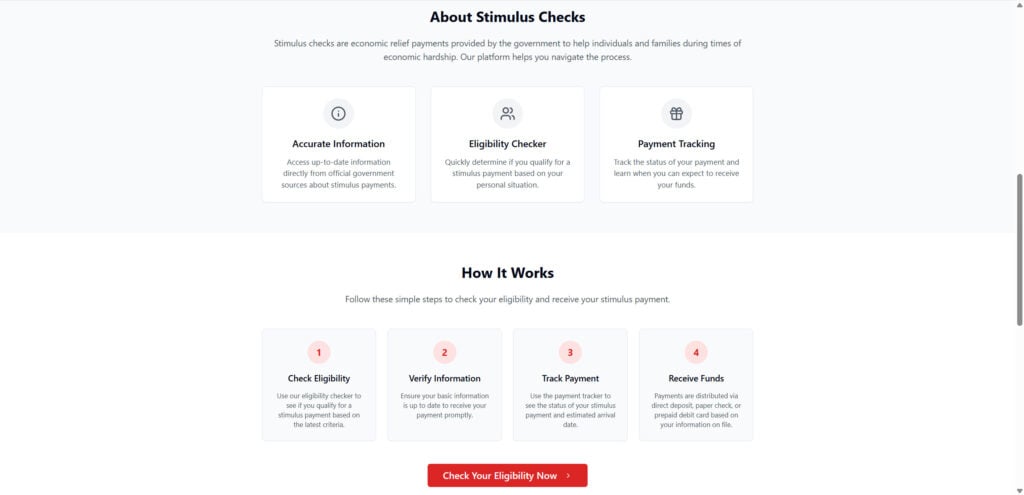
MyReliefCheck.com poses itself as a tool to help Americans check if they qualify for leftover or unclaimed stimulus funds tied to the CARES Act or similar relief packages. The site claims to allow users to check eligibility in minutes, with no paperwork and no sign‑up fees. On its homepage, it includes features such as a “Time‑Sensitive Opportunity” label, sections on “About Stimulus Checks,” promises of “Payment Tracking,” and a four‑step “How It Works” scheme that ends with “Receive Funds.”
Why It Raises Major Alarm
- Domain Age and Hidden Ownership
The ClaimStim domain was only recently registered (June 2025) and has privacy protection applied to its WHOIS record, making it impossible to verify who runs it.
Scam sites often use anonymized domain registrations to conceal identity. - Claims That Defy Reality
The site states you could check and receive a stimulus amount up to $5,000—and even tracks payments. Yet no known government program currently offers new stimulus checks of that scale beyond tax refunds or standard credits. The site references the CARES Act long after its relevant disbursements. - Design Mimics Government Messaging
It uses terminology like “Check Eligibility,” “Verify Information,” “Track Payment,” and “Receive Funds” with government‑style badges, tunnel flows, and urgency clocks to make it seem official.
These design tricks are common in scams to leverage trust. - Fake Testimonials and Activity Pop‑ups
Many such scam sites display fabricated popups like “James from Pennsylvania just claimed $4,712.80 in federal aid” to create social proof and urgency. These messages are not verifiable and often rotate or reset. - Redirects and Affiliate Funnels
Instead of delivering legitimate stimulus application processes, the site funnels users toward unrelated offers such as product trials, surveys, or lead generation pages. These intermediate pages monetize your clicks or data submissions. The site’s internal “How It Works” flow is a veneer over redirect funnels. - No Official Government Links or Verification
The site makes no real connections to IRS, Treasury, or state portals, and gives no evidence that it is integrated with government systems. It references “official government sources” but does not link or authenticate. - Low Traffic, Low Reputation, and Server Patterns
The site has low ranking and is hosted on servers alongside other low‑trust domains.
Collectively, these red flags strongly suggest MyReliefCheck.com is a scam operation disguised as a stimulus relief tool. The remainder of this article will explain precisely how the scam works and how it exploits users.
How The Scam Works
Below is a breakdown of how the ClaimStim scam typically plays out:
Step 1: Initial Attraction
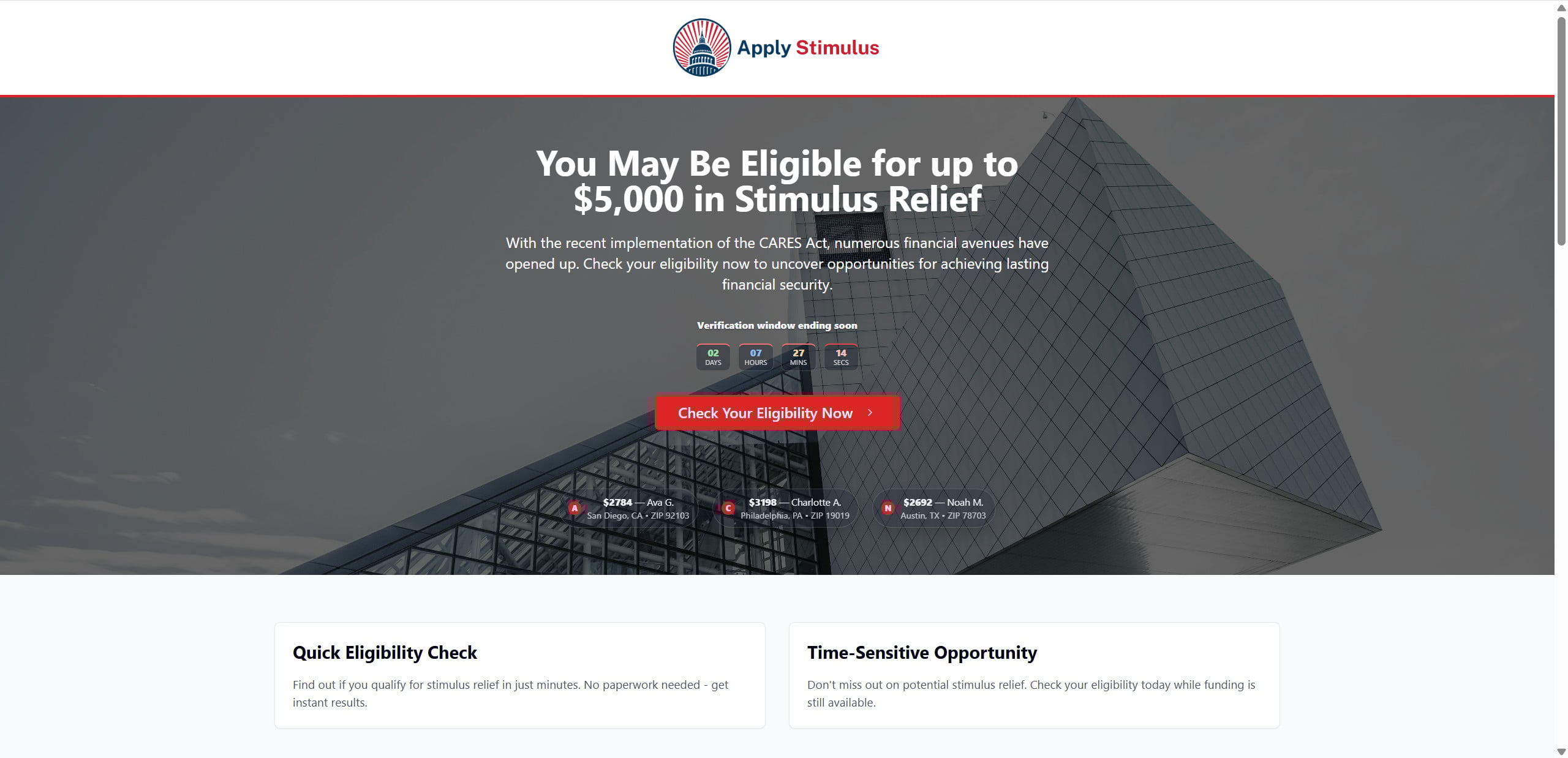
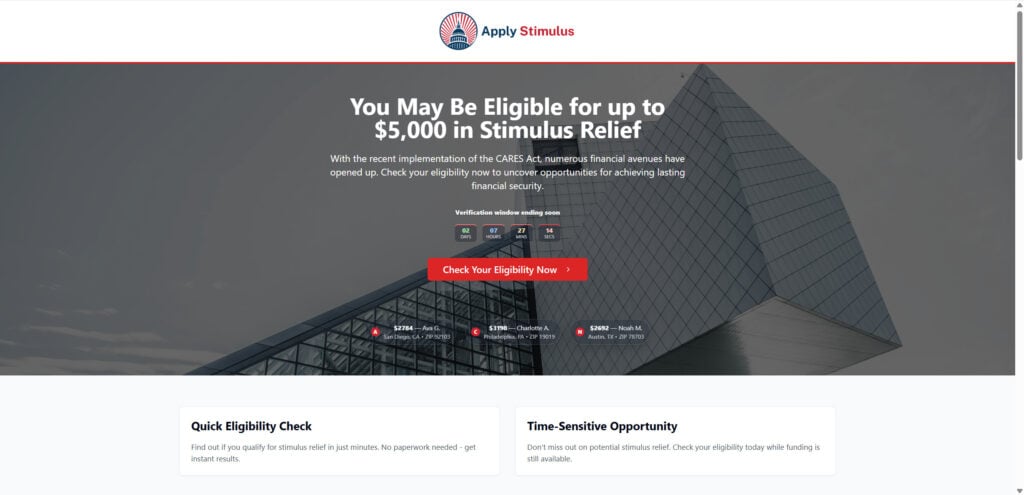
You arrive at MyReliefCheck.com (or a variant domain such as claimstim.site) via ads, social media, email links, or search results promising “Free Stimulus Bonus” or “Check if You’re Owed $5,000.” The landing page is styled in red, white, and blue, with headings like “You May Be Eligible for up to $5,000 in Stimulus Relief” and “Time-Sensitive Opportunity: Check Your Eligibility Now.”
A timer or countdown widget often appears, urging you to act within minutes before the “verification window” closes. This induces a sense of urgency that discourages skepticism or verification.
At the bottom, there may be a simple four-step flow shown:
- Check Eligibility
- Verify Information
- Track Payment
- Receive Funds
This flow gives the illusion of a real process.
Step 2: Question Form / Data Entry
Clicking the “Check Your Eligibility” (or similar) button leads you to a form or questionnaire. The form often asks questions such as:
- ZIP code / state
- Filing status or number of dependents
- Employment status
- Yearly income bracket
- Sometimes partial Social Security digits
You may believe you are applying to a legitimate stimulus program. But in reality, these forms collect demographic data that can segment and target you later.
Step 3: Fake Confirmation / “Eligible” Status
Regardless of your answers, the site typically returns a message saying you are “eligible” or “pre-approved,” with calls to proceed to the next step. This immediate positive result is preprogrammed and intended to build confidence and momentum. It keeps you engaged and ready to proceed to the next phase.
Step 4: Redirects to Monetized Offers or Affiliate Funnels
Instead of sending you to a government portal or verifying with IRS systems, you are redirected to a third-party offer or affiliate funnel. These offers can include:
- Survey sites
- Sweepstakes entries
- Insurance or credit card quotes
- Product trial subscriptions
- Promotional lead forms
These pages may ask for additional personal details or financial data, and some may even request your payment method under the guise of processing “shipping fees” or “processing charges.”
Every redirection serves the purpose of generating affiliate commission for the operators behind ClaimStim.
Step 5: Data Collection & Monetization
At this point, your previously entered data is captured. Potential data harvested includes:
- ZIP code, employment status, income bracket
- Email address and phone number (if provided)
- IP address and device information
- Behavioral data (via tracking cookies, pixels)
This data may be sold to data brokers, used for further marketing campaigns, or used to target you with more scams.
Step 6: Persistent Tracking & Retargeting
The site and its affiliates drop tracking cookies, scripts, and pixels so that your browsing behavior becomes part of profile databases. After leaving the site, you may encounter:
- Targeted ads for “unclaimed funds”
- Re-targeting by other scammy domains
- Spam emails or phone calls
- Offers that appear to know your previous interest
These techniques ensure the scam doesn’t end with your first visit—but persists.
Step 7: Repeat Loops & Domain Switching
Because ClaimStim is a recent domain, when it inevitably gets blacklisted or flagged, the operators may simply move the same scheme to a new domain, with identical structure and branding. The funnel repeats under a different name, but the mechanics remain the same.
In essence, ClaimStim is not a one-time fraud—it’s a revenue funnel built to exploit curiosity and need, with data and affiliate monetization at its core.
What to Do if You Have Fallen Victim
If you have already entered personal information into MyReliefCheck.com (or a related domain), here is a prioritized, detailed list of steps to take:
- Stop Interaction Immediately
Do not click any further links, submit more data, or sign up through any of the redirected offers. - Take Screenshots & Save Evidence
Capture screenshots of the site, the submitted forms, emails received, redirect URLs, and transaction receipts (if any). These records can support complaints or recovery attempts. - Clear Browser Cookies, Cache, and Block Scripts
This helps remove tracking, session data, and cookies that might continue linking you to the scam network. - Change Passwords and Secure Login Credentials
If you used your email or provided login information, change those passwords immediately. Enable two-factor authentication (2FA) wherever available. - Monitor Financial & Credit Accounts
Watch your bank statements, credit card activity, and credit reports for unauthorized charges or new accounts. If you suspect identity misuse, place a fraud alert or credit freeze with the major credit bureaus (Equifax, Experian, TransUnion). - Report to Government & Consumer Protection Agencies
- File at the Federal Trade Commission (FTC) via reportfraud.ftc.gov
- File a complaint with the Internet Crime Complaint Center (IC3) at www.ic3.gov
- Report to your state attorney general or local consumer protection office
- Notify your bank or payment providers if you submitted financial data
- Use Identity Protection / Credit Monitoring Services
Enroll in a reputable identity protection service to be alerted to misuse or data breaches tied to your information. - Enable Email and Call Filters
Use spam filters in your email, block unknown numbers, and use call‑blocking applications to reduce exposure to scams or phishing. - Warn Friends, Family, & Online Communities
Share your experience, post warnings (for example on forums or social media), or notify local consumer awareness organizations. - Check for Account Hijacking or Phishing Attempts
Watch for attempts to reset passwords, login from unknown devices, or phishing emails referencing “stimulus check” or related terms. Be extra cautious if you receive messages referencing ClaimStim or its promises. - Request Data Removal (If Possible)
Contact the domain registrar or hosting provider (if identifiable) to request deletion of your data or account. However, many scam sites use privacy services or transient domains that make this step difficult. - Seek Legal or Professional Advice (if needed)
In cases where significant personal or financial risk exists, consult a consumer rights attorney or cyberfraud investigator.
Acting quickly and decisively increases your chances of mitigating further damage or misuse of your identity.
The Bottom Line
MyReliefCheck.com is not a legitimate stimulus or government relief portal. It is a scam operation dressed up with polished design, urgency messaging, and deceptive social proof. Its real purpose is to collect your data, redirect you to affiliate offers, and monetize your misdirected trust.
From domain age, hidden registration, fake testimonials, and funnel redirects to affiliate monetization and ongoing targeting, every element points toward fraudulent intent. Even though the site uses government‑style messaging and phrases like “verify information” or “track payment,” there is no actual stimulus mechanism behind it.
If you want to check your eligibility for stimulus funds, always use official government resources (for example, IRS.gov). Never trust a site that:
- Uses a .com suffix for government claims without verification
- Conceals ownership or provides no credible contact info
- Redirects you to unrelated offers instead of actual services
- Pressures you with timers or fake urgency
- Promises money without validation
Frequently Asked Questions
What is MyReliefCheck.com?
MyReliefCheck.com is a website that claims to help users check their eligibility for stimulus checks, offering supposed payouts up to $5,000. However, it is not affiliated with any official government agency. The site uses deceptive tactics to collect personal information and redirect visitors to unrelated third-party offers. Security analysts and scam watchdogs have flagged it as suspicious due to its hidden ownership, newly registered domain, and lack of transparency.
Is MyReliefCheck.com a legitimate government website?
No. MyReliefCheck.com is not a government website and is not affiliated with the IRS, the U.S. Treasury, or any state or federal program. Legitimate stimulus resources are only available through official government websites like IRS.gov. Any site promising fast payments, guaranteed eligibility, or offering large sums without verification should be treated with caution.
How does the MyReliefCheck.com scam work?
The site uses a multi-step funnel that begins by luring users in with promises of fast stimulus checks. After users enter personal information into fake “eligibility” forms, they are almost always told they qualify. Instead of connecting to real aid programs, users are redirected to marketing offers, product trials, or surveys. The data submitted is likely stored, tracked, or sold for marketing and fraudulent purposes.
What kind of personal information does MyReliefCheck.com collect?
MyReliefCheck.com may collect a range of data depending on what users submit, including ZIP code, employment status, income level, email address, phone number, IP address, and browsing behavior. In some cases, sites like this may also prompt users to share partial or full Social Security numbers. Providing this information exposes users to phishing, spam, and potential identity theft.
What are the red flags that indicate MyReliefCheck.com is a scam?
Several warning signs point to MyReliefCheck.com being a scam. These include the recent registration of the domain (June 2025), lack of contact information, hidden ownership in the WHOIS record, fake user testimonials, urgency countdown timers, and redirect links to unrelated third-party offers. The site also misuses official language and references outdated legislation like the CARES Act to create a false sense of legitimacy.
Can MyReliefCheck.com steal my identity?
While the site does not explicitly ask for full Social Security numbers in most cases, the risk of identity theft increases if you share sensitive personal information such as your name, date of birth, and contact information. Scammers can use these details for targeted phishing, fraudulent applications, or selling your profile to data brokers.
What should I do if I submitted my information to MyReliefCheck.com?
If you submitted any personal data, take action immediately. Change your passwords, especially for accounts linked to the email address you provided. Monitor your bank and credit accounts for unusual activity. File a report with the Federal Trade Commission (FTC) at reportfraud.ftc.gov and consider placing a credit freeze with all three major credit bureaus. Enable two-factor authentication on your most important accounts to add extra protection.
Is there a real way to check for stimulus eligibility?
Yes. The only safe and legitimate way to check for stimulus eligibility is through official government websites like IRS.gov or your state’s department of revenue. These sites do not require you to submit marketing forms, and they never promise instant results or guaranteed payouts. Be skeptical of any site that offers shortcuts, fast-tracking, or high-dollar checks.
How can I report MyReliefCheck.com or similar scams?
You can report suspicious websites like MyReliefCheck.com to several authorities. File a report with the Federal Trade Commission at reportfraud.ftc.gov, report to the Internet Crime Complaint Center at ic3.gov, and notify your state’s consumer protection agency. You can also flag the site through your browser’s “Report a scam” feature or alert Google Safe Browsing if the site appeared in a search ad.
How can I avoid stimulus check scams in the future?
To avoid scams like MyReliefCheck.com, never trust unsolicited emails, ads, or text messages that claim to offer financial aid or government payments. Always verify URLs before entering personal information. Real government websites typically end in .gov, not .com. Avoid any site that pressures you with countdowns, popups, or unrealistic claims. Stay informed by checking consumer protection websites and reading security alerts from verified sources.