

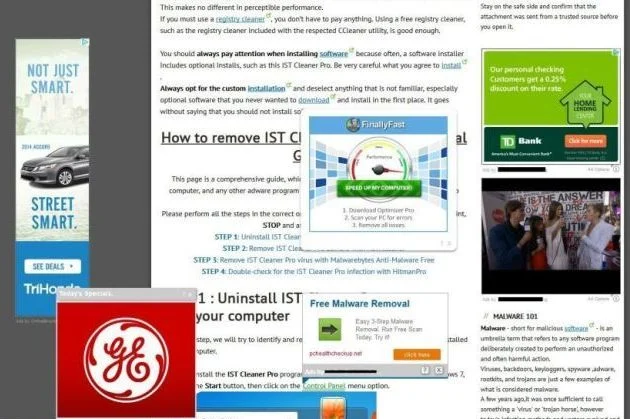
MacVX is an adware program for Apple Mac OS X, that displays pop-up ads and advertisements on web pages that you visit. These advertisements will be shown as boxes containing various coupons that are available, as underlined keywords, pop-up ads or advertising banners.
What is MacVX?
The MacVX adware infection is designed specifically to make money. It generates web traffic, collects sales leads for other dubious sites, and will display advertisements and sponsored links within your web browser.
When installed, the MacVX application will display advertising banners, pop-up advertisements and in-text ads, stating that they are brought to you by “MacVX”.
These ads are aimed to promote the installation of additional questionable content including web browser toolbars, optimization utilities and other products, all so the MacVX publisher can generate pay-per-click revenue.
When infected with MacVX the common symptoms include:
- Advertising banners are injected with the web pages that you are visiting.
- Random web page text is turned into hyperlinks.
- Browser popups appear which recommend fake updates or other software.
- Other unwanted adware programs might get installed without the user’s knowledge.
How did got MacVX on my computer?
MacVX is an adware program that is commonly bundled with other free programs that you download off of the Internet.
Unfortunately, some free downloads do not adequately disclose that other software will also be installed and you may find that you have installed MacVX without your knowledge. MacVX is typically added when you install another free software that had bundled into their installation this adware program. Most commonly MacVX is bundled within the installers from Cnet, Softonic or other similar custom third-party installers.
You should always pay attention when installing software because often, a software installer includes optional installs, such as this MacVX adware. Be very careful what you agree to install.
Always opt for the custom installation and deselect anything that is not familiar, especially optional software that you never wanted to download and install in the first place.
It goes without saying that you should not install software that you don’t trust.
MacVX Overview:
- MacVX will inject pop-up ads, advertising banners and in-text ads within your web browser
- Adware detected in the MacVX program
- Integrates into the web browser via the MacVX browser extension
- Typically distributed through a pay-per-install bundle or with third-party software (example: CNET installer, Softonic Installer, InstallRex installer and many more)
- MacVX has a poor reputation within the MalwareTips Community
How to remove “Ads by MacVX” from Mac OS X (Removal Guide)
This page is a comprehensive guide, which will remove “MacVX” virus from your computer, and any other adware program that may have been installed during the setup process.
Please perform all the steps in the correct order. If you have any questions or doubt at any point, STOP and ask for our assistance.
STEP 1: Uninstall MacVX application from your MAC OS X
STEP 2: Remove “Ads by MacVX” from Safari, Google Chrome and Firefox
STEP 3: Remove “Ads by MacVX” adware with avast! Free Antivirus for Mac
STEP 1: Uninstall MacVX application from your MAC OS X
In this first step, we will search and remove all the MacVX files from your machine.
- Click on the “Go” button, then select “Applications”.
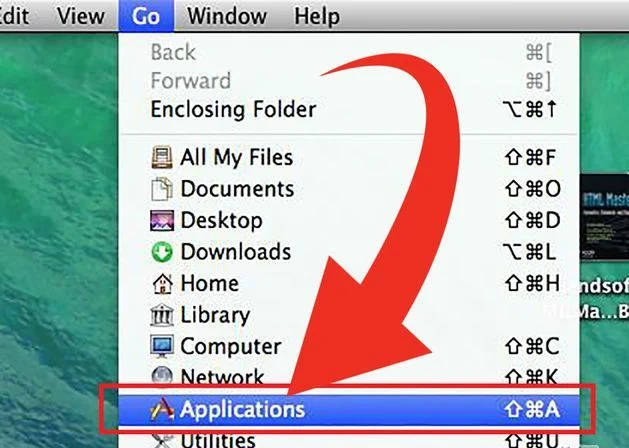
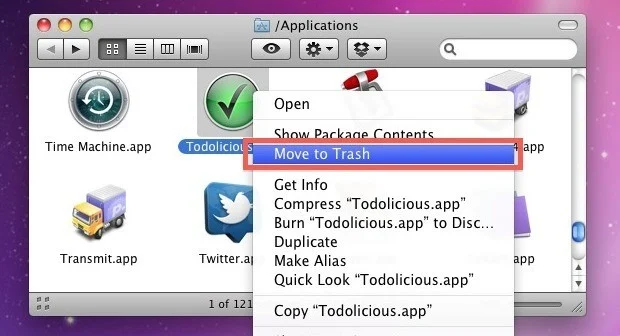
- When the Application folder will open, search for the MacVX application. Either drag the application icon to the Trash, or right-click and select “Move to Trash”.
STEP 2: Remove “Ads by MacVX” from Safari, Google Chrome and Firefox
If you are still experiencing issues with “Ads by MacVX” virus within Safari, Firefox or Chrome, we will need to remove the MacVX browser extension. This step needs to be performed only if your issues have not been solved by the previous steps.
Remove “Ads by MacVX” from Safari
- From the Safari menu, select “Preferences”.
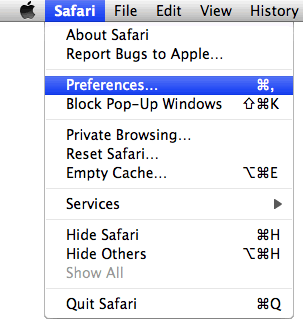
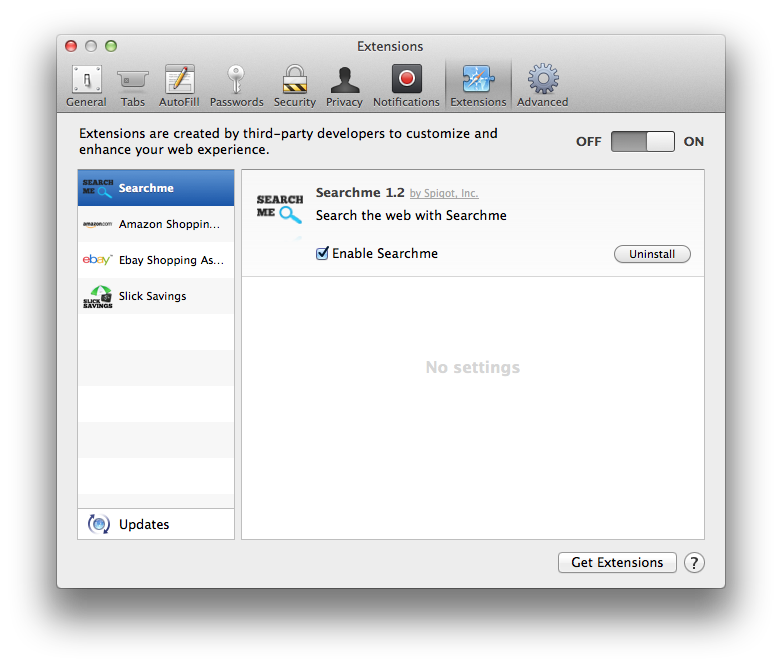
- In the Safari Preferences window, click the “Extensions” tab. Find the “MacVX” plugin, then click on the “Uninstall” button.
Remove “Ads by MacVX” from Google Chrome
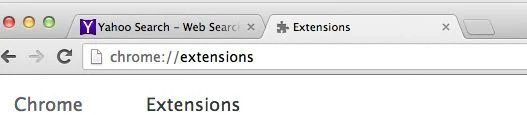
- In Chrome adress bar, type chrome://extensions
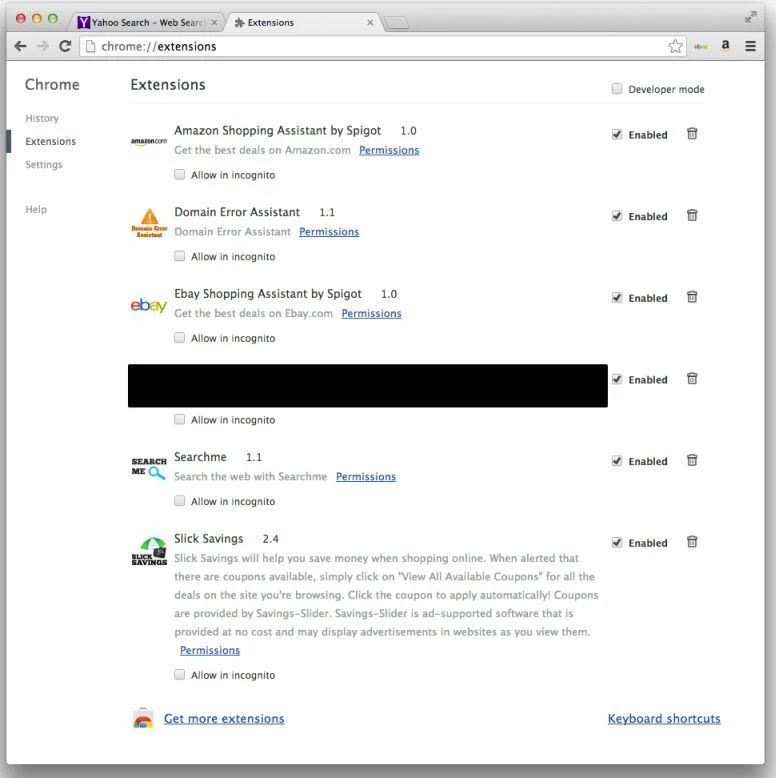
- On the Extensions window, remove the MacVX and any other unknown extensions by clicking the trash can
![[Image: Remove an extension from Chrome]](https://malwaretips.com/blogs/wp-content/uploads/mwt-media/15/15312192a9e993d0b47828bcc4a4243b8327edfe01567c83ac4ac59042b1ed49/ef971b5a6abccddf090910da018056c4845ae3d8fc7de8265833328ba64c0041-20.webp "Remove an extension from Chrome") icon.
icon.
Remove “Ads by MacVX” from Firefox
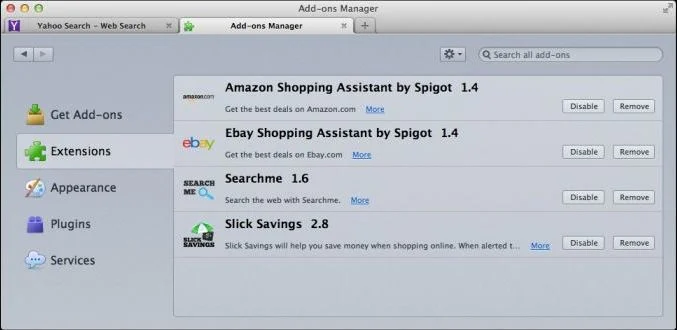
- In Firefox, click the “Tools” menu, then click “Add-ons“.
- Select the Extensions tab, then remove MacVX and any other unknown extensions from Mozilla Firefox.
STEP 3: Remove “Ads by MacVX” adware with avast! Free Antivirus for Mac
Avast Antivirus is a a powerful antivirus for Mac which will detect and remove the MacVX adware from your Apple Mac OS X.
- You can download avast! Free Antivirus for Mac utility from the below link.
Download Avast Free Antivirus for MacOpens the download page in a new tab. - After downloading avast Antivirus for Mac, double-click the downloaded file ‘avast_free_antivirus_mac_setup.dmg‘.
- In the new window double-click on ‘avast!.pkg’ file and follow the instructions on the displayed window ( read AVAST End User License Agreement, click ‘Agree‘, and then click ‘Install’ to complete the installation then press ‘Close’.
- When the Avast Antivirus will start, perform a “Full System Scan” to remove MacVX adware from your Mac OS X.
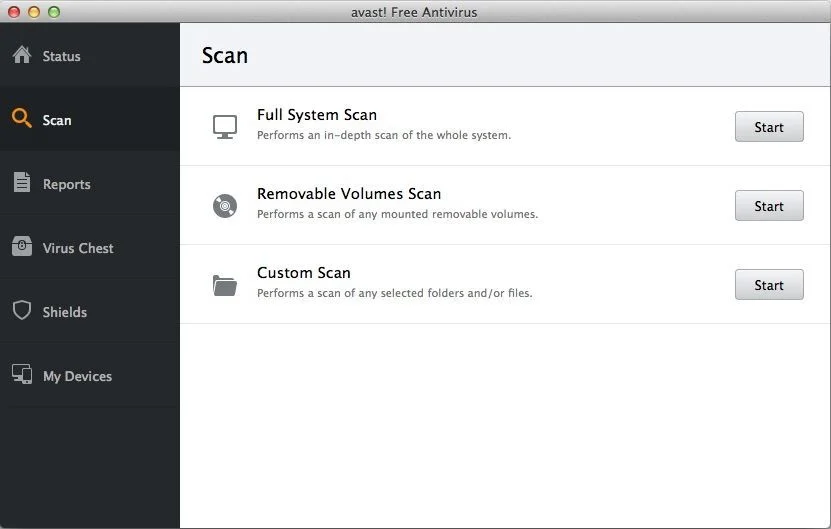
- Avast will remove MacVX virus from Apple Mac OS X, and furthermore Avast Antivirus will protect your Mac OS X from future infection.

Join the discussion
142 commentsShare your experience or ask a question about this article.
Your progress
Did these steps help?
Let us know how the guide worked for you.
Describe what you see and the step you reached. Keep passwords and other private information out.
Discussion
THank you so much this is a life saver!
Thank you so much I was about to lose my mind!
thanks a lot ! it was very helpful!
Thanks.
Thank you. Definitely sharing your page!
Thank you these ads are soooo annoying i cant stand them. I found about 7 extensions that i didnt know of and it got rid of it all
I can finally access my school work in google drive! Thank you thank you sooooooo much!
Muchisimas Gracias!!!! THANK YOU!!!!
THANK YOU OMGG YOU’RE THE BEST MAN
THANK YOU!!!
Thanks so much! Finally that crap got deleted… :D
dd
OMG THANK YOU SO MUCH….phew! I was so frigging annoyed…
Thanks… A LOT!!!
Thank you!
B-E-A-UTIFUL!
You helped me SO MUCH! Thanks A LOT, A LOT!
Omg, thank you so much, I really messed up big time, and this guide really saved me!!
Thank you sir!
Thanks a lot!!!!! I was going to give someone to fix my laptop but these instructions saved me time and moneyyyy thank youuuuu