

BitTorrent is a popular peer-to-peer file sharing protocol that allows users to distribute and download large files quickly and efficiently. It has revolutionized the way we share files over the internet, making it easier for individuals and organizations to distribute content to a wide audience. However, like any other software, BitTorrent comes with its own set of risks and potential security concerns.
What is Bittorrent.exe?
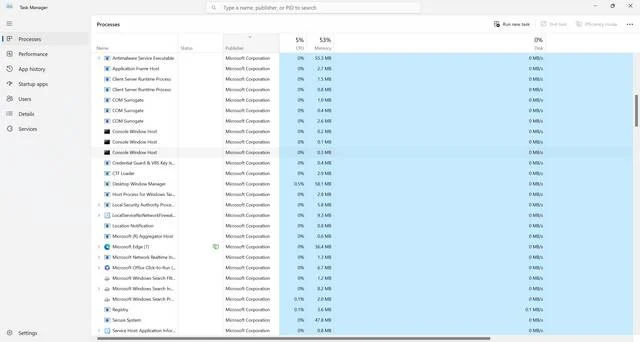
Bittorrent.exe is the executable file associated with the BitTorrent client software. When you install a BitTorrent client on your computer, such as uTorrent or BitTorrent, the bittorrent.exe file is created and stored in a specific location on your hard drive. This file is responsible for running the BitTorrent client and facilitating the downloading and uploading of files using the BitTorrent protocol.
It’s important to note that bittorrent.exe is not a virus or malware itself. It is a legitimate file that is required for the proper functioning of the BitTorrent client. However, it is possible for malicious actors to disguise malware or viruses as bittorrent.exe in order to infect unsuspecting users’ computers.
Should I Remove Bittorrent.exe?
The decision to remove bittorrent.exe depends on your usage and the specific circumstances. Here are a few factors to consider:
1. Legitimate Use:
If you regularly use BitTorrent to download and share files, removing bittorrent.exe would render the BitTorrent client useless. In this case, it is not recommended to remove the file.
2. Suspicious Behavior:
If you notice any suspicious behavior or performance issues on your computer that you suspect may be related to the BitTorrent client, it is worth investigating further. Run a scan with a reputable antivirus or anti-malware software, such as Malwarebytes Free, to check for any potential threats.
3. Alternative BitTorrent Clients:
If you are experiencing issues with the current BitTorrent client or have concerns about its security, you may consider switching to a different BitTorrent client. There are several reputable alternatives available, such as qBittorrent and Deluge, which you can install and use instead of the current client.
4. Unwanted Bundled Software:
During the installation process of some BitTorrent clients, additional software or toolbars may be bundled with the client. If you do not want these additional programs on your computer, you can choose to remove bittorrent.exe and uninstall the BitTorrent client altogether.
Best Practices for Using BitTorrent Safely
Whether you decide to keep or remove bittorrent.exe, it is important to follow best practices to ensure safe and secure usage of the BitTorrent protocol. Here are some tips:
1. Download from Trusted Sources:
Only download torrents from trusted sources. Verify the reputation and authenticity of the files and the websites you are downloading from. Avoid downloading copyrighted material without proper authorization.
2. Use a VPN:
Consider using a Virtual Private Network (VPN) when using BitTorrent. A VPN encrypts your internet connection and hides your IP address, providing an additional layer of privacy and security.
3. Keep Software Updated:
Regularly update your BitTorrent client and other software on your computer to ensure you have the latest security patches and bug fixes. Outdated software can be vulnerable to security threats.
4. Scan for Malware:
Periodically scan your computer for malware and viruses using reputable antivirus or anti-malware software, such as Malwarebytes Free. This will help detect and remove any potential threats.
Conclusion
Bittorrent.exe is a legitimate file associated with the BitTorrent client software. While it is not inherently malicious, it is important to be cautious and vigilant when using BitTorrent to avoid potential security risks. Assess your usage and the specific circumstances before deciding whether to remove bittorrent.exe. Follow best practices for safe and secure usage of BitTorrent, such as downloading from trusted sources, using a VPN, keeping software updated, and scanning for malware regularly. By taking these precautions, you can enjoy the benefits of BitTorrent while minimizing the potential risks.

Join the discussion
0 commentsShare your experience or ask a question about this article.
Discussion
Start the conversation
Have a question or something useful to share? Add the first comment.