

When it comes to computer processes and files, it’s not uncommon for users to come across unfamiliar names that may raise concerns. One such file is atbroker.exe, which can be found running in the background on Windows operating systems. In this article, we will explore what atbroker.exe is, its purpose, and whether or not it should be removed.
What is atbroker.exe?
Atbroker.exe is an executable file that is part of the Windows operating system. It stands for “Accessibility Broker Executable” and is primarily responsible for managing the interaction between assistive technologies and the Windows desktop. Assistive technologies include features like screen readers, magnifiers, and on-screen keyboards, which are designed to help individuals with disabilities navigate and use their computers.
Atbroker.exe is a legitimate system file and is typically located in the C:\Windows\System32 folder. It is an essential component of the Windows accessibility framework and is required for the proper functioning of assistive technologies.
Should I remove atbroker.exe?
As mentioned earlier, atbroker.exe is a critical system file that is necessary for the accessibility features of Windows to work correctly. Removing or disabling atbroker.exe can cause issues with assistive technologies and may result in the loss of important accessibility features.
However, it is worth noting that malware or viruses can sometimes disguise themselves as legitimate system files to avoid detection. Therefore, it is essential to ensure that the atbroker.exe file running on your system is genuine and not malware.
Verifying the authenticity of atbroker.exe
To verify the authenticity of the atbroker.exe file on your system, you can follow these steps:
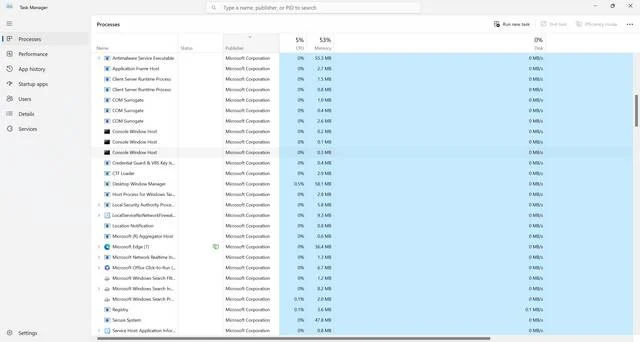
- Open the Windows Task Manager by pressing Ctrl + Shift + Esc or by right-clicking on the taskbar and selecting “Task Manager.”
- Click on the Processes tab.
- Locate and right-click on atbroker.exe.
- Select Open File Location from the context menu.
- A new window will open, displaying the location of the atbroker.exe file. If the file is located in the C:\Windows\System32 folder, it is likely to be genuine.
If you suspect that the atbroker.exe file on your system is malicious, it is recommended to run a scan with a reputable antivirus or anti-malware software. One such software is Malwarebytes Free, which can help detect and remove any potential threats.
Conclusion
Atbroker.exe is an essential system file that plays a crucial role in managing the interaction between assistive technologies and the Windows desktop. It should not be removed or disabled unless you have verified that it is a malicious imposter.
Remember to exercise caution when dealing with unfamiliar files and processes on your computer. Verifying the authenticity of system files and running regular scans with reliable antivirus or anti-malware software can help ensure the security and proper functioning of your system.
By understanding the purpose of atbroker.exe and taking the necessary precautions, you can maintain a safe and accessible computing environment.

Join the discussion
0 commentsShare your experience or ask a question about this article.
Discussion
Start the conversation
Have a question or something useful to share? Add the first comment.