

Microsoft Office Professional Plus 2010 is a productivity suite developed by Microsoft Corporation. It includes a collection of applications and services that are designed to help individuals and businesses create, manage, and share documents, spreadsheets, presentations, and more. With its wide range of features and capabilities, Office Professional Plus 2010 has become a popular choice for many users.
What Does Microsoft Office Professional Plus 2010 Include?
Microsoft Office Professional Plus 2010 includes several applications that are essential for productivity and collaboration. These applications are:
- Microsoft Word: A word processing program used for creating and editing documents.
- Microsoft Excel: A spreadsheet program used for organizing and analyzing data.
- Microsoft PowerPoint: A presentation program used for creating and delivering presentations.
- Microsoft Outlook: An email client and personal information manager used for managing emails, calendars, and contacts.
- Microsoft Access: A database management system used for creating and managing databases.
- Microsoft Publisher: A desktop publishing program used for creating professional-looking publications.
- Microsoft OneNote: A note-taking program used for capturing and organizing information.
- Microsoft InfoPath: An application used for designing, distributing, and submitting electronic forms.
In addition to these applications, Microsoft Office Professional Plus 2010 also includes other services such as SharePoint Workspace, which allows for offline access to SharePoint sites, and Communicator, which enables real-time communication and collaboration.
Should I Uninstall Microsoft Office Professional Plus 2010?
Deciding whether to uninstall Microsoft Office Professional Plus 2010 depends on several factors. Here are some scenarios where uninstalling might be necessary:
1. Upgrading to a Newer Version
If you have access to a newer version of Microsoft Office, such as Office 2013 or Office 365, you may consider uninstalling Office Professional Plus 2010 to take advantage of the latest features and improvements. Newer versions often offer enhanced functionality, improved security, and better compatibility with modern file formats.
2. Limited Storage Space
If you are running low on storage space on your computer, uninstalling Office Professional Plus 2010 can free up a significant amount of disk space. The suite occupies several gigabytes of storage, and removing it can help optimize your system’s performance and allow for the installation of other applications or files.
3. Compatibility Issues
In some cases, Microsoft Office Professional Plus 2010 may not be compatible with certain hardware or software configurations. If you are experiencing compatibility issues or encountering errors while using the suite, uninstalling it and trying an alternative solution might be necessary.
4. Security Concerns
As with any software, older versions of Microsoft Office may have security vulnerabilities that could expose your system to potential threats. If you are concerned about the security of your data and want to ensure that you are using the most secure version of Office, it is recommended to uninstall Office Professional Plus 2010 and upgrade to a newer version.
How to Uninstall Microsoft Office Professional Plus 2010
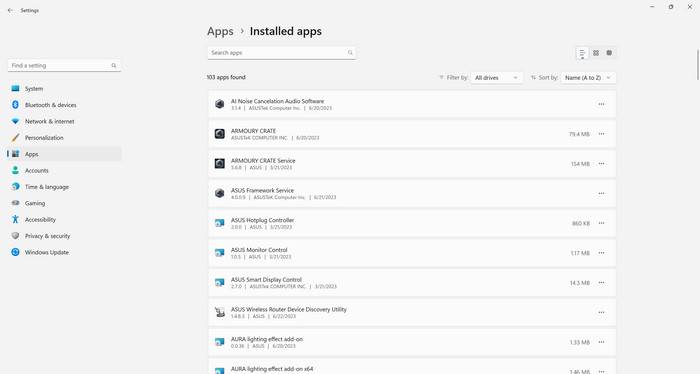
If you have decided to uninstall Microsoft Office Professional Plus 2010, here are the steps you can follow:
- Open the Control Panel on your Windows computer.
- Click on “Programs” or “Programs and Features.”
- Locate Microsoft Office Professional Plus 2010 in the list of installed programs.
- Right-click on it and select “Uninstall” or “Change.”
- Follow the on-screen instructions to complete the uninstallation process.
After uninstalling Office Professional Plus 2010, it is recommended to restart your computer to ensure that all components are properly removed.
Scanning for Malware
Before uninstalling any software, it is always a good practice to scan your computer for malware. Malware can hide within applications and may cause issues during the uninstallation process. To scan your computer for malware, you can use a reliable antivirus program like Malwarebytes Free. It is important to keep your system protected from potential threats.
Conclusion
Microsoft Office Professional Plus 2010 is a comprehensive productivity suite that offers a range of applications and services to help users create, manage, and share documents. Whether you should uninstall it depends on your specific needs and circumstances. If you have access to a newer version, limited storage space, compatibility issues, or security concerns, uninstalling Office Professional Plus 2010 might be a suitable option.
Remember to scan your computer for malware before uninstalling any software, and consider using a reliable antivirus program like Malwarebytes Free to ensure the safety of your system. Ultimately, the decision to uninstall Microsoft Office Professional Plus 2010 should be based on your individual requirements and preferences.








