

Thunderbird ESR is the inbox shops pin and leave: invoices, parts lists, the shared mailbox on the counter PC.
On 18 August 2026 Mozilla shipped Thunderbird 140.14 and closed a high-impact set of Gecko bugs, including a CanvasWebGL site isolation hole and use-after-free bugs in WebAssembly and the DOM.
Mozilla is explicit this is not an open-one-message-and-the-PC-is-owned bug: scripting is disabled when you read mail, so the risk sits in browser-like corners of Thunderbird, not in a normal inbox click. Updating Firefox does not patch Thunderbird: they share guts, not the installer.
If About already shows 154, skip this tab. If it still says 140.13 or older, open Help, then About Thunderbird, wait until the number reads 140.14, and Restart.
Overview
What broke
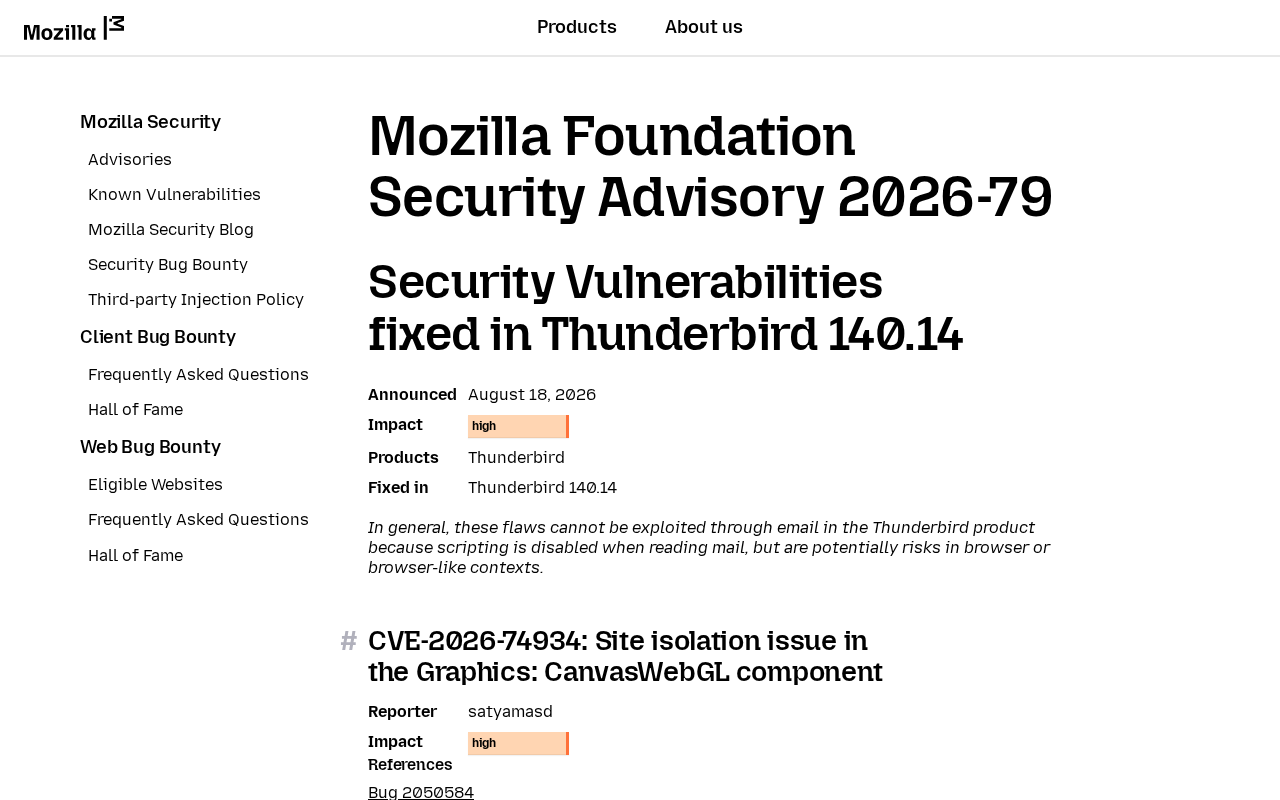
Mozilla’s Thunderbird 140.14 advisory, MFSA 2026-79, was announced 18 August 2026. Impact is high. Fixed in Thunderbird 140.14. The lead items are Gecko engine bugs Thunderbird shares with Firefox ESR 140.14.
CVE-2026-74934 is a site isolation issue in Graphics: CanvasWebGL. Site isolation helps separate content from different origins so one site cannot freely reach another site’s data. CanvasWebGL is the graphics component named in Mozilla’s advisory.
CVE-2026-74936 is a use-after-free in JavaScript: WebAssembly. CVE-2026-74944 is a use-after-free in DOM: Core and HTML. A use-after-free occurs when software accesses memory after it has been released. Mozilla rates both issues High.
CVE-2026-74987 is the internally found bugs bucket for Thunderbird ESR 140.14, Thunderbird ESR 153.1, and Thunderbird 154. Mozilla says some showed memory corruption, and they presume that with enough effort some of these could have been exploited. It is not a sandbox escape.
Mozilla adds an important caveat: these flaws generally cannot be exploited by simply reading email because Thunderbird disables scripting in messages. The remaining concern is browser or browser-like behavior inside the application.
That distinction matters. This is not evidence that opening one ordinary message gives an attacker control of the PC. It is still a real security update for components Thunderbird may use with web content, RSS, saved HTML, or other browser-like surfaces.
Mozilla has not said 74934, 74936, 74944, or 74987 is being used in the wild. CISA has not added them to the Known Exploited Vulnerabilities catalog. The patch is out. That is the window.
Who is in range
You. Anyone still launching Thunderbird ESR 140.13 or older on Windows, Mac, or Linux.
Firefox ESR 140.14 does not count. That tab is the browser. Two installers. Two About screens. A shop PC with Thunderbird pinned as the company inbox is in range until About shows 140.14.
Rapid Release mail users are not this story. If About Thunderbird already shows 154, you are on the 154 train (MFSA 2026-78). Skip this tab. Firefox ESR 140.14 is the browser sibling. Firefox 154 is the Rapid Release browser. None of those About screens move Thunderbird ESR.
What the vendor shipped
- Thunderbird 140.14 (18 August 2026), the ESR 140 build that closes this set
- Firefox ESR 140.14 the same day, the browser sibling. That restart does not move Thunderbird
- Thunderbird 154 the same day, Rapid Release mail. If About already shows 154, this brief is not yours
- Thunderbird ESR 153.1 the same day, a different ESR train. Take 153.1 only if About already shows 153.x
The card is MFSA 2026-79. The in-app path is Help, About Thunderbird. On a Mac it is Thunderbird, About Thunderbird. Thunderbird downloads the build itself. You wait, then Restart. A shop image frozen by policy will not self-update until whoever owns the image allows 140.14.
What this is not
- Not email remote code execution. Mozilla’s own caveat: scripting is off when you read mail.
- Not Thunderbird 154. That Rapid Release story is MFSA 2026-78. If About already shows 154, skip.
- Not CVE-2026-74987 as a sandbox escape. 74987 is an internal-bugs bucket.
- Not patched by updating Firefox, including Firefox ESR 140.14. Same family, different installer.
- Not on CISA KEV. Mozilla has not said these bugs are in the wild.
The patch is out. About Thunderbird is already in Help. That is the cheap window.
Do This Now
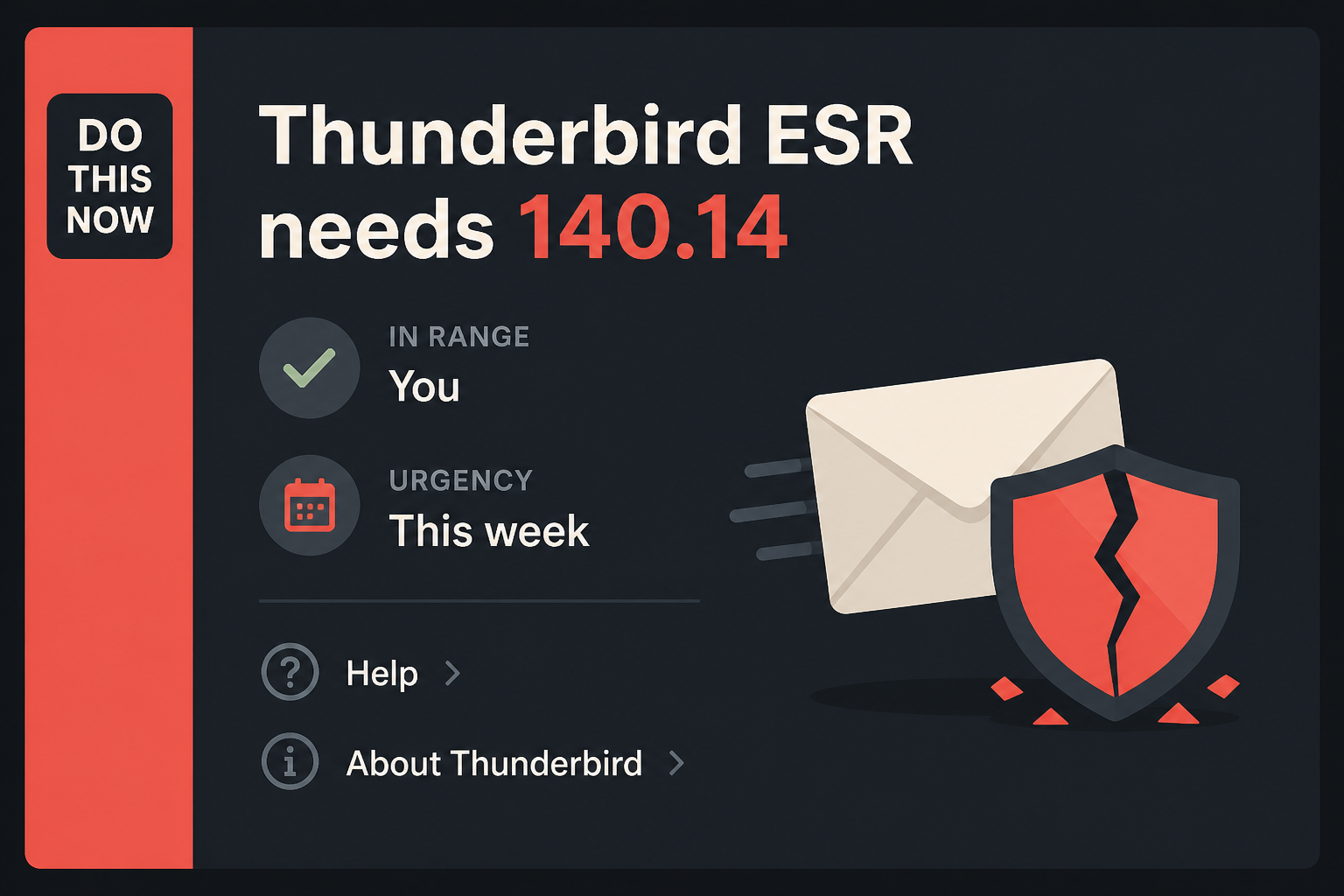
In range: You. Thunderbird ESR 140.13 or older.
Urgency: This week. Browser-like contexts, not inbox scripting. The updater is already in Help.
- Open Thunderbird. Help, About Thunderbird. Wait until it shows 140.14, then Restart.
- If About already shows 154, stop. You are on Rapid Release. This tab is not yours.
- Repeat on the other PC that still opens the shop mailbox: the counter machine, the laptop in the bag.
Who can skip
- About Thunderbird already shows 140.14, and you have restarted once.
- About already shows 154 or newer. That is Rapid Release. You are not this train.
- Outlook-only. Apple Mail-only. You confirmed Thunderbird is not installed.
- A shop PC whose Thunderbird is frozen by policy cannot self-update. That is an IT push of 140.14, not a skip for the fleet.
Why it matters
Thunderbird often holds invoices, password resets, supplier conversations, and shared business mail. Mozilla’s advisory describes weaknesses in site isolation and memory handling inside components the mail client shares with Firefox.
The reading pane reduces the normal email attack surface because scripting is disabled. It does not remove the need to patch the application’s browser-like components, especially when Mozilla rates the overall impact High.
Keep Mozilla’s caveat in your head. This is not “one phishing message owns the PC.” Scripting is off in the reading pane. The hole still exists, and Thunderbird still has browser-like surfaces: RSS, saved HTML, a link that opens inside the client.
Mozilla rated the lead items high the same day they rated the matching set high in Firefox ESR 140.14. The installer is not shared.
Mozilla did not put an exploited flag on 74934, 74936, 74944, or 74987. CISA has not added them to KEV. Waiting is still how a high set sits on the inbox you click through every morning. The About window is already in the Help menu.
The download is Mozilla’s own updater, not a third-party “mail client update” site.
The other machines are the easy miss. The laptop in the bag, the shop front-desk mailbox, the PC that “only checks mail”: each one is its own About screen. Updating Firefox does not move Thunderbird. Updating Firefox ESR 140.14 does not move it either.
Updating the desktop you are on does not move the copy in the other room. One stale copy is enough.
Common Thunderbird Update Mistakes
Assuming the Firefox update also patched mail
Firefox and Thunderbird share parts of the Mozilla platform, which is why some CVE numbers appear in both advisories. They remain separate applications. Restarting Firefox does not replace Thunderbird’s program files or change the version in About Thunderbird.
Open the mail client itself and use Help, About Thunderbird. If both applications are installed, verify both About screens. A household or shop can be current in the browser and still leave the mail client on an older ESR build.
Treating the advisory as proof of email takeover
Mozilla’s scripting caveat is important. The advisory does not say that simply previewing an ordinary message gives an attacker control of the computer. Repeating that claim would exaggerate the published evidence and make the practical guidance less trustworthy.
The correct conclusion is narrower. Thunderbird contains browser-related components with High-impact vulnerabilities, and some features may handle web-like content. Updating removes the known flaws without requiring users to guess which internal surface a future exploit might target.
Stopping after Thunderbird downloads the package
The application may download an update while the older process remains open with the inbox. The fix is not fully in use until Thunderbird restarts. Save any message you are composing, allow the restart, then return to About Thunderbird.
Read the complete version after restart. On the ESR 140 train, the target is 140.14 or a later fixed build. If the number remains 140.13, look for a managed-update policy, blocked download, or distribution package that needs its own updater.
Downloading a mail update from an advertisement
Search advertisements and fake warning pages may offer a program labeled as a Thunderbird update. They can lead to bundled software, credential theft, or malware. Use Thunderbird’s About window or Mozilla’s official Thunderbird site instead.
A legitimate update does not ask for a payment, a remote-support call, or permission to install a browser extension. If a page says the mailbox will be deleted unless you act immediately, close it and verify the version from inside Thunderbird.
Overlooking the shared or rarely used inbox computer
The front-desk PC, the laptop used only for travel, and the spare computer that opens archived mail each have their own Thunderbird installation. Updating the main workstation does not reach them unless an administrator manages the entire fleet.
Check every machine that opens the mailbox, not every mailbox account. The same account can be current on one computer and exposed through an older application on another. Record the version on each device and retire stale copies that no longer receive updates.
Complete the Thunderbird Update
On the PC
- Open Thunderbird. The inbox is fine. You do not need a special folder.
- On Windows or Linux, click Help at the top, then About Thunderbird. On a Mac, click Thunderbird in the menu bar, then About Thunderbird. Some builds hide Help behind the hamburger button (three lines) in the top right.
- A small About window opens. It will say Thunderbird and a version number, then start checking for updates.
- Let it download. The line you want on the ESR 140 train is 140.14. If it still shows 140.13 or an older 140.x, stay on the window until 140.14 arrives.
- Click Restart when the button appears. Thunderbird will close and reopen. That is expected. If there is no Restart button and the number is already 140.14, you are done on this PC.
- Open About one more time after the restart and read the number. Do not trust the splash. Trust the About line.
If About Thunderbird never moves
Quit Thunderbird fully. On Windows, check the system tray and Task Manager for leftover Thunderbird processes, then reopen Thunderbird and try About again. A download that sits at 0% is often a proxy, a metered connection, or a shop policy. Use the network you already trust.
Do not download Thunderbird from a random “mail update” site. Mozilla’s own About window is the installer. If you must fetch a package by hand, use Mozilla’s Thunderbird download page.
A shop PC with Thunderbird managed by Group Policy, an MDM catalog, or a “do not update” image will not self-update no matter how many times you open About. Ask whoever owns the image to push Thunderbird 140.14. That is the same build.
It is just delivered by the shop’s tool instead of the Help menu.
The other PC in the house
- The laptop in the bag: same Help, About Thunderbird path tonight. Wait for 140.14, then Restart.
- The shop front-desk mailbox and the machine that “only checks mail”: same clicks. One stale copy is enough.
- If About on that second machine already shows 154, leave it. That copy is Rapid Release. Do not drag an ESR shop down to 140.14, and do not jump an ESR shop to 154 unless that is the plan.
- Firefox, if you also browse with ESR: Help, About Firefox, and take Firefox ESR 140.14. That is a separate restart. It does not move this number.
What you should see
On the About window, under the Thunderbird heading, the version starts with 140.14. If you still see 140.13 or an older 140 major, stay on the window. After Restart, the same About window should show 140.14 without asking again.
If About shows 154, you were never this train. Do not type Firefox’s 140.14 into Thunderbird and call it done.
When you are done
Desktop About reads 140.14 on Thunderbird ESR, and you have restarted once. If the machine was already on 154, you skipped this tab. Firefox ESR, if you use it, is a separate 140.14.
You do not need to rebuild the inbox, sign out of accounts, or clear local folders. You needed a new build. You have it.
Frequently Asked Questions
Can these flaws be exploited by reading an ordinary email?
Mozilla says the flaws generally cannot be exploited through normal email reading because scripting is disabled. The concern remains in browser or browser-like contexts inside Thunderbird.
Does Firefox ESR 140.14 patch Thunderbird?
No. Thunderbird needs its own update. Open Help, About Thunderbird and verify that the mail client itself reaches 140.14 or a later fixed build.
What if About Thunderbird already shows 154?
That installation is on the Rapid Release train, not ESR 140. Do not downgrade it to 140.14. Keep it updated through its normal 154 release path.
Will updating Thunderbird remove local mail?
A normal application update should preserve accounts, messages, and local folders. Back up an important profile before major maintenance and confirm the version after restart.
Should I disable HTML email instead of updating?
No. Changing message display options does not patch the vulnerable application components. Keep sensible mail settings, but install the supported Thunderbird update as the primary fix.
What if an administrator controls Thunderbird updates?
Send the administrator the current version and the required fixed build. After the deployment window, verify the local About Thunderbird screen rather than relying only on a central status message.
The Bottom Line
Thunderbird ESR 140.14 fixes High-impact weaknesses in browser-related components. Mozilla says ordinary email reading generally cannot exploit these flaws because message scripting is disabled, but the application still needs its own update.
Open About Thunderbird, install the fixed build, restart, and verify the number. Updating Firefox does not patch the mail client, and a second computer needs its own check.