

Parents searching for help with communication or emotional regulation can encounter NeuroSpark at a moment when hopeful language carries enormous weight.
The $29 audio offer sounds simple and science-led. Its platform listing, supporting evidence, authorship, and therapeutic boundaries require much closer attention.
Overview
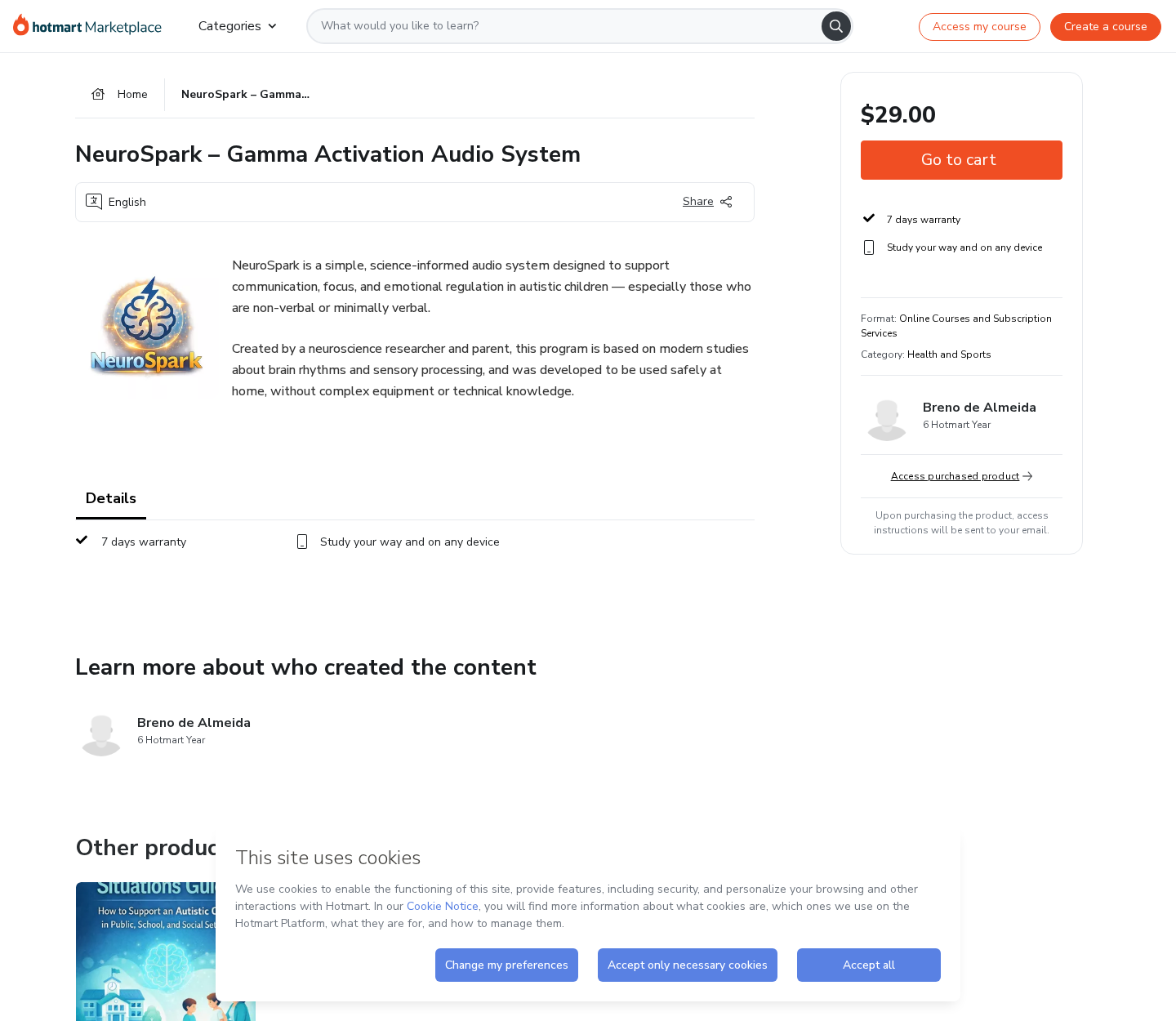
NeuroSpark is a purchasable digital audio product
NeuroSpark Gamma Activation Audio System is listed through Hotmart as online content priced at $29, with a seven-day guarantee.
The marketplace page names Breno de Almeida Dias as the author and describes the material as usable on common devices.
Its description says the audio supports communication, focus, and emotional regulation in autistic children, including children who are non-speaking or minimally speaking.
That makes this more than ordinary relaxation music. It places the offer beside deeply important developmental concerns and family decisions.
A digital file can be delivered exactly as promised while the health-related claims remain unsupported. Product existence and clinical effectiveness are separate questions.
The scientific language exceeds the product-specific evidence
NeuroSpark invokes neuroscience, brain rhythms, sensory processing, and gamma activation. Those terms describe legitimate research areas, but they do not validate this program.
We found no published, peer-reviewed clinical trial testing the exact NeuroSpark audio, exact schedule, and exact claims shown on the sales page.
Research involving 40Hz stimulation is still evolving. Findings from laboratories, animals, adults, or different conditions cannot automatically be transferred to autistic children.
- The product is sold as a home audio system, not an approved medical treatment.
- The marketplace description provides promotional assertions rather than a complete clinical protocol.
- No product-specific trial registration is clearly linked beside the purchase button.
- No transparent adverse-event monitoring plan is presented to buyers.
- The seven-day guarantee is shorter than many families would need for meaningful evaluation.
- Hotmart processes the transaction but does not independently prove therapeutic claims.
Our finding: real download, unverified autism benefits
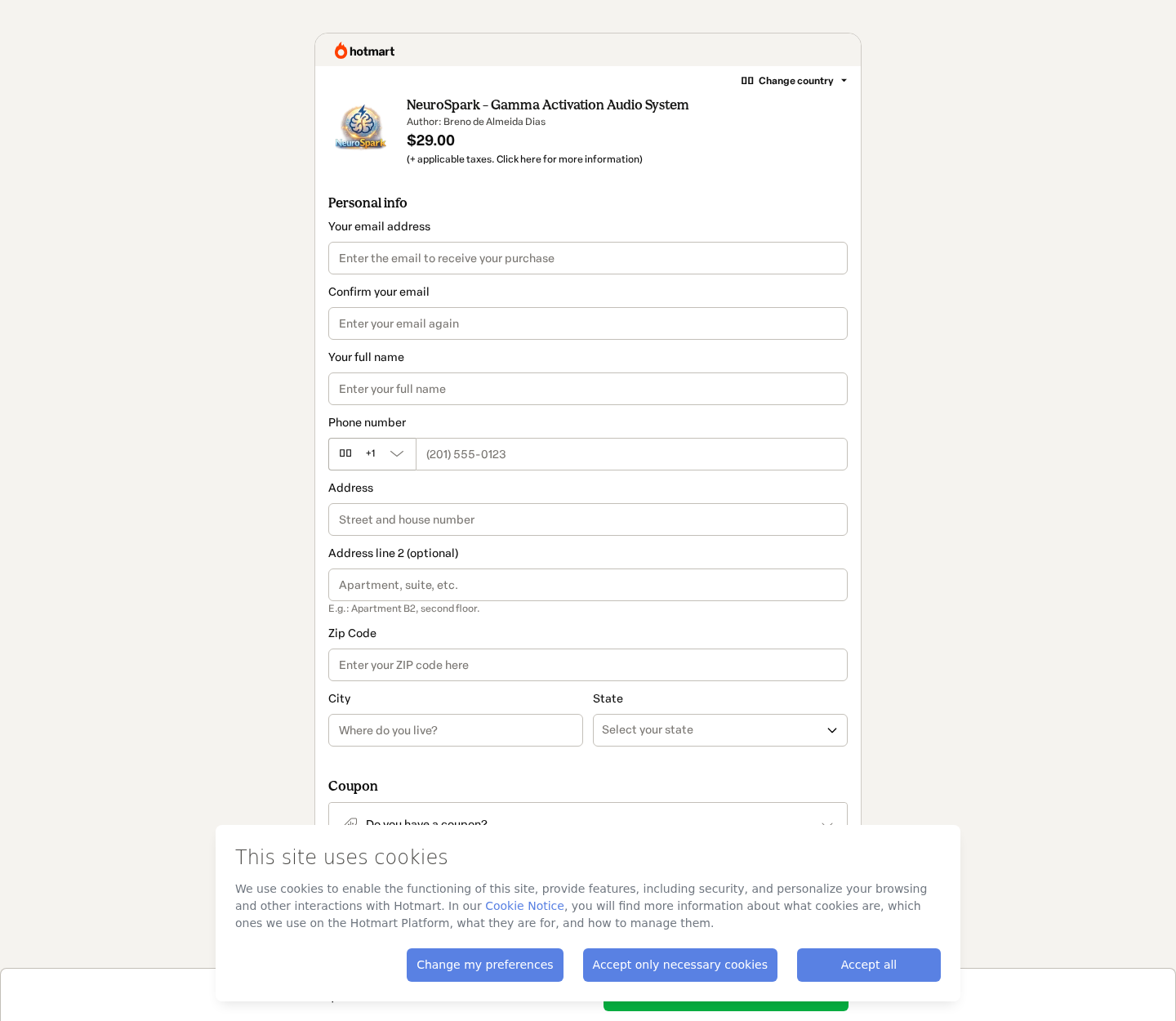
It would be inaccurate to say NeuroSpark is a nonexistent product. The checkout is active and identifies a creator and price.
It would also be irresponsible to present the audio as a proven communication or autism intervention without direct, high-quality evidence for the finished program.
Parents should treat NeuroSpark as unvalidated digital wellness content. It must not replace speech therapy, educational support, behavioral care, or medical evaluation.
The biggest risk is not necessarily the $29 purchase. It is lost time, displaced treatment, false hope, or blame when a child does not change.
Our recommendation is to discuss any sensory audio routine with the child’s qualified clinician and prioritize interventions built around individual needs and measurable goals.
What NeuroSpark Says the Audio Can Support
The marketplace copy describes a simple listening system intended for home use without specialized equipment or technical knowledge.
It connects the program with communication, attention, calmness, and emotional regulation. These are broad outcomes that can fluctuate naturally from day to day.
When outcomes are broad, almost any positive moment can be credited to the audio. A difficult day can be dismissed as temporary adjustment.
That is why a credible study defines the target, measurement method, comparison group, timeline, and statistical plan before participants begin.
For communication, researchers might measure specific spontaneous words, functional requests, interaction turns, or validated assessment scores.
For emotional regulation, they would need consistent definitions, trained observers, appropriate controls, and careful attention to environment and co-occurring conditions.
A parent testimonial cannot isolate the cause. Development, school changes, sleep, therapy, medication, stress, maturation, and expectation may all influence behavior.
The word “support” is deliberately flexible. It sounds meaningful while avoiding the precision expected from a treatment claim.
How the NeuroSpark Audio Sales Funnel Works
Step 1: The message meets families inside a difficult search
Parents often research late at night after a challenging appointment, school meeting, therapy waitlist, or upsetting change in communication.
An inexpensive home routine can feel empowering because it requires no referral, travel, insurance approval, or long delay.
The sales message offers action immediately. That emotional timing can reduce the careful skepticism normally applied to a health-related product.
Step 2: Neuroscience vocabulary creates borrowed authority
Gamma waves and sensory processing are real subjects. Mentioning them can make the finished recording sound as though it inherited every related scientific finding.
It has not. Evidence for a mechanism, frequency, or research field does not prove one commercial audio file improves a particular child’s functioning.
A reliable claim needs direct testing of the product as sold, delivered to the intended population, with clinically meaningful outcomes.
Step 3: A creator biography fills the evidence gap
The product is described as created by a neuroscience researcher and parent. That combination appeals to both technical trust and lived experience.
The listing does not provide enough easily verifiable credentials, institutional affiliation, publications, or product trial records to substantiate the implied authority.
A biography can introduce a creator. It cannot replace methods, data, peer review, replication, and conflict-of-interest disclosure.
Step 4: A low price makes experimentation feel harmless
At $29, NeuroSpark costs less than many clinical appointments. The modest amount may discourage the buyer from researching the claims or requesting a refund.
The true cost can be larger if the audio replaces professional guidance, becomes a reason to delay evaluation, or creates conflict within a family.
Low price reduces financial exposure, not health misinformation risk.
Step 5: Hotmart provides a familiar transaction layer
The buyer moves to a Hotmart checkout requesting contact and billing information. A recognized platform can make the entire offer feel vetted.
Hotmart provides payment processing and digital delivery infrastructure. Its checkout does not mean medical specialists approved the product’s developmental claims.
The platform page states that content responsibility belongs to the seller. Buyers must judge the claims rather than assuming marketplace inclusion equals endorsement.
Step 6: Immediate access creates a private, difficult-to-audit trial
The family receives audio and instructions, then listens at home. There is no blinded observer, standardized environment, or independent comparison.
Normal variation can look like a response. If a child has a better afternoon, the recording may receive credit even without a stable pattern.
If the experience causes distress, headphones may also complicate interpretation. Some autistic children have strong sound sensitivities and need individualized accommodations.
Step 7: The seven-day guarantee closes quickly
The marketplace displays a seven-day warranty. That period is long enough to verify delivery, but short for evaluating a developmental outcome responsibly.
A family may spend several days introducing the sound gradually. By the time doubts develop, the refund window can be nearly finished.
Request cancellation promptly if the product was misrepresented, unsuitable, inaccessible, or purchased accidentally. Preserve the platform confirmation.
What Gamma Research Does and Does Not Prove
Brain activity includes measurable rhythms across frequency ranges. Gamma commonly refers to faster oscillatory activity associated with complex neural processing.
Researchers have studied rhythmic sensory stimulation using sound, light, or both. The field includes exploratory work across several neurological conditions.
Promising early research is not useless, but it carries strict limits. Different devices, frequencies, intensities, populations, and outcome measures can produce different results.
Laboratory entrainment does not automatically equal durable improvement in language, learning, social connection, or daily functioning.
Even a paper showing a biological signal would not prove that an untested commercial recording delivers the same stimulus accurately.
Product-specific evidence should identify the audio parameters, equipment, volume range, listening duration, participant ages, diagnostic criteria, exclusions, and safety monitoring.
It should also disclose who funded the trial and whether investigators had a financial interest in NeuroSpark sales.
Without that evidence, “science-informed” is best understood as marketing language describing inspiration, not established therapeutic effectiveness.
Why Autism Claims Require Exceptional Care
Autism is not a single symptom that can be switched off. Autistic people have different communication styles, sensory needs, strengths, disabilities, and co-occurring conditions.
Some individuals use speech, while others communicate through devices, signs, pictures, writing, gestures, or behavior. Progress should not be reduced to sounding more typical.
Support must respect autonomy, comfort, communication access, and the person’s own goals. A universal audio promise ignores that diversity.
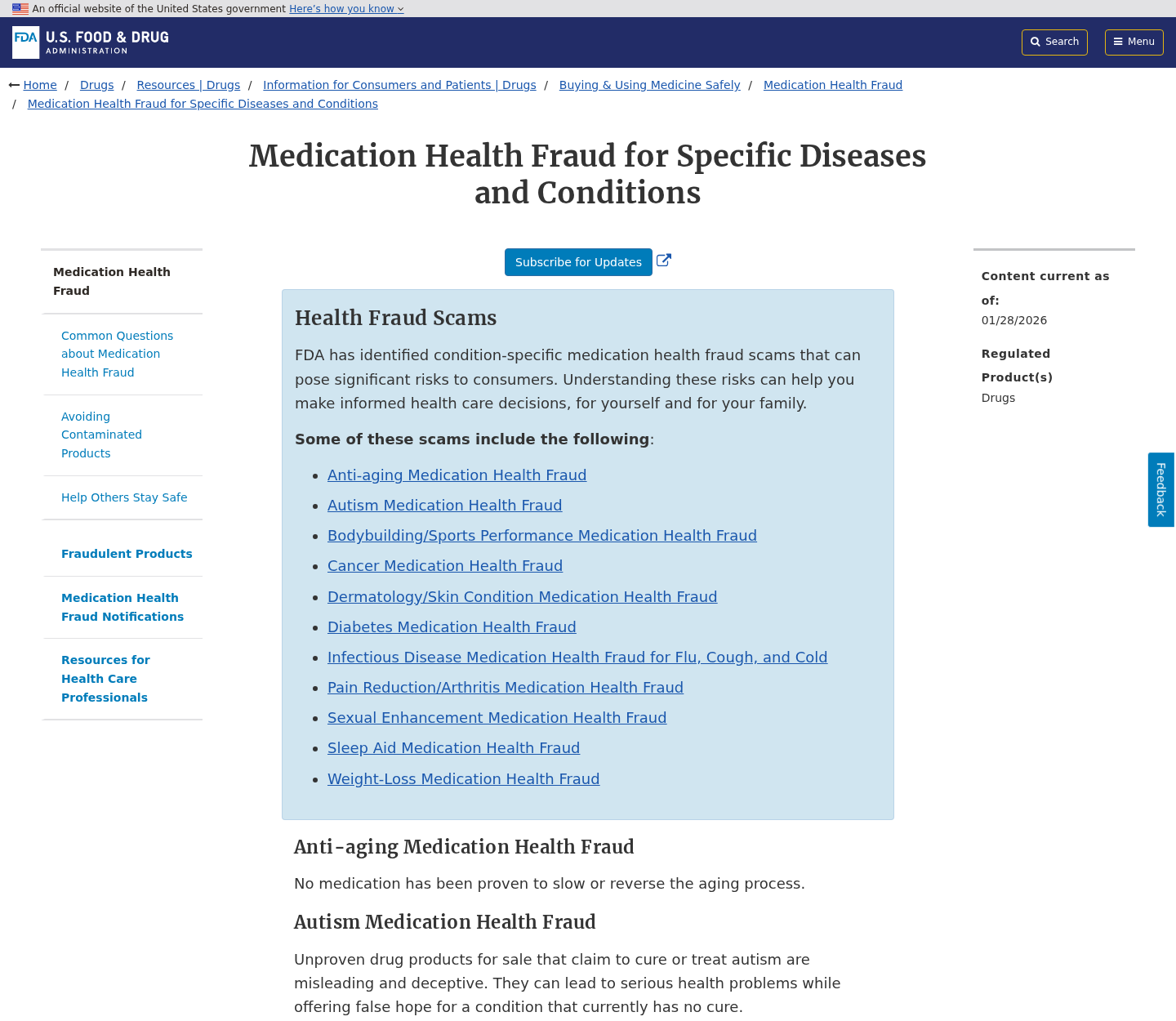
The FDA warns that unproven products promoted to treat or cure autism can mislead families and delay appropriate care.
NeuroSpark uses “support” language rather than a clear cure promise on its marketplace listing. The practical danger remains if consumers interpret it as therapy.
Discuss sudden changes in communication, sleep, behavior, pain, or function with a clinician. Medical problems can be missed when every difficulty is attributed to autism.
Evidence-based care may include individualized education, communication supports, occupational therapy, speech-language services, mental-health support, and treatment for co-occurring conditions.
No purchased recording should pressure a family to abandon services or blame the child when the promised response does not appear.
Company, Address, and Fulfillment Checks
The named creator is visible, but credentials remain incomplete
The Hotmart page names Breno de Almeida Dias. It does not provide the detailed professional record needed to evaluate a neuroscience authority claim confidently.
Buyers should look for degrees, licensing where relevant, institutional affiliation, publication history, and direct participation in product-specific research.
Hotmart is the platform, not the medical endorser
Hotmart handles checkout, access, and marketplace infrastructure. Its presence can improve transaction traceability without validating developmental outcomes.
Keep the Hotmart order number because platform support may be the clearest route for access, cancellation, or refund problems.
Digital fulfillment removes a factory but not accountability
There is no bottle or warehouse to inspect. The essential supply chain is creator, file, platform, marketing channel, and payment record.
That makes version control important. Buyers should know which audio, instructions, duration, and claims applied when their order was placed.
A professional contact should answer safety questions
Ask about recommended volume, headphones, sound sensitivity, seizure history, age limits, stop criteria, adverse reactions, and interaction with existing care.
Vague reassurance is not enough. A seller making child-development claims should provide careful boundaries and encourage qualified medical guidance.
What to Do if You Bought NeuroSpark or Used It With a Child
- Stop if the audio causes distress. Remove headphones or speakers when the child shows pain, fear, agitation, shutdown, sleep disruption, or unusual behavior.
- Contact a qualified clinician. Discuss concerning reactions and any plan to use repetitive sensory stimulation, especially with epilepsy, migraines, hearing issues, or sensory sensitivity.
- Do not suspend established support. Continue prescribed treatment, communication access, education, and therapy unless the responsible professional recommends a change.
- Record exactly what was promised. Save the marketplace page, creator claims, price, guarantee, audio instructions, checkout, emails, and access date.
- Use the seven-day window promptly. Request a refund through the correct Hotmart order route if the product is unsuitable, inaccessible, or materially misrepresented.
- Report harmful medical marketing. Send accurate evidence to the platform, advertising network, consumer regulator, or health authority when claims cross therapeutic boundaries.
- Check the ordering device. If an advertisement triggered suspicious extensions or downloads, scan with Malwarebytes and remove anything unfamiliar.
- Limit future deceptive ads. AdGuard can reduce aggressive redirects and tracking, but it cannot determine whether a health claim is scientifically valid.
Is Your Device Infected? Run a Free Malware Scan
Slow performance, constant pop-ups, or strange behavior? These are classic signs of a malware infection. The fastest way to find out is to scan your device with Malwarebytes Free — one of the most trusted malware removal tools available.
The free version detects and removes the most common threats, including:
- Adware — the cause of those annoying pop-ups
- Browser hijackers — unwanted redirects and changed homepages
- Trojans and spyware — hidden programs stealing your data
- Potentially unwanted programs (PUPs) — software you never asked for
👉 Select your device below — Windows, Mac, or Android — then follow the simple steps to download Malwarebytes, scan your system, and remove any threats it finds. The scan usually takes 5 to 20 minutes.
Run a Malware Scan with Malwarebytes for Windows
Malwarebytes is one of the most popular and trusted anti-malware tools for Windows — and it’s completely free for removing infections. It catches threats that many antivirus programs miss, including adware, browser hijackers, and trojans. Follow the steps below to scan and clean your PC in just a few minutes.
Download Malwarebytes
Click the button below to download the latest version of Malwarebytes for Windows from the official source. The free version is all you need — it will scan your computer and remove adware, browser hijackers, and other malicious software at no cost.
Download MalwarebytesOfficial installer for Windows 11 and 10. Your download starts right away.Want real-time protection? See Malwarebytes Premium Malwarebytes Free for WindowsScans and removes malware at no cost
-
Install Malwarebytes
When the download finishes, open your Downloads folder and double-click the MBSetup file. If Windows shows a User Account Control pop-up, click “Yes” to allow the installation.

Follow the On-Screen Prompts to Install Malwarebytes
The setup wizard will walk you through a few quick screens:
-
Choose where you’re installing the program — “Personal Computer” or “Work Computer” — then click Next.

-
Malwarebytes will now install on your device. This usually takes under a minute.

-
When installation is complete, the “Welcome to Malwarebytes” screen will open automatically.

-
On the final screen, click Open Malwarebytes to launch the program.

-
Enable “Scan for Rootkits”
Before scanning, turn on rootkit detection so Malwarebytes can find even the most hidden threats. Click the Settings gear icon on the left side of the screen.

In the settings menu, find “Scan for rootkits” and click the toggle so it turns blue.

Done? Click “Dashboard” in the left pane to return to the main screen.
Start the Scan
Click the blue Scan button. Malwarebytes will automatically update its virus database and start checking your computer for malware.

-
Wait for the Scan to Finish
The scan checks your entire system for browser hijackers and other malicious programs, so it can take 5 to 20 minutes depending on your computer. Feel free to do something else — just check back occasionally to see the progress.

-
Quarantine the Detected Threats
When the scan is done, you’ll see a list of everything Malwarebytes found — malware, adware, and potentially unwanted programs. Click the “Quarantine” button to remove all of them at once.

Malwarebytes will now remove the malicious files and registry entries and move them safely into quarantine.

-
Restart Your Computer
Some threats can only be fully removed after a reboot. If Malwarebytes asks you to restart, click Yes. Once you’re logged back in, Malwarebytes has finished removing the threats it found.

That’s it — your Windows PC is now clean of trojans, adware, and other malware, and should be back to running smoothly.
If you are still having problems with your computer after completing these instructions, then please follow one of the steps:
- Run a computer scan with ESET Online Scanner
- Ask for help in our Windows Malware Removal Help & Support forum.
Run a Malware Scan with Malwarebytes for Mac
Malwarebytes for Mac is a free on-demand scanner that removes the malware other security software tends to miss — adware, browser hijackers, and unwanted programs included. Cleaning an infected Mac with Malwarebytes has always been completely free, and it’s our go-to recommendation. Follow the steps below to scan and clean your Mac in just a few minutes.
-
Download Malwarebytes for Mac
Click the button below to download the latest version of Malwarebytes for Mac.
Download MalwarebytesOfficial installer for macOS. Your download starts right away.Want real-time protection? See Malwarebytes PremiumMalwarebytes Free for MacScans and removes malware at no cost -
Open the Malwarebytes setup file
When the download finishes, open your Downloads folder and double-click the setup file to begin the installation.

-
Follow the On-Screen Prompts to Install Malwarebytes
The Malwarebytes for Mac Installer will guide you through a few quick screens. Click “Continue” and keep following the prompts until the installation completes.



When the installation is complete, Malwarebytes opens to the Welcome to Malwarebytes screen. Click “Get started“.
-
Select “Personal Computer” or “Work Computer”
Malwarebytes will ask what type of computer you’re installing it on. Click either Personal Computer or Work Computer, whichever applies.

-
Start the Scan
Click the “Scan” button. Malwarebytes will automatically update its detection database and begin checking your Mac for malware.

-
Wait for the Scan to Finish
Malwarebytes will scan your Mac for adware, browser hijackers, and other malicious programs. This can take a few minutes, so feel free to do something else — just check back occasionally to see the progress.

-
Quarantine the Detected Threats
When the scan is done, you’ll see a list of everything Malwarebytes found. Click the “Quarantine” button to remove all the threats at once.

-
Restart Your Mac
Malwarebytes will now remove all the malicious files it found. Some threats can only be fully removed after a reboot — if Malwarebytes asks you to restart, allow it. Once you’re logged back in, your Mac is clean.

That’s it — your Mac is now free of adware, rogue browser extensions, and other potentially harmful software.
If you are still experiencing problems while trying to remove a malicious program from your computer, please ask for help in our Mac Malware Removal Help & Support forum.
Run a Malware Scan with Malwarebytes for Android
Malwarebytes for Android automatically detects and removes dangerous threats like malware and ransomware so you don’t have to worry about your most-used device being compromised. Aggressive detection of adware and potentially unwanted programs keeps your Android phone or tablet running smooth.
-
Download Malwarebytes for Android.
You can download Malwarebytes for Android by clicking the link below.
Get Malwarebytes for AndroidOpens Google Play in a new tab.Want real-time protection? See Malwarebytes Premium for AndroidMalwarebytes for AndroidScans your phone and removes malware at no cost -
Install Malwarebytes for Android on your phone.
In the Google Play Store, tap “Install” to install Malwarebytes for Android on your device.

When the installation process has finished, tap “Open” to begin using Malwarebytes for Android. You can also open Malwarebytes by tapping on its icon in your phone menu or home screen.

-
Follow the on-screen prompts to complete the setup process
When Malwarebytes will open, you will see the Malwarebytes Setup Wizard which will guide you through a series of permissions and other setup options.
This is the first of two screens that explain the difference between the Premium and Free versions. Swipe this screen to continue.
Tap on “Got it” to proceed to the next step.
Malwarebytes for Android will now ask for a set of permissions that are required to scan your device and protect it from malware. Tap on “Give permission” to continue.
Tap on “Allow” to permit Malwarebytes to access the files on your phone.
-
Update database and run a scan with Malwarebytes for Android
You will now be prompted to update the Malwarebytes database and run a full system scan.

Click on “Update database” to update the Malwarebytes for Android definitions to the latest version, then click on “Run full scan” to perform a system scan.

-
Wait for the Malwarebytes scan to complete.
Malwarebytes will now start scanning your phone for adware and other malicious apps. This process can take a few minutes, so we suggest you do something else and periodically check on the status of the scan to see when it is finished.

-
Click on “Remove Selected”.
When the scan has been completed, you will be presented with a screen showing the malware infections that Malwarebytes for Android has detected. To remove the malicious apps that Malwarebytes has found, tap on the “Remove Selected” button.

-
Restart your phone.
Malwarebytes for Android will now remove all the malicious apps that it has found. To complete the malware removal process, Malwarebytes may ask you to restart your device.
That’s it — your Android phone is now clean — no more malicious apps, adware, or browser redirects.
If you are still having problems with your phone after completing these instructions, then please follow one of the steps:
- Restore your phone to factory settings by going to Settings > General management > Reset > Factory data reset.
- Ask for help in our Mobile Malware Removal Help & Support forum.
Stay Protected: Block Ads and Malicious Sites
Now that your device is clean, keep it that way. Most infections start with a malicious ad or a fake download button — so blocking them at the source is your best defense.
We recommend AdGuard, which blocks malicious ads, phishing pages, and dangerous redirects before they can reach you.
👉 Download AdGuard and browse safely
How Parents Can Evaluate Digital Therapy Claims
Ask for the exact outcome. “Supports the brain” is not measurable, while a defined change in a validated scale can be examined.
Look for a full study on the finished product, not references about a general frequency, nutrient, brain region, or unrelated device.
Check participant similarity. Evidence from adults with another condition may not apply to children with different sensory and communication needs.
Search the creator’s credentials independently. Do not rely solely on a biography displayed beside the purchase button.
Examine harms as carefully as benefits. A credible intervention states contraindications, monitoring, stop rules, and contact information for adverse effects.
Prefer professionals who welcome questions and coordinate with existing care. Secrecy, miracle language, and hostility toward clinicians are serious warnings.
Questions to Ask Before Trying a Sensory Audio Program
Bring the actual NeuroSpark instructions to the child’s clinician. A product name alone does not reveal frequency, loudness, duration, or intended listening setup.
Ask the seller for written answers rather than relying on a promotional video. Specific responses can later be compared with the delivered material.
- What exact sound frequencies and modulation patterns does the recording contain?
- What volume range is recommended for children of different ages?
- Are headphones required, optional, or discouraged for sound-sensitive users?
- Which independent ethics board reviewed the product-specific study?
- How many autistic children completed that research protocol?
- What communication measure was selected before the trial started?
- Were evaluators blinded to which children received the active audio?
- What adverse reactions occurred, including distress and sleep disruption?
- Were participants using therapy or medication at the same time?
- How long did any measured improvement persist after listening stopped?
- Which children should avoid the recording entirely?
- Who answers urgent safety questions after a purchase?
A seller unable to answer these basics has not provided enough information for families to make an informed health-related choice.
Silence is also data. Missing contraindications, study records, or adverse-event details should reduce confidence rather than invite optimistic assumptions.
Parents can define one practical goal with the care team and observe it consistently. That approach is more informative than searching broadly for any positive change.
Keep the child’s comfort central throughout. Participation should never be forced merely to satisfy a seller’s recommended daily schedule.
If listening appears neutral, that absence of change is a valid result. Families do not owe the marketing a favorable interpretation.
Frequently Asked Questions
Is NeuroSpark Audio a scam?
It is a real digital offer on Hotmart. The concern is that its autism-related benefits are not supported by clear product-specific clinical evidence.
Can gamma audio cure autism?
No credible evidence shows that a commercial audio recording cures autism. Treat any such interpretation as unsupported and potentially harmful.
Is 40Hz brain stimulation scientifically real?
It is a genuine research area. That does not establish safety or meaningful benefit for every product, person, condition, or home listening routine.
Does Hotmart approve the health claims?
Hotmart supplies marketplace and payment infrastructure. Platform availability should not be interpreted as clinical endorsement or medical-product approval.
Can NeuroSpark replace speech or occupational therapy?
No. A home audio product should not replace individualized services, communication supports, education, or medical guidance.
What is the NeuroSpark refund period?
The marketplace displayed a seven-day guarantee during our check. Confirm the period on your receipt because offer terms can change.
The Bottom Line
NeuroSpark Audio packages an evolving area of brain research into a $29 product aimed at families seeking meaningful developmental support.
The file may be delivered, but delivery is not clinical proof. Without direct trials, parents should treat the claims cautiously and protect established care.

Join the discussion
0 commentsShare your experience or ask a question about this article.
Discussion
Start the conversation
Have a question or something useful to share? Add the first comment.