

The tax preparer says they can get you a much bigger refund. A friend recommends them, the messages sound confident, and filing seems almost effortless.
Then you ask for the completed return. In a ghost tax preparer scam, that simple request can reveal what the refund promise left out.
Overview
The preparer gets paid but disappears from the paperwork
A ghost preparer accepts payment to prepare a federal return but refuses to identify themselves properly on it. The filed document can appear self-prepared instead.
The IRS warned about this practice in April 2026, including exaggerated deductions and credits used to attract clients with larger refunds.
The problem is not simply that a tax professional is difficult to reach. It is deliberate concealment of who prepared the return, sometimes alongside false claims.
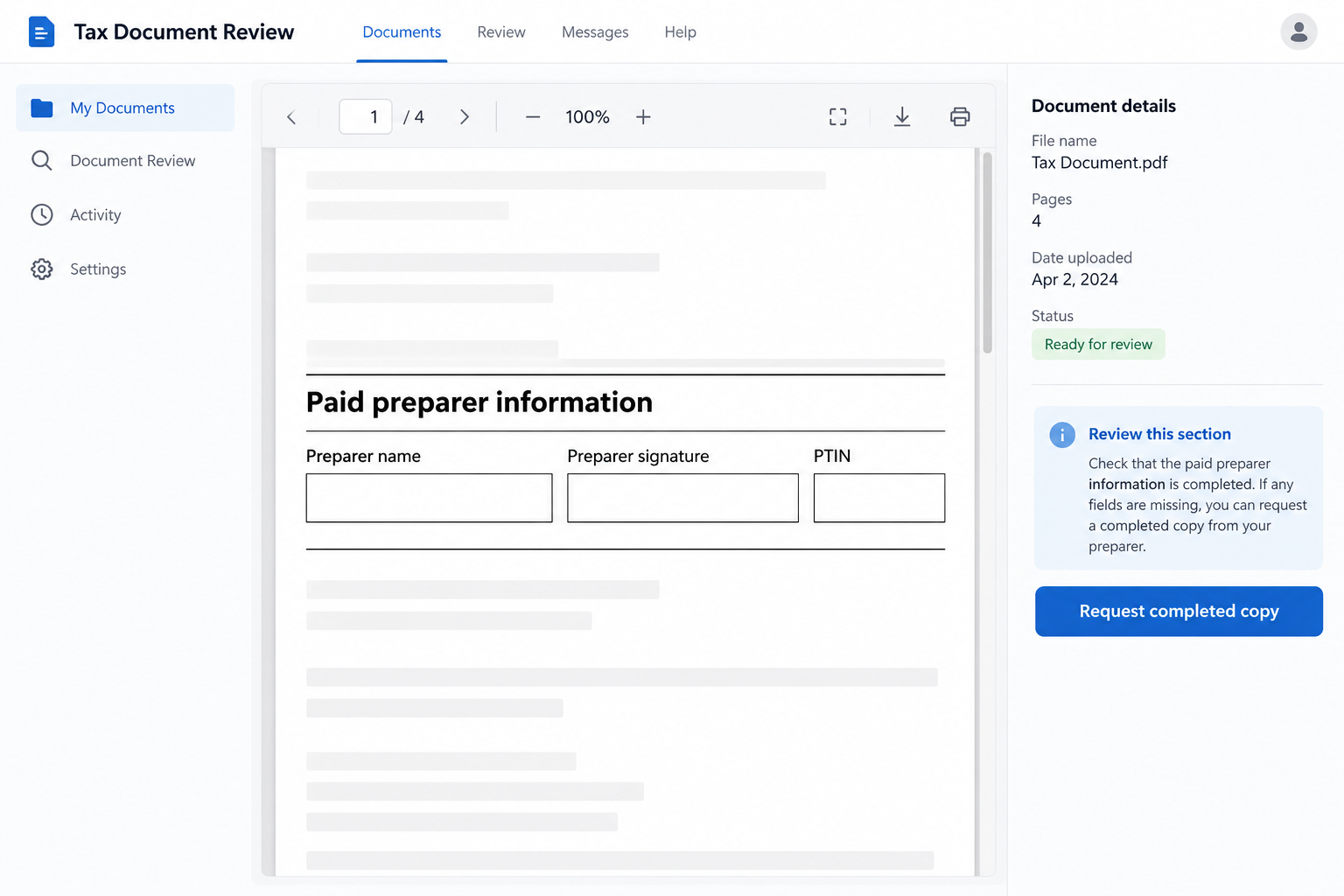
Paid preparers must generally sign returns they prepare and include their preparer tax identification number, known as a PTIN. Electronic filing does not remove that responsibility.
A refund promise can hide information you never supplied
A dishonest preparer may include income, expenses, dependents, or credit eligibility that does not match the client’s circumstances. The impressive refund then rests on false information.
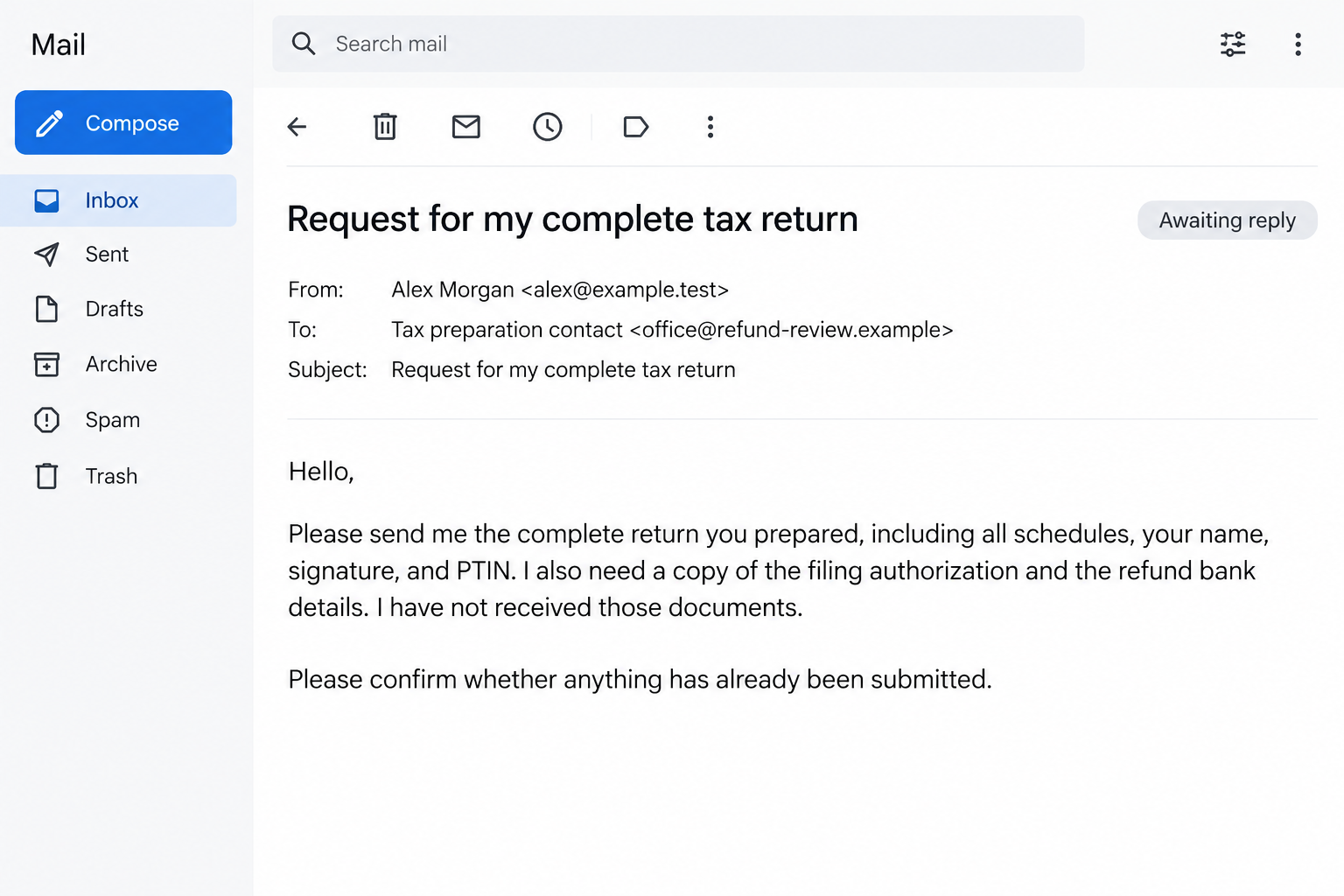
The client may see only a summary, an authorization request, or a claimed refund amount. The complete return is what reveals the actual entries.
A large refund is not proof of fraud. Neither is a genuine disagreement about eligibility. The concern is invented information or intentional concealment, not an unusual result alone.
This article addresses the documented practice, not an accusation against a particular business. Most tax preparers provide legitimate services.
These checks matter before you approve filing
- Obtain the entire completed return, including relevant schedules.
- Check the paid preparer’s name, signature, and PTIN.
- Ask about income or expenses you do not recognize.
- Confirm the refund destination and any disclosed financial product.
- Read the authorization before signing it.
- Keep your records and the preparer’s written explanations.
If the preparer refuses these basic checks, do not approve the filing. A deadline or refund promise is not a reason to sign an incomplete document.
The images are fictional examples of a document review and follow-up request. They do not reproduce a taxpayer’s records or identify a real preparer.
A Friend’s Refund Does Not Prove the Return Was Right
Personal recommendations can be persuasive. If someone you trust received money, it feels reasonable to expect the same person to help you.
But the recommendation usually concerns the outcome the friend saw, not every figure the preparer submitted. Your friend’s tax situation may also differ from yours.
Ask a more useful question: did the preparer explain the return and provide a complete copy? A refund amount tells you much less.
Social posts can create the same shortcut. A screenshot celebrating a payment does not show whether the underlying deductions and credits were valid.
You do not need to challenge your friend’s honesty. They may have no reason yet to question what was filed.
Instead, verify your own documents. You are entitled to understand the facts being reported under your name, regardless of how many recommendations the preparer receives.
How the Ghost Tax Preparer Scam Works
Step 1: A bigger refund becomes the main selling point
The conversation starts with what the preparer says they can obtain, sometimes before they have reviewed enough records to support that promise.
Ask which facts would make you eligible. A useful explanation connects the tax rule with your actual income, family circumstances, or documented expenses.
The IRS has also warned about quick-refund pitches tied to tax-law changes. A real change does not make every advertised benefit available to everyone.
Someone who dismisses eligibility questions as unnecessary is asking you to trust the promise without understanding the return.
Step 2: Sensitive documents are collected
Preparing a return legitimately requires personal and financial information. That makes verifying the recipient especially important before sending documents.
Know the individual’s name, business contact details, fees, and method for exchanging records. A social profile alone provides little accountability if the person disappears.
Ask how you will receive the completed return and who will answer questions afterward. Get those answers before paying or supplying additional material.
Do not send unrelated account passwords. Providing tax records is different from giving someone control of your email, banking, or IRS online account.
Step 3: The paperwork contains claims the client cannot support
A fraudulent return can include entries the taxpayer never discussed. Someone without a business, for example, should question a business schedule they do not understand.
The right response is to ask for an explanation and supporting records. Do not guess that unfamiliar terminology must describe a legitimate benefit.
A preparer may make an honest mistake. Give them a chance to explain and correct it, but do not approve information you know is false.
If they insist the details do not matter because the refund will arrive, stop. Payment is not a substitute for accuracy.
Step 4: The paid preparer’s identity is left off
The return may identify itself as self-prepared even though you paid someone to prepare it. That mismatch is central to the ghost-preparer warning.
Do not accept the explanation that leaving the section blank will speed up your refund. Ask why the person you paid will not identify their work.
Also compare the authorization with the completed return. A signature should approve the information you reviewed, not an unseen version that might be submitted later.
If the preparer will not provide the full documents, keep the request in writing. You should not have to rely on a disappearing chat summary.
Step 5: The taxpayer is left to explain the return
After filing, questions can reach the taxpayer rather than the person who promised the refund. The preparer’s absence does not automatically resolve the account.
The IRS says taxpayers remain responsible for what is filed. That is why getting independent advice promptly matters if you discover inaccurate entries.
Do not assume every notice means fraud was proven. Read what the notice requests and respond through the official process within its stated deadline.
The appropriate correction depends on what happened. An unauthorized alteration, a filing you approved, and a stolen refund can require different responses.
Read the Return Like a Record of Your Life
You do not need to understand every tax calculation to recognize facts that are not yours. Start with the parts you can check directly.
Are your name and identifying details correct? Does the income match your records? Are the dependents and filing status consistent with your circumstances?
Next, look for activities you never carried out. An unfamiliar business, investment, or expense category deserves an explanation before you sign.
Ask the preparer to show which document supports the entry. Keep that explanation alongside the return, especially when the rule is new to you.
A statement that everyone claims something does not establish your eligibility. Neither does a claim that tax software accepted the number.
Check where the refund will go. If a bank product or fee-deduction arrangement is involved, request the written terms and an explanation of the payment path.
Not every unfamiliar routing number establishes theft. Some disclosed financial products use intermediary accounts. The point is to understand and authorize the arrangement, not guess.
If the explanation remains unclear, seek another qualified opinion before proceeding. An independent review costs less trouble than trying to reconstruct missing paperwork later.
A PTIN Is a Basic Check, Not a Guarantee
If you are helping a relative review their return, start by asking what they were told. Let them describe the promise before challenging it.
Then compare that explanation with the actual document. An entry they do not recognize gives you a specific question to take to an independent professional.
Do not post the return in a public group to ask whether it looks suspicious. It contains information that belongs in a private, secure review.
Keep the original file and make a separate redacted copy if a limited sharing need arises. Redaction should remove identifying information, not merely cover it visually.
Ask the reviewer how to transfer documents securely. A new helper should not receive sensitive records simply because they offered assistance in a comment thread.
The goal is to clarify the filing, not build an online accusation. Accurate records will be more useful than a collection of angry replies.
The IRS guide to choosing a tax professional explains credentials, qualifications, and practical questions to ask.
A preparer does not have to be a CPA to provide legitimate tax preparation. Different professionals have different qualifications and representation rights.
Likewise, an IRS directory is not a complete list of every legitimate preparer. Absence from a particular directory is not enough to label someone fraudulent.
Check any credential the person actually claims with the relevant issuing organization. Be precise about what was verified and what remains unknown.
A valid credential does not excuse an unexplained entry. Your review should still connect the completed return to the information you supplied.
Agree on fees and access to records in advance. If the price changes, ask for a written explanation rather than allowing the refund promise to end the discussion.
A receipt, clear contact details, and a complete return create a useful record. Keep them even when the preparation process appears to go smoothly.
Be equally careful with a preparer who works entirely online. Convenience should change how you exchange documents, not whether you receive an explanation.
What to Do if You Have Fallen Victim to This Scam
- Find out whether anything was actually filed.
Request the complete return and filing confirmation. Use your own IRS account or an official IRS contact route to investigate discrepancies.
Do not submit another return simply because the preparer stopped replying. First establish what is already on record and obtain advice about the correct next step.
- Keep every version of the paperwork.
Save the copy you reviewed, authorization forms, submitted copy if available, receipts, messages, and original income documents. Preserve differences rather than overwriting older files.
Write down what the preparer told you and when you learned something was wrong. Distinguish your recollection from statements documented in messages.
- Arrange an independent review.
Ask a qualified tax professional to examine the disputed entries and any IRS correspondence. Explain whether you approved the return or believe it was altered afterward.
They can help determine the appropriate correction. This article provides general fraud-awareness information, not a determination of your tax eligibility or individual filing obligations.
- Use the IRS preparer-misconduct process.
The official reporting page guides complaints and explains when separate victim assistance may apply.
Form 14157 addresses preparer complaints. Form 14157-A may apply to certain unauthorized alterations, misdirected refunds, or returns filed without consent; follow its current instructions.
Reporting a preparer and requesting an account correction are not the same action. Do not assume one automatically completes the other.
- Act on refund diversion promptly.
If money went somewhere you did not authorize, contact the IRS and relevant financial institution through verified channels. Provide the return and transaction details they request.
Do not pay the preparer an additional release charge without independent verification. A promise to fix the problem is not evidence that the refund is being returned.
- Protect access to your personal information.
If you shared passwords, change them from a trusted device and review account recovery settings. Consider official identity-theft assistance if your information was actually misused.
Sharing tax documents does not automatically mean every account is compromised. Match the response to the information disclosed and any activity you can verify.
- Respond to notices and keep follow-up records.
Do not ignore an IRS letter while waiting for the preparer. Verify the notice independently and record its response deadline.
Keep copies of submissions and delivery confirmations. If state taxes are also affected, contact the relevant state agency rather than assuming the federal complaint covers everything.
It is understandable to feel embarrassed after trusting someone with your taxes. Focus on getting accurate records and competent help, not arguing with the person who misled you.
Be cautious of a second person offering guaranteed tax cleanup for another large fee. Verify their qualifications and obtain a clear description of the work first.
Frequently Asked Questions
What makes someone a ghost tax preparer?
The key issue is a paid preparer refusing to sign or identify themselves properly on the return. False refund claims can accompany that concealment.
Does a bigger refund mean my preparer committed fraud?
No. Refunds vary for legitimate reasons. Investigate unsupported entries, unauthorized changes, or concealed preparation rather than judging the amount alone.
Can an electronically filed return have a ghost preparer?
Yes. Electronic filing does not remove paid-preparer identification requirements. Request the complete return and review who is recorded as preparing it.
Is a preparer without CPA credentials automatically suspicious?
No. Many legitimate preparers are not CPAs. Verify the qualifications claimed, ask about experience, and check the completed paperwork rather than relying on a title alone.
Will reporting the preparer automatically fix my account?
No. A misconduct complaint and a request to correct tax information can be separate processes. Follow IRS instructions and obtain advice suited to your circumstances.
Should I sign now if the preparer promises a copy later?
Review the completed return before authorizing it. Do not sign a blank or incomplete document because someone promises that the details will be handled afterward.
The Bottom Line
The ghost tax preparer scam hides the person doing the work while leaving your name on the return. An impressive refund promise cannot replace accurate paperwork.
Read before approving, insist on complete records, and question facts that are not yours. If something was already filed incorrectly, seek independent help promptly.








