

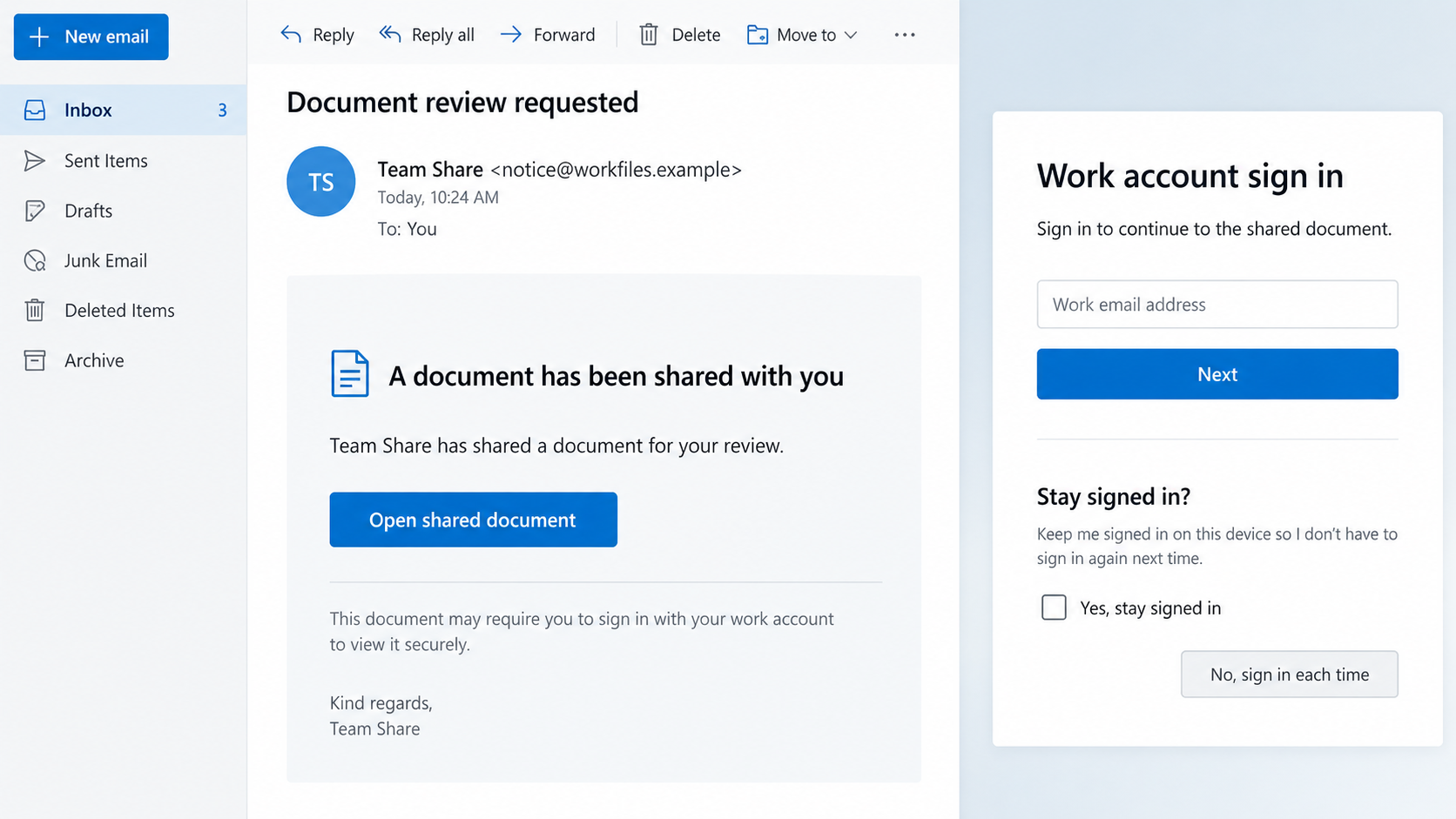
A document request arrives during the workday. Opening it appears to require the same account sign-in you complete dozens of times.
Nothing in that ordinary-looking moment suggests why an approved security prompt might still leave the account exposed.
Overview
The campaign behind the familiar sign-in
BigBear 2.0 is a phishing service built around Microsoft 365 authentication. Its operators and affiliates use deceptive links to put a relay between users and Microsoft.
CloudSEK examined an exposed campaign panel and documented its infrastructure, collected records, and methods in September 2026.
The attacker does not need to invent a completely fake password prompt. A relay can forward the victim’s actions to the genuine service while capturing session material.
That is why the page can feel more convincing than a crude imitation. Authentication may genuinely proceed, but through the wrong doorway.
Why MFA is not an automatic rescue here
Multi-factor authentication blocks many password-only attacks. BigBear’s adversary-in-the-middle approach targets the session created after a user completes that second factor.
If the attacker captures and replays the session cookie, the account may be accessible without asking for the same code again.
This does not make MFA useless. Phishing-resistant methods and strong device controls still matter, and not every attempted login becomes a completed compromise.
The practical lesson is narrower: approving a routine-looking MFA prompt does not validate the website that initiated it.
What the observed panel measured
CloudSEK reported 5,137 credential records, including 1,032 plaintext passwords and 4,148 session cookies. Its panel counted 474 complete MFA-bypassed authentications.
Researchers also observed 42 VPS nodes across the campaign’s lifecycle and traffic linked to 40-plus countries.
These are campaign-panel observations, not a verified count of unique people whose mailboxes were opened or whose funds were lost.
- Microsoft 365 was the impersonated target, not the operator of the phishing service.
- The attack relayed real authentication and harvested session information.
- Credentials and cookies can create different kinds of follow-on risk.
- Incident response should revoke sessions as well as change passwords.
How the BigBear 2.0 Phishing Scam Works
Step 1: A plausible work request introduces the link
Workplace accounts receive file invitations, meeting notices, and policy updates daily. A malicious email can resemble one of those normal interruptions.
The exact pretext can vary between affiliates. A document review is an illustrative example, not a claim that every BigBear email used identical wording.
A user may be busy enough to click without inspecting the destination. The message’s apparent usefulness does the persuasion.
Even if a colleague’s name appears, verify an unexpected request through an established channel. Display names and email headers can mislead.
Do not reply to the suspect message for confirmation. A compromised account or spoofed sender can answer in a reassuring tone.
Open the shared file through your organization’s normal portal when possible. A genuine document should be discoverable there.
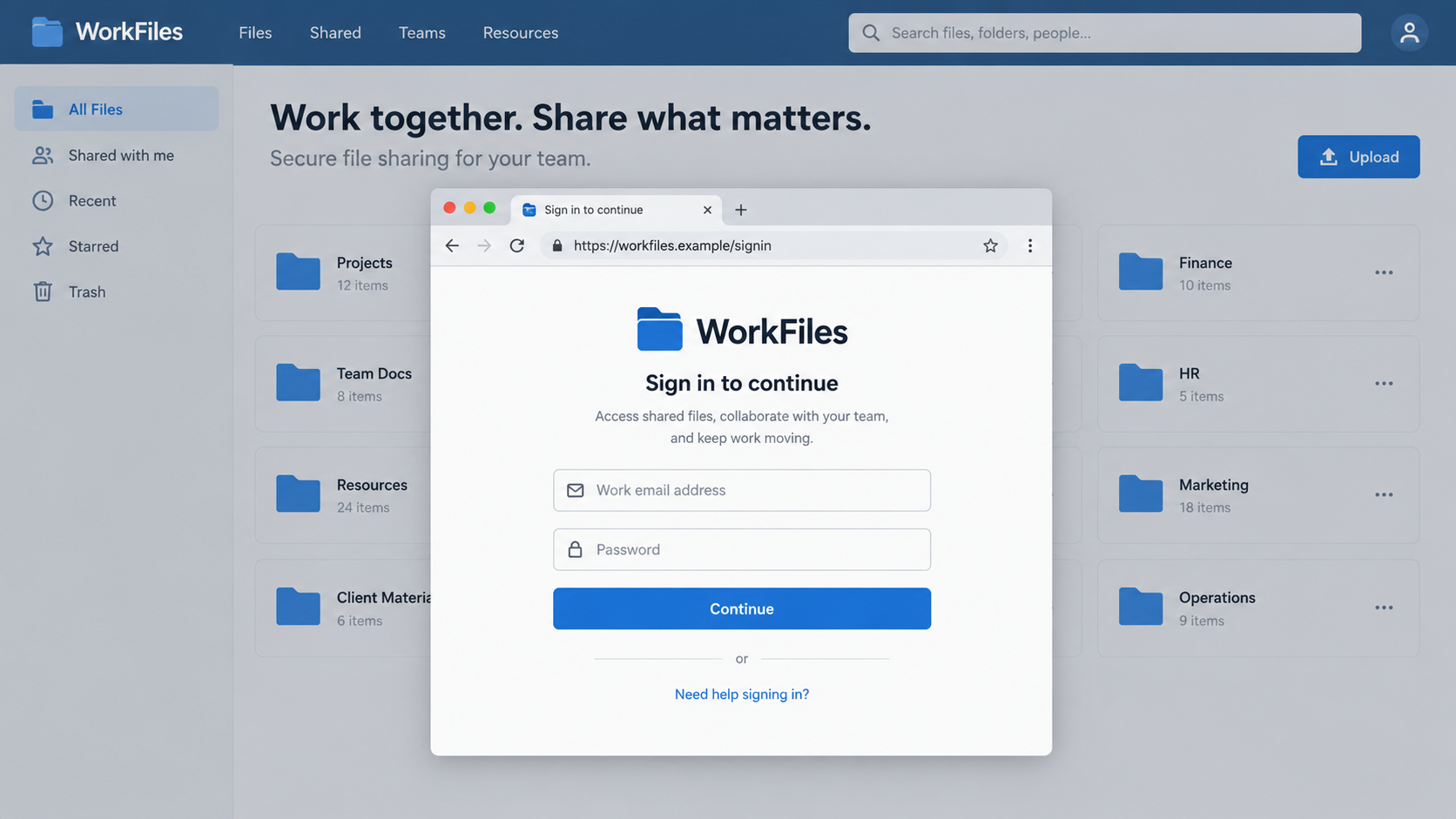
Step 2: A lookalike address stands in front of Microsoft
BigBear’s infrastructure used phishing domains and HTTPS. A padlock could therefore appear even when the destination was not Microsoft.
The server acted as a relay. It showed the visitor content from the real authentication service while controlling the path between browser and service.
That distinction matters. The page may respond correctly to an account name, password, and genuine MFA challenge.
A convincing interaction is not the same as a trustworthy address. The browser’s actual host name remains an important clue.
CloudSEK described multiple VPS nodes and country-matched proxy infrastructure. Those details made the operation scalable and helped avoid simple location-based warnings.
No employee should have to inspect server infrastructure to stay safe. The actionable check is to reach Microsoft 365 through a known bookmark.
Step 3: The relay captures credentials on the way through
When a user types a password, the relay can read it and forward it to Microsoft’s real sign-in page.
Because the legitimate service still receives the input, the victim may see the expected next step instead of an obvious error.
A phishing page that forwards data is more dangerous than a static form. It can adapt to the authentication sequence the organization actually uses.
CloudSEK observed plaintext passwords in the exposed panel, but not every panel record represented a captured password.
Some sessions can be taken even when a password was not freshly typed, depending on the sign-in flow and existing account state.
That is why responders should not dismiss an event simply because the user says, “I never entered my password.”
Step 4: A real MFA approval creates a reusable session
The user may receive a legitimate push notification or enter a one-time code. The relay passes that step through to Microsoft.
After successful authentication, Microsoft issues session material to the browser. The malicious relay can capture that material as it travels back.
An attacker can then try to replay a valid cookie. This is different from guessing a one-time code after it expires.
CloudSEK’s panel showed 474 complete authentications that bypassed a fresh MFA challenge through this method. That is a recorded outcome in its sample.
Phishing-resistant FIDO2 methods make these attacks harder, but the campaign reportedly attempted to steer some users toward weaker methods.
Do not accept an unexpected request to switch authentication methods without checking with your IT team through a known channel.
Step 5: Affiliates receive account material quickly
CloudSEK found a service model with multiple affiliate operators. The panel could send collected material to Telegram channels in near real time.
Speed matters because a stolen session may be useful before the employee notices anything wrong.
The research described automated cookie replay. An attacker could attempt to reach email, files, or connected services while the legitimate user continued working.
Access to a mailbox can support further impersonation. A convincing message from a real account may reach colleagues, clients, or finance staff.
Not every collected cookie results in an opened mailbox. The campaign’s recorded totals should not be treated as confirmed downstream abuse.
Still, a completed login through the wrong domain deserves urgent response, even if no visible damage appears yet.
Step 6: Account access can become another fraud attempt
An intruder may search mail for invoices, payroll details, or password-reset messages. They could also create forwarding rules to keep receiving new messages.
Business email compromise often follows account access, but CloudSEK’s panel statistics alone do not prove a specific wire-transfer attempt.
That distinction should shape both incident reports and reader advice. Investigate the account rather than assuming every possible follow-on event occurred.
Check sent items, mailbox rules, OAuth app grants, unusual downloads, and file-sharing changes. Ask finance teams to verify any altered payment instructions.
Notify people who received suspicious mail from the account. Their own exposure may be different from the first user’s.
Recovery is not complete when the employee can log in again. Active sessions and persistence settings must also be addressed.
What Makes This Different From a Simple Fake Login Page
Traditional phishing often collects a password and leaves the victim on a generic error screen. This relay can conduct a real login while observing it.
The result is an unsettling combination: the password works, MFA succeeds, and the account still needs protection.
It does not mean every Microsoft 365 login is compromised. The problem begins with a malicious link that places an outsider in the path.
A red flag may be a domain that resembles a company name but is not part of its approved sign-in flow.
Another is a prompt to authenticate for a document you were not expecting. Ask the sender through a separate channel before proceeding.
Large organizations should make official sign-in routes easy to remember. A clear bookmark beats asking staff to decode dozens of similar URLs.
Security teams should correlate the user’s report with sign-in logs, token activity, device signals, and mailbox changes. A password reset alone is insufficient.
Phishing-resistant MFA, device-bound sessions, and conditional access can reduce exposure, but configuration and deployment vary by organization.
Training should avoid the simplistic claim that any MFA prompt means safety. Users need to understand where they initiated the login.
Employees should report a suspicious sign-in immediately, even if they did not see an error. Fast reporting gives defenders a chance to revoke sessions.
Managers should avoid blaming a reporter. Shame delays notification, giving the attacker more time with a usable session.
For small businesses without a dedicated security team, a Microsoft 365 administrator or trusted IT provider should review the account promptly.
What to Do if You Signed in Through a Suspicious Link
Tell your IT team exactly what happened, including whether you approved MFA. A successful login is relevant evidence, not reassurance.
- Stop using the link. Do not return to the page to “check” it. Record the URL, email, time, and any unusual prompts you saw.
- Alert your administrator immediately. Ask them to review the account’s sign-in activity and determine whether a session token may have been captured.
- Revoke active sessions. Microsoft provides administrator controls for revoking sign-in sessions. This is crucial when a cookie, not just a password, is at risk.
- Reset credentials through a known route. Change the password and review MFA methods, recovery details, and registered devices. Do not use the original link.
- Inspect mailbox and app access. Look for forwarding rules, deleted or sent messages, new app grants, file access, and unusual downloads.
- Warn affected contacts. If fraudulent messages left the account, notify recipients through a separate trusted channel and flag any payment instructions for verification.
- Check the device when warranted. Malwarebytes can help inspect a device that also downloaded files; AdGuard can reduce exposure to known malicious links. Neither revokes stolen sessions.
- Document and monitor. Preserve logs and messages, report to relevant authorities when appropriate, and monitor the account for renewed access.
Microsoft’s incident guidance emphasizes investigation of compromised mailboxes, not merely restoring user access. Follow your organization’s response process.
If money was transferred because of a message from the account, call the bank immediately using a verified number. Time matters for payment recalls.
Do not send the suspicious link to colleagues as a clickable test. Share a screenshot or sanitized description with the security team instead.
If several workers used the same lure, investigate each account separately. One person’s clean log does not clear another person’s session.
What Administrators Should Check After a Report
Start with the user’s account and the reported time. Compare the phishing visit with sign-in events, device details, application access, and session changes.
Look for authentication that appears normal but begins immediately after a visit to an unfamiliar domain. A successful MFA event may still matter.
Review conditional-access results and whether a phishing-resistant method was actually used. Do not assume the registered strongest method was used on that day.
Examine mailbox rules, delegated access, and OAuth grants. A quiet persistence mechanism can outlast the first password change.
Check SharePoint and OneDrive activity for unusual sharing or downloads. The account’s risk is not limited to email.
Preserve the malicious message headers and destination URL. They can help identify other recipients and block related links across the organization.
Contact any employee who clicked the same lure individually. Their actions and account states may differ even though the message was identical.
If financial instructions changed, verify them by phone using an established number. Email from a compromised mailbox cannot confirm its own legitimacy.
Record what is known and what remains uncertain. A panel’s campaign-wide record count should not be mistaken for your organization’s affected-user count.
Microsoft’s own guidance covers session revocation and compromised-mailbox response. Use those procedures alongside local incident policy.
After containment, fix the route that made the link credible. Better document-sharing habits and visible reporting channels can prevent the next click.
Do not punish someone for reporting late. A culture that welcomes imperfect, early reports gives defenders a better chance to stop reuse.
Frequently Asked Questions
Is BigBear 2.0 a Microsoft product?
No. It is a criminal phishing service targeting Microsoft 365 users. Microsoft is the impersonated provider, not the campaign operator.
Keep using Microsoft 365 through your organization’s verified sign-in route.
Can a stolen session bypass MFA?
It can in some circumstances. The attacker captures session material after the user completes the second factor and tries to replay it.
MFA remains valuable, but phishing-resistant methods and session controls add stronger protection against this pattern.
Did 5,137 people definitely lose their accounts?
No. CloudSEK reported 5,137 records in the panel, including different types of captured data. Records are not identical to unique victims.
The panel separately showed 474 complete MFA-bypassed authentications in its observed campaign.
Will changing the password remove a stolen cookie?
Do not rely on a password change alone. Ask the administrator to revoke active sessions and inspect the account for persistence.
The exact session behavior depends on identity settings and when tokens are invalidated.
What if I only opened the link?
Opening a page is not the same as completing sign-in. Still, report the URL and any interaction to your security team.
If you downloaded a file or granted an app permission, include that information as well.
How can a workplace reduce this risk?
Use phishing-resistant authentication where feasible, clear official bookmarks, managed browser policies, rapid reporting, and monitoring for unusual sessions.
Review procedures for confirming document invitations and payment changes through independent channels.
The Bottom Line
BigBear 2.0 turned an ordinary-looking Microsoft 365 login into a relay that could capture the session created after MFA.
If you used a suspicious link, report it promptly. The fix includes session revocation and account investigation, not just a new password.








