

A gift card seems easier to use when you know its balance. A search result or message offers a quick checker, with two familiar fields and a reassuring button.
Those fields may look routine. The question that matters is not what the form asks, but who owns the page receiving the card details.
Overview
What the Best Buy gift card balance scam looks like
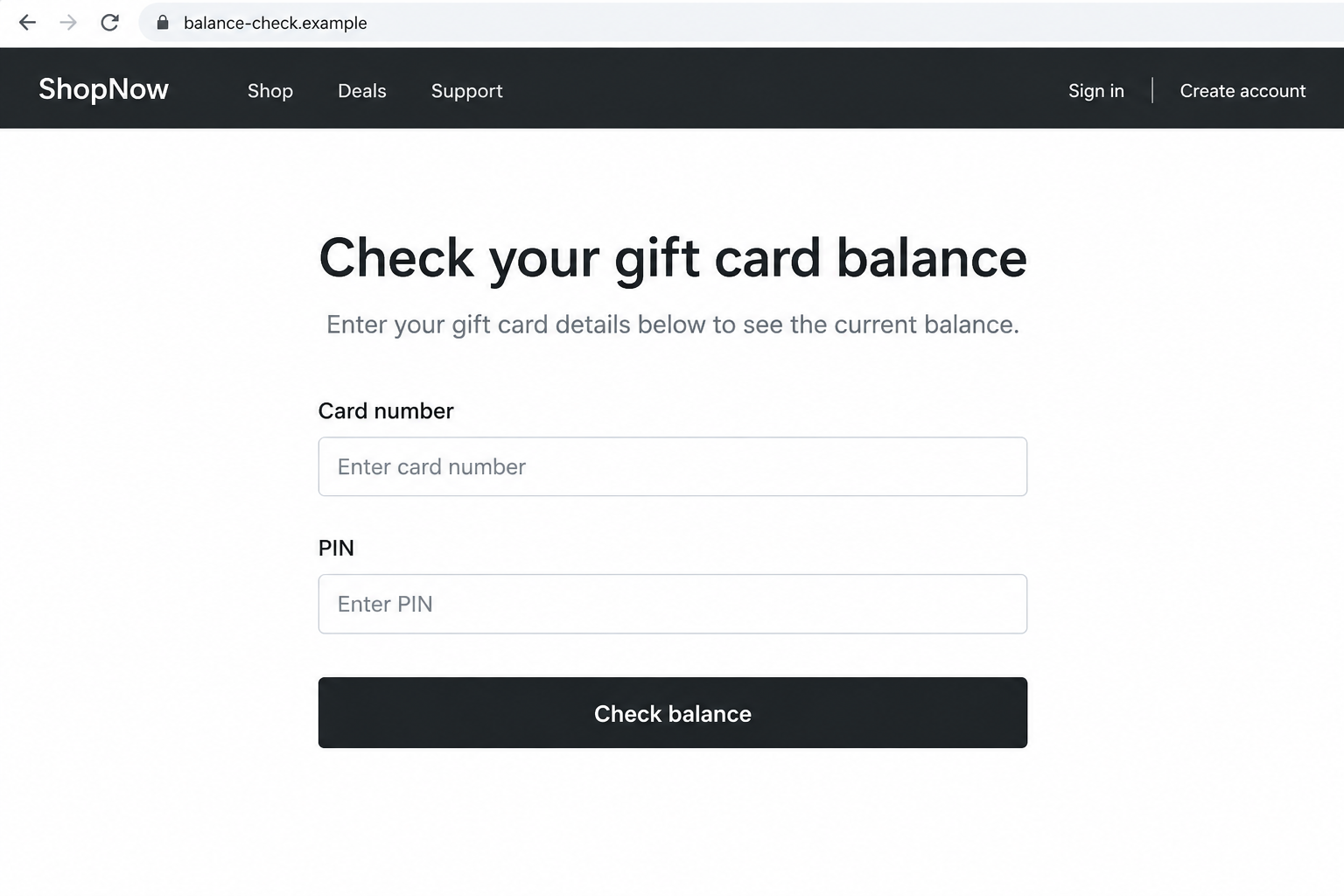
The Best Buy gift card balance scam can lead a shopper to an unofficial page that offers to check the value of a real Best Buy card.
The page asks for the card number and PIN. Those details can let someone else spend the balance, even if the visitor never completes a purchase.
OnlineThreatAlerts describes fake balance checks among several gift-card risks. The report does not identify one verified live checker used in every case.
Best Buy is a legitimate retailer. The risk is a lookalike checker or person requesting card credentials, not the official balance service.
Why the number and PIN are valuable
A gift card is not protected like a bank account with a personal login. Its identifying details often function as the key to the value.
Best Buy’s fraud guidance warns customers not to share gift-card numbers or PINs with unknown parties.
The retailer provides an official balance-check page. A form on another domain is not made safe by copying the same field names.
The two images here are fictional, nonfunctional screen reconstructions. They illustrate a suspicious route without reproducing a live phishing destination.
Fast checks before you enter anything
- Open Best Buy’s site yourself instead of following a message, ad, or third-party search result.
- Read the complete domain before entering the card number or PIN.
- Do not send photos or screenshots that reveal the PIN to a buyer, seller, or support impostor.
- Be skeptical of a checker that also demands an email password, bank card, or small activation fee.
- Keep the original receipt and packaging until the card balance and purchase history are confirmed.
- Do not pay a stranger with gift cards to resolve a bill, technical problem, or supposed security issue.
The form itself is not proof of fraud. The route to the form and the party operating it are the important distinctions.
Why This Trick Catches Careful Shoppers
A balance check is a normal task
People check a card before visiting a store, shopping online, or giving it as a gift. That makes the request feel practical, not suspicious.
Real balance checkers do need card details. A fake page can imitate that legitimate step so closely that the difference sits in the browser address.
A polished layout, cart icon, security badge, and friendly help text do not prove a connection to Best Buy.
The safest shortcut is a saved bookmark or the retailer’s own app, opened independently. That removes the unknown intermediary.
Search results can blur official and unofficial pages
A query for a gift-card balance can return ads, discussion pages, and sites that promise to check many retailers’ cards.
Some of those sites may be informational. Others may collect the number and PIN while returning a generic error or invented balance.
The Better Business Bureau warns that some balance-check websites collect card IDs and PINs, then drain the stored value.
Do not assume the first result is the retailer. An ad label, familiar color, or Best Buy wording in the page title is not ownership proof.
Look at the address bar and navigate directly to the retailer’s known site. Search convenience is not worth exposing the card key.
Messages can add a second layer of pressure
A fake prize email may say that a Best Buy gift card is waiting. A social-media seller may claim a card has a larger balance than advertised.
Both can move a person toward a checker selected by the sender. The first goal may be to make the page visit seem helpful.
Do not buy or trade a card based on a screenshot of a balance. That screenshot can be old, edited, or unrelated to the card.
Use official channels and keep control of the number and PIN. A legitimate transaction should not require sharing them with an unknown person first.
How the Best Buy Gift Card Balance Scam Works
Step 1: The shopper is steered to an unofficial checker
The route may start with a search ad, a message about a reward, a resale conversation, or a link in a forum answer.
The sender offers the same task Best Buy already provides: checking a gift-card balance. That ordinary task makes the detour seem harmless.
There is no evidence that every fake checker uses the same URL or design. Watch for the third-party route rather than one temporary name.
Stop if the checker is offered through a link you cannot independently connect to the retailer.
Step 2: The page imitates a standard balance form
The visitor sees a card-number field, a PIN field, and a button labeled “Check balance.” The interface may also show shopping and support links.
That resemblance is deliberate. Real balance-check pages can ask for the same information, so the user may focus on the fields instead of the domain.
The reconstructed page below shows a possible second form. Its `.example` domain is intentionally nonfunctional.
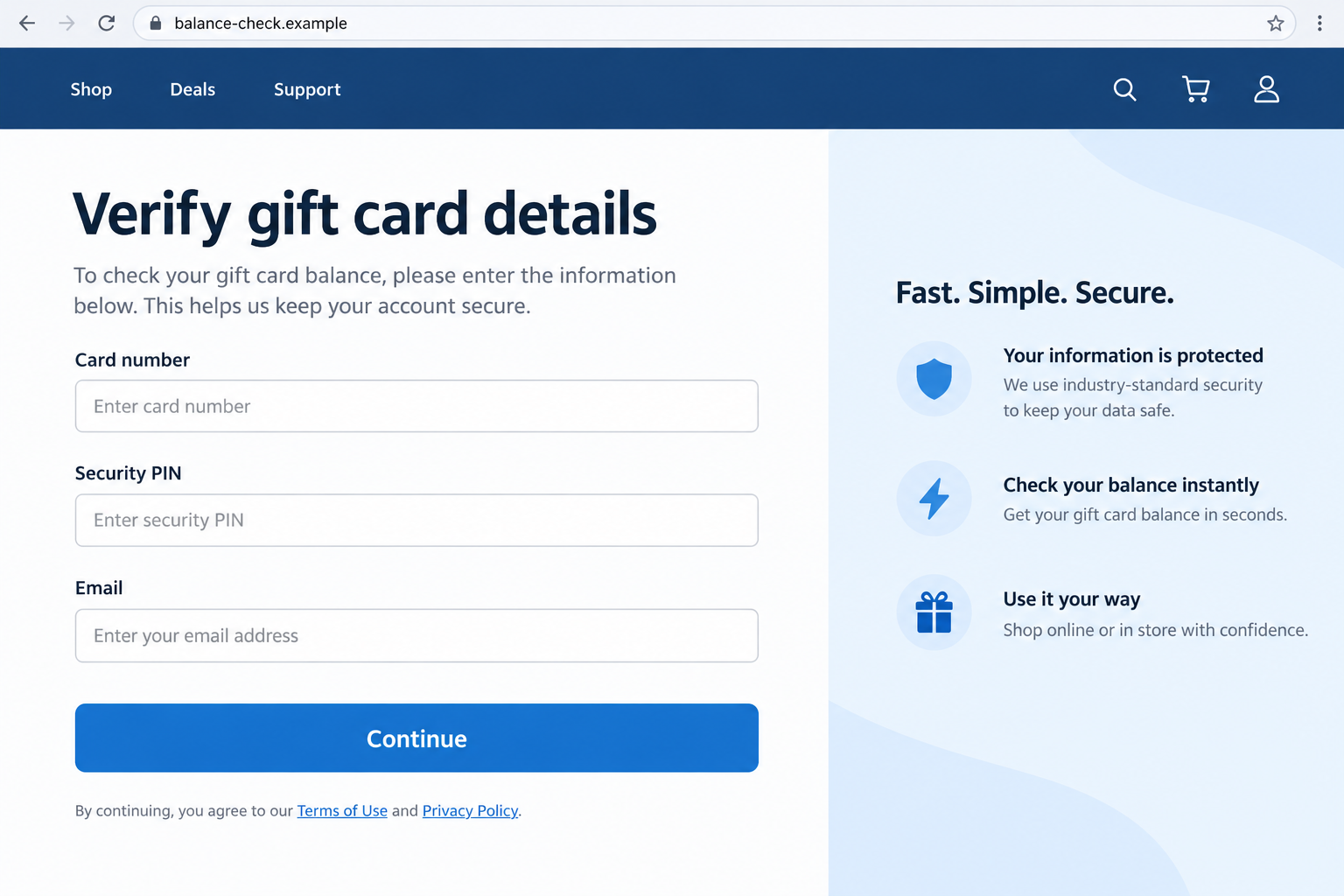
If an unfamiliar page asks for an email address as well, that may widen the data collected. It does not make the card request safer.
Do not enter test digits from a real card to see what happens. A partial or complete number may still be logged.
Step 3: The card credentials leave your control
When the number and PIN are submitted, the page operator may receive what it needs to attempt a redemption.
The page could show a balance, an error, or a request to try again. None of those responses proves that the information was discarded.
Some scams may prompt for an additional contact detail or another card. Treat that as a new request, not a required validation step.
The risk exists even without a bank-card charge. The stored gift-card value is the target.
Step 4: The balance may be spent or the card resold
If the credentials are valid, another person may use the value for merchandise or pass the details to someone else.
The buyer can discover the loss only when the card is used later. That delay makes the incident harder to connect to the earlier website visit.
Other causes of missing value are possible, including activation mistakes or physical tampering. Do not assume the checker caused every empty card.
Best Buy can review a card’s history and available options. Save receipts and contact the retailer quickly if the balance is unexpectedly gone.
Step 5: A fake support offer can compound the loss
A site may claim the card is locked and tell the visitor to contact a number or pay a verification charge.
That creates a second opportunity to collect money, bank details, or more gift-card credentials. A genuine balance question should be handled through Best Buy.
Do not call a number printed only on the suspicious checker. Find support through the retailer’s official site or your purchase receipt.
If the card was a gift, ask the purchaser for the original proof of purchase without sharing the full PIN over a public channel.
How to Check a Best Buy Card Without Sharing It With a Stranger
Go directly to the retailer
Type Best Buy’s address into your browser or open its official app. Navigate to gift cards from there, rather than using an emailed link.
The official balance page provides the intended route. The exact interface may change, but the destination should remain under the retailer’s control.
If you are in a store, a staff member can direct you to the accepted balance-check method. Do not hand a card to an unrelated kiosk operator.
When using a shared computer, close the balance page afterward. Avoid saving the card number in a browser’s autofill or a note visible to others.
If someone asks you to read the PIN aloud during a support call you did not initiate, end the conversation and contact Best Buy yourself.
Keep the PIN covered from anyone who does not need it. A code can be copied more easily than a physical card can be stolen.
Keep receipts and activation records
An original receipt helps establish when and where the card was purchased. It may also matter if Best Buy reviews a disputed balance.
Best Buy’s gift-card help explains that replacement and support depend on circumstances, including proof of purchase and remaining value.
Do not promise yourself an automatic refund because a card was drained. Contact the retailer promptly and ask what evidence it needs.
Take care with receipts too. They may contain partial card details that should not be posted publicly.
Separate a checker scam from other gift-card scams
A fake balance site steals card credentials. A caller demanding Best Buy cards to pay a tax, utility, or technical bill uses a different mechanism.
A discounted resale listing may involve a card that is already spent. A physical card can also be tampered with before sale.
Those risks share the same value target, but they call for different evidence. Record exactly where the card details were revealed.
For this article, the central question is whether an unofficial balance-check page received the number and PIN.
What a Balance Result Can and Cannot Prove
A displayed amount is not a guarantee
A malicious page can show any figure. Even a genuine current balance can change if another person has the card credentials.
When considering a resale purchase, avoid relying on screenshots, messages, or a seller’s chosen verification site.
Check the card through the retailer yourself and understand that a private resale may offer limited recourse if the value disappears.
A purchase from an authorized seller with a receipt gives you a clearer trail if something goes wrong.
A failed check does not erase the exposure
A fake site may report a temporary problem after receiving valid details. The apparent failure does not mean the number and PIN were safe.
If you used an unofficial checker, act as though the credentials may have been exposed. Contact Best Buy and preserve the URL.
Do not retry the same card across several third-party checkers. That increases the number of unknown parties with access.
If you also entered a password or bank card, address those separate exposures immediately.
What to Do if You Have Fallen Victim to This Scam
- Stop using the unofficial page. Close it and save its URL, the referring message or search result, and any screen you already captured. Do not submit more cards.
- Check the card through Best Buy. Use the official balance service or contact retailer support directly. Ask about transaction history and whether any remaining value can be protected.
- Gather proof of purchase. Keep the original receipt, activation slip, order confirmation, and card packaging if available. Best Buy may need these to investigate.
- Report the exposed number and PIN. Tell support precisely which card details went into the other site and when. Ask what options are available; do not assume replacement is guaranteed.
- Secure other information if you submitted it. Change a password you entered on the page through the genuine service. Call your bank if a payment-card number was provided.
- Warn the purchaser or recipient. If the card was a gift, let the other person know not to rely on the expected balance until it is checked safely.
- Document any loss. Record the amount loaded, current balance, dates, and support case number. File a fraud report through ReportFraud.ftc.gov if the evidence indicates deception.
- Ignore recovery demands. A stranger offering to restore the balance for a fee or another card code is not a verified retailer representative.
If you downloaded a file from the page or allowed browser notifications, remove that access and run a reputable device scan.
If you only entered the gift-card number and PIN, the immediate problem is the stored value. A computer scan cannot reverse a card redemption.
Frequently Asked Questions
Does Best Buy have a real gift-card balance checker?
Yes. Use the balance page reached from Best Buy’s own website. A third-party checker is not authenticated by copying its form.
Is entering a card number and PIN always suspicious?
No. The official checker may need those details. The danger is giving them to an unfamiliar site or person.
Can someone spend a card without holding it?
Card credentials may be sufficient for online redemption. Treat the number and PIN as valuable, not as harmless reference numbers.
Will Best Buy automatically replace a drained card?
No automatic outcome can be promised. Contact support with your receipt and ask what its current policy allows in your circumstances.
Should I use a seller’s screenshot to verify a resale card?
No. A screenshot can be outdated or edited. An authorized purchase with proof of activation is safer than an unknown private listing.
What if the fake site said my card was invalid?
The error does not prove the details were discarded. Check with Best Buy and disclose the exposure before assuming the balance is safe.
The Bottom Line
The Best Buy gift card balance scam turns a normal check into a way to collect the card number and PIN.
The danger is the unofficial page, not Best Buy’s real service.
Use the retailer’s own checker, protect the PIN, and contact Best Buy quickly if you entered details elsewhere or find missing value.








