

Could that friendly voice be part of an Eldercare Locator scam call? The name sounds helpful, especially when you are looking for support.
Then the conversation takes an uncomfortable turn. Before answering another question, it is worth understanding what that caller is asking you to believe.
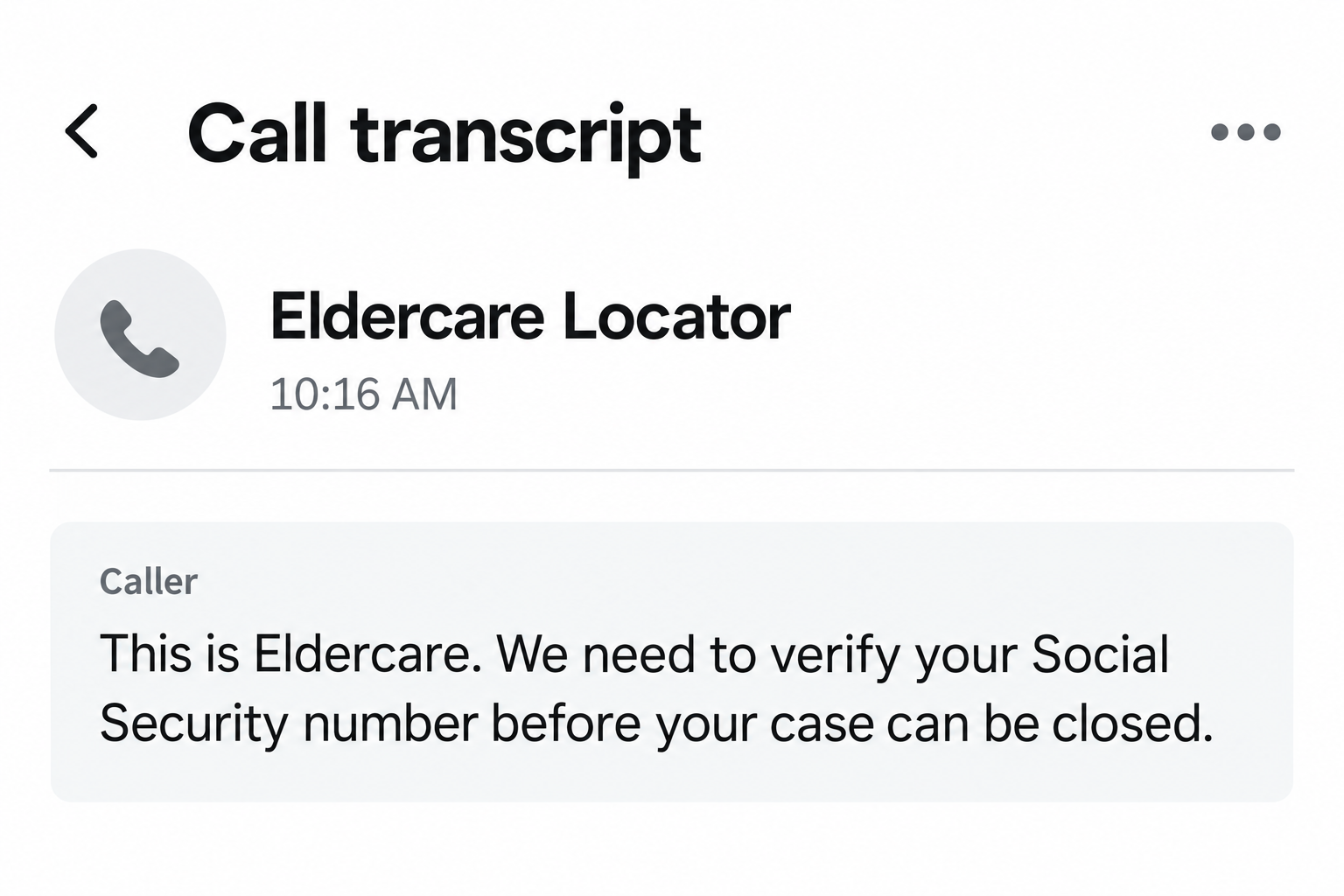
Overview
A trusted support service is being impersonated
Eldercare Locator scam calls misuse the name of a legitimate public service. The deception lies with the caller claiming that identity, not with Eldercare Locator.
In an October 30, 2023 alert, the Administration for Community Living documented reports of government impersonators, including callers presenting themselves as Eldercare or Eldercare Locator.
The reported demands included sensitive identity information and payments. Some callers also threatened fines or jail, while others repeatedly called the same targets.
That warning establishes an impersonation pattern. It does not establish one universal script, a fixed payment amount, or a single telephone number behind every attempt.
The practical response is straightforward: end a suspicious unsolicited conversation, then consult the actual service or agency through independently found contact information.
What the real Eldercare Locator does
The official Eldercare Locator connects older adults and families with community support. Its role is assistance and referral, not collecting payments under threats.
You may seek help finding local services or support for a caregiver. That legitimate need can make an unexpected call using the name feel relevant.
A real service may communicate after a request you initiated. This does not make every caller who uses its name a verified representative.
- Check whether you actually initiated a request and which organization received it.
- Do not disclose identity numbers to someone who contacts you unexpectedly.
- Reject payment demands linked to threats of arrest or suspended identity documents.
- Verify the claimed organization separately before continuing a sensitive conversation.
- Seek local support through the genuine locator rather than an unsolicited caller’s referral.
Using a support service is not a mistake. The scam exploits the trust surrounding assistance, particularly when someone is already managing a stressful family situation.
Which information and pressure tactics matter
The official alert specifically describes requests involving Social Security, banking, and Medicare information. Those details can have consequences beyond the call itself.
A demand for a payment may be presented as resolving a case or avoiding a penalty. The caller’s explanation does not establish any actual obligation.
Repeat calls can also create exhaustion. Persistence is not proof of authority, and you do not have to keep answering to demonstrate cooperation.
ACL issued that warning in 2023, not last week. Its warning signs are still useful when an unexpected caller demands your attention today.
How the Eldercare Locator Scam Calls Work
Step 1: The caller borrows the credibility of a helpful organization
The opening name can do much of the work. Eldercare sounds connected to assistance, benefits, or support that an older adult might reasonably need.
A recipient may assume the call relates to a recent inquiry. If several agencies are involved in a care arrangement, matching the name can be difficult.
The caller can benefit from that confusion without having any legitimate relationship to your case. Familiarity is not the same as verified authority.
Do not supply missing background to help the caller explain why they contacted you. A broad statement can become more convincing after you reveal your situation.
You can ask for basic identifying information without disclosing your own. However, the safest verification still takes place after ending the unsolicited call.
A name, job title, or reference number is easy to state. It needs confirmation through the real organization, not approval from the person presenting it.
Step 2: Routine verification becomes a request for sensitive information
The conversation may shift toward confirming identity. A caller can make private questions sound like ordinary administrative requirements.
That is the point to separate a legitimate need for assistance from an unverified demand for access to your information.
A Social Security number, banking detail, or Medicare identifier is not just a conversation starter. Exposure can create identity, account, or benefit-related concerns.
You do not need to recite those numbers to determine who called. Give yourself permission to stop before the questions become more personal.
If you have requested a genuine service, contact it through the number you used originally. Ask whether it needs information and how to provide it securely.
The historical alert does not describe every possible question. Focus on the documented sensitivity of the information, rather than waiting for a perfectly matching script.
Step 3: A supposed problem turns assistance into pressure
Some reported callers demanded payment or threatened consequences. A helpful-sounding introduction can therefore become an intimidating conversation very quickly.
The person receiving it may worry about losing services, upsetting an agency, or causing trouble for a family member. That worry favors immediate compliance.
Do not accept the caller’s premise just because the consequences sound serious. They have not established that a real case, debt, or penalty exists.
Threats of jail are especially concerning in this context. The caller is using fear to keep control of a conversation that should be independently verified.
You can disconnect without negotiating a deadline or promising to pay later. Ending the call does not concede that the alleged problem is real.
If you feel physically threatened or believe there is immediate danger, contact emergency services. That is different from obeying an unsolicited caller’s financial instructions.
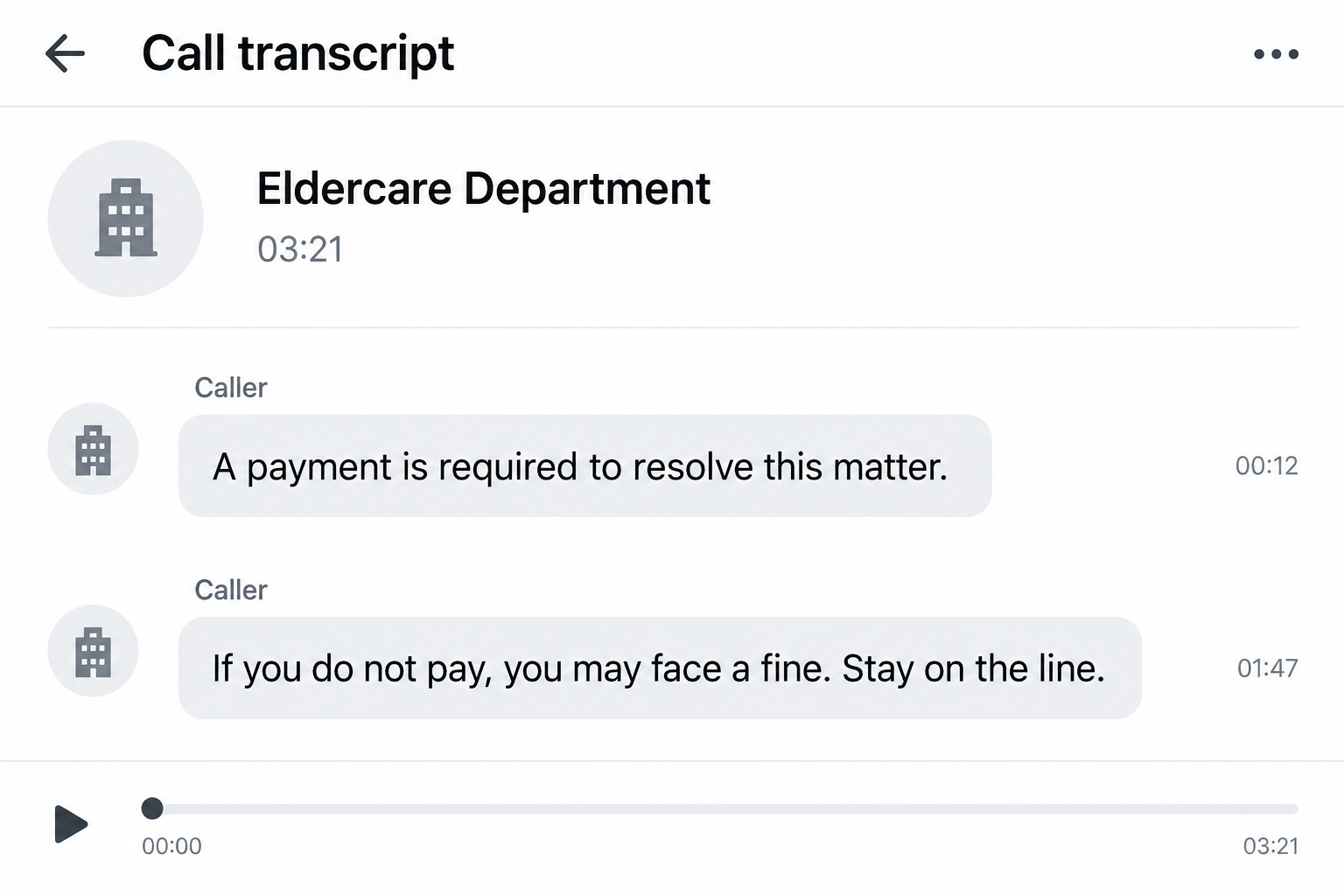
Step 4: A payment request or continued questioning tests your boundaries
Once the caller has created urgency, the next demand can seem like the only way to end the problem. It may concern money or further information.
Payment instructions should receive an independent check. A stranger asking for an unusual transfer method is not offering proof of government authority.
The ACL warning highlights that government agencies do not demand gift cards or wire transfers in unsolicited calls. Those instructions are a reason to stop.
There is no verified fixed amount for this campaign. An apparently manageable payment should not be interpreted as safer than a larger demand.
If the caller claims your Social Security number can be suspended, reject that premise. A frightening explanation does not make the impossible administrative action real.
These boundaries can be prepared before another call arrives. You do not need to invent a persuasive refusal while someone is pressuring you.
Step 5: Repeat contact can wear down resistance
The official alert includes harassment through repeated calls. A recipient may eventually answer simply to make the ringing stop.
That frustration can turn into cooperation if the caller presents payment or disclosure as the quickest way to end the contact.
Do not treat repeated attempts as independent confirmation. Several calls can come from the same deceptive operation, even when displayed numbers change.
After ending contact, save useful details and use available call-filtering tools. Blocking a number can help, but cannot guarantee that another number will not appear.
If a caller later offers to fix the earlier incident, verify that offer too. The promise of help can become another entry point for impersonation.
A trusted relative or caregiver can help organize the response. The goal is support and clearer decisions, not removing the older adult’s voice or independence.
How to Verify a Caller Claiming to Be From Eldercare
Use the real locator’s contact details
The official Eldercare Locator currently lists 1-800-677-1116. Obtain it from the genuine website rather than from the caller’s instructions or displayed identity.
Ask whether the claimed contact or request belongs to the service. Describe the call without volunteering sensitive numbers that are irrelevant to that verification.
If another agency was named, reach that agency separately. An Eldercare label does not authorize someone to act as Social Security, Medicare, or law enforcement.
Use the details on your existing official documents when appropriate. Avoid numbers supplied in an unsolicited follow-up message describing an urgent case.
Keep a simple household plan
Agree that sensitive unsolicited calls can be ended before any decision. No family member should have to manage an intimidating stranger alone.
A short response is enough: you will contact the organization directly. You do not need to defend that choice or persuade the caller to approve it.
If services are genuinely needed, continue seeking them through trusted channels. Fraud prevention should not leave someone isolated from useful community assistance.
Keep contact information accessible in a place the person can use comfortably. A practical plan should fit their habits, not depend on complicated technical steps.
What to Do If You Have Fallen Victim to This Scam
Take one action at a time. Start with the money or information that was actually exposed, and ask for help when the situation feels overwhelming.
- End contact and stop further payments.
Hang up, decline additional instructions, and do not send money to close the supposed case. Preserve any message already received without calling its number.
If nothing sensitive was disclosed, focus on reporting and filtering the calls. Hearing a threatening story does not mean that the claimed legal problem exists.
- Contact the financial provider if money or account details were involved.
Tell your bank, card issuer, or payment service what occurred as soon as possible. Ask about restrictions, transaction review, and any available recall or dispute.
Describe whether you sent the payment yourself under pressure or noticed an unauthorized transaction. Accurate details are more useful than assuming a particular recovery outcome.
If gift cards were involved, keep the cards and receipts and contact the issuer promptly. Do not share their numbers with a purported recovery agent.
- Respond to Social Security or identity information exposure.
Use IdentityTheft.gov to build a recovery plan for the details disclosed. Consider the recommended credit-report protections and account monitoring.
A credit freeze is not a universal fix for every kind of identity misuse. Match each protective step to the exposure rather than assuming one measure solves everything.
Keep a list of contacts and case references. If help is needed, work with a trusted person without posting sensitive identity information publicly.
- Get Medicare-specific help if that number was shared.
Contact Medicare through the official channel and review benefit statements for services you do not recognize. Ask how suspected identifier misuse should be handled.
The Senior Medicare Patrol can help with Medicare fraud concerns. ACL lists 1-877-808-2468 to reach the appropriate resource.
Do not accept a replacement-benefit or new-card offer from an unexpected caller. A later impersonator may reuse the same concern.
- Preserve a clear record of the calls.
Write down the time, displayed number, claimed organization, requested information, and threats. Keep voicemails or messages that already exist.
You do not need to answer another call to collect more evidence. Nor should you promise money to keep the caller talking.
A displayed number can be misleading, so describe it as what appeared on your screen. Avoid accusing an unrelated number owner without verification.
- Seek specialist reporting assistance.
The National Elder Fraud Hotline assists adults age 60 and older affected by fraud. Its listed number is 833-372-8311.
The service can help organize reporting and next steps. It is not a guarantee that funds will be recovered or a replacement for emergency assistance.
People of any age can also report scams through ReportFraud.ftc.gov. Share facts privately through the proper reporting process.
- Reduce repeat contact and watch for recovery imposters.
Use your carrier’s call-screening options or available blocking controls. Let unfamiliar calls go to voicemail when that fits your needs.
Be cautious about anyone charging an advance fee to return stolen money. A claimed affiliation with a hotline or agency should be independently verified.
Check in with the affected person without blame. Patient support makes it easier to disclose a second request before another payment or disclosure happens.
Helping an Older Relative Without Making the Situation Harder
Start with reassurance, not a lecture
An impersonation call is designed to sound credible under pressure. Explaining that can help someone describe the incident without feeling judged.
Ask what the caller requested and which actions were taken. Avoid asking why the person believed it before dealing with urgent financial or identity concerns.
Write down the next few tasks together. A short, manageable list is often more useful than handing over several unfamiliar websites at once.
Preserve independence while adding support
Discuss call-handling preferences with the person rather than silently changing their communication settings. They may depend on unfamiliar numbers for genuine services.
A plan can allow calls to reach voicemail while ensuring legitimate appointments and support requests are checked. Security should not block needed care.
Make it easy to ask for a second opinion before sharing information. A household agreement is stronger when it feels supportive rather than punitive.
After reporting, schedule a gentle follow-up about new calls and account activity. Reassurance should continue after the immediate paperwork is finished.
Frequently Asked Questions
Is Eldercare Locator itself a scam?
No. It is a legitimate public service. The reported scam involves callers misusing its name to request information or payments under false pretenses.
Can I trust a call because I recently requested assistance?
A recent request makes a call plausible, not authenticated. Confirm through the organization you contacted before discussing sensitive information or unexpected payment demands.
Can a caller suspend my Social Security number?
No. The ACL warning identifies that claim as false. End the suspicious call and verify any actual concern through the appropriate official agency.
What if the caller keeps ringing after I hang up?
Repeated calls do not establish authority. Preserve useful records, use call-filtering options, and seek reporting assistance rather than paying to make the contact stop.
Should I install antivirus after receiving this call?
A phone conversation alone is not evidence of malware. The documented concern here is impersonation, information exposure, and payment pressure, not a verified software infection.
Where can an older adult get help organizing the response?
The National Elder Fraud Hotline serves adults 60 and older at 833-372-8311. A trusted caregiver can also help preserve records and contact financial providers.
The Bottom Line
Eldercare Locator scam calls exploit a trusted name and a need for support. An unsolicited demand for identity information or money deserves a separate check.
End the pressure, verify the organization independently, and respond to any actual exposure. Genuine assistance remains available without obeying the stranger who called.








