

A crypto promotion arrives through a financial service you already use. It feels different from a random giveaway because the notification appears familiar.
The Betterment crypto message scam exposed that uncomfortable gap between a trusted communication channel and a trustworthy offer. The company’s completed report helps explain what actually happened.
Overview
The crypto promotion was unauthorized
On January 9, 2026, an attacker gained access connected with a Betterment employee account and sent a fraudulent crypto offer through customer communications.
Betterment’s official customer updates told recipients to disregard the message. It was not an approved investment offer.
The case concerns abuse of Betterment’s name and communication access. It does not establish that the company’s genuine investment services are a scam.
The incident is historical. A new message using a similar story still needs independent verification; it is not automatically part of that same access event.
Communication access was not customer trading access
The completed March 30 report says customer account and transaction systems were not impacted.
Betterment also says customer accounts, passwords, and login information were not compromised in the incident. Those findings matter when deciding what response is necessary.
Contact information was accessed, however. A communication incident can create privacy and follow-up phishing concerns without giving the attacker control of a customer’s portfolio.
Likewise, a recipient who separately sent money or disclosed information needs help with that action. The company’s system findings do not erase individual exposure elsewhere.
Ask three different questions
The case is easier to understand when these questions are kept separate:
- Was the promotional content authorized by the company?
- What systems or information did the attacker reach?
- What did the recipient do after seeing the message?
- Did any payment leave through a bank, exchange, or wallet?
- Is a later recovery request coming through an independently verified channel?
A familiar sender or native-looking notification answers none of these on its own. The content and requested action still need scrutiny.
Why This Case Was More Convincing Than a Random Giveaway
The message could inherit trust from the service
People often treat a financial app’s communications differently from unsolicited email. That is understandable when ordinary account notices arrive through the same channels.
The attacker benefited from that expectation. The promotion appeared connected to a company recipients already recognized.
In its report, Betterment says the fraudulent offer reached approximately 460,000 customers through email and mobile push notifications.
That does not mean every customer received it. It also does not mean every notification sent through those channels was fraudulent.
Authentic delivery is not the same as authorized content
A compromised communication tool can deliver a message through an established route. The route’s familiarity does not establish approval of what the message says.
This is different from judging only a lookalike address. A sender check can be useful while still failing to answer the most important question.
What action is the message asking you to take, and where is that action independently documented? Those checks remain necessary even with a familiar channel.
The lesson is not to distrust every account notice. It is to avoid giving a promotional message the authority to choose an unusual financial action.
Real promotions make the false offer easier to imagine
Financial companies can run genuine promotions with eligibility rules and written terms. The existence of legitimate offers creates a plausible setting for an impostor’s pitch.
But a real promotion elsewhere does not authenticate the one in front of you. A familiar company can be impersonated without endorsing the request.
Do not substitute excitement or a deadline for the actual offer terms. A promise involving money deserves a clear, independently verified explanation.
How the Betterment Crypto Message Scam Worked
Step 1: Social engineering opened an employee access route
Betterment’s report traces the incident to social engineering against an employee account. The attacker impersonated internal authority rather than obtaining access to a customer’s account.
The record describes a falsified caller identity and access information obtained through deception. The resulting employee access was then used against operational applications.
For readers, the important distinction is permission. A person claiming to be internal support is not automatically authorized to direct account or authentication changes.
There is no need to reconstruct an attack kit to understand that failure. Independent verification of the person and requested action is the useful lesson.
It also explains why the incident should not be described as every customer handing over a password. The initial access happened elsewhere.
Step 2: Marketing and operational access enabled customer messaging
The attacker reached applications used for marketing and operations. That access allowed fraudulent material to be sent through customer communication channels.
A messaging system and a transaction system have different roles. Permission to communicate with customers is not equivalent to permission to move their investments.
Betterment says additional controls kept transaction systems outside the breach. That finding explains why a fake promotion and access to your investments are different problems.
The distinction prevents two mistakes: dismissing the communication abuse as harmless, or exaggerating it into a proved takeover of every financial account.
A false offer can cause an external loss even when the recipient’s investment account remains secure. The requested action still matters.
Step 3: Customers encountered the unauthorized offer
The notification arrived in a context associated with a known financial service. Recipients could interpret that presentation as confirmation that the promotion was genuine.
But the company had not approved the offer. Betterment warned customers to disregard it after detecting the incident.
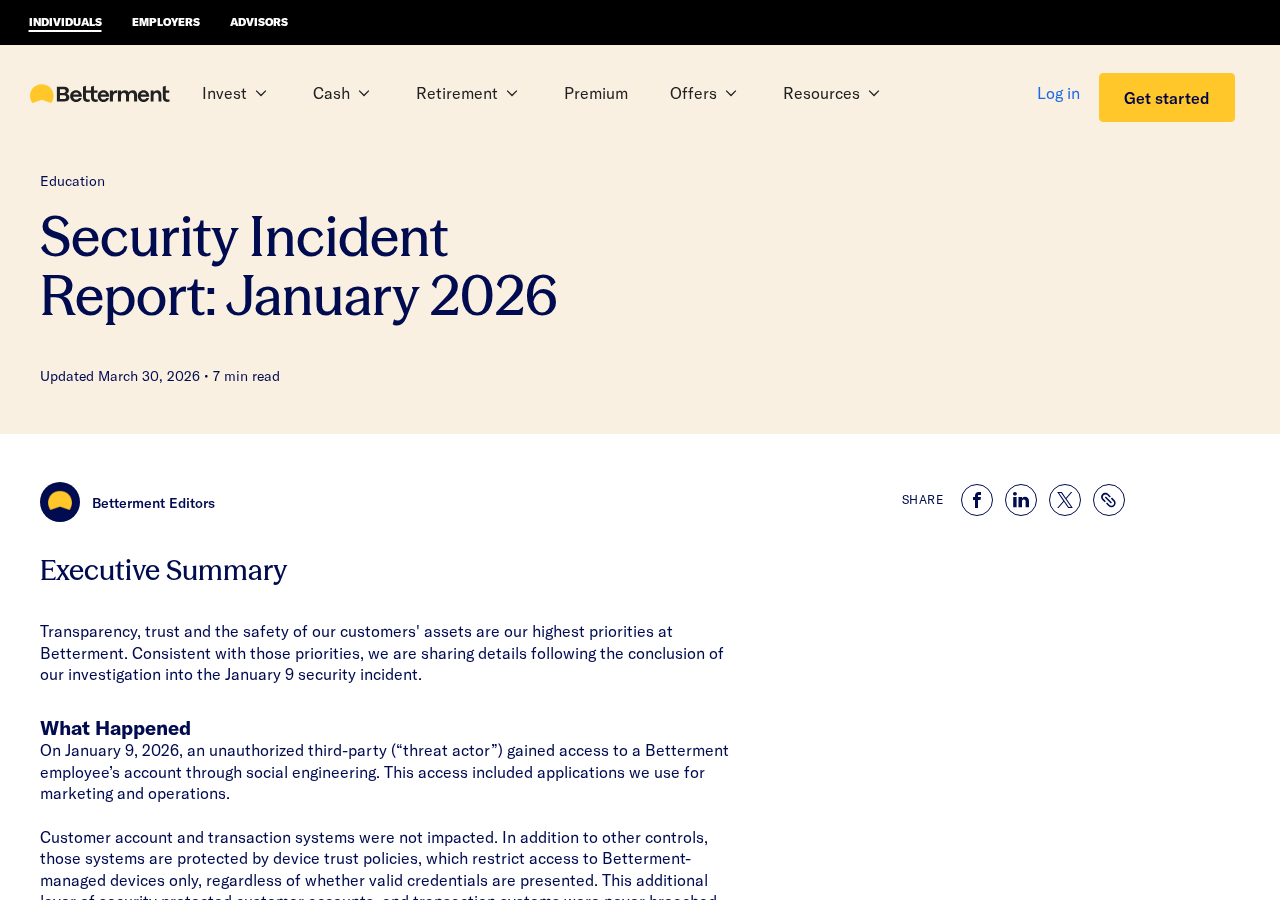
The report screenshot above is an authentic company publication, not a captured copy of the fraudulent email or push notification.
Specific promotional wording can vary in later impersonations. Do not authenticate a new offer because it resembles a historical message discussed online.
If a promotion sounds surprising, leave the message and ask the company through a verified route. The message should not provide its own only verification.
Step 4: The offer could persuade a recipient to take a financial action
A fraudulent crypto promotion can turn a familiar brand into a reason to act. The promised benefit distracts from the destination receiving money.
The FTC’s cryptocurrency scam guidance explains why impostor offers and supposed investment rewards deserve particular caution.
If someone asks you to send crypto to receive more back, do not treat the promised return as a verified asset.
A blockchain transfer establishes a payment to an address. It does not establish that the company named in the promotion controls that address.
Sending a small amount to test an offer also creates a real exposure. A small transfer is not an independent legitimacy check.
If the request changes to a fee, verification deposit, or extra transfer, stop. A new condition supplied by the same contact does not resolve the uncertainty.
These are warning principles for crypto offers, not a claim that every possible follow-up appeared in the January Betterment message.
Step 5: Containment stopped access, but privacy concerns needed assessment
Betterment says it revoked the unauthorized access and completed an investigation. The later report separates the fraudulent offer from the information accessed.
The report describes data associated with approximately 1.4 million customers and business contacts. In most cases, it was names or names combined with email addresses.
The company’s earlier updates described a subset involving additional contact information. That should not be generalized into every recipient losing a complete financial identity.
Contact details can nevertheless support convincing follow-up approaches. A stranger who knows your name and service relationship has not thereby proved they are support staff.
Use the verified company contact for any subsequent concern. Do not let knowledge of the incident supply the next caller’s credibility.
What the Completed Report Changes for Readers
The initial investigation is no longer the final account
Early incident notices necessarily described an investigation in progress. Readers should not treat that earlier uncertainty as the company’s current completed conclusion.
Betterment’s customer update page directs readers to the March 30 report as the complete source on the incident.
That is useful when a warning still says the investigation is ongoing. The chronology matters here because later findings narrow the questions about system access.
Receiving the message did not establish account compromise
The company said opening the January offer notification did not breach the customer’s Betterment account. That reassurance does not cover unrelated messages or additional actions.
Its completed report says no customer action is required because of the incident. Do not turn receipt alone into a demand to close an account.
Those statements do not cover every action somebody might separately take on another website. A disclosed password, installation, or external payment needs its own response.
If there is unexplained activity in a genuine account, report it. A historical assurance should not cause you to ignore a new, concrete concern.
The company reported compensation, not an open giveaway
Betterment’s report says it made people impacted by the fraudulent offer whole for their losses. That is the company’s statement about this incident.
It is not permission to assume a new impersonation loss is automatically eligible, or that a stranger can arrange compensation for a fee.
If you believe your loss relates to the incident, contact the verified fraud team and provide the relevant records. Let it assess the case.
Do not use a fresh “claim your refund” message as the route. Recovery language can recreate the same trust problem as the original promotion.
How to Check a Financial Promotion Without Testing It
Ask for the actual offer and its normal process
Reach the company independently and ask whether the specific promotion is authorized. Identify what you received without sending money to demonstrate interest.
Look for written eligibility, payment destination, and participation instructions within the genuine service. A screenshot supplied by the promoter is not independent confirmation.
If you cannot match the request to a real documented offer, do not act because a timer is running. The deadline is not a substitute for terms.
Keep the destination and claimed brand separate
A recognizable name in a message does not establish who receives a transfer. Trace the recipient through verified instructions, not the promotional text alone.
A long crypto address can look technical and precise without proving affiliation. Copying it accurately does not make the underlying request legitimate.
Protect recovery information
Do not supply a wallet recovery phrase or private key to somebody claiming to investigate a promotion. Those details can expose assets unrelated to the offer.
A verified support team can tell you which records it needs. Public warnings should not include your personal identity documents or sensitive account access information.
What to Do if You Have Fallen Victim to This Scam
-
Stop acting on the unauthorized offer. Do not make another transfer, pay a release fee, or continue through a new link from the same contact.
Preserve the notification or email, visible instructions, transaction identifiers, and times. Record what you did separately from what the message promised.
-
Contact Betterment through verified information. Its completed report lists fraud@betterment.com for suspected unauthorized activity or fraud concerns.
You can also locate assistance through the official contact page. Do not use a telephone number introduced by a recovery message.
Explain whether you only received the promotion, clicked, disclosed details, or sent money. Those situations should not be collapsed into one claim of account takeover.
-
Give the verified team relevant payment evidence. If a loss relates to the January incident, ask how the company’s reported compensation applies to your case.
Provide records privately through the process it confirms. Do not assume an automatic payout, a new public deadline, or eligibility for an unrelated later scam.
-
Notify the exchange, wallet service, or bank used for a payment. Describe the fraudulent offer and where the money went.
Ask whether pending activity can be stopped and what reporting or tracing information is available. A confirmed crypto transfer generally has no ordinary chargeback.
That does not make every possible response pointless. Act promptly, keep accurate records, and avoid people guaranteeing recovery for an upfront fee.
-
Secure information you separately disclosed. Change a password actually entered on an untrusted destination through that account’s genuine service.
Replace reused credentials and review relevant recovery settings. Do not assume the incident itself exposed your password contrary to the company’s findings.
If significant identity information was supplied, use IdentityTheft.gov or the appropriate local identity-support route to plan the next steps.
-
Handle installations only if they occurred. If a follow-up led to suspicious software or remote access, end that connection and use trusted assistance.
Malwarebytes can inspect an affected computer after a suspicious installation. An incident notice alone is not evidence of installed malware.
For subsequent web browsing, AdGuard’s security filters can block some known scam destinations. It does not certify an offer sent through a legitimate app.
A device check cannot pull back contact information the attacker already obtained. Financial transfers and exposed passwords still need their own response.
-
Report the fraud and verify follow-up. U.S. readers can use IC3 for internet-enabled financial fraud, alongside relevant company and payment-provider reports.
Keep report references and transaction details. Reject strangers asking for another crypto payment, wallet phrase, or remote connection to release compensation.
A person who knows about the Betterment incident still needs an independently verified identity. Familiar facts are not a recovery credential.
Frequently Asked Questions
Was the January Betterment crypto offer authorized?
No. Betterment identified it as a fraudulent, unauthorized message and told affected recipients to disregard it.
Were Betterment customer trading systems compromised?
The company’s completed report says customer account and transaction systems were not impacted and customer passwords or login information were not compromised.
How could a fake offer arrive through familiar channels?
The attacker obtained access connected with marketing and operational applications. A familiar delivery route did not make the promotional content authorized.
Did Betterment report compensation for victims?
Yes. Its report says it made people impacted by that offer whole. Contact the verified fraud team about a relevant loss; do not assume broader eligibility.
Should I close my account because I received the message?
Receipt alone does not establish account compromise. The report says no customer action is required for the incident, while separate disclosures or payments need attention.
Can a paid recovery agent guarantee my crypto back?
No such guarantee should be trusted. Work through verified institutions and never share a wallet recovery phrase or pay a new fee to an unverified contact.
The Bottom Line
Disregard the unauthorized Betterment crypto promotion. A message delivered through a familiar channel is not proof that the company approved its financial request.
If you acted on it, contact the verified fraud team and the payment provider involved. Use the completed findings, and reject paid recovery shortcuts.








