

ABHelpline.com is a suspicious website that has been charging customers’ credit cards without authorization. Many victims have reported unauthorized charges from ABHelpline.com on their bank and credit card statements. This website appears to be using deceptive techniques to sign up users for subscriptions without consent.
This article will provide an in-depth overview of how the ABHelpline.com scam works, advice for victims on what to do if you have been charged, and how to avoid falling for such subscription scams in the future.
Overview of ABHelpline.com Scam
ABHelpline.com is a highly suspicious website that has been deceiving customers and charging their credit cards without authorization through an elaborate scam.
This fraudulent site claims to provide customer support and technical services. However, unknowing users report being signed up and billed for expensive recurring monthly subscriptions without their permission or knowledge.
Here is how the intricate credit card billing scam typically works:
- You visit a website and sign up for something that seems free or a great deal, like a trial to a dating site or streaming service. The signup form requests your credit or debit card information.
- Hidden deep in the fine print terms and conditions is disclosure that by submitting your card details for the trial, you are also agreeing to future billing by ABHelpline.com and other third-party “partners.” These partners are not named or detailed at the point of sign-up.
- ABHelpline.com now has your card information from the original site where you signed up for the trial. Even though you only agreed to one free trial, your card can now be charged monthly by ABHelpline.com as a so-called “partner.”
- Approximately 1 month after you originally signed up for the free trial, the first charge from ABHelpline.com appears on your card statement. It is typically around $39.95 or $49.95. The charge comes under a random company name you don’t recognize.
- When you notice the charge and contact ABHelpline.com to cancel and request a refund, they stall, make excuses, hang up on you, or just flat out refuse refunds. Many victims recall waiting endlessly on hold, being transferred repeatedly, and given the runaround.
- Each month, the unauthorized recurring charge from ABHelpline.com reappears on your card statement. Because the company name varies, some victims don’t notice the charges for 6 months or longer before realizing it is ABHelpline.com behind them. In the meantime, the scammers keep profiting from sign-ups and billing that users never consented to.
- To fully stop the charges, most people have to completely close the credit or debit card account that ABHelpline.com has on file. Even after you cancel the card, the scammers still have your personal details and could attempt to bill another card number. This is why constant credit monitoring is essential.
Some examples of the vague monthly charges victims have reported from ABHelpline.com include:
- PLA*PLUSPRODUCTS – $39.95 monthly
- BRA*STR – $49.95 monthly
- REL*PLAY – $29.95 monthly
- DIV*LED – $39.95 monthly
As you can see, ABHelpline.com relies heavily on obscure and confusing company names to avoid detection. They bank on the fact that most people do not read all terms and conditions fully when signing up for free trials and deals. This allows the scammers to bill you every month for services you never explicitly agreed to purchase. It is an insidious recurring billing scam.
How the ABHelpline.com Scam Works
ABHelpline.com relies on tricking users into signing up for services they don’t want. Here is a step-by-step overview of how their scam operates:
Step 1) You visit a website and sign up for something like a free trial to a streaming movie service. The sign up form asks for your credit card information.
Step 2) Buried in the fine print of the terms and conditions is disclosure that by signing up for the free trial, you are also agreeing to additional subscriptions through third-party partners. ABHelpline.com is one of these third parties.
Step 3) ABHelpline now has your credit card details from the original free trial site. Even though you only signed up for one free trial, your card can now be charged by ABHelpline.com or other sketchy third parties.
Step 4) About a month after you signed up for the free trial, the first charge from ABHelpline.com appears on your credit card statement. It is typically for around $40. The charge will be from a vague company name you don’t recognize.
Step 5) When you notice the charge and contact ABHelpline.com to cancel, they give excuses and refuse refunds. Some victims recall waiting on hold forever, being ignored, or given the runaround.
Step 6) Each month, the unauthorized ABHelpline.com charge reappears on your card. Some people don’t notice for many months. In the meantime, ABHelpline.com keeps profiting from sign-ups the user never agreed to.
Step 7) To fully cancel, you usually have to close the credit card account associated with the charges. Even then, ABHelpline.com still has your personal details and could attempt to bill another card. This is why credit monitoring is recommended.
As you can see, the key to the scam is buried terms and conditions when you sign up for an initial free trial. ABHelpline.com banks on the fact that most people won’t read the fine print. This allows them to bill you every month for a “service” you never explicitly agreed to.
What To Do If You Are A Victim
If you find any suspicious charges from ABHelpline.com on your credit or debit card statements, take the following recommended steps:
1. Contact your bank or credit card provider – Report the charges as fraudulent. Ask them to reverse the charges and refund any money that ABHelpline.com has taken. Financial providers often have fraud departments for this purpose.
2. Close the credit card associated with the charges – Even if the bank reverses the charges, ABHelpline.com still has your card number on file and could try to charge it again in future. Cancel the credit card completely to prevent further abuse.
3. Check statements carefully – Review all bank and credit card statements closely each month to check for any new suspicious charges. Also check your credit report.
4. Change account passwords – If you used the same password for the site with the free trial that led to the ABHelpline.com billing, change it immediately.
5. Beware free trial offers – Be very cautious of free trial offers that ask for your credit card upfront. Read all terms and conditions carefully to avoid accidental sign-ups.
6. Warn others – Post details of your experience with ABHelpline.com on consumer sites to help warn other potential victims.
With vigilance and quick action, you can get fraudulent ABHelpline.com charges reversed. Be proactive to protect yourself from further billing abuse.
Frequently Asked Questions About ABHelpline.com Scam
What is ABHelpline.com?
ABHelpline.com claims to be a customer and technical support website. However, victims are reporting that this site is engaged in an illegal credit card billing scam. The website signs people up for expensive recurring monthly subscriptions without consent.
What are the charges from ABHelpline.com?
Typical unexpected charges are around $39.95 or $49.95 per month. The company names on statements include:
- PLA*PLUSPRODUCTS
- BRA*STR
- REL*PLAY
- DIV*LED
The charges recur monthly until the associated credit card is cancelled.
How do I cancel ABHelpline.com and get a refund?
Immediately call your credit card company to report fraudulent charges. Ask them to reverse the charges and block any future billing. You typically have to completely close accounts affected by ABHelpline.com to stop charges. Many victims never get refunds since the company ignores requests.
How can I get ABHelpline.com investigated and shut down?
File detailed complaints with the FTC, FBI, Internet Crime Complaint Center, and your state attorney general. Include the statements showing the fraudulent charges. The more complaints submitted, the better the chance of getting law enforcement to take action against ABHelpline.com.
How can I avoid ABHelpline.com’s scam?
Be very cautious when free trials require your credit card information. Read all terms and conditions closely to look for hidden clauses about billing by third parties like ABHelpline.com. Also check credit card and bank statements routinely to detect any unauthorized charges promptly.
Is ABHelpline.com associated with other scam sites?
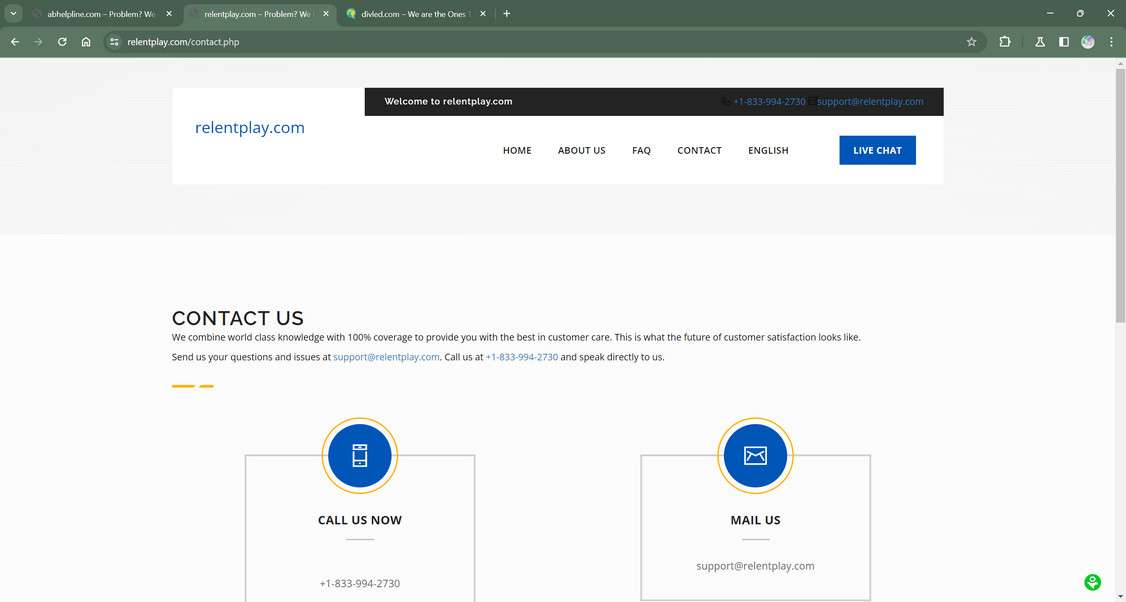
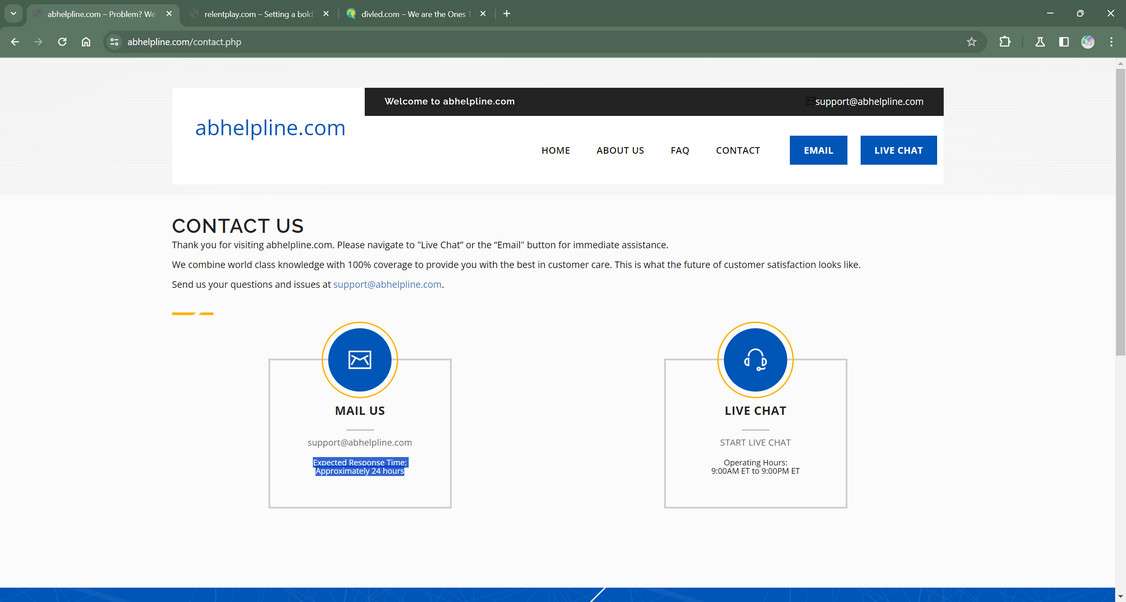
Yes, Relentplay.com and Divled.com appear to be affiliated sites engaging in the same illegal recurring credit card billing scam as ABHelpline.com. The websites share the same design templates and tactics.
What should I do if ABHelpline.com has my personal information?
If they have your credit card number, immediately close the account to prevent future bogus charges. Also, monitor your credit closely and check statements diligently for any indication your details are being misused.
The Bottom Line
In summary, ABHelpline.com appears to be a highly suspicious website that scams users into paying for mystery subscriptions they never signed up for.
Hundreds of people have reported being charged monthly by ABHelpline.com without any prior consent or knowledge. The company gives no address, uses obscure company names, and stonewalls people trying to cancel or get refunds.
To avoid getting caught up in this credit card billing scam, be very wary of free trial offers that require your card details upfront. Read the fine print carefully to look for disclosures about re-billing and third party sign-ups. Scrutinize card statements regularly and be on alert for vague monthly charges.
If you are a victim of ABHelpline.com, report the charges as fraudulent to your bank or card provider immediately. Close any accounts that have been compromised. Check statements vigilantly for further abuse. With fast action, you can avoid paying these scammers even a cent.
This article is for informational purposes only and should not be relied upon for financial or business decisions. We identify potential scams using research, user experiences, and expert analysis. However, all claims should be independently verified. Mistakes may occur, and legitimate products could be flagged. We strive for accuracy but make no warranties regarding the completeness or reliability of the information.

If you are the owner of the website or product in question and wish to offer clarifications regarding your business or website, please reach out to us via our Contact form.

Reviews & discussion
0 commentsShare a firsthand experience, or ask a question.
Community reviews
abhelpline.com
Moderated reader experiences, not an editorial verdict.
Start the conversation
Have a question or something useful to share? Add the first comment.