

Akamai NetSession Interface is a software component developed by Akamai Technologies, a leading content delivery network (CDN) provider. It is designed to improve the speed, reliability, and efficiency of content delivery over the internet. However, some users may be unfamiliar with this software and wonder whether it is necessary or if it poses any security risks. In this article, we will explore what Akamai NetSession Interface is, how it works, and whether you should consider removing it from your system.
What is Akamai NetSession Interface?
Akamai NetSession Interface is a peer-to-peer (P2P) networking software that is installed on users’ computers to enhance the delivery of online content. It works by utilizing the idle upload bandwidth of participating users to distribute content, such as software updates, game patches, and media files, more efficiently. By leveraging the resources of multiple users, Akamai aims to reduce the strain on traditional servers and improve the overall speed and reliability of content delivery.
When you install a software or game that utilizes Akamai’s CDN, you may be prompted to install the Akamai NetSession Interface. This software runs in the background and remains active even when you are not actively downloading or uploading content. It continuously monitors your internet connection and adjusts its behavior to ensure optimal performance.
How Does Akamai NetSession Interface Work?
Akamai NetSession Interface operates on a peer-to-peer model, where participating users contribute their idle upload bandwidth to help distribute content. When you download a file or stream media that is delivered through Akamai’s CDN, the software automatically identifies nearby peers who have the same content or parts of it. It then establishes connections with these peers and downloads the content from them, in addition to the traditional server-based delivery.
This P2P approach offers several benefits:
- Improved download speeds: By utilizing the resources of multiple peers, Akamai NetSession Interface can significantly reduce the time it takes to download large files or stream high-quality media.
- Reduced strain on servers: By offloading some of the content delivery to peers, Akamai can reduce the load on its servers, leading to improved performance and reliability for all users.
- Efficient bandwidth utilization: Akamai NetSession Interface intelligently manages the distribution of content, ensuring that it utilizes idle upload bandwidth without negatively impacting other internet activities.
Is Akamai NetSession Interface Safe?
One of the primary concerns users have about Akamai NetSession Interface is its safety and potential security risks. Since the software operates in the background and establishes connections with other users, it is natural to question whether it poses any threats to your privacy or exposes your system to vulnerabilities.
Akamai Technologies has taken several measures to address these concerns and ensure the safety of its users:
- Encryption: Akamai NetSession Interface uses industry-standard encryption protocols to secure the communication between peers. This ensures that the content being distributed remains confidential and cannot be intercepted or tampered with.
- Authentication: Before establishing connections with other peers, Akamai NetSession Interface verifies the authenticity of the content and the identity of the peers. This prevents malicious actors from injecting harmful content into the distribution network.
- Firewall-friendly: Akamai NetSession Interface is designed to work seamlessly with most firewalls and does not require any special configuration. It uses standard HTTP and HTTPS ports, making it unlikely to trigger any security alerts or blockages.
While Akamai NetSession Interface has implemented these security measures, it is important to note that no software is entirely immune to vulnerabilities. It is always recommended to keep your system and software up to date with the latest security patches and to use reputable antivirus and anti-malware software to protect against potential threats.
Should I Remove Akamai NetSession Interface?
Whether you should remove Akamai NetSession Interface depends on your specific needs and concerns. Here are a few factors to consider:
- Bandwidth usage: If you have limited bandwidth or are concerned about the impact on your internet usage, you may choose to remove Akamai NetSession Interface. However, keep in mind that the software is designed to utilize idle upload bandwidth, so it should not significantly affect your regular internet activities.
- Privacy concerns: If you are uncomfortable with the idea of your computer participating in a P2P network, even with the implemented security measures, you may prefer to remove Akamai NetSession Interface. However, it is worth noting that the software does not collect any personally identifiable information and is solely focused on content delivery.
- Software dependencies: Some software or games may require Akamai NetSession Interface for optimal performance or to access certain features. If you remove the software, you may experience slower download speeds or encounter compatibility issues.
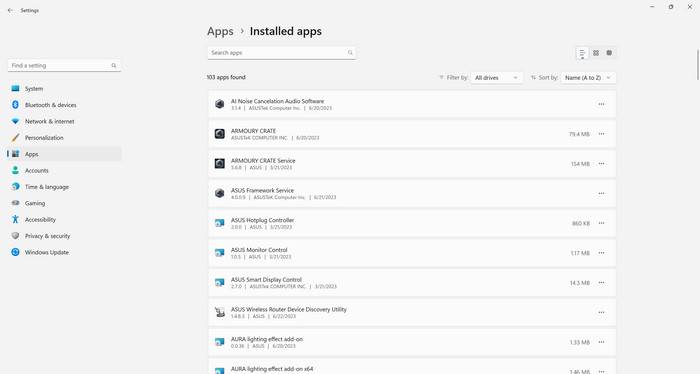
If you decide to remove Akamai NetSession Interface, you can do so through the standard uninstallation process on your operating system. Simply locate the software in the list of installed programs and select the option to uninstall. Alternatively, you can use reputable uninstaller software to ensure a thorough removal.
Recommendation: Before making any changes to your system, it is always a good practice to scan for malware. Malwarebytes Free is a trusted antivirus and anti-malware software that can help you identify and remove any potential threats. You can download Malwarebytes Free from their official website: Malwarebytes Free.
Summary
Akamai NetSession Interface is a software component developed by Akamai Technologies to enhance the speed and reliability of content delivery over the internet. It operates on a peer-to-peer model, utilizing the idle upload bandwidth of participating users to distribute content more efficiently. While the software is generally safe and secure, it is important to consider your specific needs and concerns before deciding whether to remove it. Factors such as bandwidth usage, privacy concerns, and software dependencies should be taken into account. If you choose to remove Akamai NetSession Interface, make sure to follow

Join the discussion
0 commentsShare your experience or ask a question about this article.
Discussion
Start the conversation
Have a question or something useful to share? Add the first comment.