

When it comes to computer files and processes, it’s not uncommon to come across unfamiliar terms and names. One such term that may raise eyebrows is ATL80.DLL. If you’ve stumbled upon this file on your computer, you might be wondering what it is and whether or not you should remove it. In this article, we will delve into the details of ATL80.DLL, its purpose, and whether or not it poses a threat to your system.
What is ATL80.DLL?
ATL80.DLL is a dynamic link library file that is associated with the Microsoft Active Template Library (ATL) version 8.0. DLL files contain code and data that multiple programs can use simultaneously, which helps to reduce redundancy and improve efficiency. The ATL80.DLL file specifically contains functions and resources that are utilized by software developed using the ATL framework.
ATL is a set of C++ classes provided by Microsoft that simplifies the development of COM (Component Object Model) components. COM is a binary-interface standard for software components introduced by Microsoft in the early 1990s. It enables software components to communicate and interact with each other across different programming languages and platforms.
ATL80.DLL is typically found in the Windows system directory, which is usually located at C:WindowsSystem32. It is a crucial file for any software that relies on the ATL framework, and removing it may cause those programs to malfunction or fail to run altogether.
Should I Remove ATL80.DLL?
As mentioned earlier, removing ATL80.DLL is not recommended unless you have a specific reason to do so. This file is an essential component for any software that relies on the ATL framework. If you attempt to remove it, you may encounter various issues, such as error messages, crashes, or the inability to launch certain programs.
If you suspect that ATL80.DLL is causing problems on your system, it is advisable to investigate the root cause of the issue rather than simply removing the file. In most cases, the file itself is not the problem, but rather the software that utilizes it. Updating or reinstalling the software may resolve any issues you are experiencing.
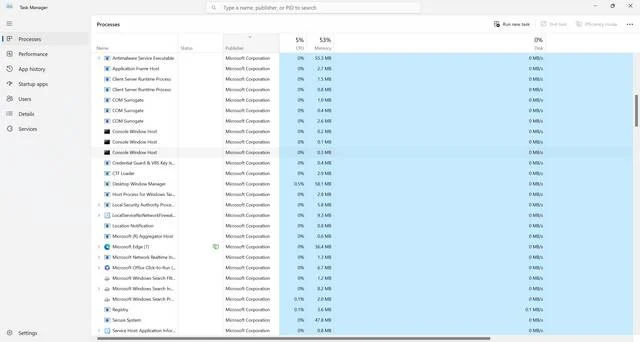
If you are unsure whether ATL80.DLL is causing any problems, you can use the Windows Task Manager to monitor the performance of your system. Open the Task Manager by pressing Ctrl + Shift + Esc and navigate to the “Processes” tab. Look for any processes that are consuming an unusually high amount of CPU or memory resources. If you notice any suspicious activity related to ATL80.DLL, it may be worth investigating further.
If you suspect that your system may be infected with malware, it is always a good idea to perform a thorough antivirus scan. One reliable antivirus software that you can use is Malwarebytes Free. It is known for its effectiveness in detecting and removing various types of malware.
Is ATL80.DLL Malware?
ATL80.DLL itself is not malware. It is a legitimate file that is part of the Microsoft ATL framework. However, like any other file, it can be targeted by malware or used as a disguise for malicious activities. Malware authors may attempt to replace or modify the original ATL80.DLL file with a malicious version to gain unauthorized access to your system or steal sensitive information.
If you suspect that the ATL80.DLL file on your system has been compromised, it is crucial to take immediate action. Perform a thorough antivirus scan using a reputable security software like Malwarebytes Free to detect and remove any potential threats. Additionally, keep your operating system and all software up to date to minimize the risk of exploitation.
Summary
ATL80.DLL is a dynamic link library file associated with the Microsoft Active Template Library (ATL) version 8.0. It is a crucial component for software developed using the ATL framework and should not be removed unless necessary. Removing ATL80.DLL may cause software malfunctions and errors.
If you suspect any issues related to ATL80.DLL, it is recommended to investigate the root cause and update or reinstall the relevant software. ATL80.DLL itself is not malware, but it can be targeted by malicious actors. Perform regular antivirus scans using reliable security software like Malwarebytes Free to ensure the integrity of your system.
Remember, maintaining a secure and up-to-date system is crucial for protecting your data and ensuring the smooth operation of your computer.

Join the discussion
0 commentsShare your experience or ask a question about this article.
Discussion
Start the conversation
Have a question or something useful to share? Add the first comment.