

When shopping online, it’s critical to thoroughly research unfamiliar e-commerce sites before making purchases. Professional scammers easily create convincing fake storefronts to defraud customers. This article examines the concerning signs found on Basicoavenue.com as a case study for vetting unknown retailers.
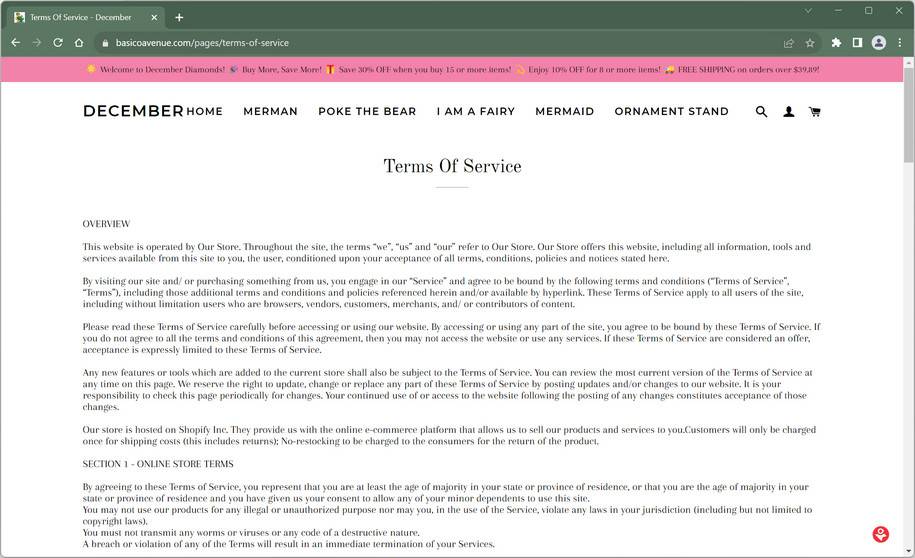
Warning Signs on Basicoavenue.com Warrant Caution for Shoppers
While Basicoavenue.com looks professional at first glance, several red flags emerge upon closer examination:
Missing Company Transparency
Reputable retailers provide background like years in business, location addresses, leadership team details, and customer service options. Basicoavenue.com shares none of this standard company information, eroding trustworthiness.
Recently Registered Domain
A Whois domain lookup shows Devcarry.com was recently registered, indicating the site is likely not an authentic long-standing business.
Stolen Product Images
Reverse image searches reveal Basicoavenue.com’s product photos are copied from overseas wholesalers. This indicates the inventory may be fabricated, not real items they can ship.
Plagiarized Website Content
Large sections of Basicoavenue.com’s shipping, returns, and privacy policies are stolen from unrelated sites. The lack of original content demonstrates low effort invested.
No Social Media Presence
Legitimate e-commerce brands maintain social media accounts for customer engagement. But Basicoavenue.com has no external social profiles, preventing vetting through other channels.
No Customer Reviews
All major retailers accumulate at least some independent customer reviews over time. The total lack of reviews for Basicoavenue.com aligns with a fraudulent new business.
While not definitive proof of ill intent, these multiple credibility gaps provide reasonable grounds for consumer skepticism. Shoppers should exercise extreme caution sharing payment or personal information with Basicoavenue.com until legitimacy can be verified. Monitor bank accounts closely if you’ve already ordered for unauthorized charges. Also prepare for potentially undelivered, late, or misrepresented products.
Vetting Online Retailers Protects Consumers
To avoid scams, consumers should thoroughly research unknown e-commerce sites before buying. Search for reviews, complaints, transparency, social proof, and other indicators of authenticity. Prioritize retailers that have consistently demonstrated ethical business practices and satisfied customers over many years. If your instincts warn that a site seems suspicious, listen and scrutinize further or avoid ordering altogether. Paying attention to warning signs can help internet shoppers safely access expanded options while avoiding deceitful merchants. Scrutinize before you buy.
What to do if you have orderd from Basicoavenue.com
If you made a purchase or entered personal information this website, acting quickly can help you minimize financial loss, secure your accounts, and prevent further misuse of your data. Follow these steps carefully:
- Contact your bank or payment provider immediately
If you paid with a credit or debit card, call your bank’s customer service line and explain that you placed an order on a website that may be fraudulent. Request to dispute the transaction or initiate a chargeback.
If you used PayPal or another payment processor, file a dispute through their resolution center and provide order confirmations, emails, or screenshots as supporting evidence.
Fast action gives you the best chance of recovering your money and preventing additional unauthorized charges. - Freeze or replace your payment method
If your card or account details were entered on this website, it’s safest to have your bank or provider issue a replacement card. This prevents future unauthorized transactions and protects your financial accounts.
Some banks may also offer temporary holds or fraud alerts, ensuring no additional transactions can be made without your consent. - Run a personal data removal scan
Fraudulent websites often collect personal information such as names, phone numbers, addresses, and emails. This data may be shared with third parties or added to marketing and phishing lists.
A trusted service such as Malwarebytes Personal Data Remover can identify where your information is listed across data broker networks and help you request its removal. - Check your digital footprint
Even if you didn’t lose money, your personal data could already be circulating online. Running a digital footprint scan can help reveal whether your email address, phone number, or other personal information is present in leaks or broker databases.
This allows you to take proactive measures such as changing credentials, monitoring accounts, or setting up alerts before your data is misused. - Change your passwords and enable 2FA
If the same email or password used during checkout is also used on other websites or services, update those credentials immediately.
Choose strong, unique passwords and enable two-factor authentication (2FA) on all important accounts, especially your primary email, banking apps, and social media. This extra security layer makes unauthorized access significantly harder. - Scan your device for potential threats
Many fraudulent sites contain hidden tracking scripts, phishing pop-ups, or files designed to compromise your security.
Run a full system scan using a trusted security solution such as Malwarebytes Free or ESET Online Scanner to make sure your device hasn’t been exposed to malware or spyware during the visit.
If any suspicious files are found, remove them and restart your device. - Check your accounts and statements regularly
Monitor your bank and credit card statements closely for any unauthorized activity. Look for unfamiliar charges, subscription renewals, or repeated small test transactions.
Also review your email inbox and online accounts for password reset notices or sign-in alerts you didn’t initiate. Report anything unusual to your bank or account provider immediately. - Report the incident to the appropriate authorities
Reporting helps law enforcement track fraudulent websites and can support your claim if needed.- In the U.S., file a report with FTC ReportFraud.ftc.gov.
- In the EU, contact Europol or your national cybercrime unit.
- Globally, you can also submit the site to ScamAdviser to help warn other consumers.
Providing the website URL, order details, and communications increases the impact of your report.
- Save all evidence and communication
Keep copies of order confirmations, emails, payment records, chat logs, and screenshots of the website. This documentation can be crucial for supporting your chargeback request, reporting the case, or pursuing legal remedies if needed.
Store everything in one secure folder so you can easily provide it to your bank or relevant agencies. - Be cautious of follow-up contact
After incidents like this, affected individuals may receive fake refund messages, phishing emails, or phone calls pretending to offer “assistance.”
Do not click on unsolicited links, download attachments, or provide additional personal information. If you receive any message related to this website, verify its authenticity directly through your bank or official payment provider channels.
The Bottom Line
Basicoavenue.com cannot be definitively classified as illegitimate with limited information. However, prudent shoppers should still approach with ample skepticism until transparency and customer satisfaction are proven over time. Insufficient evidence exists to recommend trusting them with payments or personal data. Consumers carry all risks when engaging with unverified websites.
Instead, seek out established e-commerce businesses with long histories of customer service and satisfaction readily confirmed through research. Protect yourself by verifying legitimacy before providing money or information to unfamiliar online retailers. Exercise wise caution to shop safely.

Reviews & discussion
0 commentsShare a firsthand experience, or ask a question.
Community reviews
basicoavenue.com
Moderated reader experiences, not an editorial verdict.
Start the conversation
Have a question or something useful to share? Add the first comment.