

When it comes to computer processes and files, it’s important to understand what they are and whether they are necessary for your system’s functionality. One such file that you may come across is citrixreceiver.exe. In this article, we will answer what citrixreceiver.exe is, its purpose, and whether or not you should remove it from your computer.
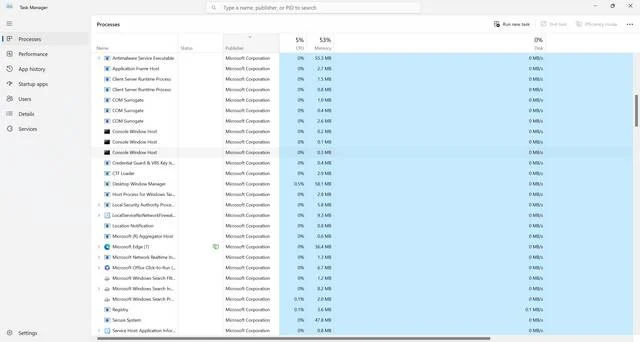
What is citrixreceiver.exe?
Citrixreceiver.exe is an executable file associated with Citrix Receiver, a software application developed by Citrix Systems. Citrix Receiver allows users to access virtual desktops, applications, and data securely from any device, including computers, tablets, and smartphones. It acts as a bridge between the user’s device and the Citrix server, enabling remote access to resources.
When you install Citrix Receiver on your computer, the citrixreceiver.exe file is created in the installation directory. This file is responsible for launching and running the Citrix Receiver application whenever you need to access virtual resources.
Is citrixreceiver.exe a virus or malware?
Due to the prevalence of malware and viruses, it’s natural to be cautious when encountering unfamiliar files on your computer. However, citrixreceiver.exe is not a virus or malware. It is a legitimate file associated with Citrix Receiver, a widely used and trusted software application in the IT industry.
That being said, it’s always a good practice to verify the authenticity of any file on your computer, especially if you suspect it may be malicious. You can do this by scanning the file with reliable antivirus or anti-malware software. We recommend using Malwarebytes Free, a reputable and effective tool for detecting and removing malware.
Should I remove citrixreceiver.exe?
Whether or not you should remove citrixreceiver.exe depends on your specific needs and usage of Citrix Receiver. Here are a few factors to consider:
1. Do you use Citrix Receiver?
If you actively use Citrix Receiver to access virtual desktops, applications, or data, removing citrixreceiver.exe would render the software unusable. Citrix Receiver is essential for establishing a secure connection between your device and the Citrix server. Removing the file would prevent you from accessing the resources you need.
2. Is Citrix Receiver causing any issues?
If you are experiencing problems with Citrix Receiver, such as crashes, errors, or performance issues, it may be tempting to remove citrixreceiver.exe as a troubleshooting step. However, it’s important to note that the file itself is unlikely to be the cause of these issues. Instead, it’s more likely that there are other underlying factors, such as network connectivity problems or conflicts with other software on your computer.
In such cases, it is recommended to seek technical support from Citrix or consult relevant online forums for assistance in resolving the issues. Removing citrixreceiver.exe without addressing the root cause may not solve the problem and could potentially lead to further complications.
3. Are you concerned about security?
If you have concerns about the security of your computer or the applications installed on it, it’s important to ensure that all software, including Citrix Receiver, is up to date. Software updates often include security patches that address vulnerabilities and protect against potential threats.
Instead of removing citrixreceiver.exe, consider regularly updating Citrix Receiver to the latest version. This will ensure that you have the most secure and stable version of the software installed on your computer.
Conclusion
Citrixreceiver.exe is a legitimate file associated with Citrix Receiver, a widely used software application for accessing virtual desktops, applications, and data securely. It is not a virus or malware. Removing citrixreceiver.exe is not recommended unless you no longer use Citrix Receiver or have specific reasons to do so.
If you suspect any file on your computer to be malicious, it’s always a good practice to scan it with reliable antivirus or anti-malware software. We recommend using Malwarebytes Free for this purpose.
Remember, when it comes to computer files and processes, it’s important to be informed and make decisions based on your specific needs and circumstances. By understanding the purpose and functionality of files like citrixreceiver.exe, you can ensure the smooth and secure operation of your computer system.

Join the discussion
0 commentsShare your experience or ask a question about this article.
Discussion
Start the conversation
Have a question or something useful to share? Add the first comment.