

Firefox Extended Support Release is the slow train. A lot of home PCs and Linux installs still show 140 in Help, About Firefox because that is the ESR major, not a leftover Rapid Release.
On 18 August 2026 Mozilla shipped Firefox ESR 140.14 and closed a high-severity set: a site isolation hole in WebGL, use-after-free bugs in WebAssembly and the DOM, and internally found memory corruption. This is not the Firefox 154 sandbox-escape brief.
If About already reads 154, close this tab. If it still reads 140.13 or older, open Help, then About Firefox, wait until the number reads 140.14, and Restart.
Overview
What broke
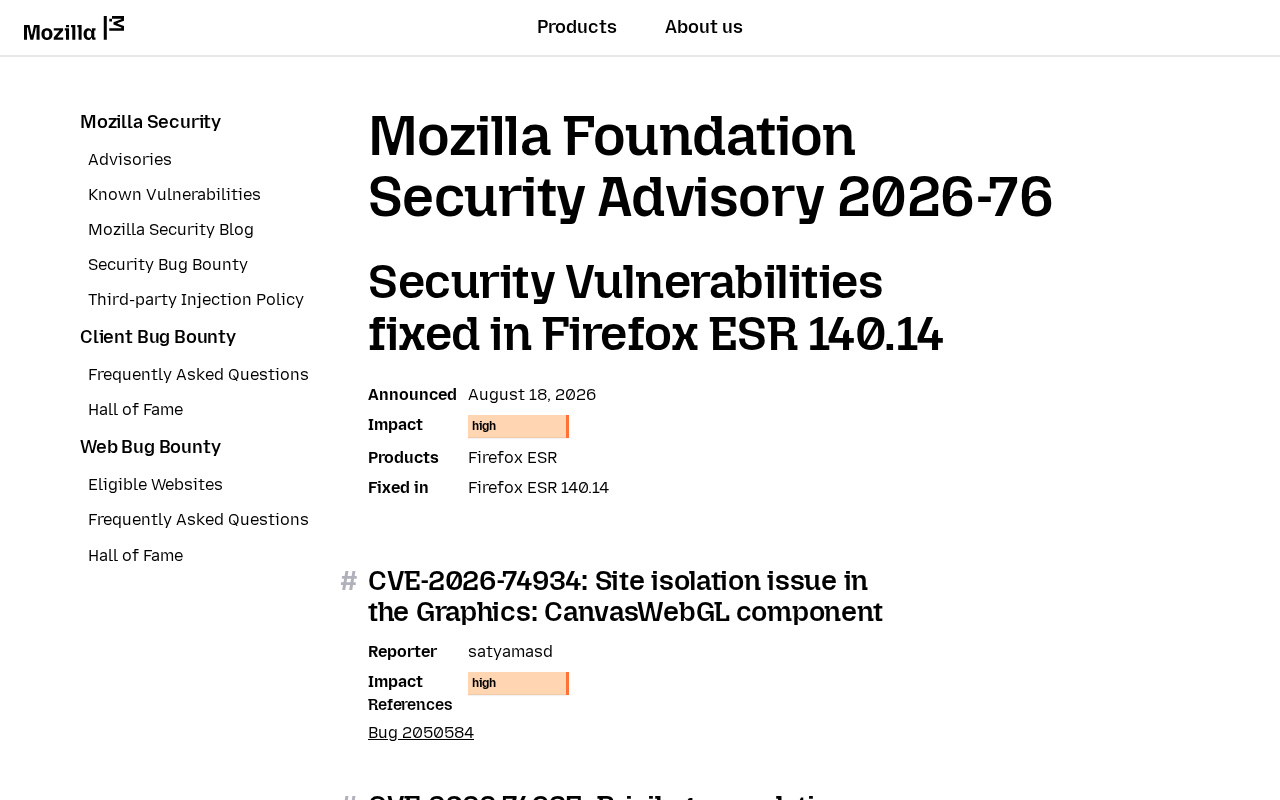
Mozilla’s Firefox ESR 140.14 advisory, MFSA 2026-76, was announced 18 August 2026. Impact is high. The build that closes the set is Firefox ESR 140.14.
The lead high-impact item is CVE-2026-74934, a site isolation issue in Graphics: CanvasWebGL. Site isolation helps separate content from different origins so one site cannot freely reach another site’s data. CanvasWebGL is the graphics component named in Mozilla’s advisory.
The same restart closes CVE-2026-74936, a use-after-free in JavaScript: WebAssembly, and CVE-2026-74944, a use-after-free in DOM: Core and HTML. A use-after-free occurs when software accesses memory after it has been released. Such flaws may cause crashes or, in some circumstances, be exploited for code execution.
Mozilla also closed internally found bugs that showed evidence of memory corruption. CVE-2026-74987 is the internal-bugs bucket for Firefox ESR 140.14, Firefox ESR 153.1, and Firefox 154. Those bugs were present in Firefox ESR 140.13, Firefox ESR 153.0, and Firefox 153.
74987 is not the Rapid Release sandbox escape. That story is CVE-2026-75874 in MFSA 2026-74. CVE-2026-74990 is the wider internal bucket and includes the 115.39 train. This brief is 140.14.
Mozilla has not said 74934, 74936, or 74944 is being used in the wild. CISA has not listed them on the Known Exploited Vulnerabilities catalog. The patch is out. That is the window.
Who is in range
Anyone still launching Firefox ESR 140.13 or older on Windows, Mac, or Linux. Distro packages and Mozilla’s own ESR installer land on this train. A shop PC with Firefox pinned as the company browser is in range until About shows 140.14.
If Help, About Firefox already shows 154, you are on Rapid Release. Close the tab on that PC. If About shows 153.0, take 153.1, not 140.14. If About still shows 115, take 115.39.
Do not jump an ESR shop to 154 unless that is the plan.
Thunderbird is a different About screen. Thunderbird 140.14 is the sibling ESR mail train, not this browser.
If you “don’t use Firefox” but never uninstalled an ESR copy, that copy is still in range. Chrome-only and Safari-only households can skip this tab once they have confirmed Firefox is not installed.
What the vendor shipped
- Firefox ESR 140.14 (18 August 2026), the 140-train build that closes MFSA 2026-76
- Firefox ESR 153.1 and Firefox ESR 115.39 the same day, for the other ESR majors
- Firefox 154 on Rapid Release, a different About number and a different advisory
- Thunderbird 140.14 for the ESR mail client, not this browser
The card is MFSA 2026-76. The in-app path is Help, About Firefox. On a Mac it is Firefox, About Firefox. Firefox downloads the build itself. You wait, then Restart. A shop image frozen by policy will not self-update until whoever owns the image allows 140.14.
What this is not
- Not Firefox 154. Not MFSA 2026-74. Not CVE-2026-75874. Rapid Release 154 users skip this.
- Not CVE-2026-74987 as a sandbox escape. That number is an internal-bugs bucket. The sandbox escape is 75874 on 154.
- Not Thunderbird 154, and not Thunderbird 140.14. Mail is a different About screen.
- Not on CISA KEV. Mozilla has not said these bugs are in the wild.
- Not patched by updating Chrome, Edge, or Safari. Different browser, different installer.
Do This Now
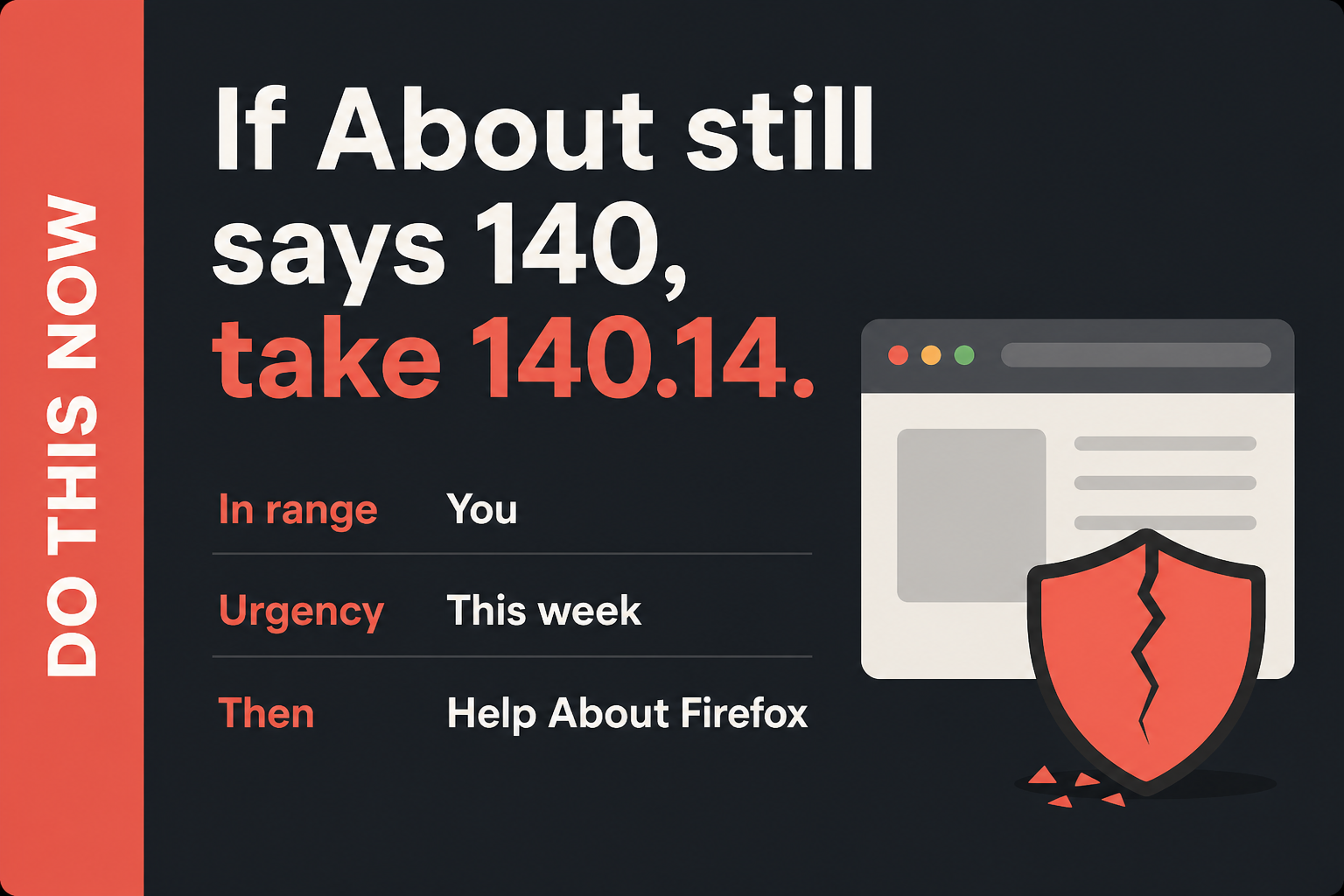
In range: You. Firefox ESR 140.13 or older, including distro and ESR installers.
Urgency: This week. Mozilla rated the set high. They have not said it is in the wild. The patch is out.
- In Firefox: Help, About Firefox. Wait until it shows 140.14, then Restart.
- Open About again and read the number. You want 140.14. If it already shows 154, this machine is not on ESR. Close the tab.
- The laptop in the bag and the shop front-desk PC: same Help, About Firefox path. Distro installs still need 140.14.
Who can skip
- About Firefox already shows 154 or newer. That is Rapid Release. You are not on this train.
- About already shows 140.14.
- About already shows 153.1 or 115.39, and you have no 140-train Firefox that anyone clicks.
- Chrome-only or Safari-only, and you have confirmed Firefox is not installed.
- Android Firefox only. Phone Firefox is Rapid Release. It is not this 140 ESR train.
- A shop PC whose Firefox is frozen by policy cannot self-update. That is an IT push of 140.14, not a skip for the fleet.
Why it matters
ESR is the Firefox installation people often forget. Schools, shops, and Linux desktops may stay on the 140 train because it receives long-term maintenance. It still handles cookies, signed-in sessions, and sensitive sites.
The advisory covers weaknesses in site isolation and memory handling. Mozilla rates the overall impact High, which is enough reason to update even though the advisory does not provide a complete public attack recipe.
Mozilla did not put an exploited flag on 74934, 74936, or 74944. CISA has not added them to KEV. Waiting is still how a high set sits on the browser you click through every morning. The About page is already in the Help menu.
The download is Mozilla’s own updater, not a third-party “browser update” site.
Firefox 154 does not land on a 140 ESR image. Updating the Rapid Release PC in the living room does not move the shop laptop that still says 140.13. Updating Chrome does not patch Firefox. Thunderbird 140.14 is the mail sibling.
It does not close this browser. One stale ESR copy is enough.
Common Firefox ESR Update Mistakes
Reading only the first part of the version
The number 140 identifies the ESR release train, not the current patch level. A computer can say Firefox ESR 140 and still be several security updates behind. Read the digits after the decimal and confirm that the complete version is 140.14 or later.
This distinction matters on machines that remain powered on for weeks. Firefox may have downloaded an update in the background while the old process stayed open. Restart the browser, reopen About Firefox, and verify the complete version rather than trusting a generic up-to-date message.
Mixing Rapid Release and ESR instructions
Firefox 154 and Firefox ESR 140.14 are both valid current branches, but they are not interchangeable labels. A Rapid Release installation should continue on its own track. An organization using ESR should apply the maintenance release approved for that ESR branch.
Do not downgrade a machine that already runs 154 merely to make it display 140.14. Do not move an ESR fleet to Rapid Release during an emergency patch unless that migration was already planned and tested. The immediate task is to update the branch already installed.
Updating one profile but overlooking another installation
Multiple Firefox profiles normally share the same application binaries, so updating the installed browser protects those profiles together. A portable copy, a second package from a Linux repository, or another system user may point to a different installation and remain behind.
Use the browser people actually launch, open its About screen, and read its version. If a shortcut opens a different package from the one you updated, remove the stale copy or update it through the package source that installed it.
Trusting a web page that demands a Firefox update
Fake update pages copy Firefox colors and logos, then offer an installer, extension, or command. The safe route is the built-in About Firefox updater, Mozilla’s official download site, or the operating system’s trusted package manager.
Close any page that asks you to disable security tools, paste a command, or install an unrelated extension. A legitimate browser update does not need a survey, payment, remote-support session, or notification permission before the download begins.
Forgetting policy-controlled and Linux installations
A managed Firefox installation may wait for an administrator’s deployment ring. Linux packages may arrive through the distribution rather than Mozilla’s in-app updater. Those delivery paths are normal, but the final version check remains the same.
If About Firefox will not move, record the current number and the package source. Send both to the administrator or check the trusted repository. Avoid replacing a managed or distribution package with a random installer, because that can create a second unmaintained copy.
Leaving the browser open for days after patching
Restoring tabs is convenient, but a long-running Firefox process can delay the moment when newly installed code takes over. Save form entries and important work, restart the browser, then confirm that websites and essential extensions still behave normally.
If an extension breaks after the update, update or disable that extension instead of rolling Firefox back to a vulnerable build. Report business-critical compatibility problems to the administrator so the fixed browser can remain installed.
Complete the Firefox ESR Update
On the PC
- Open Firefox. Any tab is fine. You do not need a special page.
- On Windows or Linux, open Help and click About Firefox. On a Mac, open the Firefox menu and click About Firefox. Some builds hide Help behind the hamburger button in the top right.
- The About page is a real Firefox tab. It will say Firefox and a version number, then start checking.
- Let it download. The line you want is 140.14. If it still shows 140.13 or an older 140 build, stay on the page until 140.14 arrives.
- Click Restart when the button appears. Firefox will close every window and reopen them. That is expected. If there is no Restart button and the number is already 140.14, you are done on this PC.
- Open About one more time after the restart and read the number. Do not trust the splash. Trust the About line.
If About Firefox never moves
Quit Firefox fully. On Windows, check the system tray and Task Manager for leftover Firefox processes, then reopen Firefox and try About again. A download that sits at 0% is often a proxy or a shop policy. Use the network you already trust.
Do not download Firefox from a random “browser update” site. Mozilla’s own About page is the installer. If you must fetch a package by hand, use Mozilla’s Firefox download page and pick the ESR build.
A shop PC with Firefox managed by Group Policy, an MDM catalog, or a “do not update” image will not self-update no matter how many times you open About. Ask whoever owns the image to push Firefox ESR 140.14.
A Linux distro install may need the distro’s updater. The proof is still About: 140.14.
If About already shows 154, and the other machines
- About already 154: close this tab on that PC. That copy is Rapid Release. It is not this ESR story.
- About shows 153.0: take 153.1 on that machine. About shows 115: take 115.39. Do not type 140.14 into those screens.
- The laptop in the bag and the shop front-desk PC: same Help, About Firefox path this week. One stale ESR copy is enough.
- Thunderbird, if you use it: Help, About Thunderbird. Mail ESR is 140.14 on a different About screen. Updating this browser does not move the inbox.
What you should see
On the About tab, under the Firefox heading, the version starts with 140.14 and should say ESR. If you still see 140.13 or an older 140 build, stay on the page. After Restart, the same About tab should show 140.14 without asking again.
If the version starts with 154, you are not on ESR. If it starts with 153.1 or 115.39, you are on a different ESR major.
When you are done
Desktop About reads 140.14 ESR on every 140-train Firefox in the house, and each of those copies has been restarted once. Rapid Release PCs that already show 154 were never this brief. Chrome, Edge, and Thunderbird are separate clicks.
You do not need to clear history or sign out. You needed a new 140-train build. You have it.
Frequently Asked Questions
Is Firefox ESR 140.14 the same as Firefox 154?
No. Firefox ESR 140.14 belongs to the long-term 140 release train. Firefox 154 is the Rapid Release browser and uses a different advisory and version path.
How can I confirm Firefox ESR updated?
Open Help, About Firefox, restart when prompted, then open About again. A 140-train installation should display 140.14 ESR or a later fixed build.
Does updating Firefox also update Thunderbird?
No. Firefox and Thunderbird share some underlying components, but they have separate installers and About screens.
Will the ESR update remove bookmarks or saved passwords?
A normal Firefox update should preserve the existing profile. Save important work, restart the browser, and verify the number in About Firefox.
What if my Linux repository has not offered 140.14?
Check the trusted distribution repository and its security notices. Do not replace a managed package with an unknown download. The installed browser should ultimately report a fixed ESR build in About Firefox.
Do I need to clear cookies or cache after updating?
No. Clearing browser data is not required to install this security fix. Restart Firefox and verify the version. Clear data only for a separate troubleshooting or privacy reason.
The Bottom Line
Firefox ESR 140.14 closes a High-impact group of browser vulnerabilities while keeping systems on the long-term ESR 140 train. Rapid Release Firefox 154 is a separate branch and should remain on its own update path.
Restart each ESR installation and verify 140.14 in About Firefox. Do not rely on another browser, another computer, or a downloaded package that was never applied.