

Online shopping scams have become increasingly common, luring unsuspecting victims with seemingly amazing deals and stealing their money without ever shipping real products. One such fraudulent website, fixhq.shop, has recently emerged targeting shoppers on Facebook with sham goods and non-existent discounts. This extensive report will uncover how the fixhq.shop scam operates, red flags to watch out for, and most importantly, how to avoid becoming the next victim.
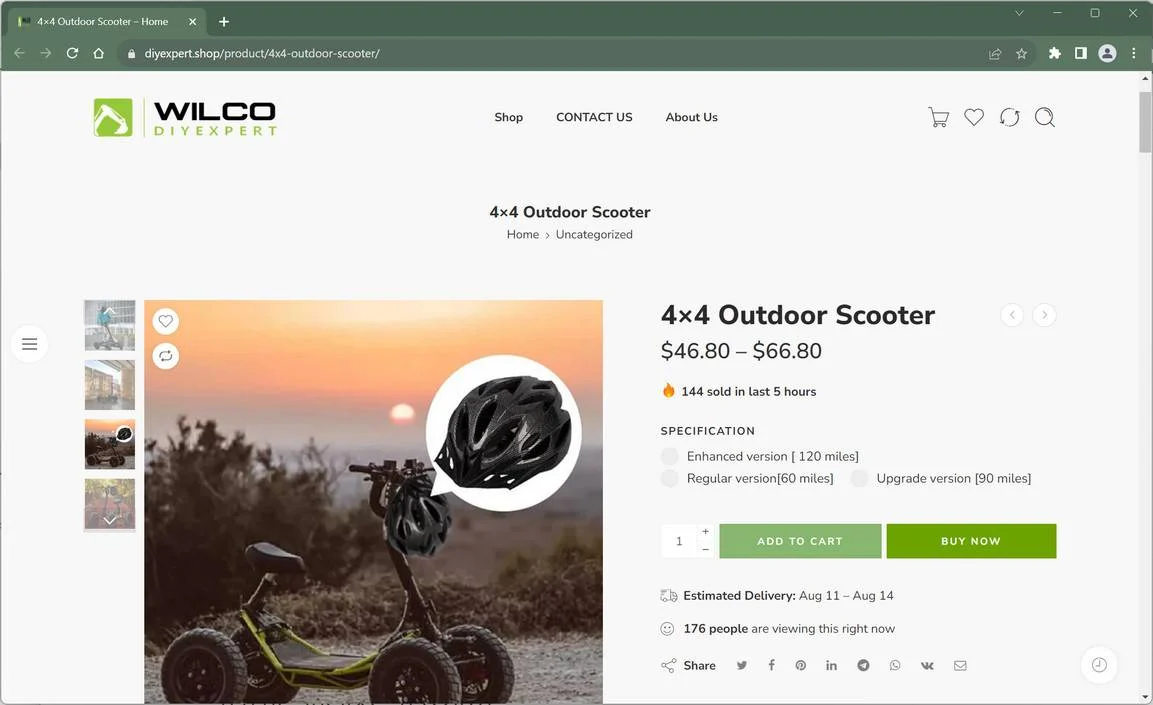
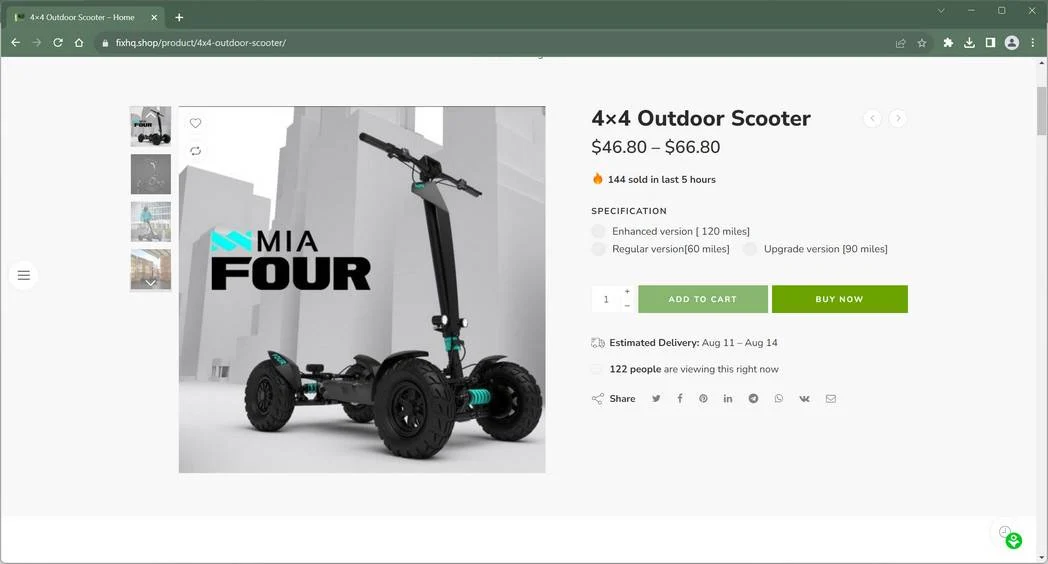
Overview of the Fixhq.shop Scam
Fixhq.shop advertises heavily on Facebook, promoting supposed sales on various products like electronics, apparel, shoes, and more. However, behind the flashy ads lies a ruthless scam designed to trick customers and steal their money and information.
Despite claims of discounted prices and inventory, fixhq.shop does not actually sell any legitimate goods. The website is a facade with no real order fulfillment, customer service, or valid business operations. Any products pictured in their ads do not exist in their supposed discounted state.
After luring victims in with the ads, fixhq.shop collects order payments and personal data but never ships anything. Customers routinely report receiving absolutely nothing after placing orders. In other cases, knock-offs, used items, or completely wrong products may arrive instead of the advertised goods.
This scam website is definitively fraudulent, bilking customers while exposing them to theft of personal and financial information. Shopping on fixhq.shop often ends badly, with zero chance of recouping losses.
How the Fixhq.shop Scam Works
The fixhq.shop scam is quite sophisticated, carefully crafted to dupe consumers through multiple steps:
Step 1: Eye-catching Facebook Ads
The scam begins with promotional ads run on Facebook, advertising hot deals on various products. The products advertised range from shoes to phone cases to beauty products and more.
These ads are designed to grab attention, using false claims of inventory clearances, limited quantities, and discounts up to 90% off. Products are given enticing sales pitches making them seem high-quality and offered at unbelievable prices.
Step 2: Clickbait Website
When users click on the Facebook ads, they are taken to the fixhq.shop website. This site uses additional clickbait and psychological triggers to convert visitors into buyers.
The website showcases the advertised products with detailed descriptions and pricing that seems affordable. Countdown timers, claims of limited stock, and pressure tactics aim to prod visitors into hastily placing orders.
Step 3: Checkout & Payment
To finish orders on fixhq.shop, customers must provide their full name, shipping address, phone number, email address, and credit card details.
This exposes all personal and payment data directly to the scammers. The site claims it uses encryption and security, but this is highly dubious for an illegitimate business.
After submitting payment, a confirmation screen appears saying the order is being processed. However, fulfillment never actually happens.
Step 4: Disappearance, Knock-offs, or Wrong Items
Once payments are collected, customers find themselves completely ghosted by fixhq.shop. They take the money and run, without shipping anything the victim ordered.
In some cases, victims eventually receive a knock-off product made with cheap materials, rather than an authentic product matching the description. Others get random used or damaged goods.
Either way, real order fulfillment never occurs. And customers find it impossible to contact fixhq.shop, as their messaging system and customer service channels are fake.
Warning Signs of the Fixhq.shop Scam
While fixhq.shop puts up a convincing front, several red flags can help identify it as a total scam:
- No legitimate business information – No company address, business registry details, or identifiable owners are listed on the site.
- Stock photos – Product images appear generic or taken from suppliers, not representing any real inventory.
- Sketchy payment processor – Unrecognizable payment processor with misspellings seen during checkout.
- Typos and grammatical errors – throughout the site and policies, demonstrating lack of professionalism.
- Non-existent customer service – No working customer service phone, email, chat, or messaging options.
- No reviews – Zero reviews from past customers, only positive comments that are clearly fabricated.
- Disposable email – Contact email address uses a public disposable email provider.
- Duplicate content – Large portions of fixhq.shop’s policies, text, and images are copied from other existing websites.
- Domain registered recently – The fixhq.shop domain was registered less than a year ago, indicating a fly-by-night scam operation.
What To Do If You Are A Victim
If you made a purchase or entered personal information this website, acting quickly can help you minimize financial loss, secure your accounts, and prevent further misuse of your data. Follow these steps carefully:
- Contact your bank or payment provider immediately
If you paid with a credit or debit card, call your bank’s customer service line and explain that you placed an order on a website that may be fraudulent. Request to dispute the transaction or initiate a chargeback.
If you used PayPal or another payment processor, file a dispute through their resolution center and provide order confirmations, emails, or screenshots as supporting evidence.
Fast action gives you the best chance of recovering your money and preventing additional unauthorized charges. - Freeze or replace your payment method
If your card or account details were entered on this website, it’s safest to have your bank or provider issue a replacement card. This prevents future unauthorized transactions and protects your financial accounts.
Some banks may also offer temporary holds or fraud alerts, ensuring no additional transactions can be made without your consent. - Run a personal data removal scan
Fraudulent websites often collect personal information such as names, phone numbers, addresses, and emails. This data may be shared with third parties or added to marketing and phishing lists.
A trusted service such as Malwarebytes Personal Data Remover can identify where your information is listed across data broker networks and help you request its removal. - Check your digital footprint
Even if you didn’t lose money, your personal data could already be circulating online. Running a digital footprint scan can help reveal whether your email address, phone number, or other personal information is present in leaks or broker databases.
This allows you to take proactive measures such as changing credentials, monitoring accounts, or setting up alerts before your data is misused. - Change your passwords and enable 2FA
If the same email or password used during checkout is also used on other websites or services, update those credentials immediately.
Choose strong, unique passwords and enable two-factor authentication (2FA) on all important accounts, especially your primary email, banking apps, and social media. This extra security layer makes unauthorized access significantly harder. - Scan your device for potential threats
Many fraudulent sites contain hidden tracking scripts, phishing pop-ups, or files designed to compromise your security.
Run a full system scan using a trusted security solution such as Malwarebytes Free or ESET Online Scanner to make sure your device hasn’t been exposed to malware or spyware during the visit.
If any suspicious files are found, remove them and restart your device. - Check your accounts and statements regularly
Monitor your bank and credit card statements closely for any unauthorized activity. Look for unfamiliar charges, subscription renewals, or repeated small test transactions.
Also review your email inbox and online accounts for password reset notices or sign-in alerts you didn’t initiate. Report anything unusual to your bank or account provider immediately. - Report the incident to the appropriate authorities
Reporting helps law enforcement track fraudulent websites and can support your claim if needed.- In the U.S., file a report with FTC ReportFraud.ftc.gov.
- In the EU, contact Europol or your national cybercrime unit.
- Globally, you can also submit the site to ScamAdviser to help warn other consumers.
Providing the website URL, order details, and communications increases the impact of your report.
- Save all evidence and communication
Keep copies of order confirmations, emails, payment records, chat logs, and screenshots of the website. This documentation can be crucial for supporting your chargeback request, reporting the case, or pursuing legal remedies if needed.
Store everything in one secure folder so you can easily provide it to your bank or relevant agencies. - Be cautious of follow-up contact
After incidents like this, affected individuals may receive fake refund messages, phishing emails, or phone calls pretending to offer “assistance.”
Do not click on unsolicited links, download attachments, or provide additional personal information. If you receive any message related to this website, verify its authenticity directly through your bank or official payment provider channels.
How to Avoid the Fixhq.shop Scam
The best way to avoid the fixhq.shop scam is simply not to shop there under any circumstances. But you can also protect yourself from similar scams in the future by following these tips:
- Research unfamiliar sites – Search for reviews and complaints before purchasing to uncover scammer operations.
- Beware social media ads – Don’t trust deals promoted in Facebook ads or posts without independent research.
- Check contact details – Legitimate sites should have a real address, customer service number, and professional email.
- Avoid sketchy payment options – Only use widely recognized processors like Visa, Mastercard, PayPal, etc.
- Verify security – Real secure websites start with https and display a locked padlock in the browser bar.
- Price check deals – If a deal seems too good to be true, search for the regular price for comparison.
- Read cancellation policies – Avoid stores with no refunds or that charge hefty cancellation fees.
- Use credit cards – Never use cash apps, debit cards, wire transfers or gift cards – you’ll have no recourse for fraud.
In Conclusion
Fixhq.shop advertises tantalizing deals on products that simply don’t exist. It is a fraudulent website engineered to scam customers and steal their money and information. No orders will ever be fulfilled, despite claims otherwise.
Recognize this scam site for what it is, and warn your family and friends to avoid it as well. Only shop on reputable websites that can be verified through independent research and reviews. Taking a few simple precautions will keep your money secure and protect you from online shopping scams.
Frequently Asked Questions
Is fixhq.shop real or fake?
Fixhq.shop is 100% fake. It pretends to sell various products, but is actually just a scam to steal money and data. No real store or warehouse exists behind the site.
Where is fixhq.shop located?
The scam website provides no real address or location. The domain was registered anonymously through a proxy service to hide the owner’s identity and location.
How does fixhq.shop advertise their website?
Fixhq.shop runs ads on Facebook promoting supposed sales and clearance deals. The ads use eye-catching images and language to entice clicks to their scam site.
What happens when you place an order on fixhq.shop?
After submitting payment info, victims receive order confirmations but no products ever ship. The site operators steal the payment and personal data with no intent of sending anything.
What information does fixhq.shop collect during checkout?
The site collects your full name, physical address, phone number, email address, and credit/debit card details – everything a scammer needs for financial fraud and identity theft.
Can you get your money back if you ordered from fixhq.shop?
It is very unlikely victims can get money back once sent to the scam website. You should still report it as fraud to your bank or card issuer in hopes of a reversal.
How can I check if an unfamiliar online store is a scam?
Research the site for reviews, look up the company online for complaints, check for a real address and customer service, verify security badges, and beware of prices that seem unrealistic.

Reviews & discussion
0 commentsShare a firsthand experience, or ask a question.
Community reviews
fixhq.shop
Moderated reader experiences, not an editorial verdict.
Start the conversation
Have a question or something useful to share? Add the first comment.