

Have you ever come across the file named fmaonsite.exe on your computer and wondered what it is and whether you should remove it? In this article, we will delve into the details of fmaonsite.exe, its purpose, and whether it poses any risks to your system. We will also provide insights on whether you should consider removing it or not. So, let’s get started!
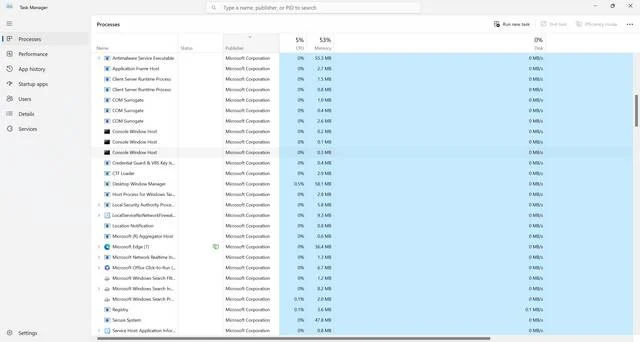
What is fmaonsite.exe?
Fmaonsite.exe is a file that is commonly found on Windows operating systems. It is associated with a software program called “FMA Onsite” which stands for “Field Marketing Automation Onsite.” FMA Onsite is a tool used by businesses to manage and track field marketing activities, such as events, promotions, and product demonstrations.
When you see fmaonsite.exe running on your computer, it means that the FMA Onsite software is currently active or installed on your system. The file itself is an executable, which means it is capable of performing specific functions when executed.
Is fmaonsite.exe Malware?
Now that we know what fmaonsite.exe is, the next question that arises is whether it is malware or not. It is important to note that fmaonsite.exe is not inherently malicious. It is a legitimate file associated with the FMA Onsite software. However, like any other executable file, it is possible for malware to disguise itself as fmaonsite.exe to avoid detection.
If you suspect that the fmaonsite.exe file on your computer is malware, it is crucial to perform a thorough scan using reliable antivirus software. We recommend using Malwarebytes Free, a trusted antivirus program known for its effectiveness in detecting and removing malware.
Should I Remove fmaonsite.exe?
Whether you should remove fmaonsite.exe depends on your specific circumstances. Here are a few factors to consider:
1. Legitimate Use:
If you are aware of having installed the FMA Onsite software or if you are using it for your business purposes, there is no need to remove fmaonsite.exe. It is a legitimate file associated with the software and plays a crucial role in its functioning.
2. Suspicious Behavior:
If you notice any suspicious behavior or performance issues on your computer that you suspect may be related to fmaonsite.exe, it is advisable to investigate further. Look for signs such as excessive CPU or memory usage, unexpected network activity, or unauthorized access attempts. If you find any evidence of malicious activity, it is recommended to remove fmaonsite.exe immediately.
3. False Positives:
Antivirus software can sometimes flag legitimate files as potential threats due to false positives. If your antivirus program identifies fmaonsite.exe as malware but you are confident in its legitimacy, you can add the file to the exclusion list or whitelist to prevent it from being mistakenly removed.
How to Remove fmaonsite.exe?
If you have determined that fmaonsite.exe is indeed malware or unwanted software, here are the steps you can take to remove it:
- Run a full system scan using reliable antivirus software like Malwarebytes Free. This will help detect and remove any malicious files associated with fmaonsite.exe.
- If the antivirus scan identifies fmaonsite.exe as a threat, follow the recommended actions provided by the antivirus software to quarantine or remove the file.
- After removing the malware, it is advisable to perform a thorough system cleanup to ensure all traces of the malicious software are eradicated. This can be done by using tools like CCleaner or by manually deleting temporary files and cleaning up the Windows registry.
Summary
In conclusion, fmaonsite.exe is a legitimate file associated with the FMA Onsite software used for field marketing automation. While it is not inherently malicious, it is essential to remain vigilant and ensure that the file is not being used by malware. If you suspect any malicious activity or encounter performance issues related to fmaonsite.exe, it is recommended to perform a thorough scan using reliable antivirus software like Malwarebytes Free. Based on the scan results, you can decide whether to remove fmaonsite.exe or take appropriate actions to mitigate any potential risks.

Join the discussion
0 commentsShare your experience or ask a question about this article.
Discussion
Start the conversation
Have a question or something useful to share? Add the first comment.