If you recently saw posts, headlines, or an email saying Amazon is sending refunds because of a Federal Trade Commission settlement, it is completely normal to pause and think, “Wait… is this real?”
This time, the simple answer is reassuring: the FTC Prime Subscription Settlement is legit. It is not a scam. The FTC and Amazon reached a $2.5 billion settlement related to allegations about how Prime subscriptions were enrolled and how cancellations worked, and refunds are being issued through an official, court-supervised process.
That said, scammers love to “parasite” on real news like this. A real settlement can become the perfect cover story for fake emails, fake PayPal notices, and copycat claim sites. So the smartest approach is:
- Understand how the real process works
- Know what the official messages and timelines look like
- Learn the red flags that scammers cannot resist
This guide walks you through all of it, step by step, in plain English, with safety checks you can actually use.
What the FTC Prime Subscription Settlement is, and why it exists
In late September 2025, the FTC announced a landmark settlement with Amazon tied to allegations about Prime sign-ups and cancellations.
The case centered on an idea the FTC (and many consumer advocates) have been highlighting for years: “dark patterns.” In everyday terms, these are user interface and design choices that push people toward decisions they did not fully intend, often by making the “yes” path frictionless while hiding the “no” option behind confusing wording, extra steps, or visual tricks.
The core allegation in simple terms
The FTC alleged that Amazon:
- Used design flows that nudged or steered customers into Prime enrollment in ways that were not always clear
- Made it harder than it should be to cancel, through a multi-step process that added friction and confusion
Whether you personally love Prime or use it daily is beside the point. This case focused on customers who ended up enrolled when they did not meaningfully choose it, and customers who tried to leave but felt trapped in a maze of screens.
What Amazon agreed to pay
The settlement totals $2.5 billion, split into two major pieces:
- $1.5 billion allocated for consumer refunds
- $1 billion as a civil penalty paid to the U.S. government
The FTC described it as historic, and multiple major outlets covered it as one of the largest actions of its kind.
The most important thing to know: the settlement is real, but scams will follow
Here’s the pattern scammers use:
- A real event happens (like a big settlement).
- People search for it, talk about it, and expect emails.
- Scammers blast fake versions that look believable because the story is already everywhere.
So you can hold two truths at once:
- Yes, the settlement is legitimate.
- Yes, scammers may send fake emails pretending to be “the settlement.”
Your job is not to become a legal expert. Your job is to recognize what the real process looks like so the fakes stand out instantly.
Official settlement timeline and how refunds are being distributed
The FTC and the official settlement site describe a two-stage distribution:
- Automatic refunds for many clearly eligible customers
- A claims process for others who may qualify but do not receive an automatic payment
Let’s break it down cleanly.
Key dates (these matter because scammers often get them wrong)
- Enrollment window used for eligibility: June 23, 2019 to June 23, 2025
- FTC settlement announcement: September 25, 2025
- Automatic refund emails/payments: November 12, 2025 through December 24, 2025
- Claims window opens: December 24, 2025
- Some eligible consumers receive notice by: January 23, 2026
If an email claims you must act “today only” outside these timelines, that is a bright red flag.
Who is eligible for a refund?
Eligibility is not “everyone who ever had Prime.”
The core criteria described by the FTC and the settlement site include:
- You are an Amazon Prime customer in the United States
- You signed up for Prime between June 23, 2019 and June 23, 2025
- Your sign-up happened through a challenged enrollment flow (examples include certain Prime decision pages, shipping selection, checkout, or Prime Video enrollment flows)
Then, eligibility splits into two groups depending on how much you used Prime benefits.
Group 1: Automatic Payment Group (no claim required)
Generally, the automatic group is aimed at people who:
- Meet the date and enrollment-flow criteria, and
- Used no more than three Prime benefits in a 12-month period during the relevant timeframe
If you are in this group, you typically do not need to file anything to get paid.
Group 2: Claim Process Payment Group (claim window opens December 24, 2025)
This group generally includes people who:
- Meet the base criteria, and
- Used more than three but less than ten Prime benefits in a 12-month period, and
- Either unintentionally enrolled through the challenged flow or tried to cancel online but could not
The settlement site also describes notices being sent to eligible consumers and a claim submission window measured in days (for example, 180 days to submit after notice).
How much money will you get?
Refund amounts are not a flat “everyone gets $51.”
What the FTC and settlement materials emphasize is:
- Eligible consumers receive refunds of Prime membership fees paid, up to a maximum of $51 per person
Why some people get a tiny payment
It can look suspicious when someone receives something like $1.24 or $3.17 and thinks, “That can’t be real.”
But the settlement FAQ explains that payment amounts depend on what was actually paid, and can be reduced by:
- Prior refunds or credits
- Chargebacks already issued
- Trials or promotional periods that cost little or nothing
Ironically, “the amount is small and weird” is not proof of a scam here. Sometimes it is proof the system is calculating real membership fees rather than making up a round number.
How payments are sent (and what the real options are)
This is where scammers try hardest to trick people, because it involves money moving.
According to the FTC and the settlement site, the legitimate payment methods include:
- PayPal
- Venmo
- Mailed paper checks
And there are specific timing rules:
- If you get an automatic payment option via PayPal or Venmo, you generally need to accept it within 15 days
- If you prefer a check, the FTC guidance says you can ignore the PayPal or Venmo notice and a check may be mailed to your default shipping address
- If you receive a check, there can be a “cash by” window (for example, the FTC mentions cashing checks within a set time period).
What the real settlement will NOT do
This is the part to memorize, because it eliminates most scams instantly.
A legitimate settlement notice in this case should not ask you to:
- Pay a “processing fee”
- Enter your Amazon password to “confirm identity” through a random link
- Provide banking login credentials
- Send gift cards, crypto, Zelle, or wire transfers
- Install software or call a phone number to “unlock your refund”
If you see any of the above, you are not dealing with the settlement. You are dealing with a scam wearing the settlement like a costume.
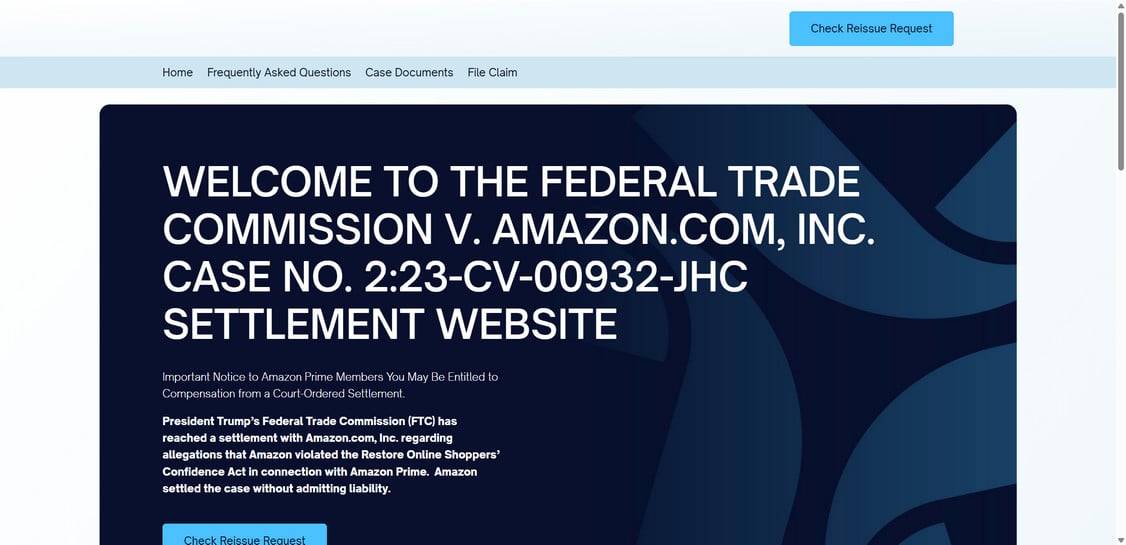
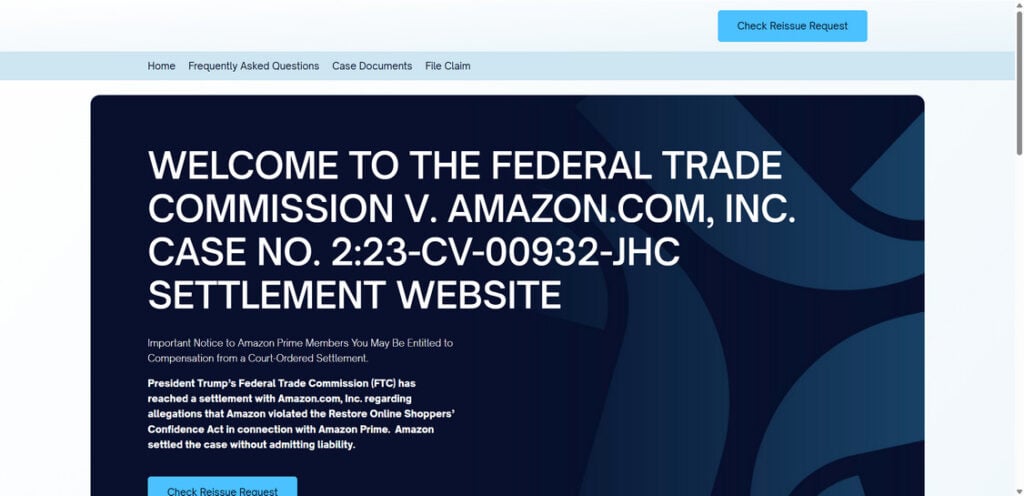
The official claim site (use this safely)
You mentioned the official site and the claim opening date. The settlement site itself describes the claims window opening December 24, 2025, and outlines how eligibility and notices work.
To avoid lookalike sites and ad traps, the safest method is:
- Open a new browser tab
- Type the domain manually (do not click a random “claim now” button from an email)
- Double-check spelling before you press Enter
Official domain (type it yourself):
www.subscriptionmembershipsettlement.com
The site contains official pages describing the two payment groups and the claim filing process timing.
How to spot scam emails and fake refund messages pretending to be the settlement
Even when the real thing is happening, scammers can still send emails that appear “reasonable” at a glance.
Here’s how to separate real from fake in a way that does not require guessing.
1) Check what the message is trying to make you do
A real notice typically points you toward receiving a refund through standard methods, or toward the official settlement process.
A scam notice usually tries to force one of these actions:
- Click a link and log in “to verify”
- Call a number “to receive your refund”
- Fill out a form that asks for far more data than a claim should need
- “Confirm” your payment method by entering card details
That last one is huge. A settlement refund is not a retail purchase. It should not need your full card number.
2) Look for payment method bait
Scammers love to impersonate PayPal, Venmo, and Amazon at the same time, because it creates confusion.
The FTC’s public guidance explains that eligible customers are notified and can receive refunds by PayPal or Venmo, with the option of receiving a check if they ignore the electronic payment.
A scammer will often add a twist like:
- “We could not process your refund, update your bank now”
- “Your PayPal is restricted, confirm your identity here”
- “Refund failed, pay $1 to revalidate”
Those are classic phishing moves.
3) Don’t trust sender names, trust the destination
A sender name can say “Amazon Refunds” while the actual email address is unrelated.
Instead of judging by the display name, focus on:
- Where the link goes (hover on desktop)
- Whether the domain is correct (one extra letter can be a fake)
- Whether it routes through weird tracking domains first
If you do nothing else, do this: do not click. Open a fresh tab and type the official domain.
4) Scammers often get the details slightly wrong
Because the legitimate process has very specific details, scammers often slip:
- Wrong date ranges
- Wrong maximum refund amount
- Wrong claim opening date
- Different payment apps not listed by the FTC or settlement site
If a message says you will be paid via gift card, crypto, or “direct bank transfer,” it contradicts the official guidance and should be treated as malicious.
How to verify your refund safely, step by step
If you want a simple, low-risk routine, use this checklist.
Step 1: Confirm you are in the right population
The settlement applies to Prime customers in the U.S. who enrolled within the defined period.
If you are not a U.S. consumer, you may see the news but still be ineligible for payment.
Step 2: Confirm you enrolled during the eligibility window
The key sign-up window is June 23, 2019 to June 23, 2025.
If you joined Prime after June 23, 2025, a message claiming you qualify is immediately suspicious.
Step 3: Understand the automatic vs claim process split
Automatic payments are tied to very low usage of Prime benefits (no more than three in a 12-month period).
If you streamed Prime Video every day, ordered constantly with Prime shipping, and used Prime Music nonstop, you might not match the automatic group. That does not mean you are “in trouble.” It just means the system may not treat you as a minimal-usage consumer in the automatic pass.
Step 4: Check in the places that do not require clicking email links
- If the notice mentions PayPal or Venmo, check inside the PayPal or Venmo app directly (not via an email link).
- If you expect a check, confirm your default shipping address is accurate in your Amazon account.
The FTC guidance also explains what happens if you do not accept the PayPal or Venmo payment and prefer a mailed check.
“I think I qualify, but I didn’t get an automatic payment.” What now?
This is where people get frustrated, and scammers take advantage of that frustration.
The official guidance describes a claims process for eligible consumers who did not receive an automatic refund.
What to do that is safe and realistic
- Use the official settlement site you type in manually.
- Expect that some claims and reviews continue into 2026, especially for the group that used more benefits or had cancellation issues.
- Be wary of anyone offering to “file for you” for a fee.
If someone messages you on social media saying they can get you a bigger refund “fast,” that is almost never legitimate.
Why the claims process can take time
The claim process is designed to handle cases that are not as clean as the automatic group. In those cases, the claims administrator may need to:
- Confirm eligibility
- Review the claim form
- Approve or deny based on the settlement rules
That is normal, and it is exactly why scammers try to sell “instant approval” as a service.
What to do if you clicked a suspicious link or shared information
If you already interacted with something that now feels wrong, focus on quick, practical damage control.
If you entered your Amazon password anywhere
- Change your Amazon password immediately
- Enable two-step verification if you have not already
- Check your account for new devices, new addresses, or new payment methods
- Review recent orders and subscriptions
If you entered PayPal or Venmo credentials
- Change your password
- Enable two-factor authentication
- Review recent activity and authorized devices
- Watch for new “authorized merchants” or linked bank accounts
If you gave card details or bank details
- Contact your bank or card issuer right away
- Ask about stopping or reversing suspicious transactions
- Consider replacing the card number if exposed
Report it
The FTC tracks consumer fraud reports and patterns. If you encountered a settlement-themed scam attempt, reporting helps build enforcement cases and public warnings.
Why this settlement matters beyond Prime
Even if you never receive a refund, this case matters because it sends a loud message to subscription businesses:
- Enrollment needs to be transparent
- “No thanks” options need to be clear
- Cancellation should not feel like escaping a puzzle box
It also gives consumers a useful lesson: whenever a service is “free for 30 days,” the most important part of the offer is often the part you barely see, like auto-renewal terms, trial conversion dates, and how cancellation works.
If you take one habit from this story, let it be this:
When you sign up for anything that renews, take 30 seconds to screenshot:
- The confirmation screen
- The renewal price and date
- The cancellation page path (where in the account it lives)
That small habit saves hours later.
FAQ: FTC Prime Subscription Settlement Refunds
Is the FTC Prime Subscription Settlement legit, or is it a scam?
It is legit. The settlement is real, and the refund process is part of an official, court-supervised settlement. The scam risk comes from copycat emails and fake claim sites that try to impersonate the real program.
What is this settlement about?
It resolves allegations that Amazon used “dark patterns” to steer some people into automatically renewing Prime subscriptions and then made cancellation unnecessarily difficult.
How much money can I get?
Refunds are capped at $51 per person. Your amount can be smaller depending on what you paid, how long you stayed enrolled, and whether you already received credits or refunds.
Who is eligible for a refund?
In general, you must:
- Be a U.S. Amazon Prime customer
- Have signed up between June 23, 2019 and June 23, 2025
- Have enrolled through a challenged sign-up flow
- Meet usage and/or cancellation criteria described by the settlement rules
What does “used Prime benefits three or fewer times” mean?
It refers to how often you used certain Prime benefits in a 12-month period. If your usage was very low (three or fewer uses), you are more likely to be in the automatic payment group.
I used Prime a lot. Am I automatically disqualified?
Not automatically, but heavy usage often means you may not fit the “low usage” criteria for automatic refunds. Some people who used more benefits (for example, 4–10) may still be eligible through the claims process if they meet other conditions.
When do automatic payments go out?
Automatic notifications and payments are sent during Nov 12 to Dec 24, 2025, based on the settlement schedule you provided.
What payment methods are used?
Refunds are typically delivered by PayPal or Venmo (when offered), and by mailed check for people who do not accept the digital payment or who receive a check by default.
Do I need to accept the PayPal or Venmo payment quickly?
Yes. Settlement payments sent through PayPal or Venmo usually have an acceptance window. In this program, you noted 15 days.
How do I get a paper check instead of PayPal or Venmo?
If you receive a PayPal or Venmo notice and you prefer a check, the guidance you provided says to ignore the digital payment email and a check will be mailed to your default address.
I think I’m eligible, but I didn’t get an automatic email. What should I do?
Use the claims process. You can submit a claim starting December 24, 2025 at:
www.subscriptionmembershipsettlement.com
When will “claims” payments be processed?
You noted that claims for people who used 4–10 benefits or who tried to cancel unsuccessfully will be processed in 2026.
Do I need to pay a fee to get my refund?
No. Legitimate settlement claims do not require you to pay a fee to receive your money.
Will the settlement email ask for my Amazon password or full card number?
No. Any message asking for your password, full card details, bank login, or a “verification fee” is a strong sign it’s a scam.
How can I tell a fake settlement email from a real one?
Common red flags include:
- Urgency like “final notice” or “refund expires today”
- Links to lookalike domains (misspellings, extra words, odd endings)
- Requests to “verify” by logging in through the email link
- Requests to call a phone number to “activate” your refund
- Payment methods that do not match the official options (gift cards, crypto, wire transfer)
I clicked a suspicious link. What should I do now?
Change your Amazon password immediately, turn on two-factor authentication, and review your account for new devices, addresses, or payment methods. If you entered PayPal or Venmo credentials, change those passwords too and enable 2FA there as well.
Can scammers use this settlement as a cover story?
Yes. Real settlements often trigger waves of phishing. The safest habit is to type the official settlement site address directly into your browser instead of clicking email links.