


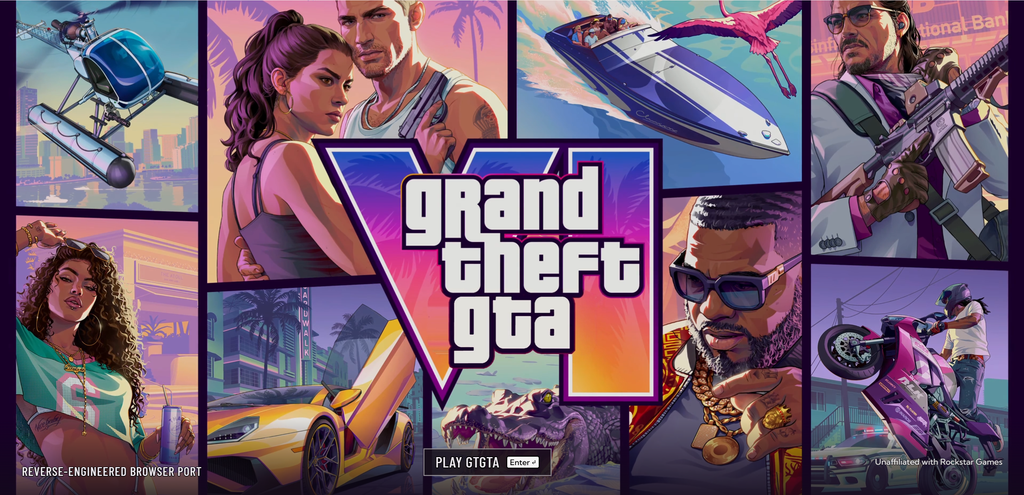
GrandTheftGTA.com makes a convincing first impression: GTA-style artwork, a Play button, settings to adjust, and a loading screen full of technical messages. If someone sent you the link claiming you could play GTA 6 in a browser, the first few screens might make you curious enough to try.
We followed the sequence through to the end. The setup is elaborate, but the payoff is a joke.
What Is GrandTheftGTA.com?
GrandTheftGTA.com is a GTA-themed prank website that imitates the process of launching Grand Theft Auto VI in a browser. It presents loading screens, setup menus, and a brief video before revealing the joke.
The homepage calls the project a “Reverse-engineered browser port” and displays a “PLAY GTGTA” button. It also states that it is unaffiliated with Rockstar Games. Those are the website’s own descriptions; the browser-port claim is not evidence that GTA VI is actually running.
There is no playable GTA 6 browser game in the experience we tested. After the loading and setup sequence, we saw approximately 10 seconds of game footage, followed by a rickroll.
The menus are interactive, which helps sell the idea. You can make selections and move through screens. What you never reach in that sequence is control of a playable GTA VI world.
What Happens When You Try to Play?
The site puts effort into the things players normally do before a game starts. That is what makes the prank more convincing than a page with a fake Play button.
A GTA-Style Title Screen and Loading Sequence
The opening presentation uses a collage of characters, vehicles, and scenery around a large “Grand Theft GTA” logo and the Roman numeral VI. The layout looks familiar enough to suggest a game launch screen.
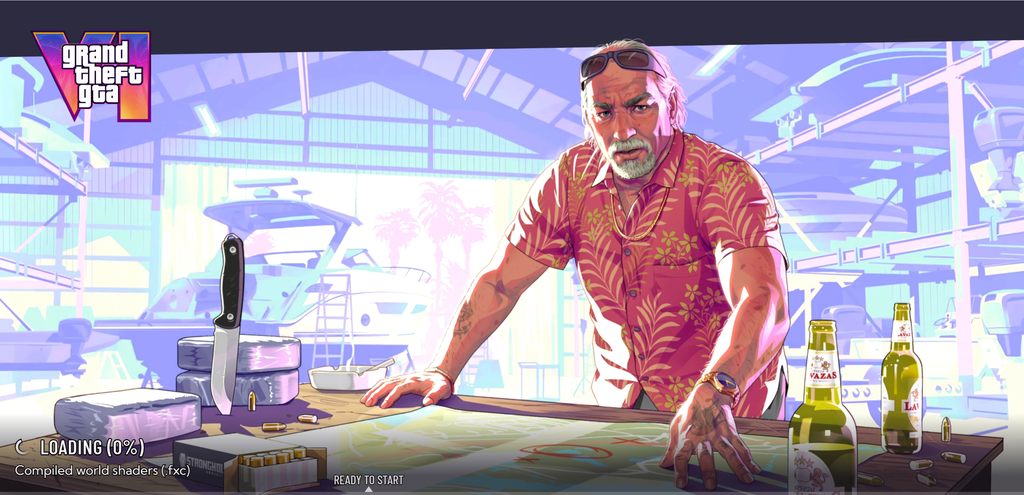
The loading screens continue that presentation with illustrated backgrounds, a spinner, percentages, and technical-sounding status messages. Two examples visible in our captures are:
- “Compiled world shaders (.fxc)” at 0%.
- “Street collision bounds (.ybn)” at 12%.
Those details make it easy to imagine that the browser is preparing a large game. A reference to shaders or collision data sounds more substantial than a generic “Please wait” message.
But the text displayed by a loading screen is not a record of what the computer is actually doing. These labels do not establish that GTA VI’s engine, map, or game files are being prepared.
The page has its own interface, artwork, and video to display. Seeing those elements load does not establish that a playable game is behind them.
Settings That Look Like the Start of a Real Game
The setup screens are some of the most effective parts of the prank.
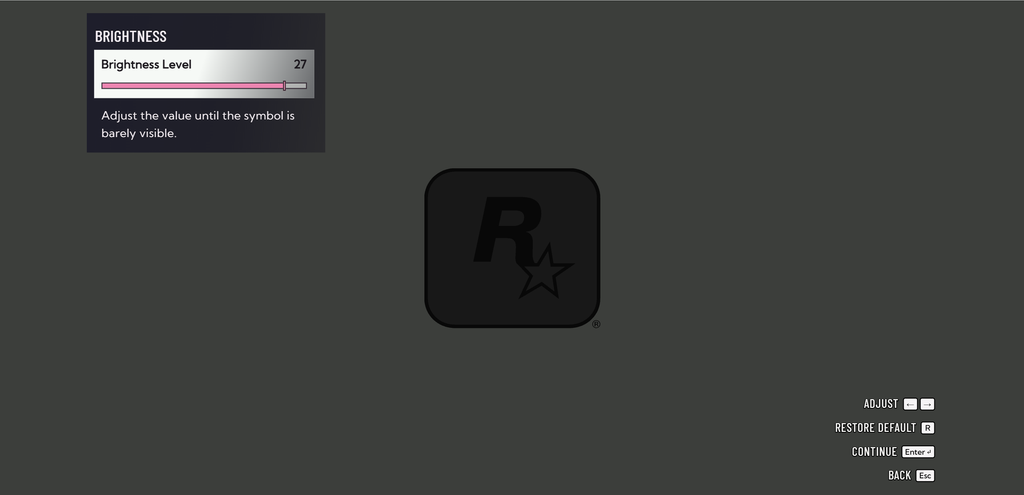
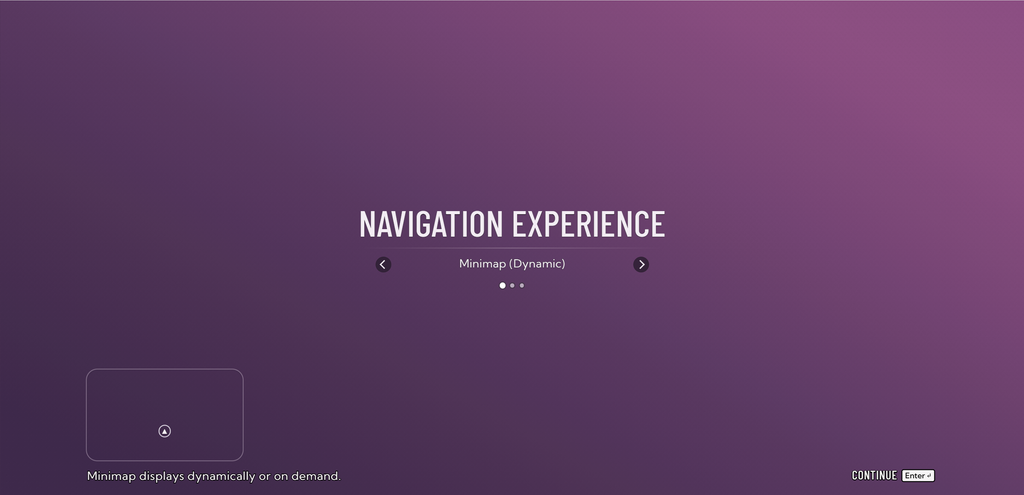
Our captures show a Navigation Experience menu with a dynamic minimap option, a UI Text Size screen, and a Brightness adjustment with instructions to make a symbol barely visible. There are familiar keyboard prompts for continuing, going back, and restoring a default.
These are ordinary decisions players expect to make when starting a game for the first time. Including them gives the page a believable rhythm: choose an option, press Enter, move to the next screen.
It also gives you something to do. You are interacting with the website, so the experience can feel more substantial than watching a video.
The distinction is between controlling the setup interface and controlling a game. A working brightness slider or a selectable minimap preference does not establish that there is a playable world waiting afterward.
Legal Notices Add to the Presentation
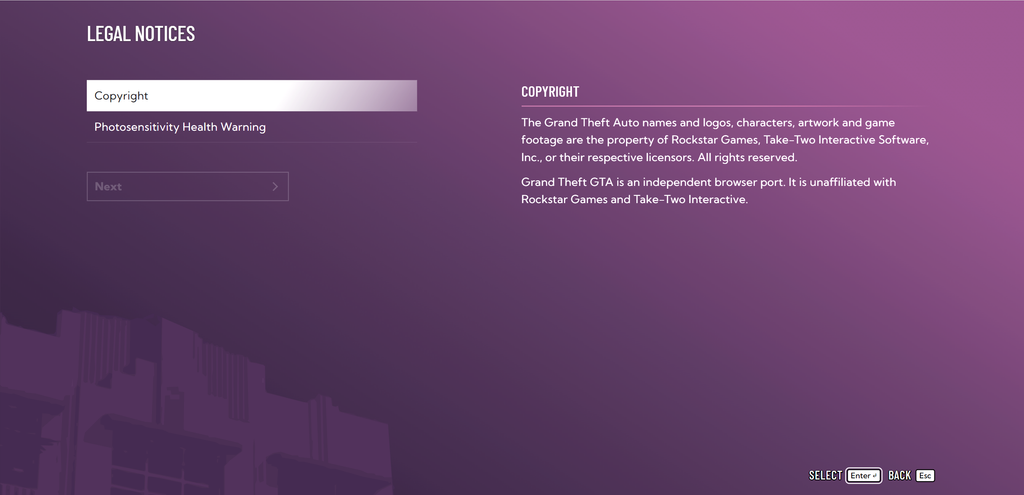
The site also includes copyright information, a photosensitivity notice, and a Terms & Policies screen with acknowledgment boxes.
The captured copyright screen attributes GTA material to Rockstar Games, Take-Two, and their respective licensors. It describes Grand Theft GTA as independent and unaffiliated with those companies.
The terms screen goes further, saying that confirmation certifies lawful ownership of GTA VI.
That wording can make the process feel formal, but it remains text presented by the website. It does not establish publisher approval, verify that a game has been ported, or demonstrate a genuine connection to a purchased copy.
These screens contribute to the appearance of a game startup process. The result of that process is still what matters.
About 10 Seconds of Footage—Then the Reveal
After the setup and loading, a short game clip appears.
In our test, the footage lasted roughly 10 seconds before the prank was revealed. That is an approximate observation of the clip, not a measurement of the entire startup process.
This is the moment most likely to fool someone watching an incomplete recording. After the loading screens and settings, a cinematic scene can look like the game has finally started. Our captures include a nighttime scene with dialogue subtitles.
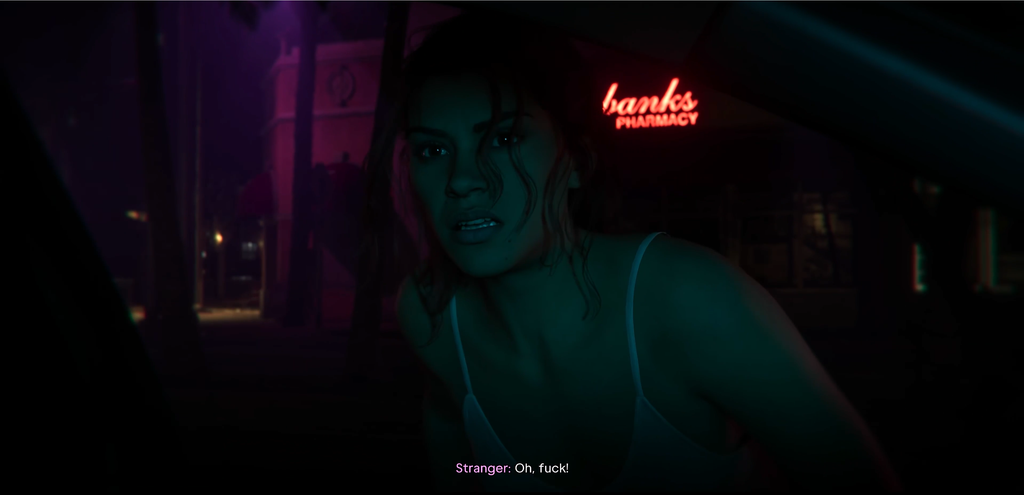
But a game scene playing as a video is not the same as a game responding to your controls.
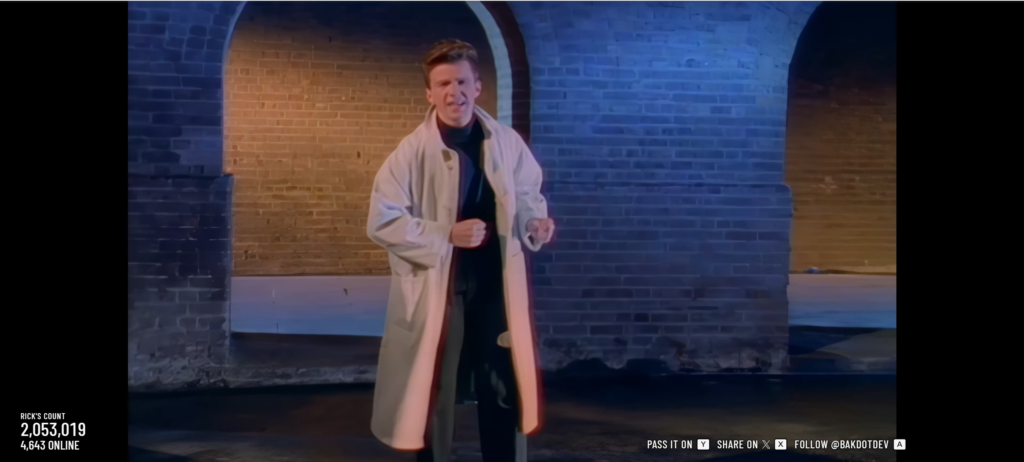
The sequence then switches to Rick Astley’s “Never Gonna Give You Up.” It is a rickroll: the familiar internet prank in which the promised content gives way to that music video. Independent reporting on this same website has documented the same reveal.
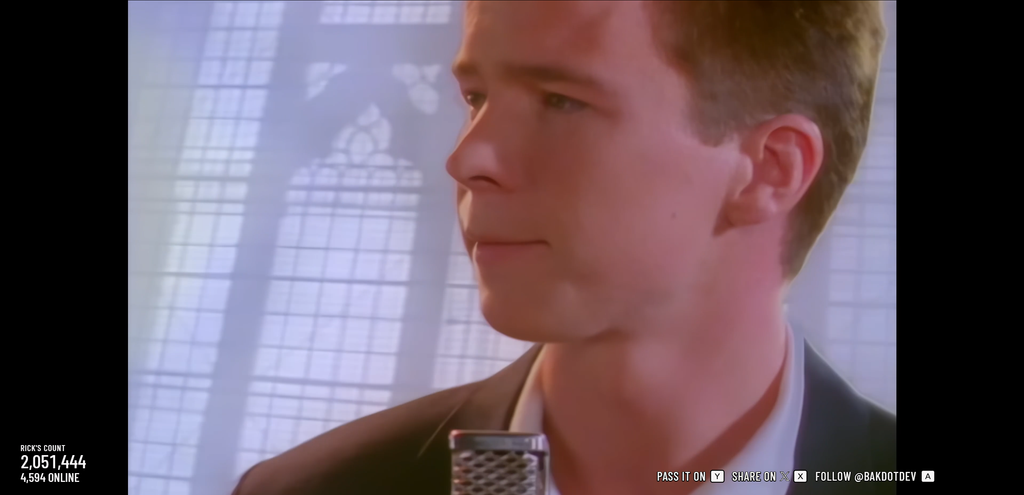
The song is the punchline. It is not a loading error or an indication that your computer failed to run GTA 6.
The Reveal Screen Makes the Prank Clear
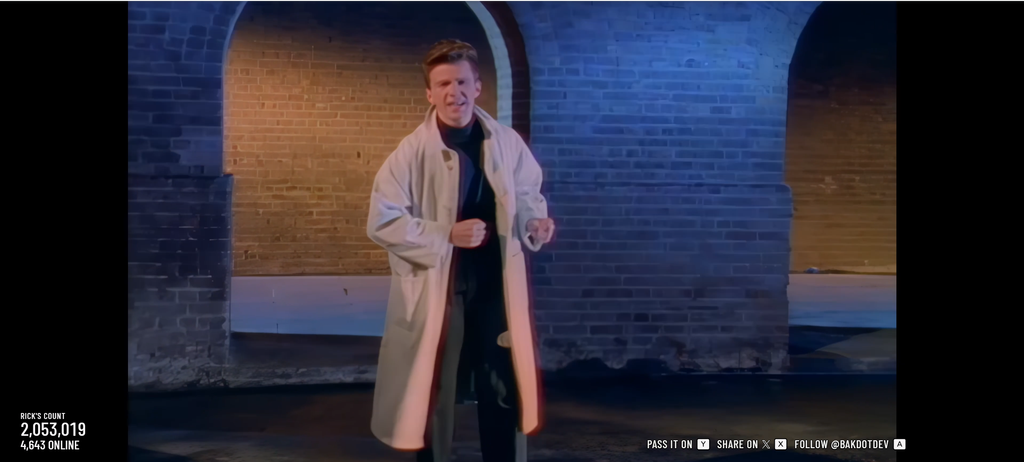
Once the music video appears, the page displays “RICK’S COUNT” alongside an online counter. It also offers prompts to pass the page along, share it on X, and follow the account linked by the site.
Those elements make the intended joke clear. The page has taken visitors through an imitation game launch and now invites them to pass the experience on.
The site shows a Rick’s Count above two million. That is a number displayed by the website, not an independently verified count of people fooled. We do not know how it is calculated or whether repeat visits count.
The sharing prompts are more useful evidence than the number itself: they show how the page encourages visitors to continue spreading the joke after reaching the ending.
Why the GTA 6 Browser Claim Can Look Believable
The site does not immediately ask you to believe an extraordinary technical claim. It first gives you a series of familiar screens.
You recognize the artwork style. A loading percentage changes. You choose display preferences. Legal notices appear. Then a scene begins.
Each step makes the next one feel expected. By the time the footage plays, it is easy to interpret it as the start of the game.
That also explains why a short recording can create the wrong impression. A clip that includes the menus and opening footage but stops before the rickroll leaves out the part that explains the whole website.
The useful question is what happens when the page is supposed to hand control to the player. In our test, that moment led to the prank, not a playable session.
The page demonstrates an ability to reproduce the presentation of a game launch. It does not demonstrate a working GTA VI browser port.
Is This an Official Way to Play GTA 6?
No. GrandTheftGTA.com identifies itself as unaffiliated with Rockstar Games, and the tested sequence ends in a prank.
At the time of this review, Rockstar’s official GTA VI page lists PlayStation 5 and Xbox Series X|S. It does not list a browser edition.
That official platform information is separate from what GrandTheftGTA.com claims on its own page.
The conclusion does not require a broad argument about what browser technology might achieve someday. The evidence here is specific: this website does not deliver the playable GTA 6 experience its presentation suggests.
Its use of familiar artwork, technical language, and setup options does not change that result.
Can You Change a Setting to Get Past the Rickroll?
There is no reason, based on the tested sequence, to treat the ending as a technical problem to troubleshoot.
The music video, Rick’s Count, and sharing prompts form a coherent reveal. They are not an error screen asking you to repair a failed installation.
Changing the brightness, choosing another text size, or waiting longer is not an established route to a playable version. Nothing in the documented experience supports that idea.
If your goal is to play GTA 6, reaching the rickroll gives you your answer about this page. You do not need to keep repeating the setup in the hope that the next attempt will turn the joke into a game.
Is GrandTheftGTA.com a Scam or Malware?
The evidence reviewed here supports calling it a prank. Its presentation encourages visitors to expect a game, and the ending reveals that they have been taken through a joke.
That does not, by itself, establish payment fraud, password theft, or a malicious download. Those are different allegations and would require separate evidence.
It would also be a mistake to describe every part of the website as certified safe simply because its visible ending is humorous. This article explains the experience documented in the test and screenshots; it is not a security audit of every script the page runs.
For someone deciding whether to spend time on it, the most useful fact is straightforward: you will not get the playable GTA VI session shown by the site’s premise. The documented payoff is a rickroll.
Our Verdict
GrandTheftGTA.com is an elaborate GTA 6 browser prank. It reproduces enough of a game’s startup process to keep the idea believable: illustrated loading screens, technical-looking messages, display settings, legal notices, and a short clip.
In our test, that clip lasted approximately 10 seconds before the music video appeared. There was no playable GTA VI session afterward in the experience documented here.
The work put into the presentation deserves credit as a joke. It should not be mistaken for a breakthrough that brings GTA 6 to a browser.
Go in expecting a prank and the page makes sense. Go in expecting GTA 6, and the loading screens are taking you to the punchline.

Reviews & discussion
0 commentsShare a firsthand experience, or ask a question.
Community reviews
grandtheftgta.com
Moderated reader experiences, not an editorial verdict.
Start the conversation
Have a question or something useful to share? Add the first comment.