


Someone claiming to be from a financial institution tells you that your savings are protected. To use them again, they say, you must make a transfer.
The name they use is familiar in Hong Kong: Money Safe. The important detail is where the real service keeps the money.
Overview
The warning is about a payment to unlock funds
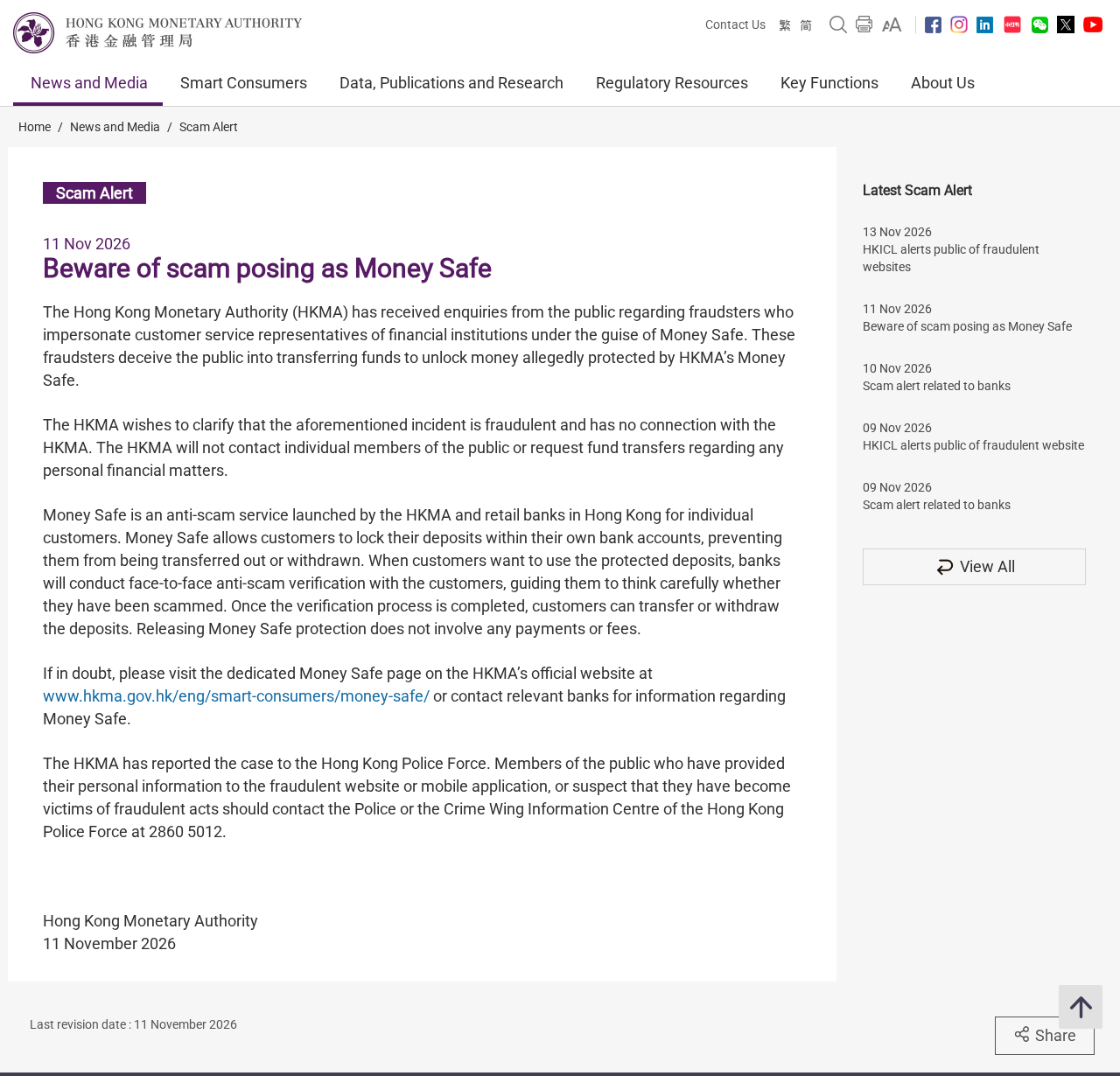
On November 11, 2026, the Hong Kong Monetary Authority warned that impostors posing as financial institution staff were asking people to transfer money to unlock allegedly protected deposits.
The HKMA identifies the approach as fraudulent. It says the incident has no connection to the authority and that it does not ask individuals to transfer money for personal matters.
The real feature locks funds within your own bank
Money Safe is a legitimate protection feature from the HKMA and Hong Kong retail banks. It restricts what can go out of savings you choose to protect.
Normally your bank verifies you face to face before releasing the restriction. The HKMA says there is no fee or payment to release Money Safe protection.
Check the balance and the lock inside the bank, not in the message
Someone who calls you does not get to decide where you bank. End the contact and reach your actual bank from its app, published number or branch.
If your banking app shows a real lock, it remains a bank matter. If the caller quoted the correct amount, that still does not make their payment request valid.
- Don’t transfer money to unlock Money Safe, even if the payment is described as refundable.
- Use your bank’s own contact channels to confirm whether there is a real lock.
- If you already transferred funds, make the fraud report to the sending bank immediately.
- Keep records of the amount, destination, transaction reference and what you shared.
How the Money Safe Impersonation Scam Works
Step 1: A real safety feature becomes the reason for the approach
A financial service representative sounds like the right person to explain why money might be unavailable. Using the real name makes the explanation plausible.
The HKMA’s November alert describes impostors using that role. It does not say the regulator put anybody’s savings in an account controlled by the caller.
You don’t need to work out how they know your name or which bank you use before hanging up. Neither detail verifies the identity of the person talking.
Step 2: The scammer turns an alleged restriction into a payment demand
The central claim is that a transfer will make money available again. That reverses the real process: the bank verifies you before lifting a restriction on your existing deposits.
Paying an outside account does not help the bank establish your identity. It creates a new transaction that moves money away from whoever is sending it.
The notice does not identify one standard fee amount, receiving account or message service. Do not look for a fixed figure before treating the demand as a warning.
Step 3: A real-looking payment screen can still move money the wrong way
You might reach the genuine banking app to make the transfer. That just means the app is genuine. It says nothing about the caller’s claim or their payee.
Read whether the final screen says you are sending money, who receives it and why. Do not approve a transfer to receive a release, refund or safety check.
Do not follow instructions to mark the transfer as something else. If a genuine bank asks why you are moving money, tell it what the person said.
What the Real Money Safe Does
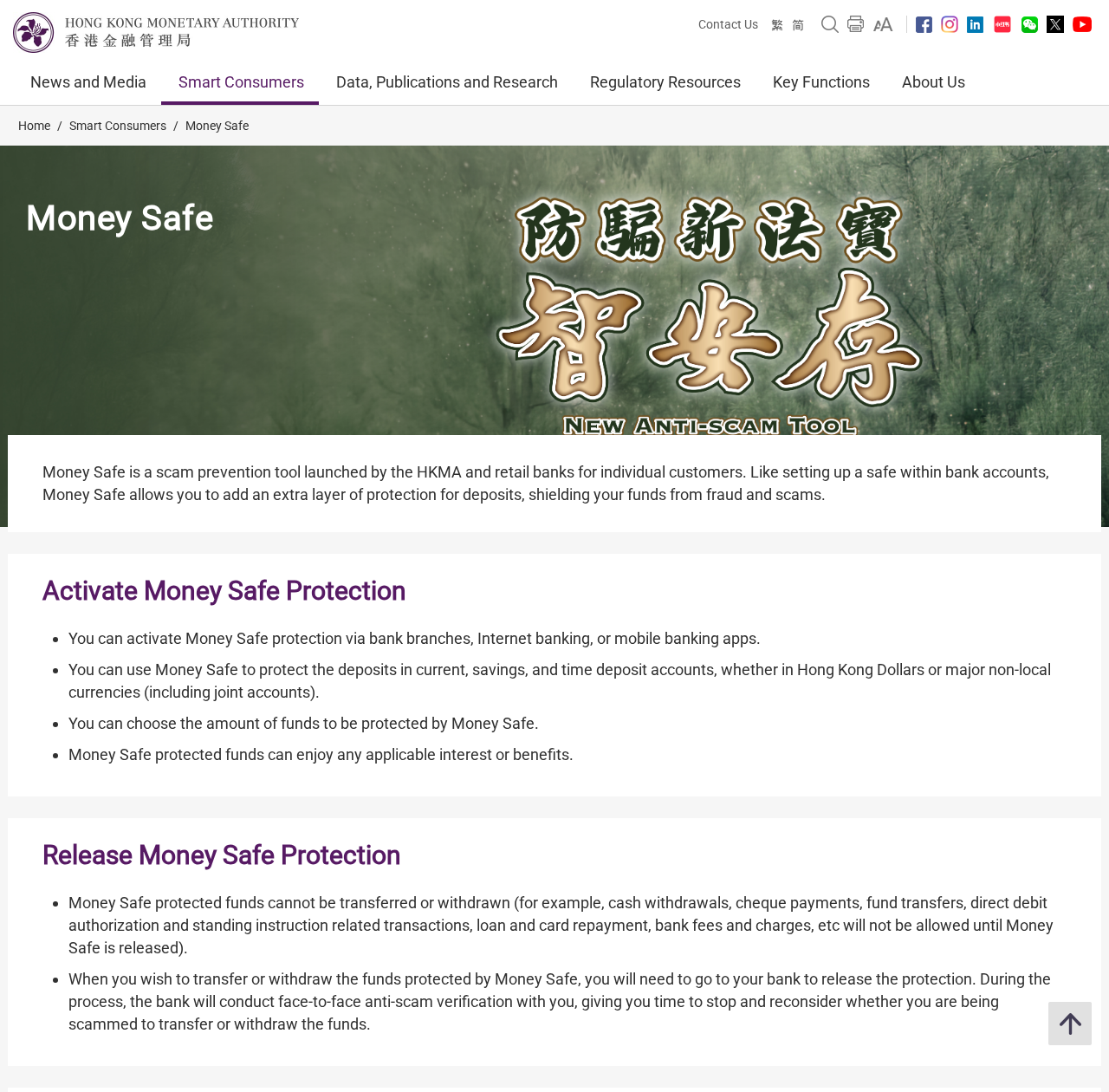
The genuine Money Safe guidance describes an additional restriction on funds within your own bank. It is not a separate regulator account you must pay into.
The public guidance says you may be able to activate protection through a branch, online banking or the bank’s app. Specific arrangements depend on the bank.
Activation and release take different routes. A bank might let you lock funds online while asking you to come in so it can verify you before release.
You can choose how much to protect, subject to the bank’s arrangements. The balance you set aside is distinct from money you leave available for routine payments.
Protected money can still qualify for applicable interest or benefits, according to the HKMA. You are not sending it to an outside custodian to earn anything.
Do not assume a requested transfer is legitimate because someone mentions the HKMA. The authority says it does not get in touch with individuals about their personal finances.
Why banks ask to see you before releasing funds
The point of the in-person conversation is to give you a chance to stop and consider why the money needs to move. It is not a fee collection process.
Tell the bank if somebody is steering the conversation or told you what to say. The verification is there to spot pressure, not to punish you for reporting it.
If visiting is genuinely difficult, ask the bank about its own process. The HKMA mentions exceptional alternative verification arrangements, not a general right to unlock funds with a transfer.
The HKMA says banks should process release requests without undue delay and within three working days. Ask your bank about its actual timing before committing to a payment elsewhere.
A real bank example shows what stays inside the bank
HSBC Hong Kong’s Money Safe page says eligible customers use an HSBC Money Safe Account to lock their own funds. It describes branch verification to release them.
It also says outward transactions are blocked on the protected funds during the lock. That includes routine withdrawals and standing payments as well as transfers.
A movement between your own accounts within the genuine bank can be part of setting up protection. An external payment demanded by a stranger to remove it is not.
HSBC’s description is one bank’s example. If you use another bank, look up its own Money Safe instructions rather than copying a route that belongs to someone else’s account.
Plan for bills before you choose how much to lock
The HKMA says protection can apply to different types of deposit, including joint accounts, under the banks’ arrangements. Check the specific account and currency you intend to use.
Ask what remains available after the lock. If a rent payment, loan debit or card payment is due, keep enough outside the protected amount to meet it.
If a household member or joint holder receives a release demand, check through the bank together. A third party’s urgent instructions do not override the account’s ordinary rules.
Call the bank if you are unsure about an upcoming bill, especially if it might need funds that are still locked. Don’t ask the caller for a workaround.
Money Safe is not deposit insurance or a refund program
Hong Kong’s Deposit Protection Scheme concerns protection for eligible deposits in the event of a bank failure. Money Safe is about controlling withdrawals and other outflows.
Neither name makes an unsolicited request for an unlocking payment credible. If somebody promises reimbursement, ask your bank to explain what process it is actually using.
A genuine anti-scam feature can be useful even though people misuse its name. You do not need to cancel anything in your bank because an impostor called.
Tell a Real Banking Restriction From a Fake Release Request
Start with the notice you see inside your account
If a message says a balance is restricted, check by opening the banking app yourself. Don’t use a link, QR code or callback number from the message.
Look for your own Money Safe settings or ask the bank to confirm the protection status. A photo of a balance sent to your phone is not that confirmation.
There can be other reasons an account is restricted. If your issue is not actually Money Safe, ask the bank what it is and what documentation it needs.
Distinguish choosing to lock savings from sending money to a payee
A caller may describe the action as protecting money, when the payment screen actually says it is going to another person. Read the screen and refuse the transfer.
You do not need to add a payee to get the bank to discuss your own Money Safe settings. Use the exact bank channel you normally use instead.
Do not move funds because a contact says your bank cannot be trusted. Call the bank or go to a branch without keeping that person on the line.
Keep enough information to explain the pressure
If a caller told you a balance was frozen, note the exact wording and amount. If there was a fee demand, preserve it even if you never paid.
The reason you were given matters alongside the transaction record. It helps separate an investment demand, a false release fee and a payment somebody made without your consent.
What to Do If You Responded to the Money Safe Impostor
- Stop the conversation. Do not open the link again to investigate or grant anyone access to your account.
- Call your bank using a verified number or use its app. Ask whether your account actually has Money Safe protection and whether any transfers are pending.
- If you paid, tell the bank immediately. Provide the actual payee, payment time, amount and reference. Ask what the bank can do next.
- If you revealed an app code, password or ID document, describe each item. Your bank needs to know what to secure first.
- Keep the messages, caller details, transaction records and any instruction that told you not to speak to the bank. Report them through official channels.
If no money left the account
Not paying is a good outcome, but don’t dismiss a disclosed login code or identity document. Call the bank and explain what was sent or approved.
If you only received the message, save it for a report and block the contact. There is no reason to send a payment or open a new account.
If your bank shows a transfer
Ask the bank to record the real sequence: what you were told, what you approved and when you realised the payee was not your bank.
A transfer you approved under false pretences is different from one you did not approve at all. Don’t choose a description just because it sounds more urgent.
Ask for the bank’s fraud case reference and make a note of any advice it gives you. Recovery depends on the payment and what can still be done.
In Hong Kong, the police contact list gives the Anti-Scam Helpline, 18222, and the commercial and technology crime number, 2860 5012.
A police report and a bank fraud case do different jobs. Keep the references for both, and don’t delay contacting the payment provider while you prepare a report.
If the scam followed an app or a web page
The HKMA also advises anyone who provided details to a fraudulent site or app to contact the police. Tell the bank where you entered the information.
If someone told you to install software, don’t use it to contact the bank. Use a separate trusted device for the fraud call and explain what was installed.
A screen that shows a new protected balance is not your bank record. Save the screenshot privately and have your bank confirm what is actually in the account.
If someone follows up about the first payment
Keep follow-up demands linked to the original report. You don’t need to pay a second fee for the bank to investigate a first transfer.
Ask any genuine bank contact for a case reference and verify it with the bank through a route you already know. Then continue only through that channel.
Don’t let a promise to call you back keep you on the line or stop you from calling the bank. Getting out of the conversation is a protective step.
Frequently Asked Questions
Is Money Safe itself a scam?
No. The real service restricts selected funds at your bank. The scam is a demand to transfer money to release funds said to be protected.
Does the HKMA call to ask for a release payment?
No. The regulator says it does not contact individuals or ask them to transfer funds regarding personal finances. Money Safe release does not involve a fee.
Can the bank release Money Safe funds by phone?
The standard process is bank verification in person. Ask your actual bank about the process it offers if visiting is difficult. Don’t pay a caller.
What if the caller knows my bank or recent balance?
That knowledge does not establish that the caller represents the bank. End the contact and reach the bank independently to check both the lock and your account security.
Can I pay bills with money that is still protected?
Protected funds are restricted until released. Use an available balance or ask your bank how to handle an upcoming payment without relying on the impostor.
Where should I report a Money Safe transfer scam?
Contact the bank that sent the money immediately. In Hong Kong, report suspected fraud to the police and use its published anti-scam channel for advice.
The Bottom Line
Do not send money to unlock Money Safe. Real protection applies within your own bank, and lifting it requires verification, not a payment to somebody who contacted you.
If you transferred money or shared banking details, contact your bank now using a route you know. Keep the payment and contact records for the police.

Join the discussion
0 commentsShare your experience or ask a question about this article.
Community experiences
Did this happen to you?
Your experience could help someone recognize the same scam. Submit a private report for our team to review.
I experienced this tooReports are reviewed before publication. Sharing publicly is always your choice.
Discussion
Start the conversation
Have a question or something useful to share? Add the first comment.