LockBit has been one of the most prolific ransomware families of the last half-decade. In 2025 a new iteration — LockBit 5.0 — surfaced and quickly drew attention from defenders and incident responders because it targets Windows, Linux and VMware ESXi, uses new anti-forensics and evasion tricks, and continues LockBit’s double-extortion business model. This article explains what LockBit 5.0 is, how it operates in technical and practical terms, step-by-step attack behavior, detection and containment advice, and an actionable checklist for victims who find themselves encrypted. The goal is practical, SEO-friendly, and referenceable guidance you can use immediately.
Overview
What is LockBit 5.0?
LockBit 5.0 is the latest publicly observed iteration of the LockBit ransomware-as-a-service (RaaS) ecosystem, a criminal platform that supplies ransomware code and infrastructure to affiliate operators in exchange for a revenue split. Unlike some prior releases that focused only on Windows, LockBit 5.0 has binaries and tooling for Windows, Linux, and VMware ESXi, enabling attackers to encrypt more heterogeneous enterprise environments with a single campaign. Multiple security vendors and incident response teams have published analyses describing LockBit 5.0 as an evolutionary release: it refines and hardens prior capabilities (faster ESXi encryption, randomized file extensions, anti-forensics) rather than introducing a single revolutionary technique.
LockBit’s impact is twofold:
- Scale and reach. Historically LockBit affiliates have been responsible for thousands of victimizations globally, including small businesses, large enterprises, healthcare, and local government. The gang’s RaaS model allows many affiliates to operate in parallel, multiplying attack volume. International law-enforcement actions have disrupted operations at times, but LockBit’s operational model and affiliates have proven resilient.
- Double/extortion and ESXi targeting. Modern LockBit operations typically combine file encryption with data exfiltration and leak sites: attackers publish stolen data to pressure victims who refuse to pay. The ESXi capability is particularly dangerous because encrypting an ESXi host can render multiple VMs (entire workloads) inaccessible with a single execution, producing outsized business impact. The 5.0 variant improved speed and reliability of ESXi drive encryption. )
Notable features and behavior summary
- Cross-platform builds: Windows, Linux, and ESXi payloads have been observed.
- Randomized 16-character file extensions appended to encrypted files, e.g.,
1.jpg→1.jpg.random. This makes pattern matching for encrypted files harder and complicates recovery scripts. (User supplied example matches observed behavior.) - Ransom note style and leak infrastructure: The ransomware drops a ransom note (commonly named
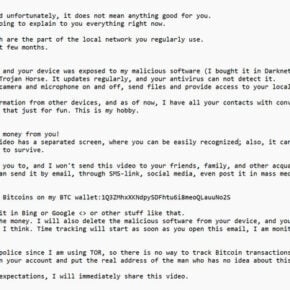
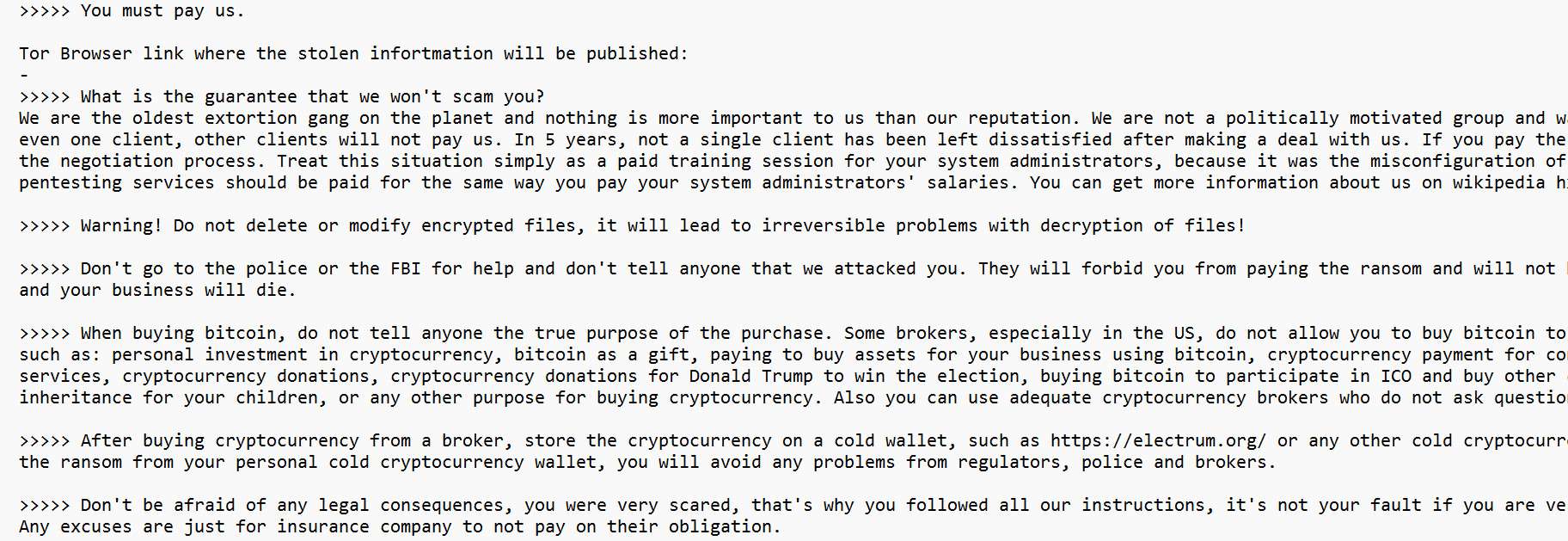
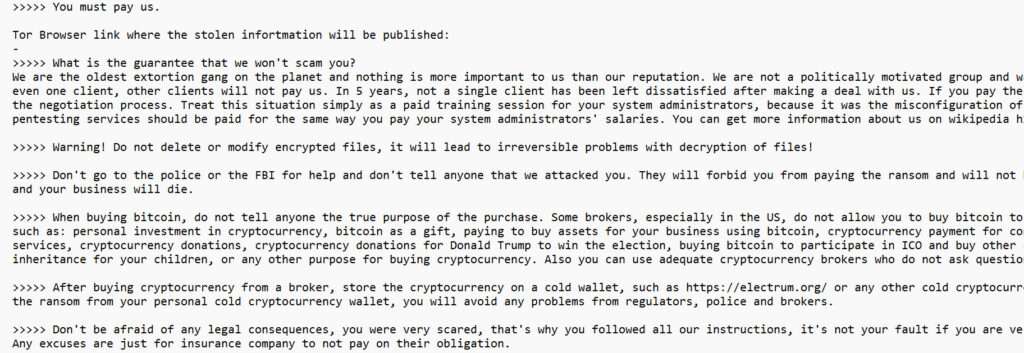
ReadMeForDecrypt.txtor similar) with demands and Tor links to negotiation/leak pages. The note contains social-engineering language that instructs victims how to buy cryptocurrency, how to contact the gang, and discourages contacting law enforcement. This is consistent with LockBit’s long-running negotiation model. - Anti-forensics and evasion: The sample(s) analyzed modify or patch Windows telemetry APIs (e.g., patching
EtwEventWrite) to disable Event Tracing for Windows (ETW) handlers, and generally include string obfuscation, API hooking avoidance, and other anti-analysis measures. These increase the difficulty of detection and post-mortem analysis. - Geofencing: LockBit historically and in 5.0 performs geolocation and locale checks to avoid infecting systems in certain jurisdictions (commonly Russian locales), terminating if Russian language or geo is detected. This behavior continues in 5.0.
How researchers see v5.0 — “evolution, not revolution”
Multiple vendors described LockBit 5.0 as a fine-tuning release: improved UI for affiliates, more options, and better support for ESXi encryption, but broadly the same extortion model. The opinion among defenders is that 5.0 raises the bar for detection and response because it blends refined automation (for larger scale) with hardening against forensics. Still, the defensive takeaway is the same: strong segmentation, hardened ESXi management, immutable backups, and rapid containment are the most effective mitigations.
How the Ransomware Works
Below is a detailed, technical, stepwise description of how LockBit 5.0 campaigns typically play out, from initial access through encryption and extortion. The exact TTPs vary per affiliate, but this covers the most common chain observed by incident responders.
Phase 0 — Reconnaissance & target selection (pre-intrusion)
- Target profiling. Affiliates or operators select targets by industry, perceived ability to pay, public visibility, and potential impact (hospitals, municipalities, managed service providers). Publicly visible infrastructure and misconfigurations are cataloged: exposed RDP hosts, remote management portals, unpatched VPN appliances, misconfigured VMware consoles, and open SSH endpoints on critical VMs.
- Credential harvesting & purchasing. Initial access often leverages stolen credentials (from prior breaches or phishing), bought on illicit marketplaces, or brute forced on poorly secured services. Phishing is common: credential harvesting emails that mimic corporate services, payroll notices, or HR attachments.
Phase 1 — Initial foothold
- Phishing and malware loaders. Attackers commonly deploy initial loaders (malicious Office docs, DLL sideloading, or commodity RATs). Loader stage establishes persistence and may fetch a larger toolkit (Cobalt Strike beacons, remote access Trojans). LockBit affiliates historically have used a variety of loaders and C2 frameworks to gain an interactive foothold.
- Exploitation of remote services. Where possible, affiliates exploit exposed services (VPNs, RDP, weak SSH) to land a remote shell or deploy the payload directly.
Phase 2 — Privilege escalation and lateral movement
- Credential harvesting on network: Using tools such as Mimikatz variants or harvesting cached credentials from domain controllers and endpoints, the attackers escalate privileges. Compromised AD domain credentials allow near-complete control of the environment.
- Service and task manipulation: Attackers create scheduled tasks, services, or use remote management frameworks to distribute tooling. They may enable remote PowerShell, WinRM, or use PsExec/rsh/SSH to push payloads to additional hosts.
- Credential reuse and backdoors: The adversary plants additional backdoors for persistence (web shells, rogue admin accounts), ensuring they can return if remediation begins.
Phase 3 — Recon on the victim environment
- Mapping shares and VMs: Attackers enumerate SMB shares, mounted drives, network file systems, and virtualization hosts (ESXi). They identify high-value targets (database servers, backup servers, NAS, SAN mounts, ERP systems).
- Snapshot & backup discovery: A core objective is to find and disable or delete backups and snapshots wherever possible: shadow copies on Windows, backup credentials, and VMware snapshots or backup appliances. Locating and disabling backups is a critical step to maximize the victim’s pressure to pay.
Phase 4 — Data exfiltration
- Exfiltration staging: Before encrypting, many affiliates exfiltrate sensitive data to remote servers under their control. This data becomes the basis for the leak site and extortion: if a victim refuses to pay, the stolen data is published. Exfiltration is often performed via encrypted channels, cloud storage abuse, or multipart transfers to avoid detection.
- Stealth and exfiltration time windows: Some affiliates steal only a representative subset (customer data, financials) just enough to threaten publication, while others extract terabytes. Exfiltration may take hours or days depending on bandwidth and detection risk.
Phase 5 — Final preparation and defensive killing
- EDR/AV neutralization: 5.0 samples have been observed to include anti-telemetry measures, such as patching
EtwEventWriteto prevent ETW-based logging and degrade some EDR detection pipelines. Affiliates may also attempt to stop security services, disable updates, and clear logs. - Network and service shutdown attempts: Attackers may stop database services, back up files in temporary folders, or terminate processes that lock files so encryption can proceed.
Phase 6 — Encryption execution
- Targeted or broad encryption mode: The ransomware can be run with parameters to target specific directories, exclude system folders, or run in “verbose” or “invisible” mode. Some affiliates prefer to encrypt a high-value subset first (to test decryptability) then expand. The executable appends a randomized 16-character extension to filenames — for instance
photo.jpg→photo.jpg.random— and leaves a ransom note (ReadMeForDecrypt.txtor similar) that contains the negotiation instructions and Tor links. - Linux & ESXi behavior: ESXi and Linux variants directly target virtualized storage (VMFS datastores) and file systems. On ESXi, the ransomware can encrypt VMDK or datastore files. Because ESXi often hosts many VMs, one execution can cascade rapidly into hundreds of affected workloads. Security researchers highlighted faster ESXi drive encryption in 5.0 compared with previous variants.
Phase 7 — Post-encryption extortion (communication and leak site)
- Ransom note & negotiation portal: Victims find the ransom note with a unique ID and Tor links. The LockBit infrastructure provides a “chat with support” interface for negotiation and proof of decryption. The gang may publish sample exfiltrated files to the leak site to coerce payment. The extortion process is deliberately frictionless for victims who choose to pay — this is part of LockBit’s brand pitch: a reputation for fulfilling decryption after payment.
Post-attack persistence (backup or return access)
- Backdoors remain: Many affiliates leave hidden access for themselves or other groups. Even after ransom is paid and decryption occurs, the environment may remain compromised unless a full remediation and rebuild is performed.
Detailed Technical Features & Defensive Implications
Randomized extension & why it matters
LockBit 5.0 appends randomized 16-character extensions to encrypted filenames. From a defender’s perspective this undermines simple detection heuristics that look for specific extension patterns or for a fixed suffix. It also complicates automated rollback scripts and naive mass-restore processes. Defenders should instead rely on timestamp windows, file signature patterns (sudden changes in file entropy), and monitoring for bulk file operations rather than extension names alone.
ETW patching and AV evasion
By patching EtwEventWrite (or other ETW-related functions) to return immediately, the ransomware aims to blind or reduce the visibility of runtime telemetry used by many modern EDR solutions. This does not always guarantee stealth (many EDRs have fallback telemetry), but it increases the time defenders need to detect ongoing activity. Detection strategies should therefore include host-based filesystem monitoring, unusual process spawning, sudden mass deletion/rename, and network-based detection such as new connections to suspicious domains.
ESXi targeting — why it’s a critical escalation
ESXi servers centralize many virtual machines. When a ransomware strain is tailored to operate on ESXi (fast encryption of VM disks and datastores), attackers can cause catastrophic outages across many services at once. Opportunities for defenders include: strict isolation of vCenter and ESXi management networks, multi-factor authentication on administrative consoles, limiting direct internet access, and ensuring offline, immutable backups (air-gapped or WORM-style storage). The 5.0 variant improved speed and reliability here, making preventive hardening an immediate priority.
Affiliates, UI improvements, and operationalization
LockBit 5.0 reportedly comes with a cleaner, more user-friendly affiliate interface. This is notable because it lowers the technical barrier for affiliates and streamlines campaigns. For defenders, this means the pool of potentially competent attackers is broadened, increasing campaign volume and variability in TTPs. Threat hunting programs should assume many different affiliate toolchains and consider behavior-based detection rather than signature-only approaches.
What to Do If You Have Been Infected
If your organization discovers a LockBit 5.0 infection (or any ransomware), follow this prioritized, practical checklist. It assumes you are an IT/security practitioner or leader responding to an incident. Each item is written to be executable and clear.
Important: Avoid making irreversible changes to forensic artifacts before you have taken a snapshot/collected evidence. If you have a retained DFIR partner or an internal team, bring them in immediately.
Immediate steps (first 0–60 minutes)
- Isolate infected hosts. Disconnect infected endpoints and servers from the network — but do NOT power them down if you need forensic evidence. Unplug network cables or disable network interfaces. If you must disable network access remotely, be careful: some ransomware detects network disconnection and triggers destructive actions. Aim to cut lateral propagation paths first (e.g., block SMB, RDP, SSH from those hosts).
- Activate your incident response (IR) plan and incident response team. Notify executive leadership, your security/IT team, legal, communications, and your retained DFIR firm if you have one. Keep a single unified contact list and incident commander.
- Preserve evidence. Take forensic images (disk and memory) of affected hosts, save logs (SIEM, EDR, firewall), and export relevant artifacts (ransom note files, infection timestamps, unusual processes, scheduled tasks). If you lack in-house capability, preserve the machines powered on and get vendor/DFIR help quickly.
- Identify scope quickly. Determine the earliest known infection time, list affected hosts, and identify whether backups or backup servers were exposed. Use EDR/endpoint logs and file server logs to map the blast radius.
- Block known malicious infrastructure. Based on indicators of compromise (IOCs) from initial hosts, block C2 domains/IPs at perimeter devices and cloud providers. Be cautious — IOCs change and blocking alone does not remediate. Use vendor advisories for confirmed IOCs where available.
Containment and mitigation (hours 1–24)
- Quarantine and patch lateral vectors. Disable compromised service accounts, rotate passwords for privileged accounts (but do not reuse compromised credentials), and temporarily disable remote access like RDP. Apply multi-factor authentication (MFA) for administrative accounts immediately.
- Protect backups and isolate them. If backups are accessible on the same network, take offline copies (air-gapped), and ensure backup credentials are rotated. If backups are cloud-based, verify immutability and retention settings. Do not attempt restoration until the environment is confirmed clean.
- Search for exfiltration evidence. Check outbound traffic for large uploads, access to unusual cloud storage, or suspicious domain connections. If exfiltration is detected, assume your data may be published and prepare notifications per legal/regulatory obligations.
- Engage with law enforcement. Contact the appropriate national cybercrime authority (e.g., local police cyber unit or national CERT) for guidance and legal obligations. While the ransom note may discourage contacting law enforcement, involving authorities is often legally required, and they may help with intelligence and negotiation policies.
Technical recovery (24–72+ hours)
- Decide on decryption vs rebuild. Evaluate available decryption tools (if any), insurance guidance, and the completeness of backups. For LockBit 5.0, there may be no reliable free decryptor; many organizations opt for rebuilding systems from known-good backups. Prioritize rebuilding critical systems first (domain controllers, authentication services, perimeter services).
- Clean rebuild approach: Wipe and reinstall OS and applications for compromised hosts. Restore only from backups that predate the compromise and have been validated as clean. Reintroduce hosts to the network in a segmented fashion, with enhanced monitoring, before scaling back to normal connectivity.
- Remediate root causes: Patch exploited services, remove rogue accounts, rotate all credentials (especially privileged accounts), implement MFA where missing, and fix misconfigurations. Harden ESXi/vCenter access: enable MFA, network isolation, and ensure management planes are not internet-exposed.
Post-incident tasks and legal/communications
- Notify stakeholders and regulators. Depending on the jurisdiction and the data types involved (personal data, health information), you may have notification obligations under breach laws (e.g., GDPR, HIPAA). Coordinate messages with legal counsel and prepare public statements where appropriate.
- Assess insurance and contractual obligations. Contact cyber insurance providers early to understand coverage, forensic service requirements, and any preconditions to claim payouts. Many insurers require documented steps and forensic imaging.
- Threat hunting and long-term monitoring. Increase logging retention, enable advanced EDR detections, hunt for second-stage persistence across the estate, and monitor for signs of re-contact or re-use of stolen data on dark web forums/leak sites.
- Lessons learned & tabletop exercises. Conduct a formal postmortem and update IR plans, backup procedures, network segmentation policies, and employee phishing awareness training. Run war-games to test the updated plan.
On ransom payment: decision considerations
- Carefully weigh paying the ransom. Payment does not guarantee full data recovery or non-publication of stolen data. There are ethical, legal, and practical implications. Consult legal counsel and law enforcement. Note that some jurisdictions may have restrictions on paying ransom if it directly benefits sanctioned entities. Also consider the likelihood of successful decryption — historically LockBit affiliates have sometimes delivered decryption after payment, but trust is not guaranteed.
- If you interact with negotiators: Use experienced negotiators and forensic third parties. Preserve negotiation logs and never reveal confidential investigative details that could harm law enforcement actions.
Detection & Prevention Recommendations (Practical and Tactical)
Prioritize the following technical controls
- Segmentation & least privilege: Isolate backup systems, management interfaces (vCenter/ESXi), and critical data stores from general user networks. Implement strict firewall rules between segments.
- Multifactor Authentication (MFA): Apply MFA for remote access, admin portals, and privileged accounts.
- Endpoint detection & response (EDR): Deploy EDR with behavior detection and long-term telemetry storage. Given ETW-patching attempts in 5.0, rely on multiple telemetry sources (network logs, endpoint file system events, DNS logs).
- Immutable & offsite backups: Ensure backups are air-gapped or immutable (WORM) and test restores regularly. Snapshots alone are insufficient if accessible to attackers.
- Vulnerability management: Patch internet-exposed services, VPNs, and virtualization management components promptly.
- Network monitoring and egress filtering: Monitor for unusual data transfers, large outbound connections, and anomalous DNS queries. Use DLP for sensitive exfiltration patterns.
Organizational and process measures
- Incident response readiness: Maintain an IR playbook specific to ransomware, with vendor contacts, legal counsel, and insurance contacts pre-defined. Run frequent tabletop exercises.
- Employee training: Regular phishing simulations and clear reporting paths reduce initial compromise probability.
- Third-party risk management: Assess MSPs and vendor access policies; lock down vendor accounts with MFA and least privilege. Compromise of MSP tools has historically enabled wide compromise.
The Bottom Line
LockBit 5.0 is not an entirely new species of ransomware — it is an evolutionary upgrade of a proven and dangerous criminal service. It demonstrates sharper operational tooling (faster ESXi encryption, cross-platform payloads), improved affiliate usability, and hardened anti-forensics that complicate detection and forensics. The attacker playbook is familiar: initial access, privilege escalation, data exfiltration, disabling defenses, large-scale encryption, and extortion via leak sites and negotiation chat.
The defensive path remains consistent: prevent initial access, harden virtualization and backup systems, detect lateral movement early, preserve immutable backups, and execute a practiced incident response plan when compromise occurs. If you are hit, fast containment, forensic preservation, and careful coordination with law enforcement and experienced responders are essential. Whether you decide to rebuild or negotiate, take the opportunity to rebuild sustainably — fix the root causes so the next attack won’t be as easy to execute.
Here’s a detailed, SEO-optimized FAQ section tailored for your LockBit 5.0 ransomware article, written for high readability and strong Google Search performance:
Frequently Asked Questions (FAQ) About LockBit 5.0 Ransomware
What is LockBit 5.0 ransomware?
LockBit 5.0 is the latest version of the LockBit ransomware family, one of the most active and dangerous ransomware groups in the world. It encrypts files on Windows, Linux, and VMware ESXi systems, appends a random 16-character extension to each file (e.g., file.docx.random), and drops a ransom note named ReadMeForDecrypt.txt. Victims are directed to pay a ransom in cryptocurrency via Tor websites to regain access to their files.
How does LockBit 5.0 infect computers?
LockBit 5.0 does not usually spread to home users randomly. Instead, it targets organizations through:
- Compromised RDP or VPN services
- Exploited vulnerabilities in firewalls, ESXi servers, and remote access portals
- Phishing campaigns with malicious attachments or links
- Credential theft from previous breaches or dark web marketplaces
Once inside a network, attackers move laterally, disable security tools, steal sensitive data, and finally encrypt files across servers and endpoints.
What happens when LockBit 5.0 encrypts files?
When LockBit 5.0 runs on a victim’s system:
- It scans drives and shared folders.
- Files are encrypted using strong algorithms.
- A random file extension is added to every file
- A ransom note is created in each folder with instructions for contacting attackers.
- Victims are threatened with data leaks if they refuse to pay.
Who are the primary targets of LockBit 5.0?
LockBit 5.0 mainly targets:
- Large and medium-sized corporations
- Government agencies
- Healthcare providers
- Financial institutions
- Educational organizations
Home users are rarely targeted directly, but infections can spill over if personal systems are part of a compromised corporate network.
How much ransom do LockBit attackers demand?
The ransom demand varies by victim size and data sensitivity. In many cases, attackers ask for hundreds of thousands to millions of dollars in Bitcoin or Monero. Unlike consumer ransomware such as STOP/Djvu, which demands $300–$1,000, LockBit focuses on enterprise-level extortion.
Is it possible to decrypt LockBit 5.0 files without paying?
Currently, there is no free universal decryptor for LockBit 5.0 because it uses strong encryption methods. The only reliable recovery options are:
- Restoring from clean, offline backups
- Using shadow copies or snapshots (if they haven’t been deleted)
- Rebuilding affected systems
Paying the ransom does not guarantee data recovery and should be considered only after consulting cybersecurity experts and legal counsel.
Does LockBit 5.0 steal data before encryption?
Yes. LockBit 5.0 follows a double extortion model:
- Files are stolen and exfiltrated before encryption.
- Attackers threaten to publish or sell sensitive data on their leak site if ransom is not paid.
This makes the attack more damaging because even if victims restore from backups, stolen data could still be leaked online.
How can organizations protect against LockBit 5.0?
Best practices to prevent LockBit 5.0 include:
- Using multi-factor authentication (MFA) on all remote access points
- Patching vulnerabilities in VPNs, ESXi, and Windows servers
- Keeping backups offline and immutable
- Segmenting critical networks and restricting admin privileges
- Deploying EDR/XDR solutions with behavioral monitoring
- Training employees to recognize phishing attacks
What should you do if you are infected by LockBit 5.0?
If your organization has been hit:
- Isolate infected systems immediately.
- Notify your incident response team and law enforcement.
- Preserve forensic evidence for investigation.
- Do not rush to pay the ransom. Evaluate backups, insurance, and legal obligations first.
- Engage a professional DFIR (Digital Forensics & Incident Response) team.
- Rebuild affected systems from known-good backups.
Does LockBit 5.0 target home users?
No, LockBit 5.0 is primarily an enterprise-focused ransomware. Home users are not direct targets. Instead, consumer ransomware families like STOP/Djvu, Dharma, and Phobos typically go after individuals. However, home users with exposed servers (e.g., open RDP or ESXi at home) could still be at risk.
How is LockBit 5.0 different from previous versions
Compared to LockBit 3.0 and 4.0, the LockBit 5.0 version includes:
- Faster and more reliable ESXi encryption
- Randomized 16-character file extensions
- Improved anti-forensics, such as disabling Windows Event Tracing (ETW)
- A cleaner affiliate interface for easier deployment
- Continued cross-platform support for Windows, Linux, and VMware environments