


An account-change email can make your stomach drop, especially when it names a service you used months or years ago.
The London Northwestern Railway alert has created exactly that confusion. Some recipients recognize the brand, yet cannot explain why their account email supposedly changed.
Overview
The unexpected message may be linked to a technical problem
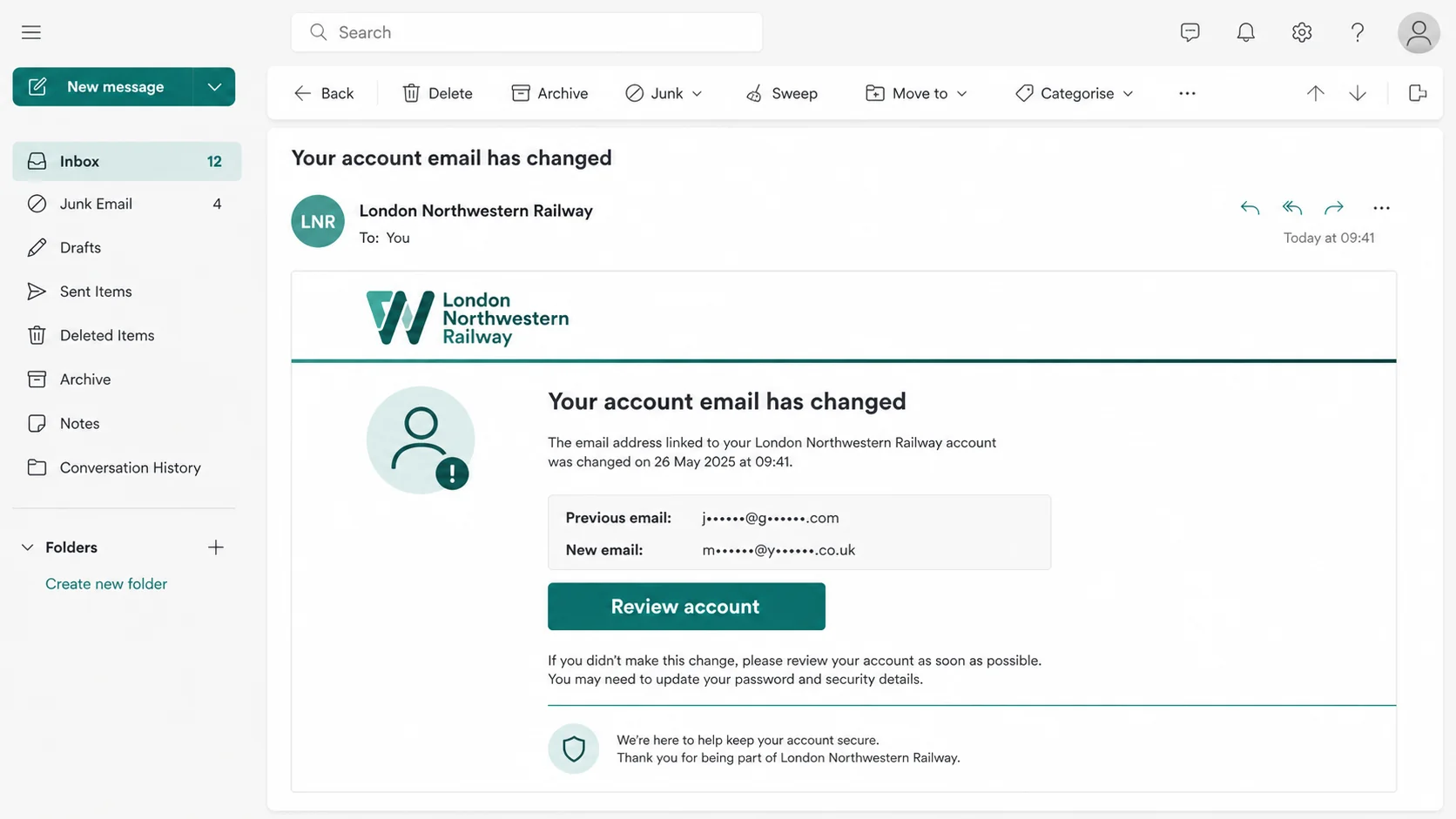
Recipients have described notices saying the email address connected to a London Northwestern Railway account was changed.
Some people no longer actively use the account. Others do not remember requesting any update, which naturally makes the notice look like an account takeover.
Reports about the August 26, 2026 batch identify it as an isolated IT error, not a malicious data breach.
The sender domain has also been used for official railway ticket support. No personal-data exposure was reported with this incident.
A genuine system mistake still requires a security check
A technical explanation does not mean every similar message is safe. Criminals can quickly copy real incident wording and circulate a malicious version.
The safest response is to avoid the email’s links and inspect the account through an independently opened official website.
If the stored address, password, tickets, and personal details remain unchanged, that supports an error explanation. It does not validate the email itself.
The sender name alone cannot settle the question
An inbox may display London Northwestern Railway while hiding the complete sender address. That friendly label can be written by anyone.
Some discussions mention an address associated with trainsfares.co.uk. A separate domain can belong to a ticketing system, but it should be verified independently.
Authentication details, link destinations, account activity, and confirmation from official support matter more than the visible display name.
- Do not click the review button inside an unexpected account-change email.
- Open the known railway website by typing its address yourself.
- Check whether your account email actually changed.
- Reset the password if access or activity looks unfamiliar.
- Contact the railway through its published support route.
- Treat copied messages requesting payment or codes as malicious.
The correct verdict is nuanced. A reported batch may stem from a technical error, while lookalike emails can still be used for phishing.
What the London Northwestern Railway Email Says
The notice tells the recipient that the email address linked to a railway account has been changed.
That wording resembles a normal security notification. Companies send similar messages after password, email, telephone, or payment-profile changes.
The message may show a masked previous address, a masked replacement, a time, or a button inviting the recipient to review the account.
Those details can feel convincing. They can also be copied from legitimate templates or invented from publicly available information.
A dormant account makes the alert more alarming because the owner may not remember the login page, password, or ticketing provider.
That uncertainty creates pressure to use the convenient button inside the message. Security begins by resisting that impulse.
Why a Technical Error Can Look Exactly Like a Breach
Modern ticketing systems often connect several services, including the operator website, account platform, ticket vendor, email delivery provider, and mobile application.
A migration, profile synchronization issue, incorrect template trigger, or database mapping error can send a notice without a customer-requested change.
The recipient sees only the final email. They cannot tell whether an internal event was real, mislabelled, duplicated, or sent to the wrong account.
Even a harmless trigger can expose a security weakness if the notification contains incorrect personal data or reveals another user’s masked address.
Therefore, the phrase technical error should begin verification, not end it. The account’s present state must match the company’s explanation.
Support confirmation should also come from an official contact page, not a reply sent to the original message.
How Criminals Can Exploit the Real Email Error
Step 1: Criminals copy a real moment of public confusion
When many customers discuss an unexpected notice, the story becomes ideal cover for a copycat phishing campaign.
The attacker does not need to invent a new pretext. Search results, social posts, and forum discussions already teach victims what wording to expect.
A copied subject line blends into the genuine reports and lowers the reader’s suspicion.
Step 2: The email claims an account detail changed
The fake notice says a new email address was attached, a password was reset, or access will soon be restricted.
It presents the event as completed, making the recipient feel that waiting could allow the intruder to lock them out permanently.
The attacker may include partially masked addresses. These can be invented and should not be treated as proof of database access.
Step 3: A review button hides the real destination
The visible button may say review account, secure profile, reverse change, or contact customer support.
Its destination can be an unrelated domain designed to imitate the railway’s login screen.
On mobile, the full address is especially easy to miss. The page can look convincing while the browser location exposes the deception.
Step 4: The imitation page collects login credentials
The victim enters an email address and password, believing this will cancel the unauthorized change.
The fraudulent page records those details. It may then claim the password was incorrect and ask for another commonly used password.
Some pages forward the victim to the genuine website afterward, making the failure look like an ordinary session problem.
Step 5: A second screen asks for codes or payment details
After capturing credentials, the page may request a one-time code, card number, billing address, or identity document.
The code can let the attacker finish a real login or password reset while the victim is still interacting with the fake page.
A legitimate account-security review should not require gift cards, cryptocurrency, or a payment to stop an email change.
Step 6: Stolen access is tested elsewhere
Reused passwords can open email, retail, travel, and social accounts unrelated to the railway.
Email access is particularly valuable because it lets criminals reset other passwords and hide security notices.
The attacker may also search old travel messages for names, addresses, ticket references, and partial payment information.
Step 7: Follow-up calls increase the pressure
A later caller may claim to be railway fraud support and refer to the same account-change incident.
They can ask the victim to read codes aloud, install remote-access software, or confirm card details supposedly needed for a refund.
The email and call reinforce each other. Both remain untrusted until the customer independently reaches the railway.
How to Verify the Email Without Clicking It
Start by opening a new browser tab. Type the railway’s known website address or use a saved bookmark created before the message arrived.
Navigate to the account area from the site’s own menus. Do not paste a link copied from the suspicious email.
If you can log in, inspect the registered email address, recent bookings, saved passengers, payment settings, and profile changes.
Use the official password-reset page if the existing password fails. Enter the address you originally registered, then watch for the reset message.
Contact customer relations through the operator’s published page. National Rail also lists the operator and its public customer-support telephone number.
Describe the exact subject line, received time, sender address, and any masked addresses. Ask whether the message belongs to the reported technical event.
Never forward a suspicious email to another person without warning. Forwarding can preserve active malicious links that someone else might click.
Technical Clues Inside the Message
Expand the sender details to reveal the full address. A display name matching the railway is not enough.
Check the reply-to address separately. Attackers sometimes use one plausible sender while directing replies to a free mailbox.
Hover over every button on a computer without clicking. The status preview should show the destination domain.
Look for spelling substitutions, unexpected country domains, additional words, or a long tracking address that leaves the official site.
Email authentication results can help advanced users. SPF, DKIM, and DMARC passes show that a domain authorized delivery, not that every claim is correct.
A compromised or misconfigured legitimate service can still send a problematic message. Authentication is one signal, not a complete verdict.
Urgency, threats, payment demands, attachments, and requests for security codes move the message firmly toward phishing.
Why Dormant Railway Accounts Need Special Attention
An old ticket account is easy to forget. Its owner may no longer remember which email address, password, or payment details were stored.
That uncertainty makes a change alert unusually effective. The recipient cannot immediately tell whether the notice relates to a real forgotten profile.
Open the railway booking site from a fresh browser bookmark or typed address. Do not use the message button to rediscover the account.
If the password-reset page recognizes your address, request a new link there. A reset you initiate is safer than a repair link supplied unexpectedly.
Next, inspect profile details and recent booking history. An unfamiliar journey, changed telephone number, or altered contact address deserves direct escalation.
Saved cards are sometimes represented only by limited details. Even so, remove anything unfamiliar and ask the issuer to monitor the underlying account.
If the website does not recognize your address, preserve the alert. Support may need its timestamp, recipient address, and message headers to explain the mismatch.
Deleting the email immediately removes useful evidence. Keep it until the operator confirms whether the notification was generated by its systems.
How to Verify the Railway and Ticketing Domains
The railway operator is a verifiable public business
London Northwestern Railway is a recognized passenger rail brand, not an invented company created for this email.
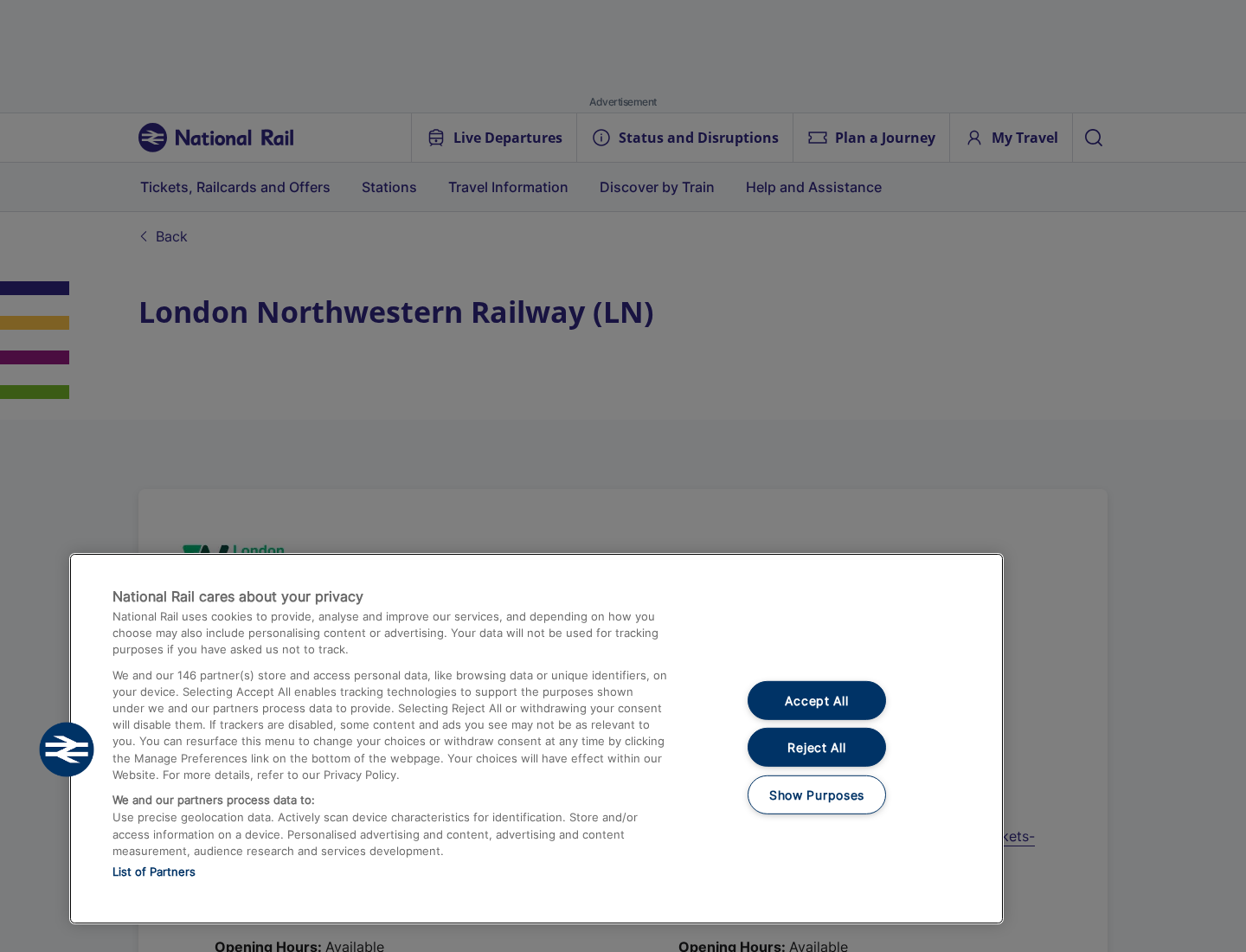
National Rail maintains an operator listing with customer-support information. That independent listing provides a safer starting point than the message itself.
The existence of the real operator is precisely why impersonation can be effective.
The ticket account may use a separate official service
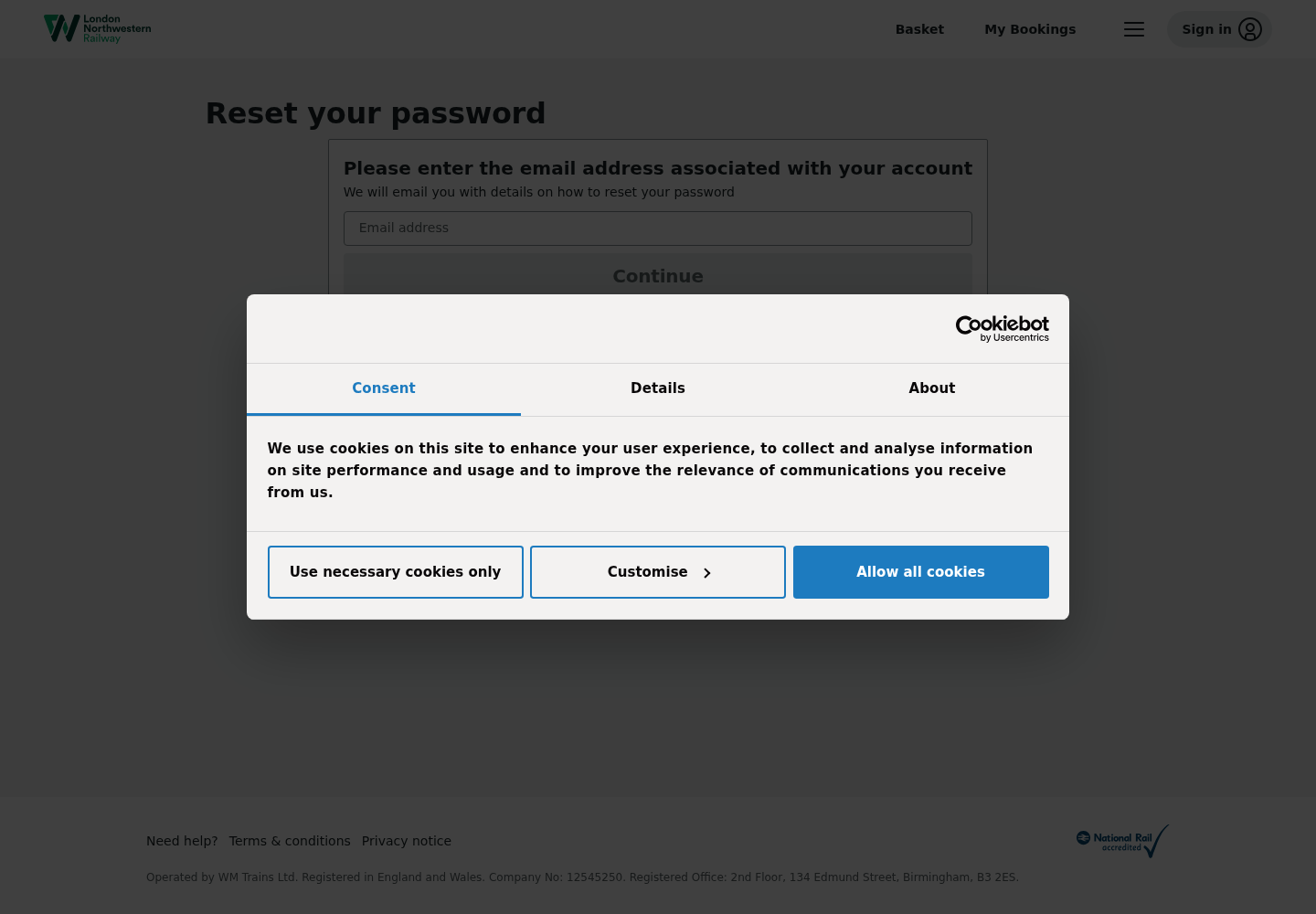
The password-reset route is hosted on a buytickets subdomain associated with the railway, rather than the main informational site.
Legitimate companies frequently separate booking systems from marketing pages. A different hostname is not automatically fraudulent.
It must still be reached through the operator’s own navigation or another independently verified route.
A sender domain needs confirmation from the operator
Reports mentioning trainsfares.co.uk require context. A name resembling train fares can belong to infrastructure, a contractor, or an imitation.
Do not decide based on resemblance. Ask official support whether that exact domain and mailbox were used for the incident.
Also compare the message’s return-path and authentication results, because the visible From field can be misleading.
Customer relations should be found outside the email
National Rail lists London Northwestern Railway customer support at 0333 311 0006. The operator also has an official contact route.
Numbers can change, so retrieve them from the current official listing when you call. Never trust a telephone number embedded in the alert.
A real support representative should not ask for remote access, gift cards, cryptocurrency, or a one-time login code.
What a Legitimate Follow-Up Should Look Like
A credible clarification should name the incident plainly, explain which customers were affected, and state whether actual account information changed.
It should tell recipients how to verify their accounts through an official route rather than demanding immediate action through one button.
The follow-up should not ask for passwords, full card details, one-time codes, or a payment.
It may reference the time of the erroneous notification and provide a case number that official support can confirm.
Even then, open the company’s site separately. A criminal can copy a genuine correction as easily as the first notice.
What to Do if You Clicked a Lookalike Phishing Email
- Close the suspicious page. Do not submit anything else, download a file, or call a number shown after the form.
- Change the exposed password. Use the railway’s independently opened site. Replace reused versions on every other account.
- Secure your email first. Review forwarding rules, recovery addresses, active sessions, app passwords, and recent sign-ins.
- Enable stronger verification. Turn on multifactor authentication through the official account settings and store recovery codes safely.
- Contact the railway independently. Report the message, ask whether account data changed, and request a review of bookings or saved information.
- Protect payment accounts. If card data was entered, call the issuer, replace the card when advised, and monitor transactions.
- Check the device. If you downloaded anything, run a Malwarebytes scan. Remove unknown extensions, profiles, and remote-access tools.
- Block repeat traps. AdGuard can reduce malicious advertising and known tracking paths, but it cannot authenticate an email sender.
Frequently Asked Questions
Is the London Northwestern Railway email definitely a scam?
No. The reported August 26 batch was attributed to an isolated technical error, not a breach. Copycat phishing messages still require independent verification.
Why did I receive the notice for an old account?
Dormant records can remain in ticketing systems. A migration or incorrect trigger may contact users who have not booked recently.
Should I click the review account button?
No. Open the railway’s site in a fresh tab and reach the account page through its own navigation.
Does a trainsfares.co.uk sender prove the message is legitimate?
No. Ask official support whether the exact address was used. Domain appearance alone cannot confirm ownership or authorization.
What if my account email really was changed?
Use official recovery immediately, secure your email account, replace reused passwords, review bookings, and report unauthorized activity.
What if I only opened the email?
Simply reading a normal message usually causes no harm. Risk rises after clicking, submitting details, downloading files, or granting permissions.
The Bottom Line
The original August 26 London Northwestern Railway message was an IT error, not a scam or reported data breach.
That conclusion does not authenticate every copy. Open the railway website independently, verify the account, and treat altered links, payment demands, or code requests as phishing.

Join the discussion
0 commentsShare your experience or ask a question about this article.
Discussion
Start the conversation
Have a question or something useful to share? Add the first comment.