

Aggressive ads on Facebook, TikTok, and YouTube have been promoting the NostalgicBox, a retro gaming console claimed to contain over 30,000 classic games. With exaggerated claims and unclear origins, is the NostalgicBox a nostalgic dream machine or just another shady dropshipping opearation? Our investigation unravels the truth.
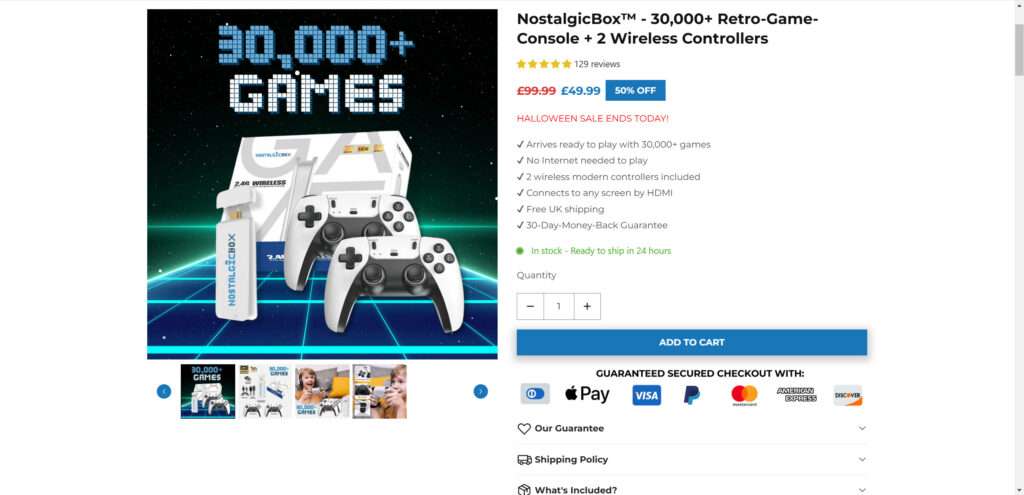
Overview of the NostalgicBox
The NostalgicBox is advertised as a plug-and-play retro gaming console preloaded with over 30,000 classic games from the 80s, 90s, and 2000s. For just $49, you can supposedly relive childhood gaming memories with titles like Super Mario, Sonic, Zelda, and more.
Key features highlighted in the ads include:
- 30,000+ preinstalled retro games
- Games from NES, SNES, Sega, Game Boy, PS1, PS2, and more
- No internet required to play
- HDMI connection to TV or monitor
- 2 modern wireless controllers included
- Intuitive menu and search for games
- Enhanced performance compared to original consoles
At first glance, this sounds like an amazing deal for retro gaming fans. But does the NostalgicBox really deliver on these lofty claims? Let’s analyze the facts.
Investigation of the Seller and Claims
The NostalgicBox is not sold through reputable retailers but rather shady websites with limited information. There are no company details, contact information, or evidence of legitimacy.
The promise of over 30,000 built-in games is highly dubious. Licensing this many retro titles would be enormously expensive if not completely impossible. More realistic retro consoles contain around 100-1000 games.
The advertised consoles like NES, SNES, PlayStation contain closed-source firmware making it very difficult to legally emulate them, especially at scale. The claim of enhanced performance is also suspect.
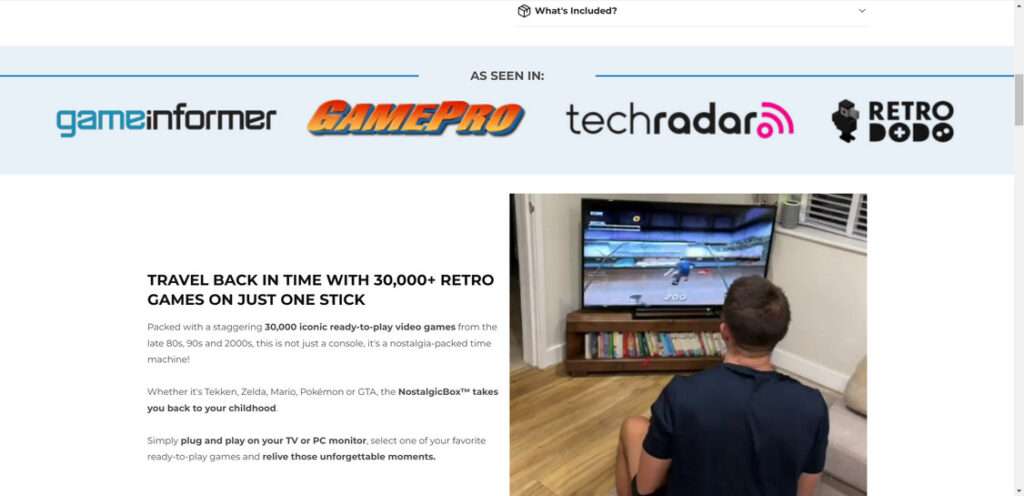
There are no reviews from verified buyers and limited evidence to back up any of the sellers’ claims. Overall, huge red flags around the legitimacy of this product.
Likely Reality: A Cheap Emulator Box
After analyzing all the facts, the NostalgicBox is almost certainly a low-quality emulator console loaded with illegally downloaded ROMs. The hardware is likely cheap Chinese components slapped together to mimick retro systems.
Thousands of such devices flood eBay and other marketplaces, often breaking shortly after arrival. They rely on digital piracy rather than properly licensing games.
While the preloaded games may work initially, performance will be spotty at best. Build quality is unreliable and hardware issues can render the device unusable. Don’t expect anywhere close to 30,000 games in reality.
The NostalgicBox aims to capitalize on nostalgia but delivers a poor experience compared to boutique retro consoles or software emulators running on PC/Raspberry Pi. It is not worth the price.
Conclusion: Avoid NostalgicBox
In summary, the NostalgicBox appears to be a dropshipping operation with exaggerated claims using aggressive marketing tactics. There is little evidence to substantiate their promises and huge red flags around licensing and capabilities.
Instead of wasting money on this unethical product, spend a little more for a high quality retro console from a reputable company. Or build your own emulator system for the most flexibility and performance. Don’t fall for hype – avoid the NostalgicBox retro gaming.
Frequently Asked Questions About NostalgicBox
1. What is NostalgicBox?
NostalgicBox is a plug-and-play retro gaming console aggressively advertised on social media. The ads boast over 30,000 classic games from the 80s, 90s and 2000s pre-installed and ready to play. However, there are major red flags about NostalgicBox being an dropshipping operation.
2. What are some of the red flags about NostalgicBox?
There are several reasons to be wary of NostalgicBox:
- Vague claims about 30,000 games without naming any specifics
- Lofty promises of performance without technical details
- Sold through a shady new website with no verifiable seller details
- Pre-installed games likely pirated and illegal
- Misleading limited-time sale tactics to spur impulse buys
- No evidence it’s a legitimate product that delivers as advertised
3. Why should I avoid buying the NostalgicBox?
With so many red flags, NostalgicBox is very likely a dropshipping operation from China trying to cash in on nostalgia. You could be spending money on an illegal product sold by an unverified seller. Worse, buying it could open you up to potential legal liability for using pirated games. It’s best to avoid this questionable product.
4. Are the ads for NostalgicBox a real?
The sensationalized ads are highly misleading, if not outright deceptive. They make bold claims using pressure tactics, but provide no real proof it’s a legitimate product.
5. What are better options for retro gaming?
Instead of wasting money on NostalgicBox, buy retro consoles and games from reputable sellers like Amazon or directly from the publishers. Opt for officially licensed products like the SNES and NES Classic Editions for a legal and quality retro experience.
6. How can I spot similar retro gaming dropshipping operations?
Be wary of unverified sellers making bold claims about massive game libraries. Look for specifics on included games, seller reputability, and proof of legitim

Join the discussion
0 commentsShare your experience or ask a question about this article.
Discussion
Start the conversation
Have a question or something useful to share? Add the first comment.