nvapi64.dll: What It Is & Should I Remove It?

When it comes to computer files and processes, it’s not uncommon to come across unfamiliar terms and names. One such term that may raise questions is “nvapi64.dll.” In this article, we will explore what nvapi64.dll is, whether you should remove it, and whether it is considered malware or not.
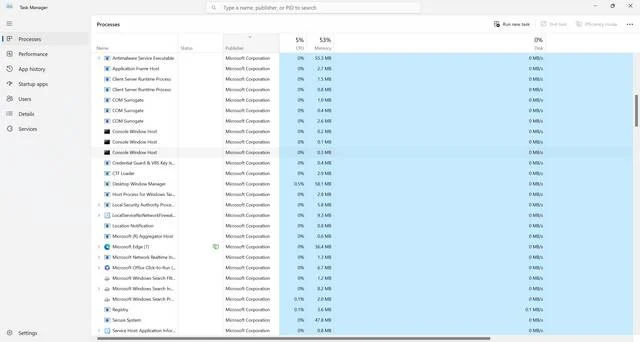
Windows Task Manager

What is nvapi64.dll?

Nvapi64.dll is a dynamic link library (DLL) file associated with NVIDIA graphics cards and drivers. DLL files contain code and data that multiple programs can use simultaneously, which helps to reduce redundancy and improve efficiency. In the case of nvapi64.dll, it provides a set of functions and interfaces that allow software applications to interact with NVIDIA graphics hardware.

Specifically, nvapi64.dll is part of the NVIDIA Display Driver, which is responsible for managing and controlling the display output of NVIDIA graphics cards. It enables various features and functionalities, such as adjusting display settings, optimizing performance, and supporting advanced graphics technologies.

Should I Remove nvapi64.dll?

In most cases, you should not remove nvapi64.dll from your system. It is an essential component of the NVIDIA graphics driver, and removing it can cause various issues with your graphics card and related software.

Here are a few reasons why you should keep nvapi64.dll:

  • Functionality: Removing nvapi64.dll can lead to the loss of important features and functionalities provided by the NVIDIA graphics driver. This can result in degraded graphics performance, limited display options, and potential compatibility issues with certain software applications.
  • Stability: The NVIDIA graphics driver relies on nvapi64.dll to ensure stable and reliable operation of your graphics card. Removing this file can introduce instability, crashes, and other system errors.
  • Compatibility: Many software applications, especially games and multimedia software, depend on the NVIDIA graphics driver and its associated DLL files to function properly. Removing nvapi64.dll can cause compatibility issues and prevent these applications from running correctly.

It’s important to note that if you are experiencing issues with nvapi64.dll or suspect it may be corrupted, it is recommended to update your NVIDIA graphics driver rather than removing the DLL file. Updating the driver can often resolve any problems and ensure that you have the latest features and bug fixes.

Is nvapi64.dll Malware?

No, nvapi64.dll is not considered malware. It is a legitimate file associated with NVIDIA graphics drivers and is commonly found on systems with NVIDIA graphics cards installed. However, like any other file, it is possible for nvapi64.dll to be targeted by malware or become corrupted.

If you suspect that nvapi64.dll on your system is infected or causing issues, it is recommended to perform a thorough scan with reliable antivirus software. One such software is Malwarebytes Free, which is known for its effectiveness in detecting and removing malware.

By running a scan with Malwarebytes Free, you can ensure that your system is free from any potential malware infections and address any issues related to nvapi64.dll or other files.

Summary

In conclusion, nvapi64.dll is an important component of the NVIDIA graphics driver, providing essential functions and interfaces for software applications to interact with NVIDIA graphics hardware. It should not be removed from your system, as doing so can lead to loss of functionality, stability issues, and compatibility problems.

Nvapi64.dll is not considered malware, but it is always a good practice to regularly scan your system with reliable antivirus software, such as Malwarebytes Free, to ensure the integrity and security of your files and processes.

By understanding the role of nvapi64.dll and taking appropriate measures to maintain its integrity, you can ensure optimal performance and functionality of your NVIDIA graphics card and related software.

10 Rules to Avoid Online Scams

Here are 10 practical safety rules to help you avoid malware, online shopping scams, crypto scams, and other online fraud. Each tip includes a quick “if you already got hit” action.

  1. Stop and verify before you click, log in, download, or pay.

    warning sign

    Most scams win by creating urgency. Verify using a trusted method: type the website address yourself, use the official app, or call a known number (not the one in the message).

    If you already clicked: close the page, do not enter passwords, and run a malware scan.

  2. Keep your operating system, browser, and apps updated.

    updates guide

    Updates patch security holes used by malware and malicious ads. Turn on automatic updates where possible.

    If you saw a scary “update now” pop-up: close it and update only through your device settings or the official app store.

  3. Use layered protection: antivirus plus an ad blocker.

    shield guide

    Antivirus helps block malware. An ad blocker reduces scam redirects, phishing pages, and malvertising.

    If your browser is acting weird: remove unknown extensions, reset the browser, then run a full scan.

  4. Install apps, software, and extensions only from official sources.

    install guide

    Avoid cracked software, “keygens,” and random downloads. During installs, choose Custom/Advanced and decline bundled offers you do not recognize.

    If you already installed something suspicious: uninstall it, restart, and scan again.

  5. Treat links and attachments as untrusted by default.

    cursor sign

    Phishing often impersonates delivery services, banks, and popular brands. If it is unexpected, do not open attachments or log in through the message.

    If you entered credentials: change the password immediately and enable 2FA.

  6. Shop safely: research the store, then pay with protection.

    trojan horse

    Be cautious with brand-new stores, “closing sale” stories, and prices that make no sense. Prefer credit cards or PayPal for dispute options. Avoid wire transfers, gift cards, and crypto payments.

    If you already paid: contact your card issuer or PayPal quickly to dispute the transaction.

  7. Crypto rule: never pay a “fee” to withdraw or recover money.

    lock sign

    Common patterns include fake profits, then “tax,” “gas,” or “verification” fees. Another is a “recovery agent” who demands upfront crypto.

    If you already sent crypto: stop paying, save evidence (wallet addresses, TXIDs, chats), and report the scam to the platform used.

  8. Secure your accounts with unique passwords and 2FA (start with email).

    lock sign

    Use a password manager and unique passwords for every account. Enable 2FA using an authenticator app when possible.

    If you suspect an account takeover: change passwords, sign out of all devices, and review recent logins and recovery settings.

  9. Back up important files and keep one backup offline.

    backup sign

    Backups protect you from ransomware and device failure. Keep at least one backup on an external drive that is not always connected.

    If you suspect infection: do not connect backup drives until the system is clean.

  10. If you think you are a victim: stop losses, document evidence, and escalate fast.

    warning sign

    Move quickly. Speed matters for disputes, account recovery, and limiting damage.

    • Stop payments and contact: do not send more money or respond to the scammer.
    • Call your bank or card issuer: block transactions, replace the card if needed, and start a dispute or chargeback.
    • Secure your email first: change the email password, enable 2FA, and remove unfamiliar recovery options.
    • Secure other accounts: change passwords, enable 2FA, and log out of all sessions.
    • Scan your device: remove suspicious apps or extensions, then run a full malware scan.
    • Save evidence: screenshots, emails, order pages, tracking pages, wallet addresses, TXIDs, and chat logs.
    • Report it: to the payment provider, marketplace, social platform, exchange, or wallet service involved.

These rules are intentionally simple. Most online losses happen when decisions are rushed. Slow down, verify independently, and use payment methods and account controls that give you recourse.