


One small antenna, a crowded channel guide, and no more expensive television bills. The OptiWave pitch makes changing your evening routine sound wonderfully simple.
But before replacing your current setup, make sure the device in the advertisement matches the television service you actually want.
Overview
OptiWave’s promise goes beyond a simple antenna purchase
An August 2025 version of get-optiwave.shop advertised a freestanding indoor antenna, more than 100 free channels, high-definition reception, and a way to reduce cable costs.
Its pitch also referred to “premium content.” That wording matters because viewers may expect the shows in their paid packages, not merely whatever broadcasts reach their homes.
A television antenna receives broadcast signals. It is not an account, subscription, or universal replacement for every channel appearing in a cable advertisement.
The old offer and a current purchase are different things
The get-optiwave.shop, FlexiWave, and Huluro product routes discussed here are currently unavailable through the checked paths. Their archived pages help identify earlier offers.
They cannot establish today’s checkout total, seller, inventory, or return destination. A leftover promotional link should not be treated as a functioning customer-service channel.
The practical problems to separate are:
- Which physical device was advertised and which one arrived.
- Whether your desired programming is broadcast locally or supplied through another service.
- Whether the price covered one antenna or a larger package.
- Which merchant accepted payment and which return promise covered that transaction.
The buying decision should follow the missing details
Do not order OptiWave through these leftover offers. The broad entertainment promise and unavailable purchase routes leave too much unresolved about reception and after-sales support.
That does not mean ordinary antennas are fake technology. It means a legitimate reception method can be sold with expectations the advertised hardware cannot automatically fulfill.
No hands-on reception test was performed. The warning concerns the documented pitch and purchase information, not an invented measurement of every unit’s performance.
What an Antenna Can Actually Replace
Free broadcasts are real, but your channel list is local
AntennaWeb explains the distinction between local over-the-air stations and programming obtained from online providers. Broadcasters can also carry additional subchannels.
That can make an antenna useful for someone whose favorite programs are available locally. It does not make every household’s viewing options identical.
Start with your own evening. If the main attraction is a particular sports event, series, or movie channel, establish where that program is distributed.
A long list of channels is not necessarily a useful replacement for the handful you watch. Count relevant programs, not just entries in a scan.
Reception depends on more than the name on the casing
AntennaWeb’s antenna guidance identifies location, transmitter characteristics, terrain, antenna type, height, and direction as factors affecting reception.
Indoor construction adds further obstacles. Its planning model is for outdoor reception, not a guarantee that a small indoor device will reproduce the predicted results.
Think of the advertisement as a claim about your home, not a photograph of a successful installation somewhere else. Those are very different pieces of evidence.
A rural viewer and someone near several transmitters need not get the same result. A blanket promise conceals the very details that determine usefulness.
An HD label does not create a new program source
The antenna passes a received signal to the television’s tuner. It does not turn an unavailable broadcast into a subscription channel or manufacture higher-quality programming.
Likewise, a channel scan is a search for reception, not an activation procedure for a paid entertainment account.
Our UltraLink antenna investigation examines a related free-TV pitch. The important comparison is the promised service, not similar-looking packaging alone.
Comparing another heavily advertised device? Our Scam Alerts section covers related sales pitches, including the gap between ordinary hardware and the promises used to sell it.
Before canceling anything, test whether your actual viewing needs are met. Otherwise, a promised saving can become another device sitting beside an unchanged television bill.
OptiWave, FlexiWave, and LiveWave Are Not Interchangeable Names
OptiWave is the standing device in the older offer
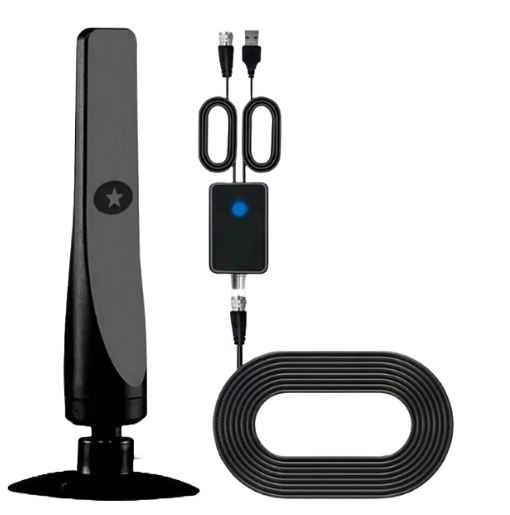
The archived OptiWave page shows a black upright antenna on a base, with a coaxial cable assembly and USB connection visible in the product image.
That photograph identifies the promoted design. It does not establish the factory, internal components, measured reception, or the contents of a package shipped by another storefront.
Save your own product photograph and model label. A search result can mix similarly named television accessories without preserving the seller behind your particular order.
FlexiWave uses a similar kind of entertainment pitch
An April 2026 FlexiWave page promoted another standing indoor antenna with free-channel, no-internet, rural-reception, and broad compatibility claims.
Its 30-day guarantee differed from the 90-day reassurance on the older OptiWave offer. That difference alone is reason not to borrow one site’s return terms.
The page also displayed packages containing one, three, or five units. Package cards show advertised choices, not proof that buyers were secretly charged for extras.
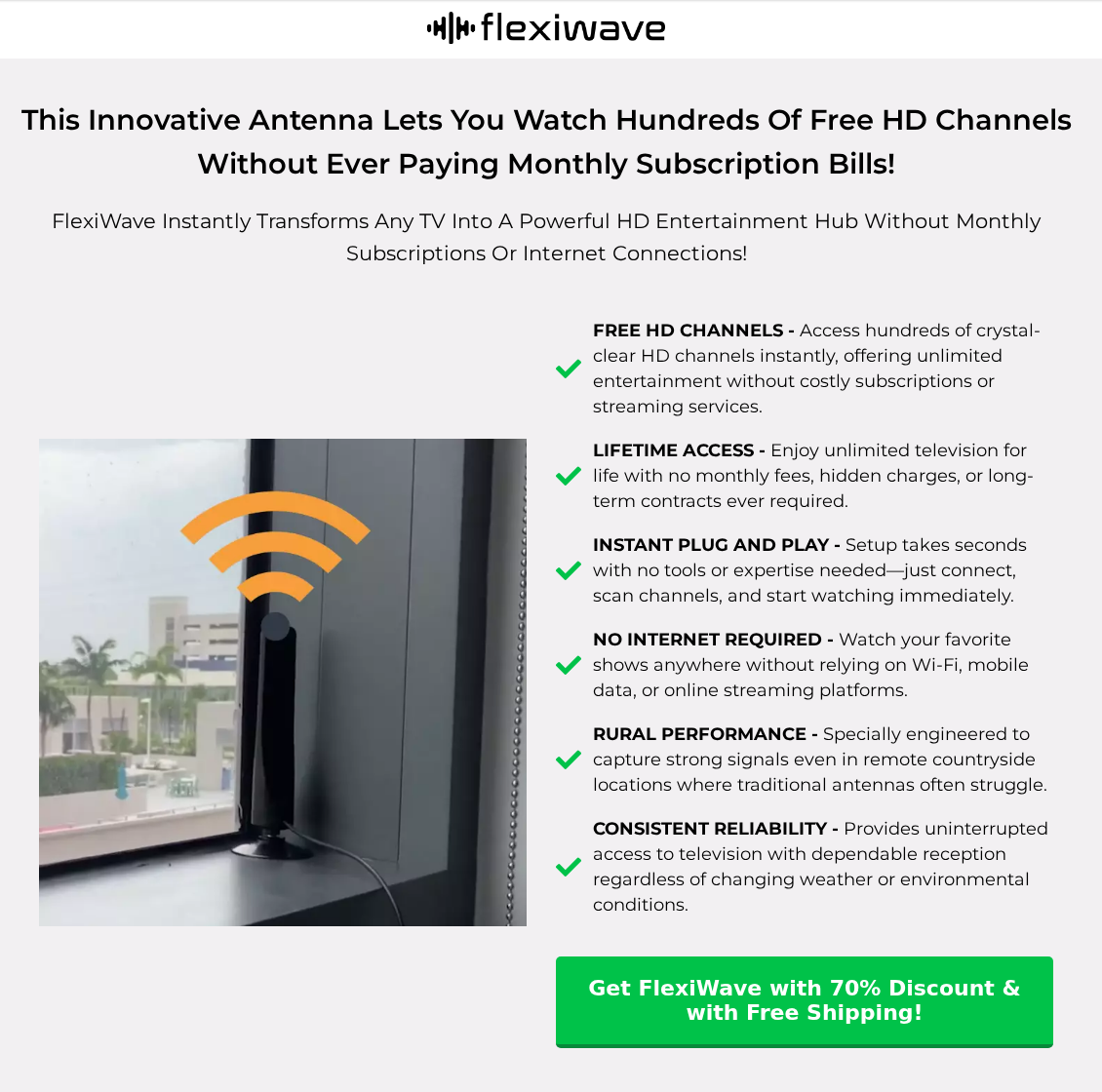
Similar antenna photographs and sales language establish a comparison worth making. They do not identify a common legal owner or prove the hardware is the same model.
If your receipt says FlexiWave, use that name and merchant when seeking help. An OptiWave guarantee cannot settle what your transaction actually included.
LiveWave’s outlet-connected device is physically different
Think Tech’s LiveWave page shows a circular device connected to a wall outlet and television cable. The seller says it uses household wiring for reception.
The page specifies compatibility with US outlets. That is a materially different setup from simply placing the standing OptiWave antenna beside a television.
Its current product page is not evidence that an old OptiWave order has moved there. Do not send another seller your payment details to recover an earlier purchase.
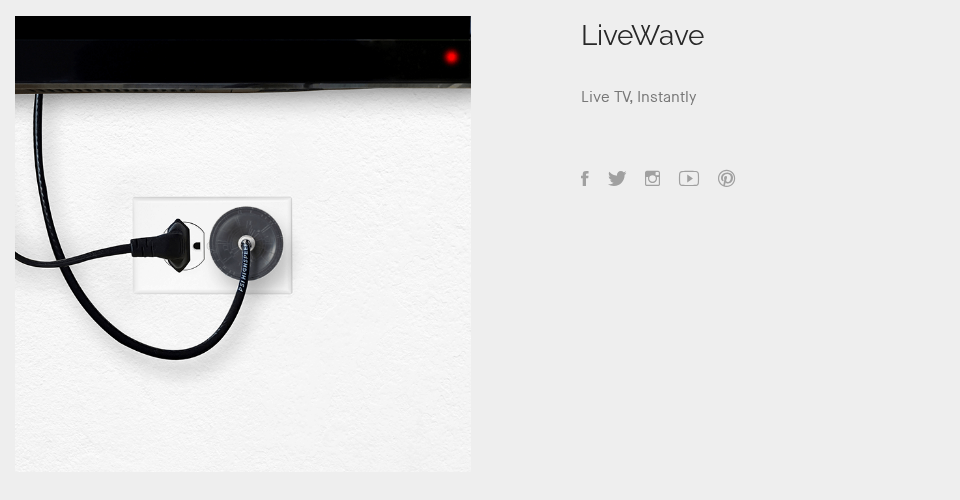
If you searched for a LiveWave antenna scam, identify this device before comparing complaints. Reviews of an upright antenna may concern an entirely different purchase.
The seller’s explanation is still a performance claim, not an independent test. A longer-sounding reception story does not replace evidence about the channels available at your address.
How the Free-TV Antenna Pitch Works
Step 1: Make a familiar monthly bill the problem
The opening appeals to a reasonable frustration: paying for television packages when you only watch a few programs. A small one-time purchase feels easy to justify.
The crucial omission is often the comparison between your current package and the broadcasts actually available locally. Without it, the saving exists mainly in the headline.
Write down the programs you would miss before buying. That short list is more useful than an advertisement promising a large, unexplained channel count.
Step 2: Let simple setup imply complete access
Connecting a cable can be straightforward. That convenience does not answer whether your television has the appropriate tuner or your home receives the required stations.
A convincing demonstration may skip the difference between a television input, an internet app, and a paid channel package.
Ask what the antenna receives by itself. If a demonstration quietly switches to another app or account, those extra conditions belong in the purchase decision.
Step 3: Use ratings and guarantees to quiet the remaining doubts
The archived OptiWave presentation paired customer-rating graphics with a money-back message. Those are seller-controlled reassurances, not an independent reception test or a completed refund.
A guarantee becomes useful only when you can identify the merchant, deadline, return conditions, and working contact route for your order.
Do not let a reassuring badge replace those details. You need an actual process if the channels you wanted never appear.
Step 4: Turn a product name into a purchase before the comparison is finished
Different packages and similarly named offers make it easy to remember the promise while overlooking which business took the payment.
Stop at the order summary. Confirm the selected quantity, total, shipping charge, optional additions, and the product name on the receipt.
For older purchases, reconstruct that summary from your confirmation email. Today’s search results cannot reliably reconstruct yesterday’s selected package.
Seller Identity, Support, and Returns
The promotional page is not necessarily the payment merchant
Follow the transaction record rather than guessing from the brand. Your receipt and card descriptor should identify the business involved in the payment.
The older OptiWave material also included marketplace and paid-referral disclosures. A promotional page can introduce an offer without being the business handling a return.
Our Flixy TV stick investigation covers another free-entertainment pitch. A streaming stick and a broadcast antenna remain different devices.
A contact heading is not a usable return route
The archived OptiWave contact page displayed an email heading without an address in its saved content. That is not a destination to which a customer can write.
Use the contact details attached to your actual order. Avoid assuming that a newly found advertisement or similarly named store has inherited the original seller’s obligations.
A displayed address does not settle where your package should go
LiveWave’s separate Think Tech page names Think Tech Enterprises LTD. and publishes support@dfydaily.com. Those declared details belong to that page, not automatically to OptiWave.
Before returning hardware, obtain instructions covering your order. A listed office, package-dispatch location, and authorized returns depot can be different places.
The promise needs conditions you can preserve
Keep the version of the guarantee that appeared when you paid. Ask whether its clock begins at purchase or delivery and what condition the goods must retain.
Clarify postage, any deduction, and whether an opened antenna can be returned after a reception test. Do not spend more on shipping without written instructions.
What to Do If You Ordered an OptiWave Antenna
- Identify the transaction before chasing another website.
Save the receipt, payment descriptor, order number, selected quantity, advertised promise, and confirmation emails. Record which name appeared at payment.
If the package uses another brand, photograph both the label and contents. Describe the mismatch specifically rather than assuming a common company.
- Check a delivered device against the right television instructions.
Use your television manufacturer’s setup guide. Samsung’s US instructions, for example, distinguish the antenna connection, TV source, and Air channel scan.
Menu labels vary by model. Do not confuse a USB connection with the television input that receives the broadcast signal.
Samsung also describes TV Plus as internet streaming. Channels appearing there do not demonstrate that the antenna unlocked them.
- Document the particular reception problem.
Note the television model, setup used, channels found, and the specific advertised stations or programs that are missing. Keep the manufacturer’s relevant instructions.
A clear description helps distinguish faulty hardware, compatibility, local reception, and a misleading program-access promise. Do not claim a laboratory result you did not measure.
- Request the remedy you actually need.
Ask the merchant to address non-delivery, wrong goods, an incorrect quantity, a fault, or a disputed guarantee. Include supporting records and request a written answer.
If you received more units than expected, compare them with the original summary before describing the charge. Package pricing and unauthorized additions are different disputes.
- Confirm return instructions before posting the device.
Get the complete destination, authorization details, deadline, and postage terms. Keep photographs of the item and proof of tracked delivery if you return it.
For an old order, ask whether the merchant will still accept it. A historical guarantee is not a promise that its return window remains open indefinitely.
- Ask your payment provider about an unresolved charge.
Use the provider’s official app or contact number. Explain the actual problem and ask which process, evidence, and time limits apply to that transaction.
Do not label an agreed purchase as stolen-card fraud because reception disappointed you. Be equally precise about any genuinely unrecognized payment.
- Report misleading conduct without paying a recovery fee.
US consumers can use FTC ReportFraud to report suspected deceptive sales. Elsewhere, use the appropriate consumer-protection authority.
A person promising an antenna refund should not need remote access, gift cards, or an advance release payment. Keep any such demand as separate evidence.
Frequently Asked Questions
Does the OptiWave TV antenna actually work?
An antenna may receive available local broadcasts when the television and installation are suitable. That does not validate OptiWave’s broad channel or cable-replacement promise.
The unavailable offer routes and missing purchase details are sufficient reasons not to order through old promotions.
Can an antenna replace Netflix or every cable channel?
No. Broadcast reception and subscription access are different services. Establish where your desired programs are distributed instead of treating a large channel number as equivalent coverage.
Are FlexiWave and OptiWave the same product?
The archived pages promote similar standing indoor antennas. Similar pictures and copy do not establish identical components, shared ownership, or matching return terms.
Is LiveWave another name for the standing OptiWave antenna?
The Think Tech page shows an outlet-connected circular device, a different design. Identify your actual hardware and receipt before using another product’s reviews or support details.
Why did my television find fewer channels than the advertisement promised?
Reception depends on local signals, the antenna, placement, building conditions, and the television. A headline channel count is not a location-specific reception assessment.
Can I still get a refund for an older OptiWave order?
That depends on your purchase terms, timing, payment method, and available remedy. Contact the merchant and payment provider with your records rather than paying another alleged intermediary.
The Bottom Line
Do not buy OptiWave through leftover promotions expecting universal free entertainment. The advertised shortcut does not establish reception, subscription access, or a dependable return route.
If you already paid, identify the transaction, document what arrived and what failed, then pursue the specific remedy with the actual merchant and payment provider.

Join the discussion
0 commentsShare your experience or ask a question about this article.
Discussion
Start the conversation
Have a question or something useful to share? Add the first comment.