

The Student Loan Debt Department phone call is a scam that prays on the hopes of those burdened by student loans. The scam usually begins with an email, claiming that the recipient’s student loans have been marked as eligible for forgiveness under the new 2023 guidelines. However, like most scams, things aren’t always as they seem.
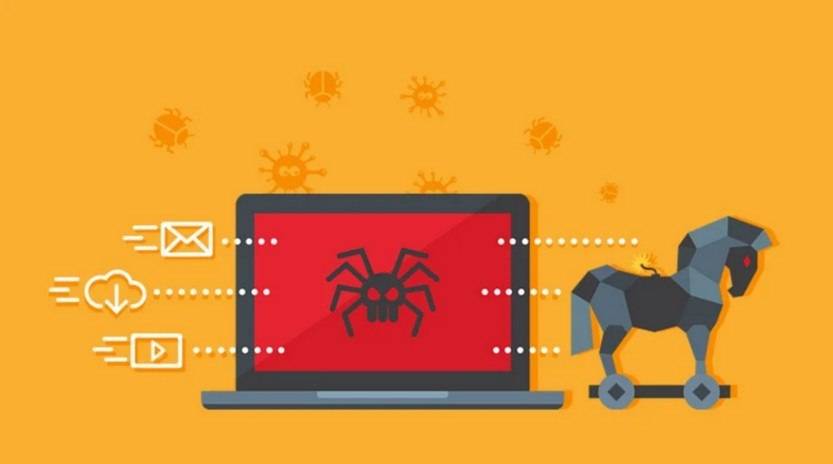
How The Student Loan Debt Department Scam Works
The Student Loan Debt Department phone call scam typically starts with an email notifying you that your student loans are eligible for forgiveness. This email usually comes from an address that may seem legitimate at first glance, but upon closer inspection, often contains subtle irregularities. The email prompts you to call a specific phone number to discuss this newfound eligibility.
When you dial the given number, you’ll speak with someone claiming to represent the Student Loan Debt Department. They’ll typically introduce themselves with a believable name, reference your case number, and explain that they had attempted to reach you earlier. To make the scenario sound urgent, they’ll mention that your file will remain open in their system for just one more day, implying that you stand to lose this supposed benefit if you don’t act immediately.
The scammer will then usually ask for personal information to ‘verify’ your identity and ‘confirm’ your loan forgiveness eligibility. This information may include your full name, social security number, your student loan account number, and more. In some cases, they might even ask for an upfront fee to ‘process’ your loan forgiveness application.
The aim of this scam is twofold. Firstly, the scammer attempts to collect sensitive personal and financial information, which they can use for identity theft, unauthorized transactions, or to sell on the dark web. Secondly, they might defraud you of immediate cash under the guise of processing fees or other fabricated costs associated with your loan forgiveness application.
What To Do If You Have Fallen Victim?
If you believe you’ve fallen victim to the Student Loan Debt Department phone call scam, here’s what you need to do:
1. Report the Scam: File a complaint with the Federal Trade Commission (FTC) and the Federal Communications Commission (FCC). Also, report the incident to your state’s attorney general office. If you received the initial email, forward it to the Anti-Phishing Working Group at reportphishing@apwg.org.
2. Protect Your Identity: If you provided your social security number or other personal information, contact the three major credit reporting agencies – Equifax, Experian, and TransUnion – and place a fraud alert on your credit reports. Consider investing in identity theft protection services.
3. Contact Your Loan Service Provider: Notify them about the situation. They may provide advice or assistance to protect your account.
4. Monitor Your Financial Accounts: Keep a close eye on your bank and credit card accounts. Report any suspicious transactions immediately.
5. Check Your Device For Malware: If you suspect your device is infected with malware, run a scan with Malwarebytes Free,
How To Avoid Falling Victim
Protecting yourself from the Student Loan Debt Department phone call scam involves a combination of vigilance, knowledge, and skepticism. Here are some steps you can take:
1. Know the Signs: Government agencies and legitimate organizations do not ask for sensitive information or payment over phone calls or unsolicited emails. They also typically communicate through official postal mail.
2. Verify Before Acting: If you receive a communication about loan forgiveness, verify it independently. Use contact information from an official government or lender website, not the one provided in the email or over the call.
3. Ignore Urgency: Scammers often try to create a sense of urgency to get you to act without thinking. Take your time, and don’t let anyone rush you into providing personal information or making payments.
4. Use Secure Networks: When providing personal or financial information online, make sure you are on a secure network, denoted by ‘https’ at the beginning of the URL.
5. Regularly Check Your Accounts: Regularly review your bank and credit accounts for any unusual activity. Early detection can help mitigate potential damages.
Conclusions
The Student Loan Debt Department phone call scam, like many others, thrives on misinformation and the victim’s hopes for a reprieve from their debts. While it may be enticing to consider the possibility of your student loans being forgiven, it’s crucial to approach such communications with skepticism. By understanding how this scam works, recognizing the signs, and knowing what to do if you fall victim, you can better protect yourself from this and similar scams. Remember, when something sounds too good to be true, it usually is.








