

A low-cost vehicle report can feel like the final sensible check before buying a used car. The small screen in front of you seems routine.
VINClarity turns that quick search into a broader membership offer. The details deserve a careful read before any card number enters the page.
Overview
VINClarity is a real vehicle-report service, not an imaginary website
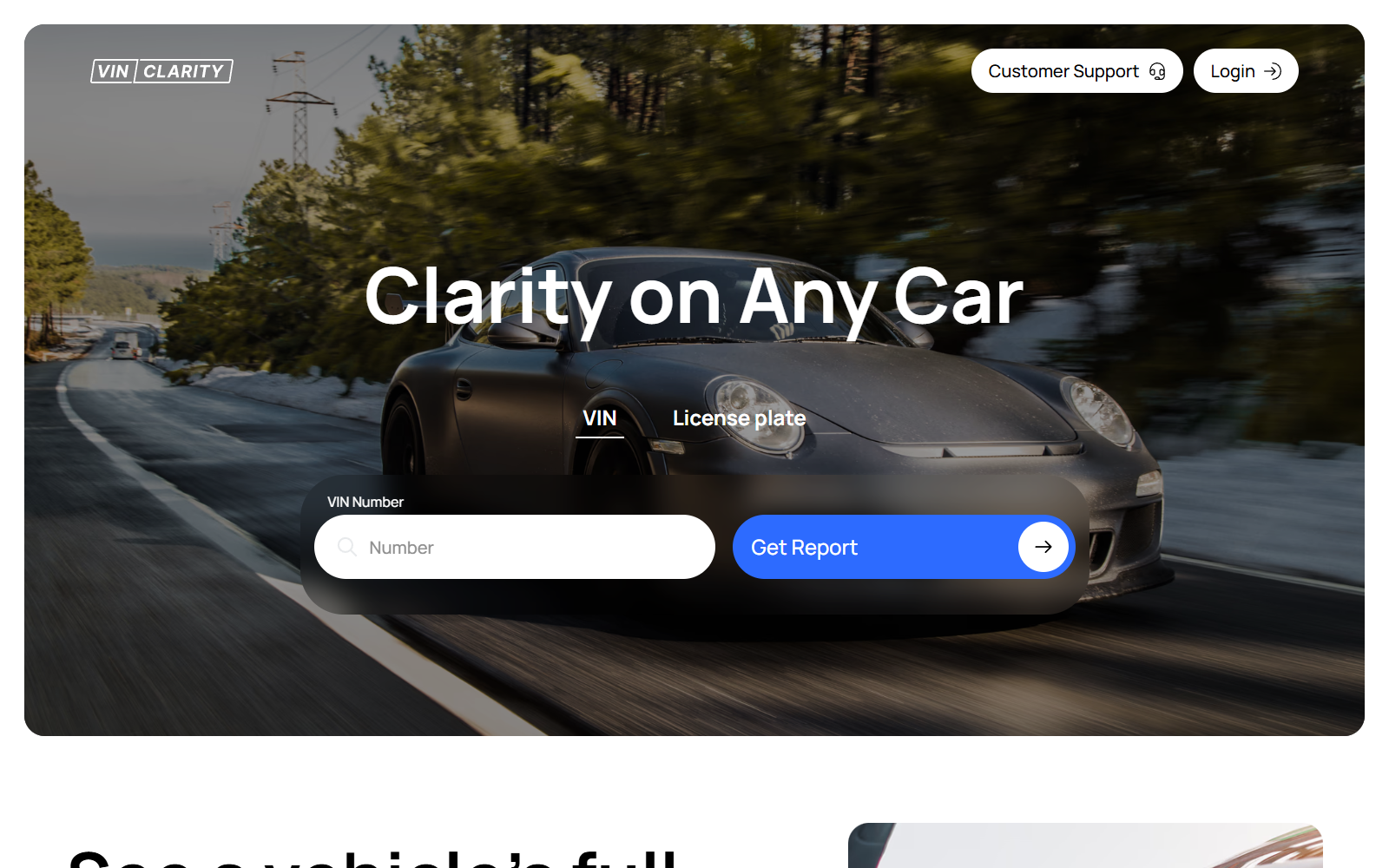
VINClarity provides vehicle-history reports using a VIN or license plate. Its website describes accident, title, lien, mileage, recall, theft, and market-value information.
The service names DataX Group LLC in its legal terms. It also publishes a Wyoming mailing address, support number, email, refund policy, and cancellation instructions.
Those details separate VINClarity from anonymous phishing pages. They do not automatically make every purchase suitable, accurate, or clearly understood by every customer.
The important distinction is one report versus continuing access
The public pricing area presents a single-purchase option and a monthly subscription. The membership includes up to 20 reports, monitoring, reminders, and priority support.
A shopper who needs one report may not value those recurring features. The practical risk begins when the customer misunderstands which billing option was selected.
Recurring billing is not inherently fraudulent. It becomes costly when a small initial transaction receives attention while the continuing plan receives much less.
Refunds exist, but the written policy leaves discretion with the company
VINClarity says the most recent subscription payment may qualify for a refund. Earlier payments are ineligible, and the company reserves discretion to reject requests.
A separate help page sounds more generous. It says accidental membership signups or unexpected charges may receive a full refund when requested in good faith.
That difference makes documentation important. Customers should save the checkout page, receipt, membership email, cancellation confirmation, and every written support response.
- Confirm whether the checkout says one-time report or monthly subscription.
- Read the total charge, not only the introductory amount.
- Record the renewal date immediately after purchase.
- Cancel through account settings and keep the confirmation email.
- Request refunds in writing, even if support also speaks by phone.
Is VINClarity a Scam?
Our investigation did not find enough evidence to label the entire VINClarity service a scam. It identifies a legal entity and publishes usable support and billing policies.
The more accurate concern is subscription clarity. A legitimate service can still create complaints when customers expect one report and later discover continuing charges.
Vehicle-history products also have unavoidable data limitations. A polished report cannot include an accident, repair, auction event, or title problem that never reached its sources.
VINClarity itself says it pulls information from government and private records. That language describes aggregation, not an independent inspection of the vehicle.
Consequently, a clean report should never replace a mechanic, title verification, seller questioning, recall lookup, or examination of the actual car.
The useful question is not simply whether the website exists. Buyers need to know what they purchased, how often billing repeats, and what the report cannot prove.
What the Vehicle Report Can and Cannot Tell You
A vehicle-history report can reveal patterns that deserve investigation. Repeated title transfers, mileage inconsistencies, salvage records, theft entries, and open recalls can change a purchase decision.
It can also help buyers ask better questions. A seller who describes one owner should be able to explain a record showing several title events.
However, databases are incomplete by design. Small repairs paid privately may never appear, and reporting delays can leave recent events outside the result.
Imported vehicles, rebuilt cars, title washing, incorrect VIN entries, and mismatched state records create additional uncertainty. No commercial report eliminates those risks.
Market-value estimates are also estimates. Local demand, condition, trim, maintenance, modifications, and negotiation can move the real price far from an automated figure.
Use the report as one layer. Compare it with the title, registration, service history, inspection findings, recall database, and the seller’s identification.
If any layer conflicts, pause the purchase. A used car remains expensive long after a cheap report has been forgotten.
How the VINClarity Offer Works
Step 1: The visitor searches a VIN or license plate
The home page invites users to enter a 17-character VIN or select a state and license plate. That creates the expectation of an immediate answer.
The interface emphasizes speed and simplicity. It also lists familiar data categories, making the search resemble a straightforward one-product transaction.
Before continuing, identify the exact report owner and verify the VIN directly from the dashboard, door label, title, and registration.
Step 2: The service assembles records from outside sources
VINClarity says it searches government and private records. It does not create the underlying accident, title, theft, mileage, or recall information.
This distinction matters because source errors can flow into the finished report. Missing information can also produce an apparently reassuring result.
Read dates, jurisdictions, and mileage entries carefully. A strange record may require correction, while an absent record does not prove an event never happened.
Step 3: Checkout presents report and membership choices
The public site describes both a one-time report and monthly access. Membership adds 20 reports per month, alerts, value tracking, and maintenance reminders.
A buyer focused on the car may move quickly through this decision. That is where recurring terms, renewal timing, and the final total require deliberate attention.
Take a screenshot before payment. The saved page becomes useful if the receipt, card statement, or membership status differs from what appeared during checkout.
Step 4: A subscription continues until the customer cancels
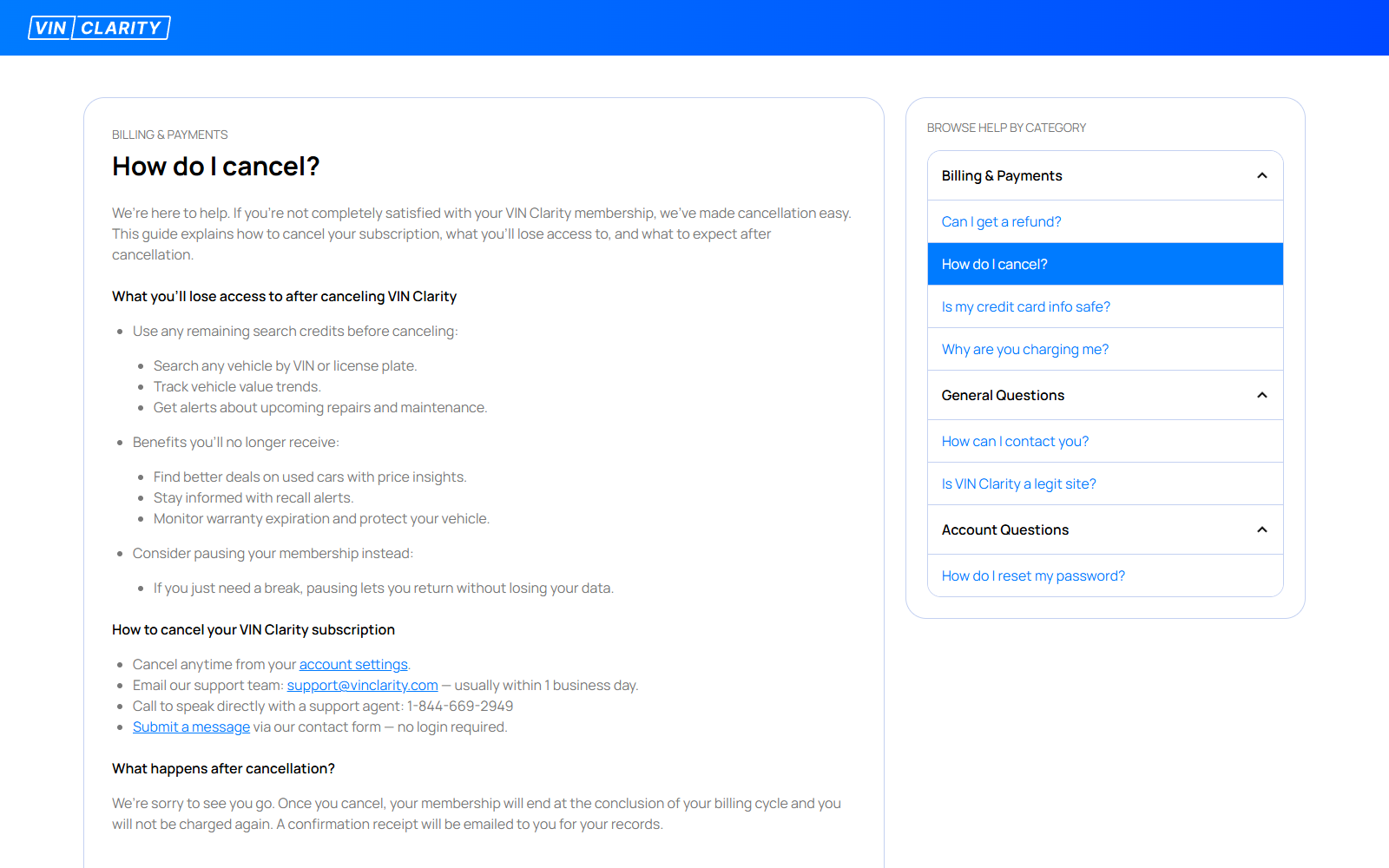
The cancellation guide says customers can cancel from account settings, by email, by telephone, or through a support form.
Access remains available through the current billing cycle. The company says it sends a confirmation receipt and stops future charges after successful cancellation.
Do not treat an unanswered message as proof of cancellation. Look for the receipt, confirm account status, and review the next card statement.
Step 5: Refund eligibility depends on timing and review
The formal policy permits a request for the latest subscription payment. It excludes older subscription charges and makes approval discretionary.
The help center says accidental signups may receive a full refund, provided the request appears genuine and the service was not heavily used.
These statements are not identical guarantees. Submit a concise timeline, identify the charge, explain the misunderstanding, and attach proof of cancellation.
Step 6: The report becomes one input in the buying decision
A report may reveal a serious warning or simply confirm records already supplied by the seller. Either result still needs independent checking.
Arrange a pre-purchase inspection with a mechanic who has no connection to the seller. Confirm title ownership and liens through the relevant motor-vehicle authority.
Walk away if the seller pressures you to skip those steps. Urgency from a stranger should never overrule contradictory paperwork or physical evidence.
Why Customers May Not Recognize a VINClarity Charge
One explanation is that someone else in the household used the card. VINClarity’s own help page asks customers to consider family or office use.
Another possibility is memory. A small report purchase can be easy to forget, especially when the later statement appears under an unfamiliar descriptor.
A subscription may also have been selected during a rushed checkout. Customers sometimes remember the immediate report but not the continuing benefits listed beside it.
None of those explanations should be assumed. Compare the charge date with email receipts, browser history, password-manager entries, and any vehicle search performed nearby.
If nobody authorized the transaction, contact the merchant and card issuer promptly. Replace the card when the issuer recommends it, then monitor connected accounts.
Do not send a driver’s license, Social Security number, or complete card number through ordinary email merely to ask what a statement charge represents.
Refund and Cancellation Details That Matter
VINClarity allows self-service cancellation from account settings. This is usually the fastest method because it creates an immediate account-side action.
The site also lists support@vinclarity.com, 1-844-669-2949, and a no-login contact form. Use written channels when preserving evidence is important.
The formal refund policy says requests must be submitted in writing. Phone staff may forward a request, but they cannot issue the refund by telephone.
Only the most recent subscription payment is potentially refundable under that policy. Waiting through several billing cycles can therefore reduce the amount recoverable directly.
A disputed or charged-back payment is not eligible for a merchant refund. Contacting the bank first may close the merchant’s internal refund path.
That does not mean customers should avoid their bank. It means they should understand the sequence and choose promptly based on whether the charge was authorized.
For an authorized but misunderstood subscription, start with written cancellation and refund requests. Escalate through the card issuer if the merchant refuses or keeps billing.
For a transaction nobody authorized, call the issuer using the number printed on the card. The bank’s fraud process takes priority over routine merchant negotiation.
Company, Address, and Fulfillment Checks
The legal identity is DataX Group LLC
VINClarity’s terms identify DataX Group LLC as the operator. That name is more useful for disputes than a logo or generic statement descriptor.
Save the terms version visible on the purchase date. Online policies can change, while a dated copy preserves the agreement a customer actually reviewed.
The published address is a mailing contact
The company lists 1309 Coffeen Avenue, Suite 10296, Sheridan, Wyoming 82801. A suite-formatted address may serve registration and correspondence rather than daily operations.
That does not make it fake. It means the address should not be interpreted as a staffed vehicle-data office without independent confirmation.
Support provides several contact routes
The site publishes email, telephone, account settings, and a contact form. Multiple routes are useful, especially when one channel is slow.
Test support before making a time-sensitive purchase. Ask a specific billing question and keep the answer, representative name, date, and ticket number.
Digital delivery changes the fulfillment question
There is no warehouse shipping a physical product. The key traceability issue is which databases contributed records and when the report was generated.
Download the complete report immediately. Preserve its timestamp, VIN, source notes, disclaimers, and any transaction identifier for later correction or dispute.
How to Evaluate the Checkout Before Paying
Slow down when the requested result finally appears within reach. That moment is designed to convert curiosity into payment.
- Read every selected option and remove features you do not want.
- Locate the phrase describing recurring billing and renewal frequency.
- Confirm the complete amount due today.
- Check whether taxes or additional report fees appear later.
- Record the cancellation deadline in your calendar.
- Use a payment method with clear dispute procedures.
A virtual card with a spending control can reduce exposure, but it does not cancel a valid contract. Proper cancellation remains necessary.
Avoid debit-card payment when possible. Unauthorized debit transactions can remove money directly from a checking account while an investigation remains open.
Use a unique password for the account. A vehicle report contains identifiers that can become sensitive when combined with personal and billing information.
Never reuse the same password from your email account. Email access can expose receipts, password resets, addresses, and dispute correspondence.
What to Do if You Were Charged by VINClarity
- Identify the transaction. Compare its date and amount with receipts, account emails, browser history, and recent vehicle searches before calling it unauthorized.
- Cancel the membership. Use account settings first, then save the confirmation email and screenshot the inactive or canceled status.
- Request the refund in writing. Contact support with the checkout email, charge date, last four card digits, and a short factual explanation.
- Do not expose full payment details. Support should not need your complete card number, online-banking password, or one-time security code.
- Contact the card issuer when necessary. Report unauthorized use immediately, or dispute continued billing after documented cancellation and merchant contact.
- Check connected accounts. Change reused passwords and review email forwarding rules, saved cards, and unfamiliar logins if account access looks suspicious.
- Scan the device if a deceptive ad led you there. Malwarebytes can check for unwanted software, while AdGuard can reduce malicious advertising and redirects.
- Preserve the report and sale records. Keep the receipt, terms, refund request, cancellation proof, and bank correspondence until every charge is resolved.
Frequently Asked Questions
Is VINClarity legitimate?
VINClarity is an operating vehicle-report service with published company, support, cancellation, and refund information. Buyers should still understand its subscription and data limitations.
Does VINClarity charge every month?
The site offers a monthly membership as well as individual reports. Whether billing repeats depends on the option selected during the actual checkout.
How can I cancel VINClarity?
The company lists account settings, email, telephone, and a support form. Keep the confirmation receipt and verify that future statements contain no additional charge.
Can I receive a VINClarity refund?
The latest subscription payment may be refunded at the company’s discretion. Requests must be submitted in writing, and older subscription payments are generally excluded.
Does a clean VINClarity report prove the car is safe?
No. Database reports can miss unreported or delayed events. Use an independent inspection, title verification, recall check, and physical examination before purchasing.
What should I do about an unauthorized VINClarity charge?
Contact the card issuer promptly, secure the related email and payment accounts, and notify VINClarity without disclosing passwords or one-time verification codes.
The Bottom Line
VINClarity is better described as a real report service with subscription and refund considerations, not an anonymous operation that can simply be labeled fake.
Buyers should verify the selected plan, save the checkout terms, cancel with proof, and treat every vehicle report as one clue rather than a guarantee.

Join the discussion
0 commentsShare your experience or ask a question about this article.
Discussion
Start the conversation
Have a question or something useful to share? Add the first comment.