

WinRAR is a popular file compression and archiving utility that has been widely used by millions of users around the world. Developed by win.rar GmbH, WinRAR offers a range of features that make it a versatile tool for managing and organizing files. However, some users may wonder whether they should remove WinRAR 32-bit from their systems. In this article, we will explore what WinRAR is, its benefits, potential drawbacks, and provide insights to help you make an informed decision.
What is WinRAR 32-bit?
WinRAR is a file compression and archiving utility that allows users to compress files into smaller sizes, making it easier to store and transfer them. It supports a wide range of file formats, including ZIP, RAR, and 7Z, and offers advanced compression algorithms that can significantly reduce file sizes without compromising the quality of the content.
WinRAR 32-bit is specifically designed for 32-bit versions of Windows operating systems. It is compatible with Windows XP, Windows Vista, Windows 7, and Windows 8. If you are using a 64-bit version of Windows, you should install the 64-bit version of WinRAR for optimal performance.
Benefits of WinRAR 32-bit
WinRAR 32-bit offers several benefits that have contributed to its popularity among users:
- Efficient Compression: WinRAR uses advanced compression algorithms that can compress files into smaller sizes, saving disk space and reducing the time required for file transfers.
- File Encryption: WinRAR allows users to encrypt their compressed files with a password, ensuring that sensitive data remains secure.
- Multi-volume Archives: WinRAR supports the creation of multi-volume archives, which can be split into smaller parts for easier storage or transfer.
- Integration with Windows Explorer: WinRAR integrates seamlessly with Windows Explorer, allowing users to compress, extract, and manage files directly from the context menu.
- Repair Corrupted Archives: WinRAR includes a built-in repair feature that can fix damaged or corrupted archives, ensuring that your files remain accessible.
Should I Remove WinRAR 32-bit?
While WinRAR 32-bit offers numerous benefits, there are a few factors to consider when deciding whether to remove it from your system:
Disk Space:
If you are running low on disk space, removing WinRAR 32-bit can free up some storage. However, it is important to note that the amount of disk space saved may not be significant, especially if you have a large number of compressed files.
Alternative Compression Tools:
There are several alternative compression tools available that offer similar features to WinRAR. Some popular options include 7-Zip, PeaZip, and WinZip. If you find that you rarely use WinRAR or prefer a different user interface, you may consider switching to one of these alternatives.
Security Concerns:
While WinRAR itself is a legitimate and widely used software, it is important to ensure that you have downloaded it from a trusted source. Malicious actors may distribute fake or modified versions of WinRAR that contain malware or other security threats. If you have any doubts about the authenticity of your WinRAR installation, it is recommended to uninstall it and download it from the official win.rar GmbH website.
Unused Features:
If you find that you rarely use the advanced features offered by WinRAR, such as file encryption or multi-volume archives, you may consider removing it to simplify your software ecosystem and reduce clutter.
How to Remove WinRAR 32-bit
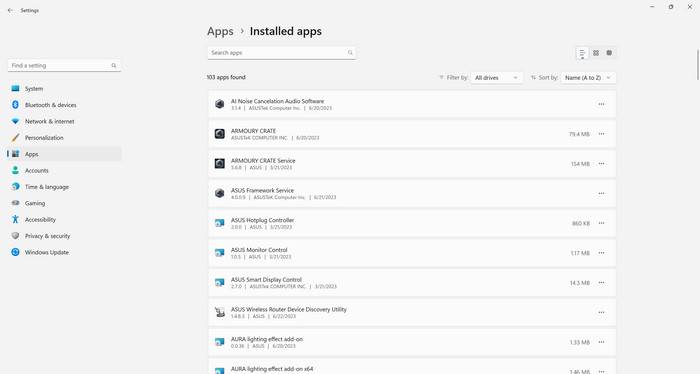
If you have decided to remove WinRAR 32-bit from your system, you can do so using the following steps:
- Open the Control Panel on your Windows system.
- Select “Uninstall a program” or “Programs and Features.”
- Locate WinRAR 32-bit in the list of installed programs.
- Right-click on WinRAR 32-bit and select “Uninstall.”
- Follow the on-screen instructions to complete the uninstallation process.
Alternatively, you can use a third-party uninstaller tool like Revo Uninstaller Free to remove WinRAR 32-bit. Revo Uninstaller Free offers advanced scanning and removal capabilities, ensuring that all traces of the software are completely removed from your system. You can download Revo Uninstaller Free from the official website here.
Conclusion
WinRAR 32-bit by win.rar GmbH is a powerful file compression and archiving utility that offers numerous benefits, including efficient compression, file encryption, and integration with Windows Explorer. Whether you should remove WinRAR 32-bit from your system depends on factors such as available disk space, alternative compression tools, security concerns, and usage of advanced features. If you decide to remove WinRAR 32-bit, you can use the Control Panel or a third-party uninstaller tool like Revo Uninstaller Free to complete the process. Ultimately, the decision should be based on your specific needs and preferences.

Join the discussion
0 commentsShare your experience or ask a question about this article.
Discussion
Start the conversation
Have a question or something useful to share? Add the first comment.