

A PayPal message mentions 1520 Gary Road LLC and a transaction you do not recognize. The sender’s note seems ready to explain the surprise.
Whether it describes a payment, an invoice, or something about a linked wallet, the message gives you a reason to want an answer quickly.
Overview
The name appears in reports of misleading payment instructions
The 1520 Gary Road LLC PayPal scam is a callback trap attached to an unexpected transaction-related message. The instruction inside the note is the central warning sign.
Reported descriptions are not identical. One concerns an invoice or money request; another describes a small deposit accompanied by a “prefund” explanation.
Do not collapse those into a completed debit. An invoice, a received payment, and a withdrawal are different account events, even when the accompanying story sounds similar.
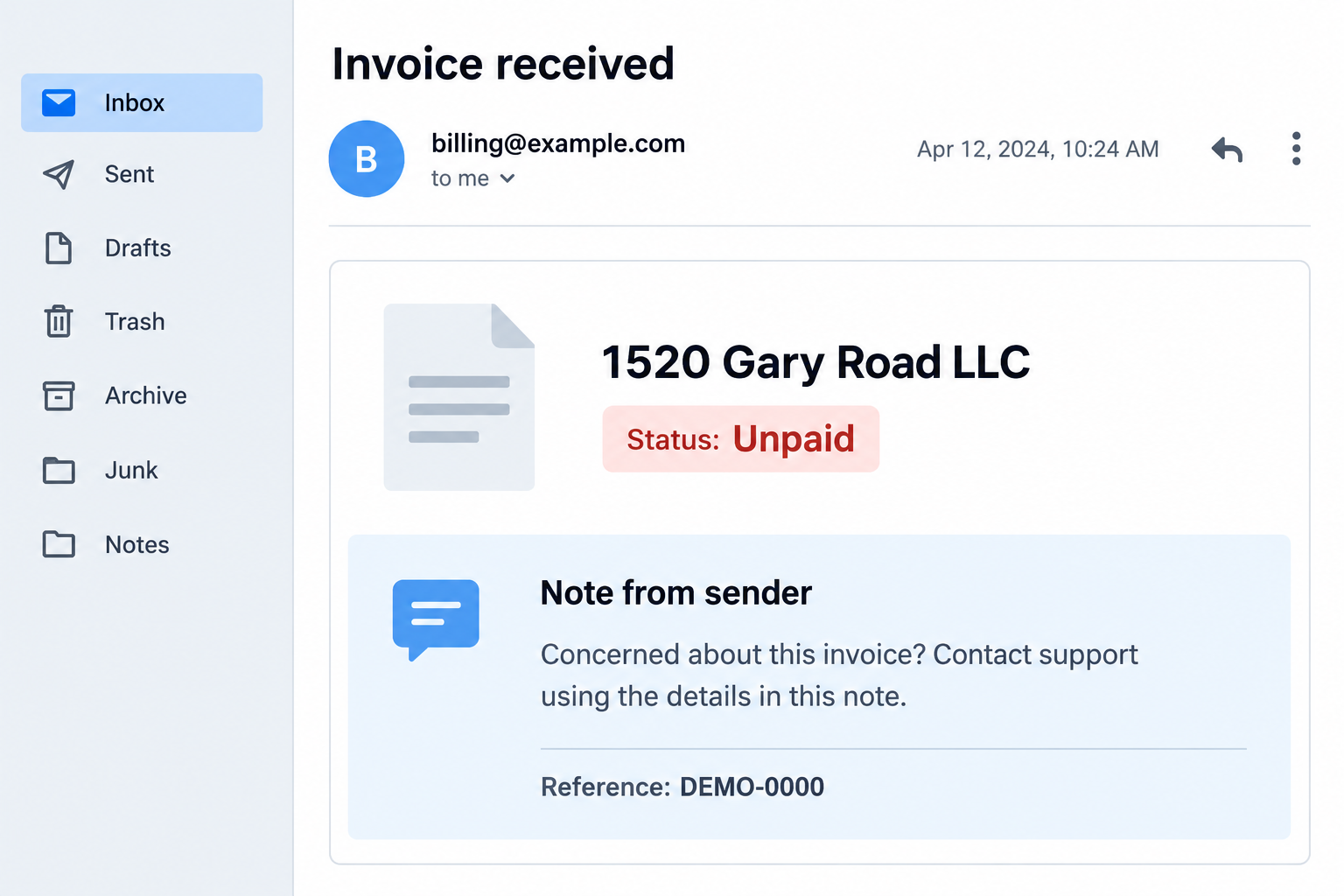
The illustration shows an unpaid-invoice format. It is not an original received notification and does not establish an amount, sender identity, or actual account transaction.
The “prefund” story claims more than the small transaction proves
One reported note claims that a small deposit confirms an account’s connection to a third-party wallet and that $980 will be processed later.
That is a claim in a reported message, not evidence that a wallet was connected or that a $980 transfer was authorized.
A note can make an ordinary-looking entry sound like the beginning of a larger event. The recipient is then encouraged to ask the supplied contact for help.
- A tiny incoming amount does not establish permission for a larger payment.
- A pending invoice is not proof that your balance was debited.
- A sender’s note is not an authenticated PayPal security finding.
- A display name does not identify the person operating a callback scheme.
PayPal warns about support numbers embedded in alarmist notes
PayPal’s invoice and money-request guidance describes notes that pressure recipients into calling fake support contacts.
That service warning independently confirms the mechanism. It does not authenticate the particular 1520 Gary Road message or prove wrongdoing by a real business with that name.
Check account activity independently and use genuine support. Do not call the number in an unexpected note to find out whether its explanation is true.
Why “Prefund Confirmation” Can Sound Like an Account Emergency
Most people do not routinely interpret payment-system terminology. A formal phrase can make a stranger’s explanation sound like a technical process already underway.
The message then supplies a simple story: a small transaction has verified something, and a larger transaction will follow unless you get help.
A small payment cannot establish the wallet connection described in the note. The larger claim needs checking through PayPal, not the sender.
Likewise, an invoice’s presence does not mean you agreed to the purchase. An unwanted request can appear without creating the completed payment its author describes.
The note is trying to interpret the record for you. Read the entry independently, checking its type, payment direction, and status before accepting that explanation.
If those details are confusing, ask genuine support to explain that entry. There is no need to accept a threatening explanation merely because it uses unfamiliar vocabulary.
You can investigate promptly without letting the sender choose your helper. That is the difference between responding to uncertainty and following the trap.
How the 1520 Gary Road LLC PayPal Scam Works
Step 1: An unexpected entry gives the message a reason to exist
The recipient encounters a notification or account item bearing a name they do not recognize. It may appear more substantial than a random promotional email.
A notification about money naturally attracts attention. Even a small incoming amount can raise questions about where it came from and whether something else is happening.
Do not assume the message and your account record are identical. Open PayPal separately to establish whether any matching entry actually exists.
If it does, keep the type and status clear. If it does not, the notification itself may be an imitation rather than a service-generated message.
Step 2: The sender’s explanation attaches a larger meaning
In the reported prefund version, the note claims a wallet connection and a future $980 event. That explanation creates the apparent reason for concern.
The amount is the threatened story, not a confirmed loss. Do not tell your bank that $980 was taken unless your genuine records show that transaction.
In an invoice version, an author can describe an unfamiliar purchase as though it has already been charged. Again, check the account instead of trusting the wording.
These versions share a support lure but are not interchangeable evidence. Keep the exact notification you received so support can assess the actual claim.
Step 3: A contact in the note becomes the supposed solution
The message offers a route to assistance inside the same material that introduced the problem. Calling can feel more direct than searching for genuine support.
But a user-supplied note cannot appoint its writer as PayPal’s representative. Surrounding service branding does not change who supplied that instruction.
Do not test the number by asking whether it is legitimate. An impersonator can answer that question confidently without providing any independent evidence.
Use the official app or PayPal’s published contact options. Available assistance can vary by account and location.
Step 4: An account explanation becomes a request for access or information
A fake agent may present personal or financial questions as necessary to stop the supposed issue. The recipient may comply because the concern now feels urgent.
Be especially cautious with passwords, verification codes, and approval prompts. Their effect is determined by the genuine service, not the caller’s description.
A code intended for login or payment approval is not a tool for proving that you want a mysterious wallet disconnected.
The reported message does not establish a recorded call sequence. These are possible callback-fraud consequences, not a claim that every recipient faced identical requests.
Step 5: The proposed correction can create a new payment problem
An impersonator may try to turn concern about a transaction into an action you authorize yourself. That can be more consequential than the original account entry.
Do not send a separate payment to “reverse” a supposed deposit or secure an account. A sender’s narrative has not established that such a transfer is necessary.
If a genuine transaction requires action, ask PayPal how to handle that specific item. Avoid replacement instructions involving a different recipient or external payment method.
Keep approved payments separate from transactions you never authorized. Accurate descriptions help the relevant provider determine which investigation or dispute process applies.
Step 6: Official activity checks replace claims with actual records
Leave the unsolicited conversation and examine your account through a trusted route. Look for the entry involved, unfamiliar outgoing payments, and unexpected account changes.
Tell genuine support what you can see, not just what the caller said. The difference between “a note threatened $980” and “$980 left” matters.
If only an unwanted invoice exists, do not pay it. Follow the service’s reporting options for that item rather than treating it as an established debt.
If money actually moved or credentials were disclosed, act promptly on that exposure. You do not need to keep speaking with the sender to obtain help.
How to Read the Account Entry Without Adopting the Note’s Story
Find the payment direction first
Start with whether funds came in, went out, or have merely been requested. Those categories answer a more useful question than the note’s dramatic description.
A deposit can be unexpected without proving compromise. An invoice can be unwanted without proving a completed charge. Neither should be interpreted by the unknown sender alone.
If the interface is unclear, genuine support can explain the entry. Do not use a number supplied in the note as the interpreter.
Separate a sender label from a verified identity
The 1520 Gary Road name helps identify the reported message family. It does not establish that a registered business, its owners, or its staff sent it.
Avoid contacting unrelated people to demand a refund for a transaction that may never have occurred. Provide the original record to the payment service instead.
Investigating who controls an account requires more than matching a company name on the internet. Focus your immediate response on protecting the accounts actually involved.
Do not let a genuine email route authenticate user-written content
A service can deliver a real notification containing a note another user wrote. That possibility is separate from a fabricated email impersonating the service.
The safest initial action works for both situations: open the account independently. Do not rely on the email’s appearance as your only check.
Then report the suspicious item through the appropriate service options. A valid delivery route does not convert an unknown person’s support instruction into official guidance.
When contacting support, keep the invoice or transaction reference beside your notes. Explain which notification you received rather than merging several online examples into one story.
A screenshot can show the alarming wording. The account’s own status and transaction details help establish whether anything beyond that wording actually occurred.
What to Do if You Have Fallen Victim to This Scam
-
Stop following the note’s instructions. End any related call and do not make another transfer to cancel, verify, or undo the first.
Save the notification, transaction details, and the caller’s claims. Write down whether the $980 figure was merely mentioned or appeared in actual activity.
Keep your evidence private and redact personal information before discussing the warning publicly. Avoid forwarding a live contact link to other people.
-
Check and report the original account item. Access PayPal independently and establish the transaction type, status, and direction.
Use the service’s reporting process for an unwanted invoice or money request. Ask genuine support about an unexpected incoming payment rather than improvising a separate return.
Preserve the original reference and any response from support. These details are more useful than trying to explain the issue from memory.
-
Secure login information if it was shared. Choose a new unique password through the genuine account service.
Replace matching passwords on other accounts and review available security settings. Tell support if you supplied a security code or approved an unexpected request.
Protect the associated email account if its credentials were involved. Do not assume that replacing one password reverses every action a caller persuaded you to authorize.
-
Report any actual unauthorized payment. PayPal’s unauthorized activity guidance explains the genuine reporting route.
If you approved a transfer under deception, say so accurately and ask which process applies. Do not misdescribe it as a payment you never approved.
Contact the linked bank or card issuer when its funds or details were involved. Ask about recovery options, recognizing that repayment is not guaranteed.
-
Address exposed banking or card details. Reach the financial provider through its official contact information.
Explain what was disclosed, even if no loss appears yet. The provider can advise on replacement, blocking, and monitoring appropriate to the account.
Check statements and notifications for unfamiliar activity. Do not send additional information to the supposed support contact to prove that you reported the issue.
-
Forward suspicious email through PayPal’s current reporting route. Its invoice-scam guidance identifies phishing@paypal.com for suspicious emails and websites.
Retain a copy when needed for a dispute, then use your email provider’s reporting and blocking tools. A reported message does not require further conversation.
You can also report financial deception at ReportFraud.ftc.gov, supplying the actual notification and transaction history rather than inferred losses.
-
Reject unsolicited recovery offers. A caller who knows about the strange invoice may claim to be handling your complaint.
Verify their role through the real provider before sharing more details. Do not pay a release fee or disclose a code to obtain a promised refund.
If someone else helped you respond, review their exposure too. Their bank details may need attention even when the original message was addressed to you.
Frequently Asked Questions
Does the 1520 Gary Road note prove a wallet was linked?
No. That is a claim attributed to a reported sender note. Verify actual account connections and activity through PayPal itself.
Is the $980 mentioned in the message a confirmed charge?
No. Treat it as a claim until genuine account records establish a completed transaction. An incoming deposit or unpaid invoice cannot prove that debit.
Why are invoice and small-deposit descriptions both discussed?
Reports describe different formats using the name. They share a callback lure but should not be presented as one authenticated payment event.
Does an authentic PayPal email make the note safe?
No. Another user’s text can appear inside a genuine notification. Check the account separately and locate support independently.
Should I send money back to the contact in the note?
Do not create a separate transfer following that instruction. Ask the genuine service how to handle the original account entry.
Does the company name establish who operated the scheme?
No. A displayed name is not sufficient evidence of control. Keep accusations separate from the suspicious conduct documented in the message.
The Bottom Line
Do not call the support contact in the 1520 Gary Road LLC PayPal scam note. Its wallet story or invoice wording cannot establish a real debit.
Check the original record with PayPal. If you already shared credentials or authorized a payment, contact genuine support and the affected financial provider promptly.

Join the discussion
0 commentsShare your experience or ask a question about this article.
Discussion
Start the conversation
Have a question or something useful to share? Add the first comment.