


OpenAL is an audio library developed by Creative Technology, a renowned company in the field of computer audio solutions. It provides a cross-platform application programming interface (API) for developers to incorporate advanced audio capabilities into their software applications. OpenAL has been widely used in various industries, including gaming, virtual reality, and multimedia production. However, some users may question whether they should uninstall OpenAL due to concerns about its impact on system performance or potential security risks. In this article, we will explore what OpenAL is, its benefits, potential drawbacks, and provide insights to help you make an informed decision.
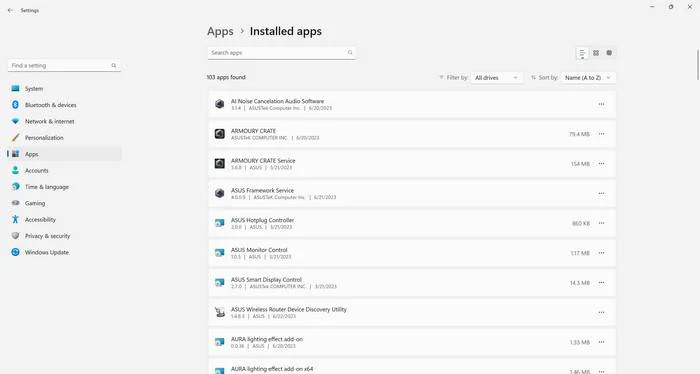
What is OpenAL?
OpenAL, short for Open Audio Library, is an open-source audio API that allows developers to create immersive audio experiences in their applications. It was first introduced by Loki Software in 2000 and later acquired by Creative Technology. OpenAL provides a set of functions and tools for developers to work with 3D audio, spatialization, and environmental effects.
One of the key advantages of OpenAL is its cross-platform compatibility. It supports major operating systems such as Windows, macOS, Linux, iOS, and Android, making it an ideal choice for developers who want their applications to run seamlessly across different platforms.
Benefits of OpenAL
OpenAL offers several benefits that make it a popular choice among developers:
- 3D Audio: OpenAL allows developers to create realistic 3D audio environments, enhancing the immersive experience for users. This is particularly useful in gaming and virtual reality applications where accurate audio positioning is crucial.
- Environmental Effects: OpenAL provides tools for simulating environmental effects such as reverb, echo, and occlusion. These effects can greatly enhance the realism of audio in virtual environments or multimedia productions.
- Cross-Platform Compatibility: As mentioned earlier, OpenAL supports multiple operating systems, making it easier for developers to create applications that can run on different platforms without major modifications.
- Open-Source: OpenAL is an open-source project, which means that developers can access the source code, modify it, and contribute to its development. This fosters a collaborative community and allows for continuous improvement of the library.
Potential Drawbacks of OpenAL
While OpenAL offers numerous benefits, it’s important to consider potential drawbacks before deciding whether to uninstall it:
- Compatibility Issues: Some older applications or games may rely on specific versions of OpenAL, and uninstalling it could lead to compatibility issues or loss of functionality. It’s advisable to check the requirements of your applications before uninstalling OpenAL.
- Security Risks: Like any software, OpenAL may have vulnerabilities that could be exploited by malicious actors. However, it’s worth noting that Creative Technology has been actively maintaining and updating OpenAL to address security concerns.
- System Performance: OpenAL is designed to be lightweight and efficient, but it still consumes system resources. If you have limited system resources or notice a significant impact on performance, you may consider uninstalling OpenAL.
Should I Uninstall OpenAL?
Deciding whether to uninstall OpenAL depends on your specific needs and circumstances. Here are some factors to consider:
- Application Requirements: If you use applications or games that rely on OpenAL, uninstalling it may cause compatibility issues or loss of functionality. Check the requirements of your applications before making a decision.
- System Performance: If you notice a significant impact on system performance or have limited system resources, uninstalling OpenAL might be a viable option. However, it’s recommended to monitor the performance impact before making a decision.
- Security Concerns: If you are concerned about potential security risks, it’s advisable to keep OpenAL updated with the latest patches and security updates. Regularly scanning your system for malware using Malwarebytes Free can also help mitigate security risks.
Conclusion
OpenAL by Creative Technology is a powerful audio library that offers developers the ability to create immersive audio experiences in their applications. It provides benefits such as 3D audio, environmental effects, cross-platform compatibility, and an open-source community. However, it’s important to consider potential drawbacks such as compatibility issues, security risks, and system performance impact before deciding whether to uninstall OpenAL.
Ultimately, the decision to uninstall OpenAL should be based on your specific needs and circumstances. If you rely on applications or games that require OpenAL, it’s advisable to keep it installed. However, if you experience significant performance issues or have concerns about security, uninstalling OpenAL might be a viable option. Remember to regularly scan your system for malware using Malwarebytes Free to ensure the overall security of your system.

Join the discussion
0 commentsShare your experience or ask a question about this article.
Discussion
Start the conversation
Have a question or something useful to share? Add the first comment.