

Shopper Helper Pro is an adware program for Apple Mac OS X, that displays pop-up ads and advertisements on web pages that you visit. These advertisements will be shown as boxes containing various coupons that are available, as underlined keywords, pop-up ads or advertising banners.

What is Shopper Helper Pro?
The Shopper Helper Pro adware infection is designed specifically to make money. It generates web traffic, collects sales leads for other dubious sites, and will display advertisements and sponsored links within your web browser.
When installed, the Shopper Helper Pro application will display advertising banners, pop-up advertisements and in-text ads, stating that they are brought to you by “Shopper Helper Pro”.
These ads are aimed to promote the installation of additional questionable content including web browser toolbars, optimization utilities and other products, all so the Shopper Helper Pro publisher can generate pay-per-click revenue.
When infected with Shopper Helper Pro the common symptoms include:
- Advertising banners are injected with the web pages that you are visiting.
- Random web page text is turned into hyperlinks.
- Browser popups appear which recommend fake updates or other software.
- Other unwanted adware programs might get installed without the user’s knowledge.
How did got Shopper Helper Pro on my computer?
Shopper Helper Pro is an adware program that is commonly bundled with other free programs that you download off of the Internet.
Unfortunately, some free downloads do not adequately disclose that other software will also be installed and you may find that you have installed Shopper Helper Pro without your knowledge. Shopper Helper Pro is typically added when you install another free software that had bundled into their installation this adware program. Most commonly Shopper Helper Pro is bundled within the installers from Cnet, Softonic or other similar custom third-party installers.
You should always pay attention when installing software because often, a software installer includes optional installs, such as this Shopper Helper Pro adware. Be very careful what you agree to install.
Always opt for the custom installation and deselect anything that is not familiar, especially optional software that you never wanted to download and install in the first place.
It goes without saying that you should not install software that you don’t trust.
Shopper Helper Pro Overview:
- Shopper Helper Pro will inject pop-up ads, advertising banners and in-text ads within your web browser
- Adware detected in the Shopper Helper Pro program
- Integrates into the web browser via the Shopper Helper Pro browser extension
- Typically distributed through a pay-per-install bundle or with third-party software (example: CNET installer, Softonic Installer, InstallRex installer and many more)
- Shopper Helper Pro has a poor reputation within the MalwareTips Community
How to remove “Ads by Shopper Helper Pro” from Mac OS X (Removal Guide)
This page is a comprehensive guide, which will remove “Shopper Helper Pro” virus from your computer, and any other adware program that may have been installed during the setup process.
Please perform all the steps in the correct order. If you have any questions or doubt at any point, STOP and ask for our assistance.
STEP 1: Uninstall Shopper Helper Pro application from your MAC OS X
STEP 2: Remove “Ads by Shopper Helper Pro” from Safari, Google Chrome and Firefox
STEP 3: Remove “Ads by Shopper Helper Pro” adware with avast! Free Antivirus for Mac
STEP 1: Uninstall Shopper Helper Pro application from your MAC OS X
In this first step, we will search and remove all the Shopper Helper Pro files from your machine.
- Click on the “Go” button, then select “Applications”.

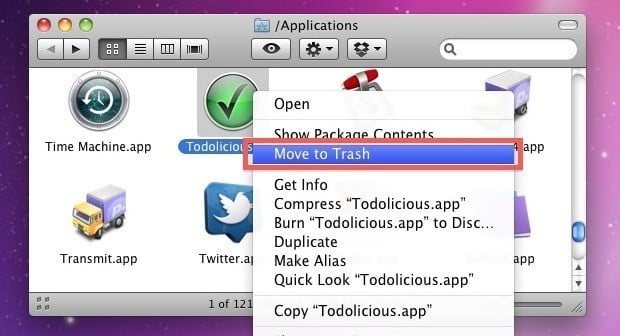
- When the Application folder will open, search for the Shopper Helper Pro application. Either drag the application icon to the Trash, or right-click and select “Move to Trash”.

STEP 2: Remove “Ads by Shopper Helper Pro” from Safari, Google Chrome and Firefox
If you are still experiencing issues with “Ads by Shopper Helper Pro” virus within Safari, Firefox or Chrome, we will need to remove the Shopper Helper Pro browser extension. This step needs to be performed only if your issues have not been solved by the previous steps.
Remove “Ads by Shopper Helper Pro” from Safari
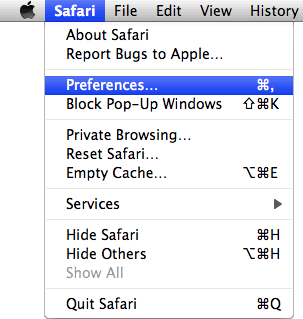
- From the Safari menu, select “Preferences”.
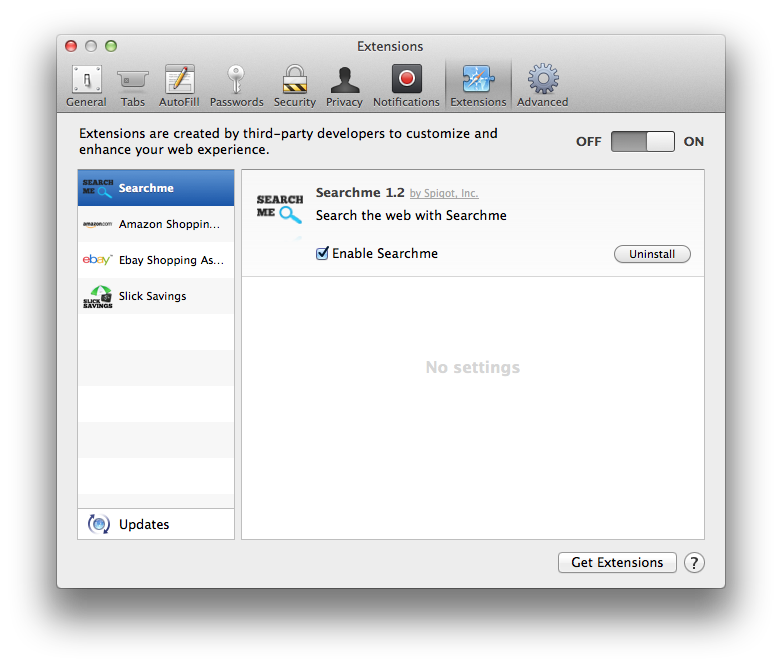
- In the Safari Preferences window, click the “Extensions” tab. Find the “Shopper Helper Pro” plugin, then click on the “Uninstall” button.
Remove “Ads by Shopper Helper Pro” from Google Chrome
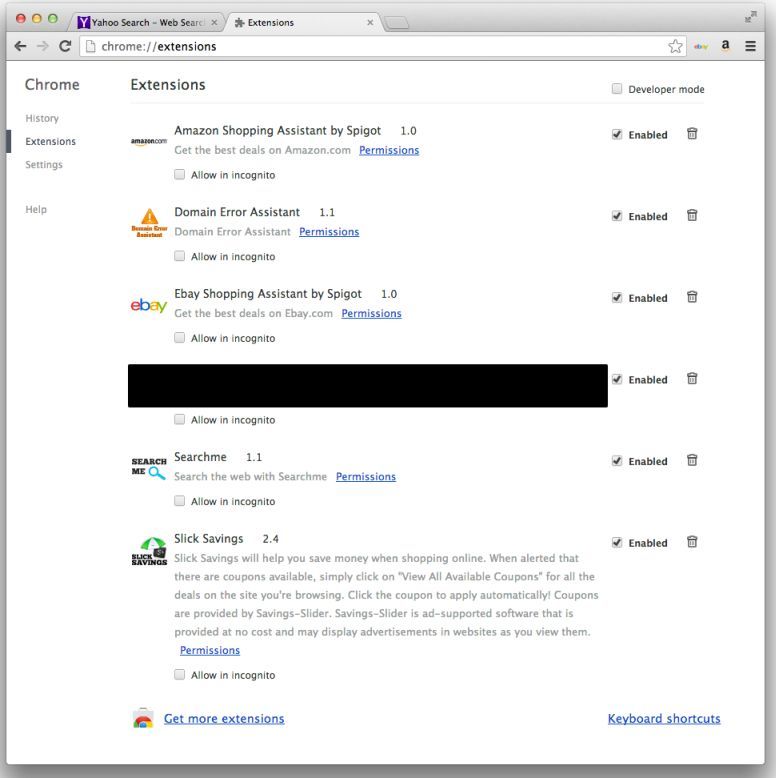
- In Chrome adress bar, type chrome://extensions
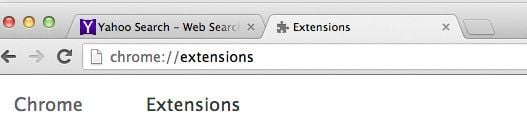
- On the Extensions window, remove the Shopper Helper Pro and any other unknown extensions by clicking the trash can
![[Image: Remove an extension from Chrome]](//malwaretips.com/blogs/wp-content/uploads/2013/07/Trash-Can-Chrome.png "Remove an extension from Chrome") icon.
icon.
![[Image: Remove an extension from Chrome]](http://malwaretips.com/blogs/wp-content/uploads/2013/07/Trash-Can-Chrome.png "Remove an extension from Chrome") icon.
icon.
Remove “Ads by Shopper Helper Pro” from Firefox
- In the upper-right corner of the Firefox window, click the Firefox menu button (
![[Image: Firefox Menu button]](//malwaretips.com/blogs/wp-content/uploads/2014/04/Firefox-menu-button.png "Firefox Menu button") ), then click “Add-ons“.
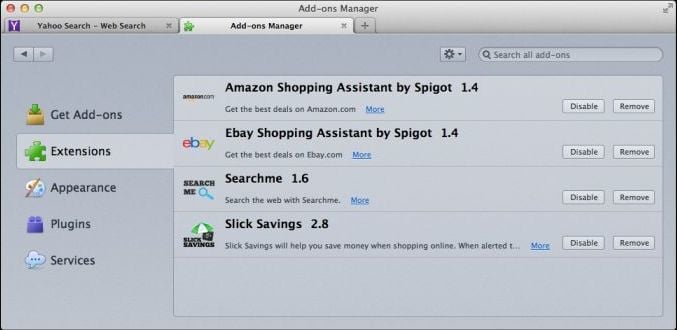
), then click “Add-ons“. - Select the Extensions tab, then remove Shopper Helper Pro and any other unknown extensions from Mozilla Firefox.
![[Image: Firefox Menu button]](http://malwaretips.com/blogs/wp-content/uploads/2014/04/Firefox-menu-button.png "Firefox Menu button") ), then click “Add-ons“.
), then click “Add-ons“.
STEP 3: Remove “Ads by Shopper Helper Pro” adware with avast! Free Antivirus for Mac
Avast Antivirus is a a powerful antivirus for Mac which will detect and remove the Shopper Helper Pro adware from your Apple Mac OS X.
- You can download avast! Free Antivirus for Mac utility from the below link.
AVAST FREE ANTIVIRUS FOR MAC DOWNLOAD LINK (This link will open a new web page from where you can download “avast! Free Antivirus”) - After downloading avast Antivirus for Mac, double-click the downloaded file ‘avast_free_antivirus_mac_setup.dmg‘.
- In the new window double-click on ‘avast!.pkg’ file and follow the instructions on the displayed window ( read AVAST End User License Agreement, click ‘Agree‘, and then click ‘Install’ to complete the installation then press ‘Close’.
- When the Avast Antivirus will start, perform a “Full System Scan” to remove Shopper Helper Pro adware from your Mac OS X.
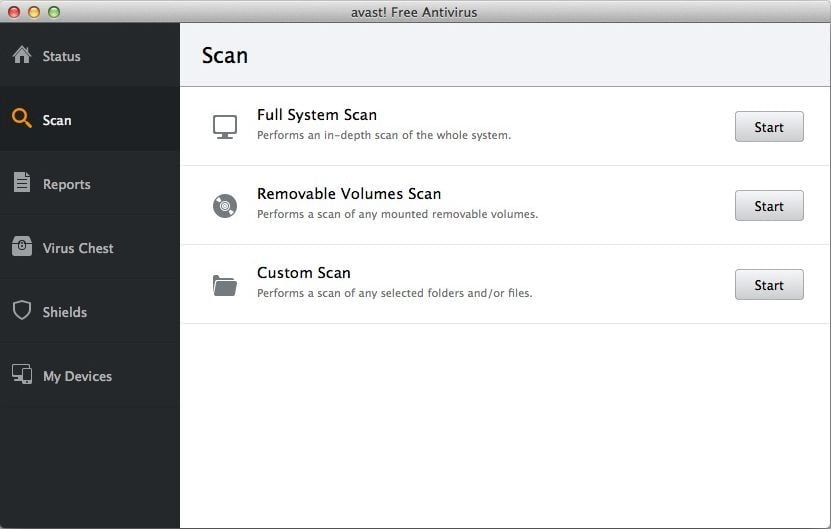
- Avast will remove Shopper Helper Pro virus from Apple Mac OS X, and furthermore Avast Antivirus will protect your Mac OS X from future infection.









thank god
This was so helpful. Thank you greatly!
Thanks so much, this was a lifesaver
THis seems to have worked brilliantly. I thought i would have to restore to factory settings. Thanks a million