

Flow Alarm Clock is advertised as the alarm you cannot silence from bed. Instead of tapping a button and rolling over, you are supposed to get up, walk to a small NFC dock placed elsewhere in the room, and scan it with your phone.
That idea is simple, believable, and potentially useful for chronic snoozers. The problem is that the marketing makes the product look more straightforward than the buying experience actually is. The current sales page says no subscription is required, yet its highlighted purchase option automatically pairs the dock with a Flow+ trial that can renew unless it is canceled.
Recent app-store complaints add another layer of concern. Some buyers say the dock did not dismiss the alarm reliably, the app sent them through awkward setup loops, or premium access did not activate correctly. Those reports do not prove that every Flow order will fail, but they matter because the dock is only useful when the companion app works as promised.
So is Flow Alarm Clock a scam? It is a real product sold by an identifiable company, but the subscription presentation and reported app problems deserve much more attention than the upbeat ads give them.
Overview
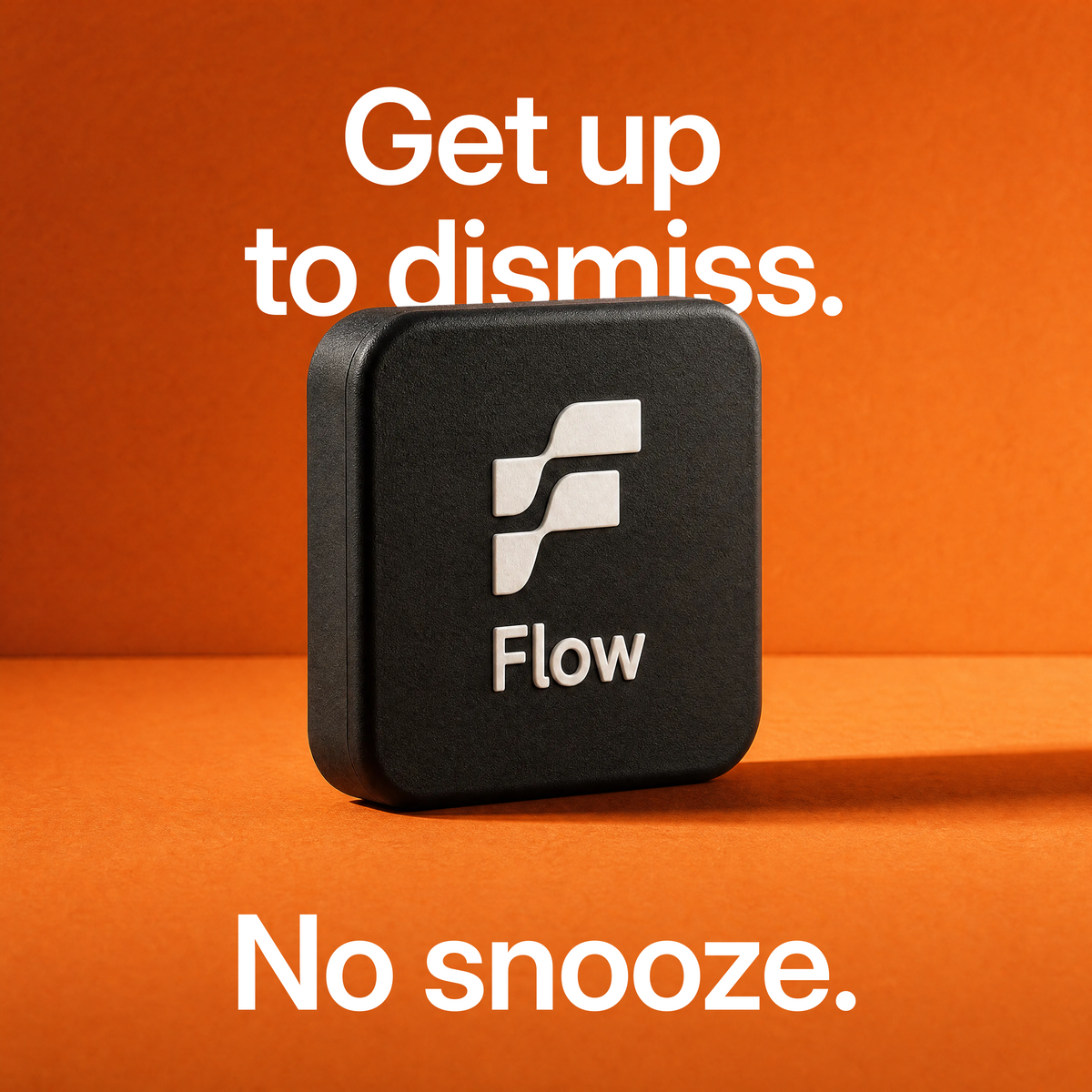
Flow consists of a mobile alarm app and a small NFC tag sold as the Flow Dock. The dock has no display, speaker, battery, or charging circuit. Its job is to provide a physical scan point that you place away from the bed.
When the alarm rings, the app is designed to keep sounding until the phone scans the dock. The inconvenience is the feature: walking to the bathroom, kitchen, or hallway gives your brain a better chance to wake up before you can fall back asleep.
What You Are Actually Buying
- A small NFC dock that acts as the alarm-dismissal tag
- Access to the Flow companion app and its core alarm function
- Optional Flow+ features, depending on the offer selected at checkout
- A behavior-enforcement tool, not a medical sleep treatment
On July 30, 2026, the official store displayed a one-time purchase alongside a discounted “Subscribe & Save” option. The subscription offer was marked as the most popular choice and selected by default. It included a 7-day Flow+ trial followed by an automatic renewal at the price displayed for the buyer’s region.
That distinction is important. The site’s FAQ says the core product does not require a subscription. Flow+ is described as optional and adds premium alarm sounds, historical sleep analytics, and recordings or detection related to snoring and sleep talking. A buyer who chooses the one-time option should still receive the core dock-and-scan function.
What the Advertising Does Not Emphasize
Flow is not a conventional alarm clock. If your phone is dead, incompatible, muted under the wrong operating-system settings, or affected by an app bug, the plastic dock cannot wake you by itself. The entire experience depends on the phone, the app, notification permissions, NFC support, and correct setup.
The product also cannot repair poor sleep habits. Forcing someone to stand up may interrupt snoozing, but it does not replace enough sleep, a consistent schedule, treatment for sleep apnea, or medical help for persistent daytime exhaustion.
How the Flow Alarm Clock System Works
Step 1: An Ad Sells the “Impossible to Snooze” Idea
The marketing targets people who already feel frustrated with normal alarms. It presents Flow as the missing piece that will finally create discipline and transform mornings.
This is an effective pitch because it turns a familiar failure into a physical problem with a purchasable solution. Instead of asking why the person is exhausted, the ad focuses on removing the dismiss button from arm’s reach.
Step 2: The Buyer Chooses a Dock Package
The store offers one or more docks and may display a steep promotional discount. The July 30 sales page showed a one-time option and a more prominent subscription bundle.
Do not assume the lowest displayed price is a simple one-time purchase. Read the text beside the selected radio button and look for “trial,” “membership,” “renews,” or “cancel anytime” before paying.
Step 3: Flow+ Is Added Through the Highlighted Offer
The highlighted option pairs the physical dock with a Flow+ trial. A free trial is not automatically dishonest, but it becomes a problem when shoppers focus on the dock price and overlook that the selected package can generate a future charge.
The safer approach is to actively choose the one-time purchase if premium features are not wanted. Take a screenshot of the selected option and the final order summary before submitting payment.
Step 4: The User Installs the App and Places the Dock
After delivery, the user installs Flow, grants the necessary alarm and notification permissions, creates an alarm, and puts the dock somewhere that requires getting out of bed.
Because the dock is an NFC tag, it does not need pairing in the same way as a Bluetooth speaker. The phone reads it when brought close. The concept is technically ordinary; the value comes from the app enforcing the scan.
Step 5: Reliability Determines Whether the Product Has Any Value
If the alarm rings and the scan dismisses it every morning, Flow can create useful friction. If the app opens the wrong screen, fails to recognize the dock, ignores the set time, or consumes emergency dismissals, the entire premise breaks down.
Recent Google Play reviews include complaints about scans not stopping alarms, alarms firing at incorrect times, subscription confusion, and support delays. App-store reviews are individual reports rather than controlled tests, but they are directly relevant to a product that depends on daily software reliability.
Is Flow Alarm Clock a Scam or Legit?
Flow Alarm Clock is a real product, not a fake store or nonexistent gadget. The app has public listings, the developer is identified as Flow Alarm, Inc., and the store publishes contact and return information. The physical mechanism also makes sense: an NFC scan can be used as a condition for dismissing an alarm.
However, “real product” does not mean “risk-free purchase.” The current page creates a confusing contrast by saying no subscription is needed while steering shoppers toward a preselected Flow+ trial. The one-time purchase exists, but buyers need to notice and select it.
The second concern is software quality. The dock is essentially powerless without the app. Complaints about missed behavior, repeated scans, wrong alarm times, or inaccessible premium features therefore carry more weight than a cosmetic complaint would.
Our Verdict
Flow is legitimate, but buy it only if you understand the checkout and accept the app-dependence. It may help someone who snoozes out of habit and owns a compatible phone. It is a poor choice for anyone expecting a standalone alarm clock, guaranteed sleep improvement, or a medical solution.
Use the one-time purchase option if you do not want Flow+. If you accept a trial, set a cancellation reminder immediately and verify the subscription inside the app-store account or Flow+ management portal.
Flow Alarm Clock Red Flags and Limitations
- The subscription bundle is emphasized: The visually preferred option can include a renewing Flow+ trial.
- “No subscription” needs context: It applies to the core function, while premium features are sold separately.
- The hardware cannot operate alone: The dock depends on a compatible phone and functioning app.
- Recent Android reviews raise reliability concerns: Buyers have reported scan failures, incorrect alarm behavior, and activation problems.
- Independent long-term evidence is still limited: Most polished material comes from the seller, while detailed experiences from people who have used the system for months remain comparatively thin.
- Large discounts can distort perceived value: Compare the actual one-time price with ordinary NFC alarm apps and tags.
- It does not treat sleep disorders: Oversleeping caused by sleep deprivation or a medical condition needs a different solution.
What Flow Alarm Clock Gets Right
The behavioral idea is stronger than many novelty wellness products. Getting out of bed creates a real interruption, and placing the scan point near a sink or coffee maker can help establish a morning routine.
The dock also requires no charging. NFC tags are simple and low maintenance, so there is little physical hardware to fail. The store publishes a 30-day return policy, contact email, U.S. business address, and app-data disclosures.
Those positives are why it would be inaccurate to call Flow an outright scam. The fair criticism is about value, checkout clarity, and software execution rather than a fabricated product.
Who Should Consider Flow?
Flow may be worth considering if all of the following are true:
- You regularly dismiss alarms without remembering it
- You are willing to place the dock well away from the bed
- Your phone supports NFC and meets the app’s operating-system requirements
- You can keep the phone charged and configured correctly overnight
- You have checked whether the selected package includes Flow+
Skip it if you need a dependable standalone alarm for shift work, emergency responsibilities, or medication timing. In those cases, a separate physical alarm clock can provide a safer backup even if you also use Flow.
What to Do If You Already Bought Flow Alarm Clock
1. Check the Order Confirmation
Look for Flow+, membership, trial, recurring purchase, or renewal language. Do not rely on memory of what the product page appeared to say.
2. Inspect Your Subscription Accounts
Check Apple subscriptions, Google Play subscriptions, and any Flow+ management link associated with the email used at checkout. Canceling an app account is not always the same as canceling a paid subscription.
3. Test the Dock Before Depending on It
Run several daytime alarms. Test with the phone locked, on the expected sound setting, and positioned as it will be overnight. Confirm that scanning the dock stops the alarm consistently.
4. Keep a Backup Alarm
Until Flow has worked reliably for several days, use a second physical alarm. Do not make an untested app responsible for a flight, exam, medical appointment, or job shift.
5. Use the Return Window Quickly
The store states that return requests must be started within 30 days of delivery. Contact support in writing, keep the packaging, save the order number, and preserve screenshots of any malfunction or subscription charge.
6. Dispute Unauthorized Charges if Support Fails
If you canceled correctly but recurring charges continue, send the seller a written final request. If it remains unresolved, contact the app store or card issuer and provide the cancellation record, receipt, and charge dates.
Frequently Asked Questions
Does Flow Alarm Clock Require a Subscription?
The official FAQ says no subscription is required for the core dock-and-alarm function. Flow+ is optional. However, the discounted package displayed on July 30 included a 7-day Flow+ trial and was selected by default, so verify the final checkout choice carefully.
Is the Flow Dock a Real Alarm Clock?
Not by itself. It is an NFC scan point used by the phone app. It has no alarm speaker or clock display and cannot replace the phone when the app is unavailable.
Can Flow Cure Oversleeping?
No. It can make an alarm harder to dismiss, which may help a behavior pattern. It cannot correct insufficient sleep, medication effects, depression, sleep apnea, narcolepsy, or other medical causes of excessive sleepiness.
Is the 30-Day Guarantee Automatic?
No. You must contact the seller, receive return instructions, and meet the stated condition requirements. Start the request before the deadline and keep written proof.
The Bottom Line
Flow Alarm Clock is a legitimate NFC alarm system with a sensible behavioral concept. It is not magic hardware, and it is not a standalone alarm clock. Its usefulness depends almost entirely on the companion app working correctly every morning.
The biggest purchasing risk is the subscription presentation. The store says core use needs no subscription, but its highlighted discounted offer can enroll the buyer in a Flow+ trial. Select the one-time option deliberately, test the app thoroughly, and keep a backup alarm during the return period.








