

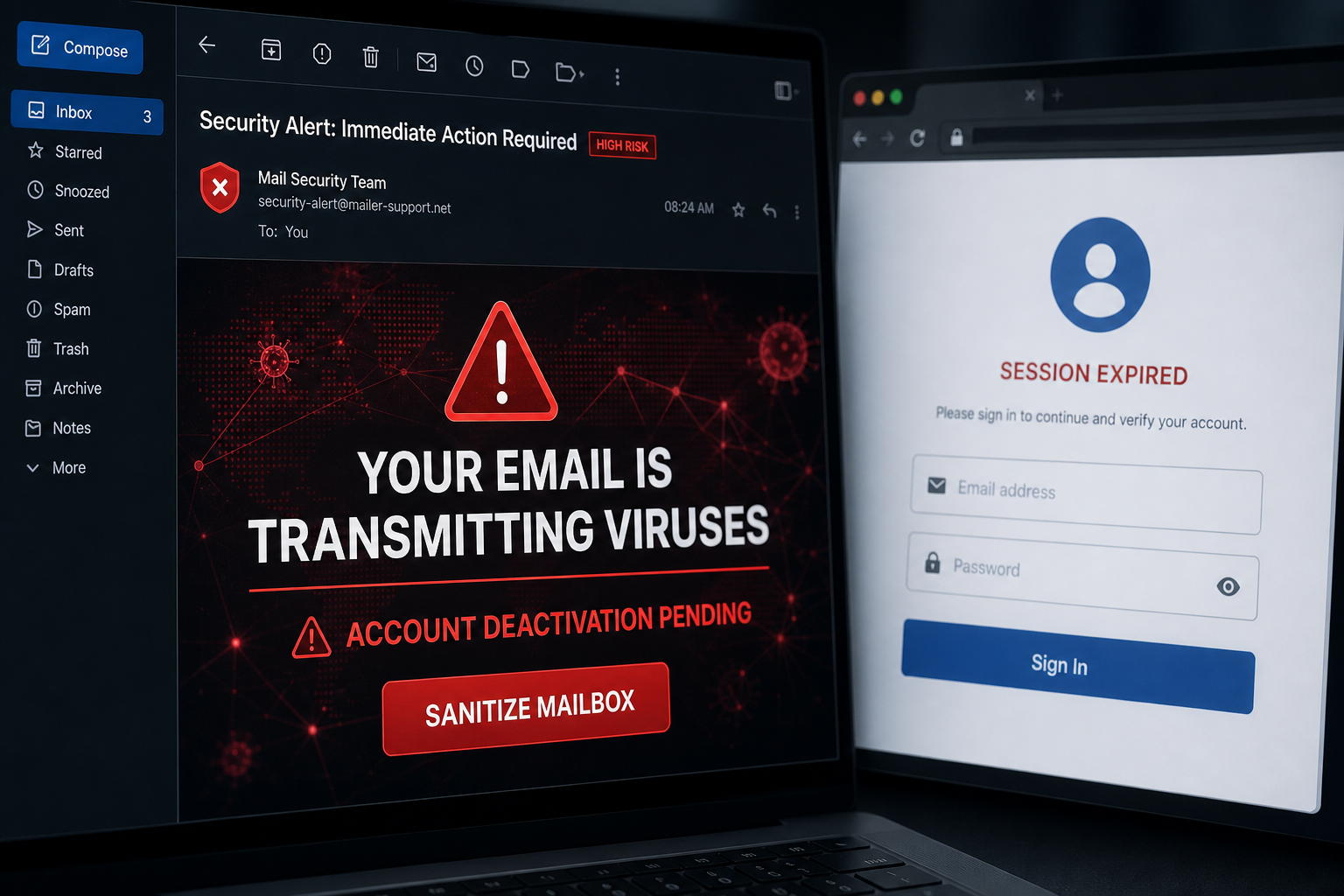
An alarming message says your email account is spreading viruses and will be permanently disabled. It even offers a button to sanitize the mailbox—but that supposed cleaner is the phishing trap.
Your inbox is not being repaired or scanned. The button opens a counterfeit provider login designed to capture the password you enter.
Overview
The Email Account Is Currently Transmitting Viruses scam is a credential-phishing campaign posing as an urgent notice from an email administrator. It claims the recipient’s mailbox is sending malware to the provider’s servers and must be sanitized immediately.
The email threatens permanent deactivation if the user does not act. It promotes a supposed service called Norton Web Cleaner and includes a Sanitize your email account now button. That service name is fabricated for the campaign and is not a genuine Norton product.
The link has led to matsante[.]fr. Instead of displaying a fixed page, the phishing site can inspect the victim’s email domain and imitate the corresponding provider. One version shows Gmail Session Expired!; other recipients may see Outlook-, Yahoo- or generic webmail-style forms.
Any password entered is collected by criminals. Norton, Google, Gmail and the other services imitated by the page are not connected to the scam.
The wording is designed to make the recipient feel both responsible and frightened. Nobody wants their account blamed for infecting a network, and the threat of sudden deactivation encourages a rushed click.
Real antivirus tools scan files, downloads and devices; they do not clean a remote mailbox by asking for its password in a web form. The adaptable login page is another strong warning sign. It is designed to look familiar after the victim arrives, but the appearance changes while the unrelated destination domain remains the same. That provider-matching trick is meant to replace careful URL checking with instant visual trust.
- Pretends to come from an Email Administrator
- Claims the mailbox is transmitting viruses
- Threatens immediate or permanent deactivation
- Invents a Norton Web Cleaner mailbox service
- Adapts the fake login page to the recipient’s email provider
Is the Email Account Virus Warning Real?
No. This message is a confirmed phishing scam. A real provider may suspend an abused account, but it will not ask you to sanitize the mailbox by entering a password on an unrelated third-party website.
Check account-security notices by signing in through the provider’s official app or typed address. If no alert appears there, the threatening email has no control over your account.
How the Transmitting Viruses Email Scam Works
Step 1: The attacker creates a frightening accusation
The recipient is told that their mailbox is actively spreading viruses. The message implies that the user is causing harm and must fix it immediately.
Step 2: Account deactivation raises the stakes
The warning says access will be terminated without another notice. This removes the normal time people need to verify a suspicious request.
Step 3: A fake security brand adds credibility
The invented Norton Web Cleaner name sounds familiar because it borrows a legitimate security brand. A recognizable word is not proof that the tool or message is genuine.
Step 4: The sanitation button opens an external site
The recipient is sent to matsante[.]fr or another unrelated domain. That address does not belong to the email provider or the security company being impersonated.
Step 5: The page copies the victim’s provider
The site uses the email domain to choose a convincing login theme. This personalization can make a generic campaign look specifically configured for the victim.
Step 6: The stolen mailbox spreads the attack
After taking over the account, criminals can send phishing messages to trusted contacts, intercept password resets and search private mail for identity or financial information.
Warning Signs in the Email
- The message uses a generic administrator identity
- No verifiable incident ID or affected message is provided
- A mailbox-cleaning product is named without an official product page
- The email threatens permanent termination without a normal support route
- The link points outside the real mail-provider domain
- The landing page says the session expired and immediately asks for a password
What to Do If You Received the Warning
- Do not click Sanitize your email account now
- Open the provider’s security dashboard directly
- Check sent mail and login history for actual unauthorized activity
- Report the email as phishing
- Delete it after your provider or IT team has the information it needs
What to Do If You Entered a Password
- Change the password immediately from a clean device
- End all active sessions and remove unfamiliar connected applications
- Enable multi-factor authentication
- Verify the recovery email address and phone number
- Inspect inbox rules and forwarding settings
- Review sent, trash and archive folders for messages you did not create
- Tell contacts not to trust recent unexpected messages from your account
- Replace reused passwords on other services
If the account really sent suspicious messages
Contact the provider or your organization’s IT team through an official channel. Change the password, revoke sessions and have the device checked for password-stealing malware. Do not use the email’s sanitation link.
Why Adaptive Login Pages Are Dangerous
A victim who uses Gmail may see Gmail-like colors, while another person sees a different provider. The page feels relevant because the attacker already knows the email address or domain.
Always check the address bar. The design can change instantly, but the domain reveals that the page is not the real provider.
Frequently Asked Questions
Is Norton Web Cleaner a real mailbox service?
Not in this campaign. The name is a phishing prop. Use security products only through their official applications and websites.
Did my account actually transmit a virus?
The email provides no trustworthy evidence. Check recent activity directly with your provider. The message itself is trying to steal the access needed to abuse your account.
Does opening the email infect the device?
No. The central risk is the link and password form. Do not open any file the page offers, and run a scan if something was downloaded or installed.
The Bottom Line
The Email Account Is Transmitting Viruses message is a confirmed phishing attack. Its virus accusation, deactivation threat and fake cleaning service all lead to credential theft.
Delete the email and access your account through the provider’s official site. If you submitted a password, change it immediately and secure the mailbox before criminals can use it against your contacts.
