

PantyFlix.com promises free access to movies and television shows in HD without a subscription. It is also part of the same streaming-site network as RedFlix.co and BeFlix.top, using a different name to present the same basic free-content model to another audience. Before using PantyFlix, visitors need to understand how this network operates, how it makes money, and why the advertising surrounding a free stream may pose a greater risk than the video itself.

What Is PantyFlix.com?
PantyFlix.com is an unofficial streaming website where users can browse movies and television shows, select a title, and attempt to watch it directly in a web browser. The site has the familiar appearance of a modern entertainment platform, with large promotional artwork, trending titles, genre pages, search tools, and individual listings for movies and series.
Its central promise is deliberately simple: there is no conventional subscription and no need to pay the monthly fees charged by major streaming companies. This makes PantyFlix especially attractive to people searching for a recent release, a show unavailable in their country, or a single title they do not want to rent elsewhere.
PantyFlix is not merely an empty landing page displaying movie posters. The site does provide a catalog and may connect users to playable streams. That is an important distinction because it explains why the website can feel convincing and why visitors may recommend it after successfully watching something.
However, a working player is not the same as a trustworthy service. The movie may be real while the advertisements, redirects, tracking systems, and third-party pages surrounding it remain unpredictable. Evaluating PantyFlix therefore requires looking beyond whether a title eventually starts playing.
PantyFlix is not an isolated operation. It belongs to the same network as RedFlix.co and BeFlix.top, two other sites built around the promise of free movies and television shows. The individual designs are not always identical, but the brands serve the same purpose: attract viewers with recognizable entertainment, move them toward a player or access button, and monetize the traffic surrounding that content.
Why Has PantyFlix Become Popular So Quickly?
PantyFlix has been promoted as a free alternative to paid services, particularly in short social-media videos promising access to films and shows associated with multiple premium platforms. These posts can make it sound as though one secret website has replaced the need for several subscriptions.
That message is highly shareable. Streaming costs have risen, popular titles are divided among many services, and availability changes from one country to another. A site that appears to place everything behind a single search box naturally attracts attention, especially when no account or payment is required at the beginning.
The name itself is memorable and intentionally resembles the branding style used by well-known streaming platforms. Combined with a modern interface, poster artwork, and a large catalog, that familiarity can create an impression of legitimacy before the user has investigated who owns the site or how its content is funded.
PantyFlix is also a very new domain. Public registration records show that PantyFlix.com was registered on May 15, 2026. A young domain is not automatically fraudulent, but it has not existed long enough to develop the history, accountability, and independent reputation that users can examine with an established platform.
Does PantyFlix.com Actually Work?
PantyFlix may allow visitors to watch movies and television programs. Describing it as a completely fake website would therefore miss the main concern. Users are not necessarily being shown a catalog that leads nowhere; the video player may eventually load and deliver the selected content.
The word “eventually” matters. On sites funded through aggressive advertising, the first click on a poster or play button may not start the video. It can open another browser tab, launch a pop-under page, or trigger a redirect to an unrelated advertiser. The visitor closes that interruption, returns to the movie, and clicks again until the actual player responds.
This process can create a misleading sense of safety. If the movie begins after two or three attempts, the user may conclude that the extra tabs are harmless inconveniences. In reality, each redirected page belongs to a separate domain and can make its own requests, display its own prompts, and attempt to persuade the visitor to take another action.
PantyFlix can therefore work as a streaming site while still exposing its audience to a risky browsing environment. Functionality answers the question of whether a movie plays; it does not answer whether every page opened along the way is safe.
Is PantyFlix.com Legit?
PantyFlix should not be treated as an equivalent to Netflix, Disney+, Max, Prime Video, Apple TV+, or another licensed streaming service. Legitimate platforms normally disclose the company providing the service, publish detailed billing and privacy terms, maintain official applications, offer reliable customer support, and obtain the rights required to distribute their catalogs.
PantyFlix offers well-known entertainment without a standard subscription, yet there is limited public transparency about the organization operating the platform or its licensing arrangements. The domain registration uses a privacy service, which is common and not proof of wrongdoing, but it means visitors cannot use the public registration record to identify the actual operator.
There is also no reason to assume that HTTPS makes the service legitimate. The padlock in the browser only indicates that data traveling between the visitor and the website is encrypted. It does not verify content licenses, approve advertisements, identify the owner, or guarantee that a redirected page is trustworthy.
PantyFlix is more accurately described as an unofficial, ad-supported streaming site. It may perform its most visible function, but it does not offer the transparency or accountability users receive from an established legal streaming provider.
Is PantyFlix.com a Scam?
PantyFlix is not best described as a simple scam in which every movie is fake and the only objective is to steal a credit card. The site may provide access to streams, and a visitor may watch a full movie without paying or creating an account.
The problem is that the platform can place users in contact with third-party advertising flows that are far less trustworthy than the movie catalog. Some destinations may contain ordinary promotions, while others can use fake security alerts, misleading download buttons, browser-notification tricks, adult content, gambling offers, questionable subscriptions, or phishing forms.
It is important to separate those two layers. PantyFlix may not personally operate every page opened by an ad network, and the advertisements can rotate according to device, country, time, and campaign availability. Yet from the visitor’s perspective, the distinction offers little protection. PantyFlix is the page that initiates or benefits from an experience in which a normal attempt to play a video may open an unsafe destination.
The most accurate conclusion is that PantyFlix is a risky streaming website rather than a straightforward one-purpose scam. Its catalog can work, but that does not make the surrounding pop-ups, redirects, offers, or downloads safe.
The Biggest PantyFlix Risk Is the Advertising
Normal advertising is clearly separated from the service a person is using. A banner is labeled as an advertisement, or a commercial plays inside the official video player. Aggressive streaming advertisements deliberately blur that boundary by appearing where a visitor expects to find playback controls.
A large play icon may belong to an ad overlay rather than the movie. Clicking an empty part of the player can open a new tab. A close button may be intentionally small, or a second button may appear beneath the first one. On a phone, where the player occupies most of the screen, distinguishing the real control from the advertising layer can be particularly difficult.
The result is a click-heavy experience. People arrive expecting to press Play, so each failed attempt feels like part of starting the stream. The advertising system can monetize that expectation by intercepting one or more clicks before allowing the player to work.
This is more than an annoyance. Every new tab takes the user outside PantyFlix and into an environment controlled by another website. The destination may have different privacy practices, different security standards, and a completely different purpose from streaming a movie.
How the PantyFlix Advertising Funnel Works
Social-Media Promotion Generates Curiosity
The process often begins away from PantyFlix. A short video or recommendation presents the website as a free place to watch content normally spread across several paid platforms. The promotion focuses on the size of the catalog and the absence of a subscription, not on how the site earns money or what happens after a visitor clicks the player.
This brings in users with a clear goal and high motivation. Someone who has already searched for a particular movie is more likely to tolerate several interruptions if the promised stream appears to be one click away.
The Catalog Creates Trust
The landing page displays recognizable artwork and popular titles. Because the site looks organized and familiar, the visitor may lower their guard. Searching the catalog and opening a detailed movie page reinforces the impression that PantyFlix is a complete entertainment service rather than a doorway into an advertising system.
A Playback Click Triggers an Advertisement
When the visitor interacts with the player, the click may be captured by an overlay or advertising script. Instead of starting the movie, the browser opens another page. The user closes it and returns, while an advertisement has already been served and the original site may have earned revenue from the interaction.
Some users encounter one interruption, while others may see several. The sequence can change between visits because advertising campaigns rotate and different users can be assigned different destinations.
Redirects Hide the Final Destination
The new page may not go directly to a recognizable advertiser. It can pass through multiple tracking and redirection domains first. These intermediaries record the click, identify the device or location, and choose a final landing page from the campaigns currently available.
This helps explain why reports about the same streaming site can conflict. One visitor may see a basic promotion, another may land on a betting site, and a third may receive a fake virus alert. A clean-looking experience during one test does not guarantee that every later visitor will receive the same advertisements.
The Landing Page Asks for a More Valuable Action
The advertiser’s goal is often to move beyond a simple page view. A landing page may request notification permission, an email address, a download, an extension installation, a survey response, or card details for a low-cost trial. The language can create urgency by claiming that the action is required to continue watching, verify the browser, prove the visitor is human, or remove a detected threat.
This second action is the point at which an intrusive advertisement can become a lasting problem. Closing a pop-up ends the immediate interruption, but granting permission, installing software, or submitting information can have consequences long after the movie site has been closed.
PantyFlix Is Part of the Same Network as RedFlix and BeFlix
PantyFlix.com is one branch of a streaming-site network that also includes RedFlix.co and BeFlix.top. The three names create the impression of separate services, but they are part of the same wider operation and rely on the same central proposition: recognizable movies and television shows available without a conventional paid subscription.
Each brand can use a somewhat different front end. PantyFlix presents itself as a modern HD streaming platform, RedFlix promotes instant viewing without a login and openly states that its media comes from non-affiliated third parties, while BeFlix uses prominent “Play Now” and “Unlock BeFlix” prompts. Beneath those cosmetic differences, all three turn popular entertainment into a source of traffic that can be monetized through advertising, access flows, redirects, and third-party players.
Running several names gives the network more than one route to the same audience. PantyFlix can spread through one social-media recommendation while RedFlix or BeFlix appears in another. A user who distrusts one domain may still click a second brand without realizing that it belongs to the same network and exposes visitors to the same underlying business model.
Multiple domains also make the operation more resilient. If one site is blocked, loses search visibility, develops a poor reputation, or stops working, the network can continue attracting viewers through its other brands. A newly promoted name may have very few independent reviews, which makes it appear fresh even when the operation behind it is already established elsewhere.
The sites do not need to look like exact clones for the connection to matter. Layouts, logos, and access buttons can be adjusted while the catalog sources, advertising relationships, promotional tactics, and monetization logic remain shared. For users, changing from PantyFlix to RedFlix or BeFlix is therefore not the same as moving to an independent, safer provider.
This is why visitors should judge the entire network by its behavior rather than evaluating each logo in isolation. If one brand launches aggressive pop-ups or redirects, the presence of another name does not remove the underlying risk. It simply gives the same network another doorway through which to reach viewers.
The Most Common Risks Behind PantyFlix Pop-Ups
Fake Virus Alerts
One of the most alarming redirect tactics is a page claiming that the phone or computer has several viruses. It may imitate the colors, logo, or alert style of a recognizable technology company and display a countdown intended to prevent the user from thinking carefully.
A webpage cannot complete a detailed scan of the entire device the moment it opens. The warning is usually an advertisement designed to generate a download, paid subscription, support call, or further click. Pressing “Scan,” “Clean,” or “Remove Virus” can take the visitor deeper into the scheme.
The safest response is to close the tab without interacting with the message. If the page traps the browser in repeated dialogs, close the entire browser and reopen it without restoring the suspicious session.
Browser Notification Traps
A redirected page may ask the visitor to click “Allow” to start the movie, verify their age, prove they are not a robot, or complete a CAPTCHA. The prompt is not unlocking a video; it is requesting permission to send browser notifications.
Once approved, those notifications can continue appearing on the desktop or phone after PantyFlix is closed. They may advertise adult content, crypto schemes, gambling pages, fake security warnings, giveaways, or fraudulent shopping sites. Because browser notifications appear near genuine system alerts, many users mistakenly believe they are messages from their antivirus software or operating system.
Notification permission is never required for ordinary video playback. Any page that connects the two is using a misleading instruction and should be closed.
Fake Play, Download, and Continue Buttons
Ads designed to resemble player controls take advantage of the user’s expectations. A “Watch Now” or “Play HD” button can be visually larger than the real playback icon. A “Download” button may appear beside a movie even though no safe download is actually being offered.
The danger increases when the destination claims that a codec, video player, browser extension, VPN, update, or mobile application must be installed. Modern browsers already support common streaming formats. A random page should not need additional software merely to display a film.
Unexpected installers can contain adware, browser hijackers, potentially unwanted programs, or more dangerous code. Android APK files are particularly risky when a page asks the user to enable installation from unknown sources, because that instruction bypasses an important security barrier.
Phishing Pages and Fake Account Checks
A redirect may imitate a familiar streaming platform, email provider, social network, or payment service. It can claim that the visitor must sign in to verify their age, confirm their identity, connect an existing subscription, or prove that they are not a bot.
Entering a password on one of these pages can compromise the real account, especially if the same password is used elsewhere. A padlock or professionally designed login form does not prove that the page belongs to the company whose logo it displays. Users must check the actual domain rather than trusting the appearance of the page.
Cheap Trials and Recurring Charges
Some advertising pages ask for a card to cover a small verification payment, shipping fee, or inexpensive trial. The amount is kept low to reduce suspicion, while the terms may authorize a larger recurring subscription.
PantyFlix does not need payment details to close an advertisement or begin a stream advertised as free. Any card form opened on an unrelated domain should be treated as a separate commercial offer, not as a normal part of the player.
Adult and Gambling Content
Pop-ups may expose users to adult websites, dating promotions, betting platforms, or casino offers without warning. This makes PantyFlix unsuitable for children and risky on shared family devices, even if the selected movie itself is age-appropriate.
The lack of control is the central problem. A parent can choose a family movie, but they cannot reliably predict what an aggressive advertising network will open when the child presses Play.
Is Your Device Infected? Run a Free Malware Scan
Slow performance, constant pop-ups, or strange behavior? These are classic signs of a malware infection. The fastest way to find out is to scan your device with Malwarebytes Free — one of the most trusted malware removal tools available.
The free version detects and removes the most common threats, including:
- Adware — the cause of those annoying pop-ups
- Browser hijackers — unwanted redirects and changed homepages
- Trojans and spyware — hidden programs stealing your data
- Potentially unwanted programs (PUPs) — software you never asked for
👉 Select your device below — Windows, Mac, or Android — then follow the simple steps to download Malwarebytes, scan your system, and remove any threats it finds. The scan usually takes 5 to 20 minutes.
Run a Malware Scan with Malwarebytes for Windows
Malwarebytes is one of the most popular and trusted anti-malware tools for Windows — and it’s completely free for removing infections. It catches threats that many antivirus programs miss, including adware, browser hijackers, and trojans. Follow the steps below to scan and clean your PC in just a few minutes.
Download Malwarebytes
Click the button below to download the latest version of Malwarebytes for Windows from the official source. The free version is all you need — it will scan your computer and remove adware, browser hijackers, and other malicious software at no cost.
Download MalwarebytesOfficial installer for Windows 11 and 10. Your download starts right away.Want real-time protection? See Malwarebytes Premium Malwarebytes Free for WindowsScans and removes malware at no cost
-
Install Malwarebytes
When the download finishes, open your Downloads folder and double-click the MBSetup file. If Windows shows a User Account Control pop-up, click “Yes” to allow the installation.

Follow the On-Screen Prompts to Install Malwarebytes
The setup wizard will walk you through a few quick screens:
-
Choose where you’re installing the program — “Personal Computer” or “Work Computer” — then click Next.

-
Malwarebytes will now install on your device. This usually takes under a minute.

-
When installation is complete, the “Welcome to Malwarebytes” screen will open automatically.

-
On the final screen, click Open Malwarebytes to launch the program.

-
Enable “Scan for Rootkits”
Before scanning, turn on rootkit detection so Malwarebytes can find even the most hidden threats. Click the Settings gear icon on the left side of the screen.

In the settings menu, find “Scan for rootkits” and click the toggle so it turns blue.

Done? Click “Dashboard” in the left pane to return to the main screen.
Start the Scan
Click the blue Scan button. Malwarebytes will automatically update its virus database and start checking your computer for malware.

-
Wait for the Scan to Finish
The scan checks your entire system for browser hijackers and other malicious programs, so it can take 5 to 20 minutes depending on your computer. Feel free to do something else — just check back occasionally to see the progress.

-
Quarantine the Detected Threats
When the scan is done, you’ll see a list of everything Malwarebytes found — malware, adware, and potentially unwanted programs. Click the “Quarantine” button to remove all of them at once.

Malwarebytes will now remove the malicious files and registry entries and move them safely into quarantine.

-
Restart Your Computer
Some threats can only be fully removed after a reboot. If Malwarebytes asks you to restart, click Yes. Once you’re logged back in, Malwarebytes has finished removing the threats it found.

That’s it — your Windows PC is now clean of trojans, adware, and other malware, and should be back to running smoothly.
If you are still having problems with your computer after completing these instructions, then please follow one of the steps:
- Run a computer scan with ESET Online Scanner
- Ask for help in our Windows Malware Removal Help & Support forum.
Run a Malware Scan with Malwarebytes for Mac
Malwarebytes for Mac is a free on-demand scanner that removes the malware other security software tends to miss — adware, browser hijackers, and unwanted programs included. Cleaning an infected Mac with Malwarebytes has always been completely free, and it’s our go-to recommendation. Follow the steps below to scan and clean your Mac in just a few minutes.
-
Download Malwarebytes for Mac
Click the button below to download the latest version of Malwarebytes for Mac.
Download MalwarebytesOfficial installer for macOS. Your download starts right away.Want real-time protection? See Malwarebytes PremiumMalwarebytes Free for MacScans and removes malware at no cost -
Open the Malwarebytes setup file
When the download finishes, open your Downloads folder and double-click the setup file to begin the installation.

-
Follow the On-Screen Prompts to Install Malwarebytes
The Malwarebytes for Mac Installer will guide you through a few quick screens. Click “Continue” and keep following the prompts until the installation completes.



When the installation is complete, Malwarebytes opens to the Welcome to Malwarebytes screen. Click “Get started“.
-
Select “Personal Computer” or “Work Computer”
Malwarebytes will ask what type of computer you’re installing it on. Click either Personal Computer or Work Computer, whichever applies.

-
Start the Scan
Click the “Scan” button. Malwarebytes will automatically update its detection database and begin checking your Mac for malware.

-
Wait for the Scan to Finish
Malwarebytes will scan your Mac for adware, browser hijackers, and other malicious programs. This can take a few minutes, so feel free to do something else — just check back occasionally to see the progress.

-
Quarantine the Detected Threats
When the scan is done, you’ll see a list of everything Malwarebytes found. Click the “Quarantine” button to remove all the threats at once.

-
Restart Your Mac
Malwarebytes will now remove all the malicious files it found. Some threats can only be fully removed after a reboot — if Malwarebytes asks you to restart, allow it. Once you’re logged back in, your Mac is clean.

That’s it — your Mac is now free of adware, rogue browser extensions, and other potentially harmful software.
If you are still experiencing problems while trying to remove a malicious program from your computer, please ask for help in our Mac Malware Removal Help & Support forum.
Run a Malware Scan with Malwarebytes for Android
Malwarebytes for Android automatically detects and removes dangerous threats like malware and ransomware so you don’t have to worry about your most-used device being compromised. Aggressive detection of adware and potentially unwanted programs keeps your Android phone or tablet running smooth.
-
Download Malwarebytes for Android.
You can download Malwarebytes for Android by clicking the link below.
Get Malwarebytes for AndroidOpens Google Play in a new tab.Want real-time protection? See Malwarebytes Premium for AndroidMalwarebytes for AndroidScans your phone and removes malware at no cost -
Install Malwarebytes for Android on your phone.
In the Google Play Store, tap “Install” to install Malwarebytes for Android on your device.

When the installation process has finished, tap “Open” to begin using Malwarebytes for Android. You can also open Malwarebytes by tapping on its icon in your phone menu or home screen.

-
Follow the on-screen prompts to complete the setup process
When Malwarebytes will open, you will see the Malwarebytes Setup Wizard which will guide you through a series of permissions and other setup options.
This is the first of two screens that explain the difference between the Premium and Free versions. Swipe this screen to continue.
Tap on “Got it” to proceed to the next step.
Malwarebytes for Android will now ask for a set of permissions that are required to scan your device and protect it from malware. Tap on “Give permission” to continue.
Tap on “Allow” to permit Malwarebytes to access the files on your phone.
-
Update database and run a scan with Malwarebytes for Android
You will now be prompted to update the Malwarebytes database and run a full system scan.

Click on “Update database” to update the Malwarebytes for Android definitions to the latest version, then click on “Run full scan” to perform a system scan.

-
Wait for the Malwarebytes scan to complete.
Malwarebytes will now start scanning your phone for adware and other malicious apps. This process can take a few minutes, so we suggest you do something else and periodically check on the status of the scan to see when it is finished.

-
Click on “Remove Selected”.
When the scan has been completed, you will be presented with a screen showing the malware infections that Malwarebytes for Android has detected. To remove the malicious apps that Malwarebytes has found, tap on the “Remove Selected” button.

-
Restart your phone.
Malwarebytes for Android will now remove all the malicious apps that it has found. To complete the malware removal process, Malwarebytes may ask you to restart your device.
That’s it — your Android phone is now clean — no more malicious apps, adware, or browser redirects.
If you are still having problems with your phone after completing these instructions, then please follow one of the steps:
- Restore your phone to factory settings by going to Settings > General management > Reset > Factory data reset.
- Ask for help in our Mobile Malware Removal Help & Support forum.
Stay Protected: Block Ads and Malicious Sites
Now that your device is clean, keep it that way. Most infections start with a malicious ad or a fake download button — so blocking them at the source is your best defense.
We recommend AdGuard, which blocks malicious ads, phishing pages, and dangerous redirects before they can reach you.
👉 Download AdGuard and browse safely
Tracking and Privacy Exposure
Redirect chains can share technical and behavioral information among several companies, including the visitor’s IP address, approximate location, device type, browser, referring page, and advertising identifiers. Cookies and fingerprinting scripts may also be used to recognize repeat visits or select targeted campaigns.
This data collection is not the same as malware, but it still matters. Visitors may enter a streaming site expecting to watch one movie and unknowingly interact with multiple advertising and tracking domains whose identities are not clearly explained.
Can PantyFlix Infect Your Device?
Opening PantyFlix does not automatically mean a phone or computer has been infected. An unwanted tab, banner, or redirect can be disturbing without installing anything on the device. Modern browsers provide meaningful isolation, and users who close the advertising pages without granting permissions or opening downloads face a lower immediate risk.
The danger rises when a user follows the instructions displayed by a pop-up. Installing an extension, running a downloaded file, approving an APK, allowing notifications, accepting a suspicious configuration profile, or giving remote access to a supposed support technician can turn a temporary interruption into a device-level problem.
It is also possible to suffer harm without malware. A stolen password, recurring card charge, notification subscription, or leaked phone number can create serious consequences even when a security scan finds no infected file.
The right question is therefore not simply, “Did I visit PantyFlix?” Users should ask what they clicked, what permissions they granted, what information they entered, and whether anything was downloaded or installed.
What Independent Security Checks Say About PantyFlix
Automated reputation reports for PantyFlix are mixed. One recent scanner reported that only one of 91 security engines flagged the domain, while another assigned the site a very low trust score and referred to multiple provider warnings. These results should be interpreted cautiously rather than treated as a final verdict.
Automated systems can disagree because they use different databases, scan at different times, and may examine only the main domain rather than every advertisement a visitor can encounter. A homepage may also appear clean during an automated test while a rotating ad campaign sends real users to a different destination later.
The limited consensus does not prove that PantyFlix itself hosts malware. It does, however, reinforce the need for caution when combined with the site’s very recent registration, limited ownership transparency, unofficial content model, and reports of intrusive advertising behavior.
What to Do If You Already Used PantyFlix
If you watched something on PantyFlix, do not assume that your device is automatically compromised. Respond according to the actions you took during the visit.
- Close every suspicious page. Avoid pressing buttons inside virus warnings, giveaways, surveys, casino pages, or download prompts. Closing the tab is safer than trying to interact with the advertisement.
- Review browser notification permissions. Remove PantyFlix and any unfamiliar domain from the list of websites allowed to send notifications. This is essential if strange alerts began appearing after the visit.
- Check recent downloads. Delete any unexpected installer, archive, APK, document, video player, or browser update. Do not open a file simply to discover what it contains.
- Inspect extensions and installed applications. Remove recently added items that you do not recognize, particularly search tools, coupon extensions, media players, VPNs, and supposed security utilities.
- Run a reputable security scan. Use the security software already built into the operating system, such as Microsoft Defender, and consider a trusted second-opinion scanner such as Malwarebytes if a file was opened or the browser began behaving strangely.
- Change any password entered after a redirect. Use the official website or application, choose a new and unique password, and enable two-factor authentication. Update every other account where the compromised password was reused.
- Call the card issuer if payment details were submitted. Explain that the card information was entered on a questionable advertising page, review recent transactions, and ask whether the card should be replaced. Watch for small test charges and recurring payments.
- Remove unwanted profiles or calendar subscriptions. This is particularly relevant on phones and tablets, where deceptive pages may attempt to add configuration profiles or spam calendar events.
- Clear browser data if redirects continue. Removing site data and cookies can reset stored sessions, although it will not uninstall software, cancel a subscription, or secure a stolen password.
Can an Ad Blocker Make PantyFlix Safe?
A reputable content blocker may stop many overlays, pop-ups, tracking scripts, and forced redirects. Browser settings that block pop-ups and warn about deceptive sites can also reduce exposure. These protections can make an aggressive streaming page less chaotic.
They cannot transform PantyFlix into a licensed or fully accountable service. Advertising code changes, some redirects bypass blockers, and certain sites refuse to load until filtering is disabled. An ad blocker also cannot clarify who owns the platform, where the streams originate, or whether the content is legally distributed in the visitor’s country.
Security software and content blocking should be treated as backup layers, not permission to trust every button. The safest approach remains avoiding unofficial streaming sites and refusing every request to install software, provide payment information, or enable notifications.
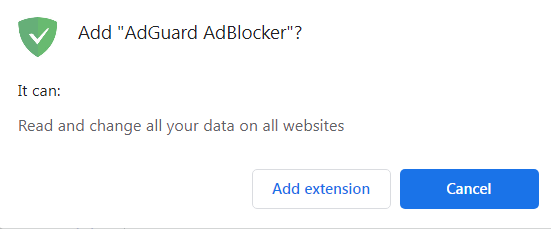
- Open the extension’s page in Chrome Web Store and click Add to Chrome.

- In the opened dialog box, click Add extension.
- Open the page addons.mozilla.org.

- Click Add to Firefox.
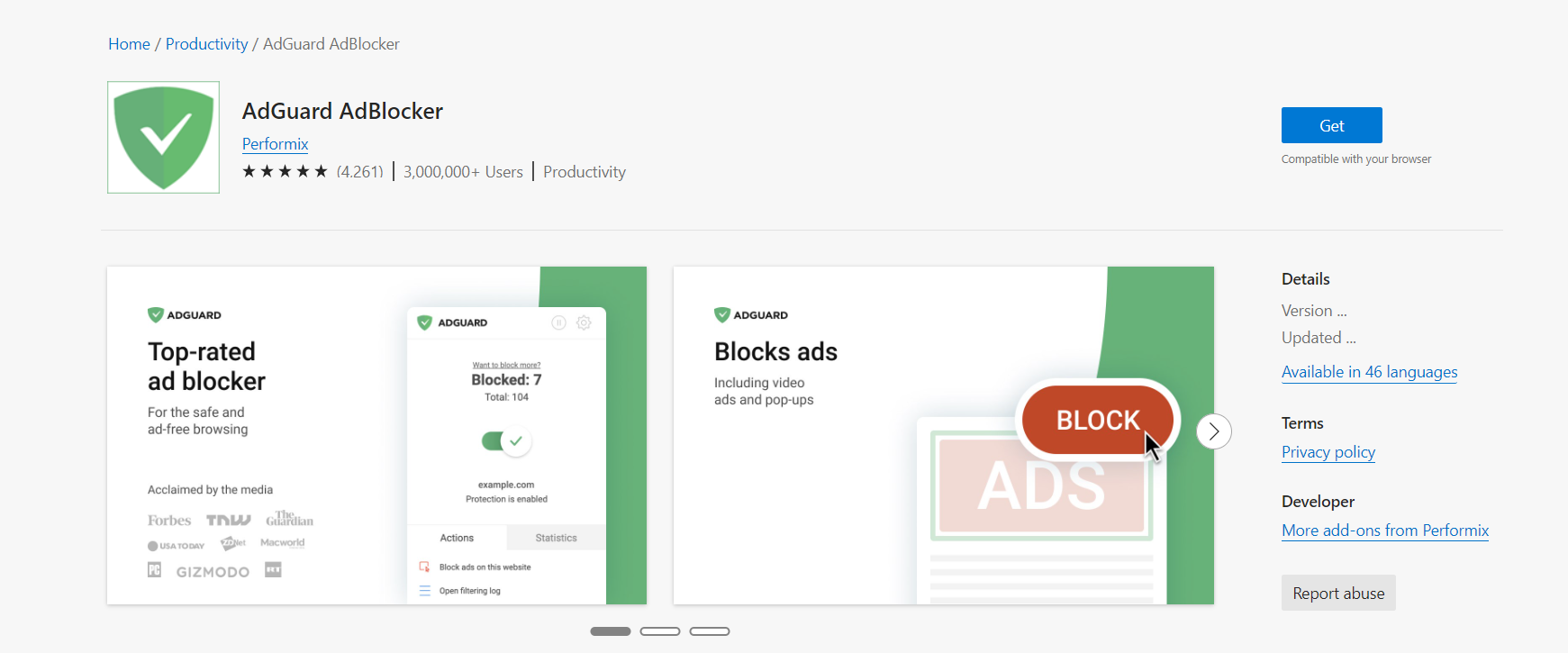
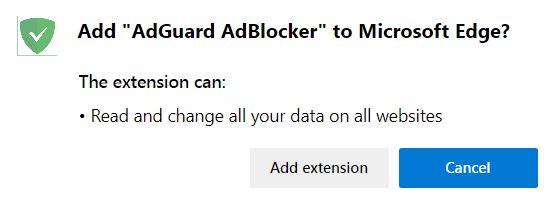
- Find AdGuard Browser Extension in the Edge Add-ons store and click Get.
- In the opened dialog window, press Add extension.
- Open the page addons.opera.com.
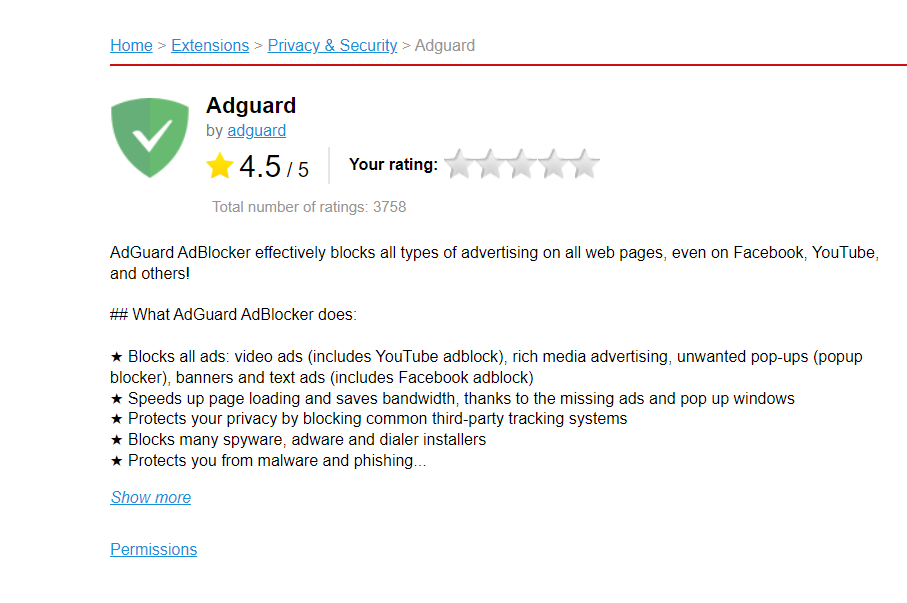
- Click Add to Opera.
- Open the App Store and find the needed extension there.
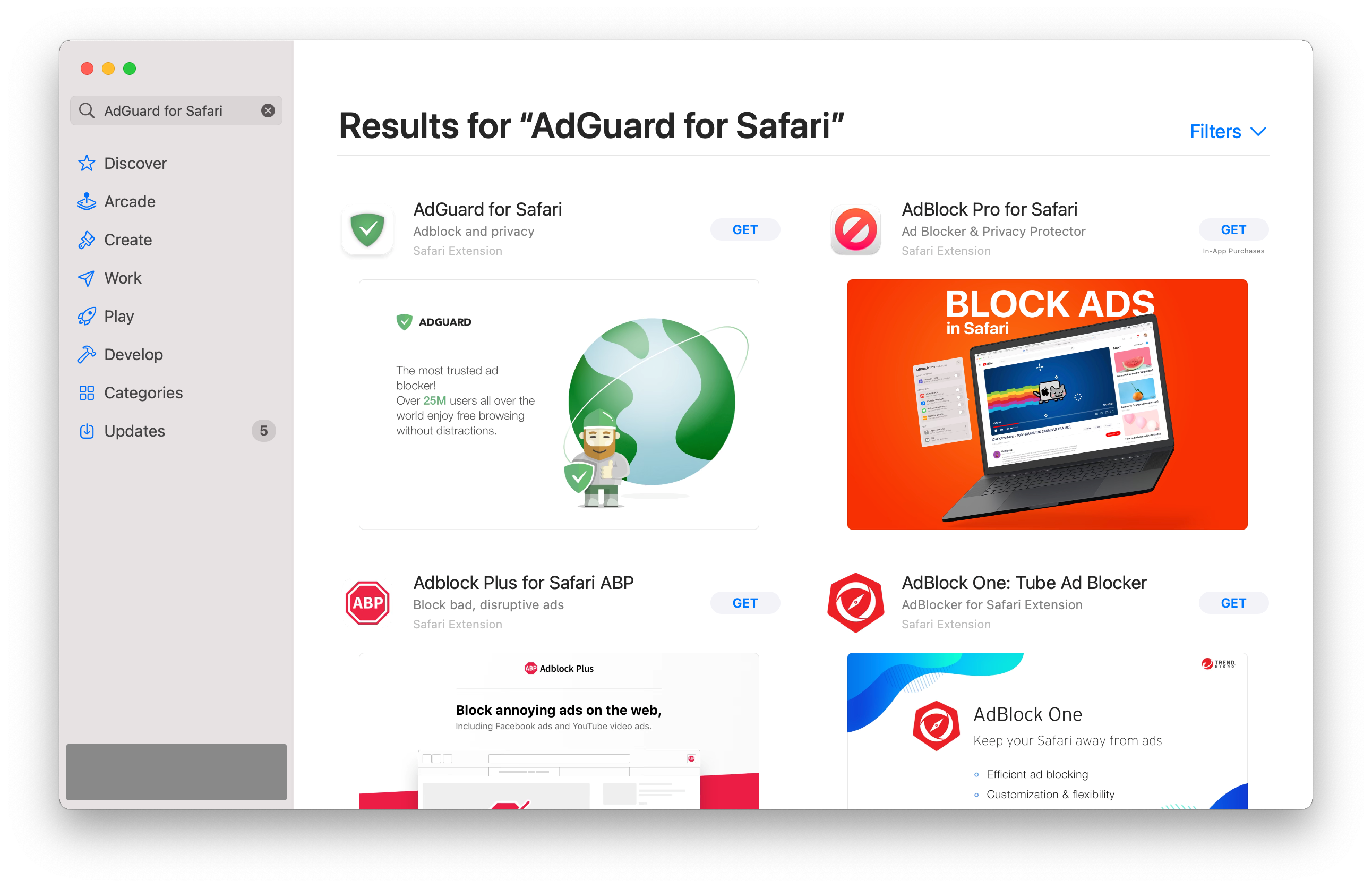
- Press Get → Install → Open.
- To set up AdGuard for Safari, enable the AdGuard extensions in the Safari settings. In a notification, click Fix it. In an opened window, check the boxes next to AdGuard extensions.
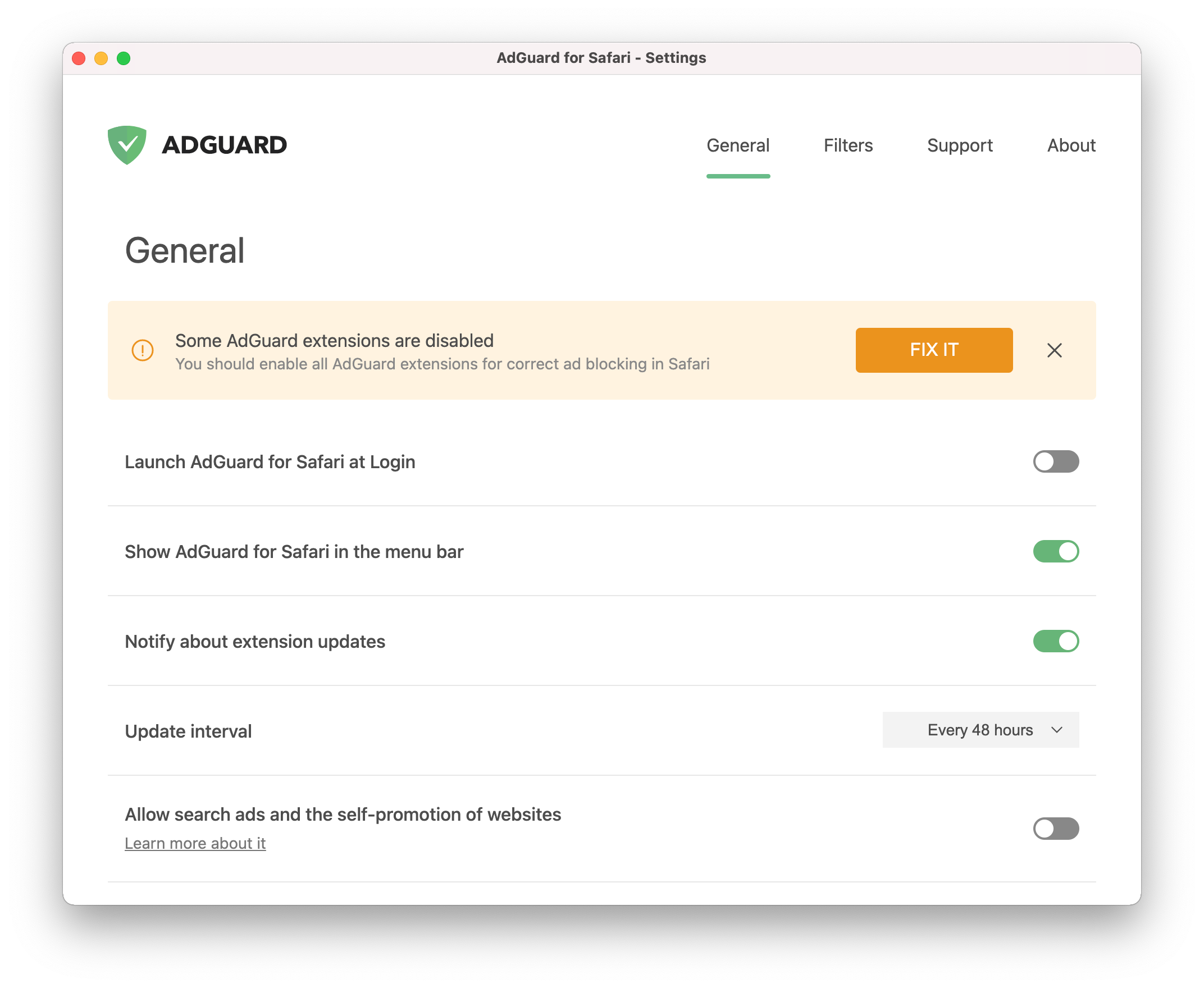 Not all extensions are required for AdGuard for Safari to function correctly. For instance, checking the Icon extension enables the icon in the tray menu. However, we recommend to enable all of them.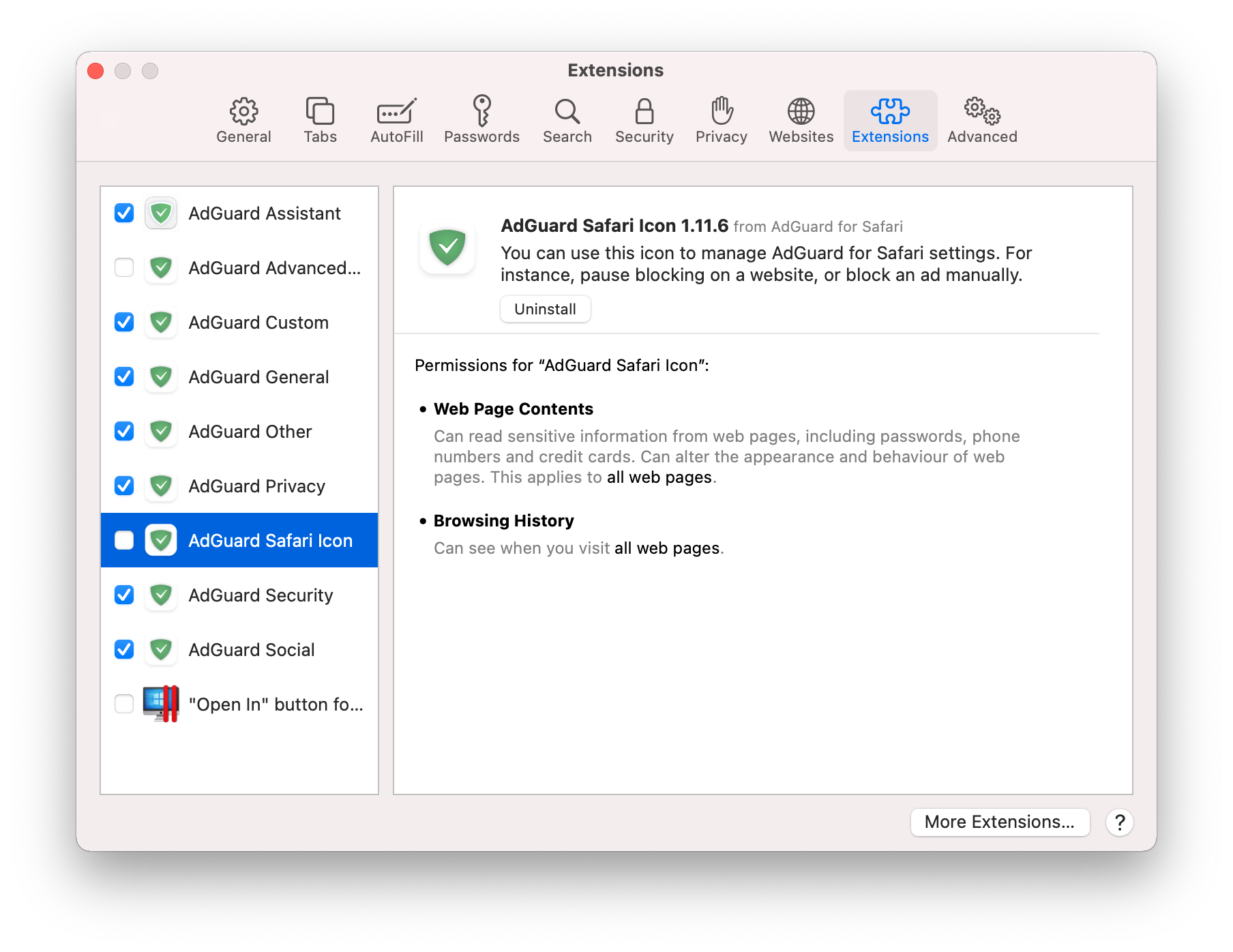
After you complete steps 1-3, AdGuard for Safari will start functioning. You can now configure its settings.
- Download the AdGuard app on your device.
- Allow installing apps from unknown sources.
Once the file download is complete, tap Open in the notification.
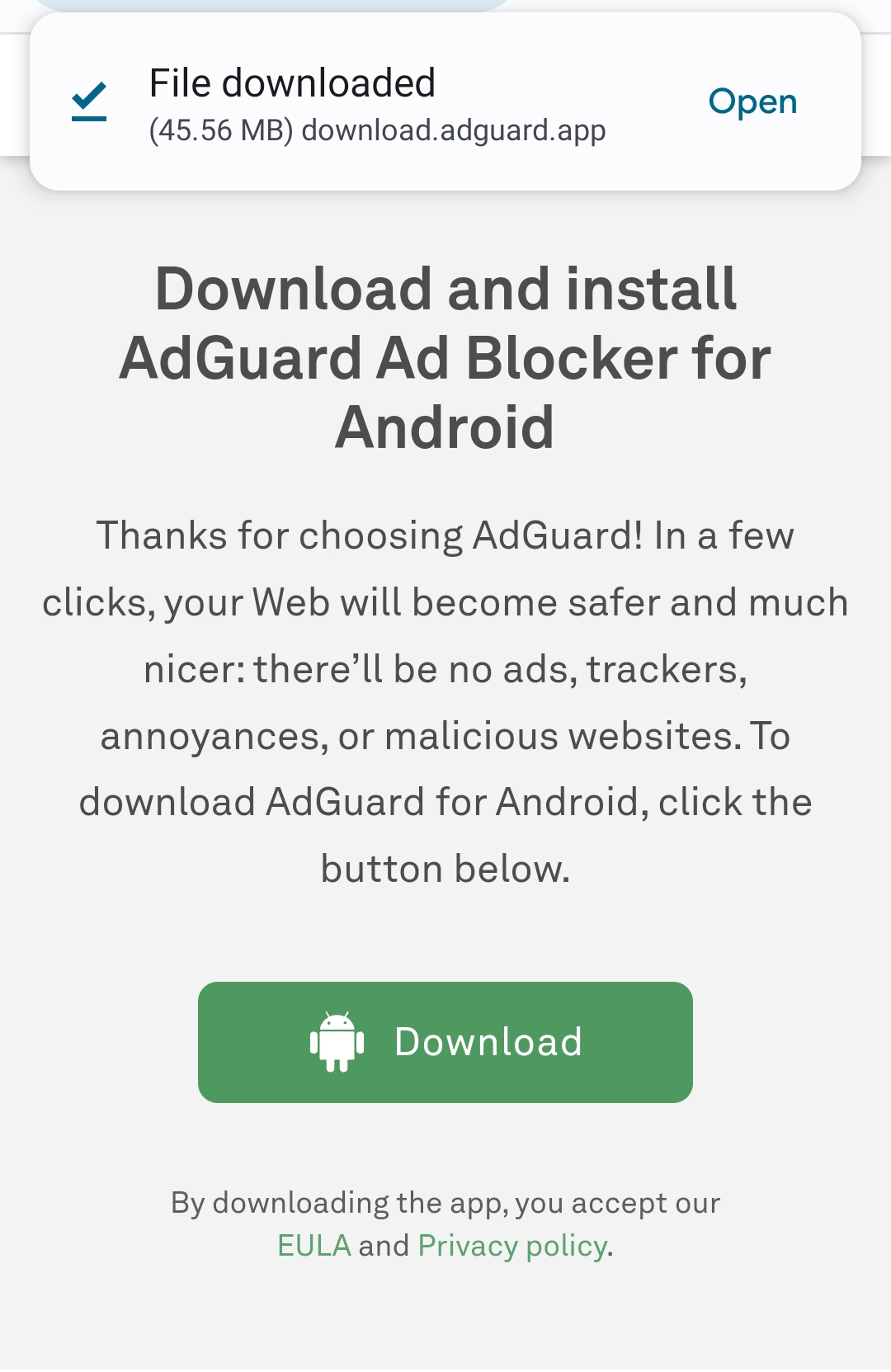
A popup will appear. Tap Settings, navigate to Install unknown apps, and grant permission for the browser you’ve used to download the file.
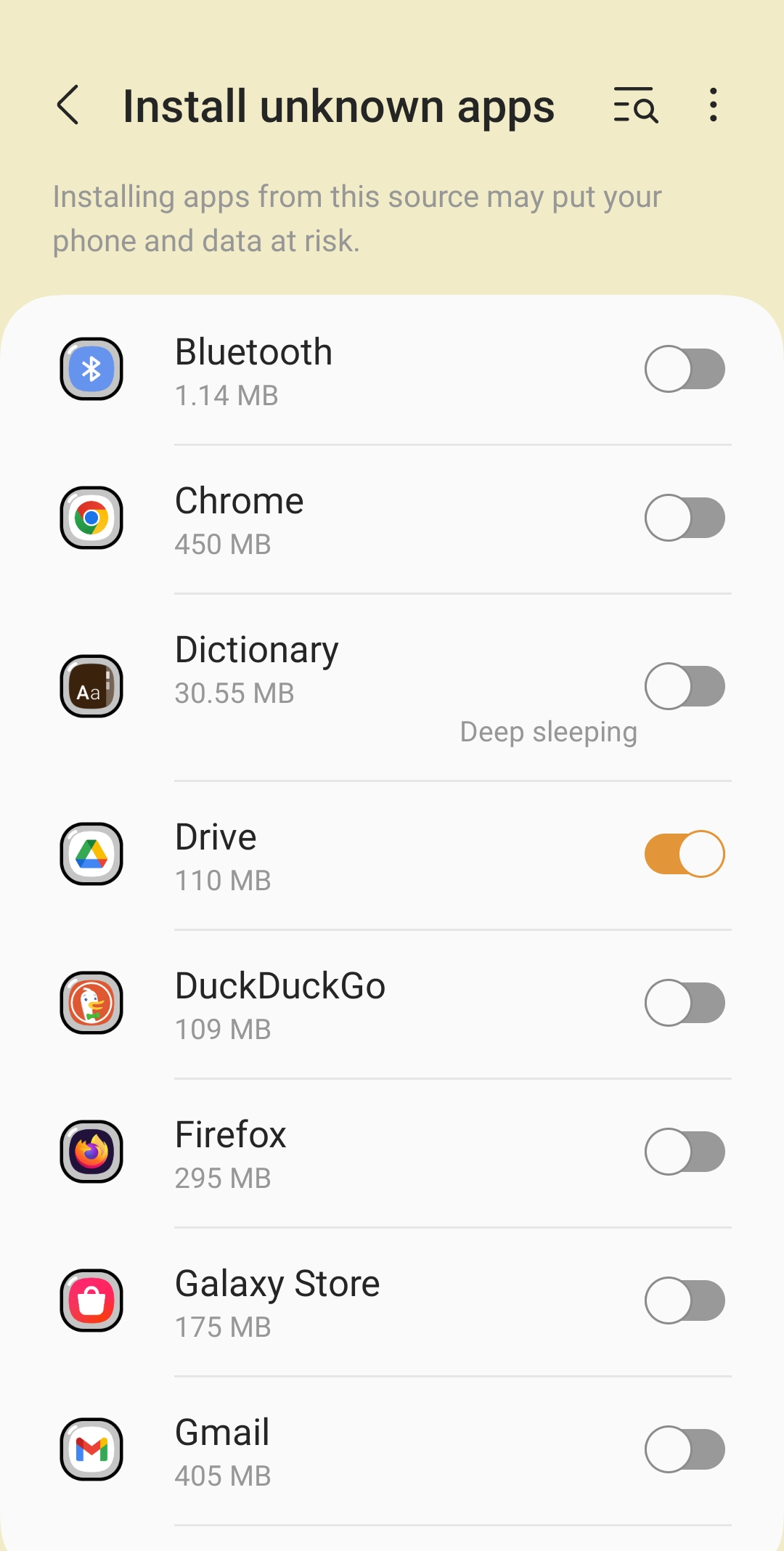
- Install the app.
Once the browser has obtained the necessary permissions, the system will ask you if you want to install the AdGuard application. Tap Install.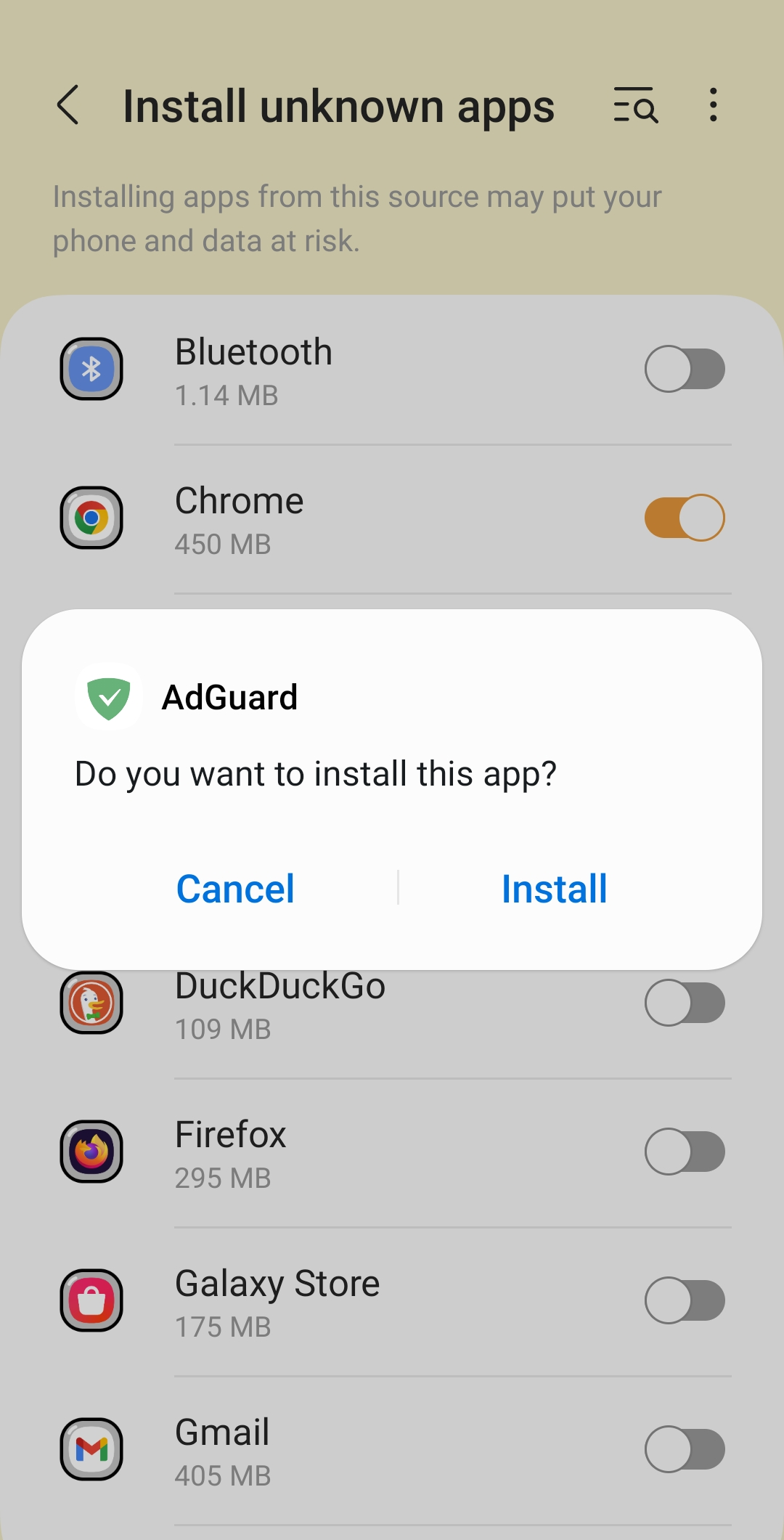
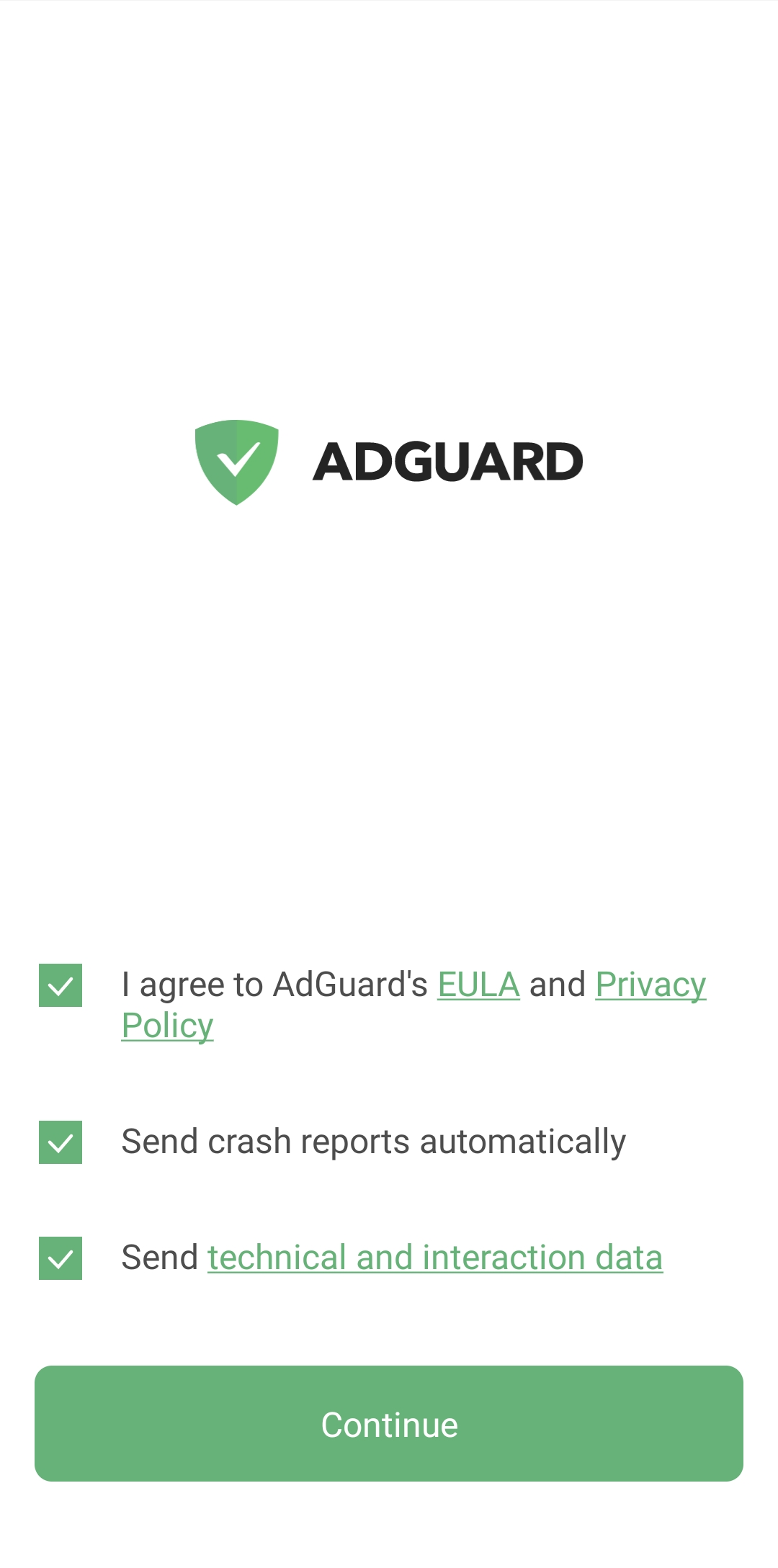
You will then be asked to read AdGuard’s License Agreement and Privacy Policy. You can also participate in product development. To do this, check the boxes for Send crash reports automatically and Send technical and interaction data. Then tap Continue.
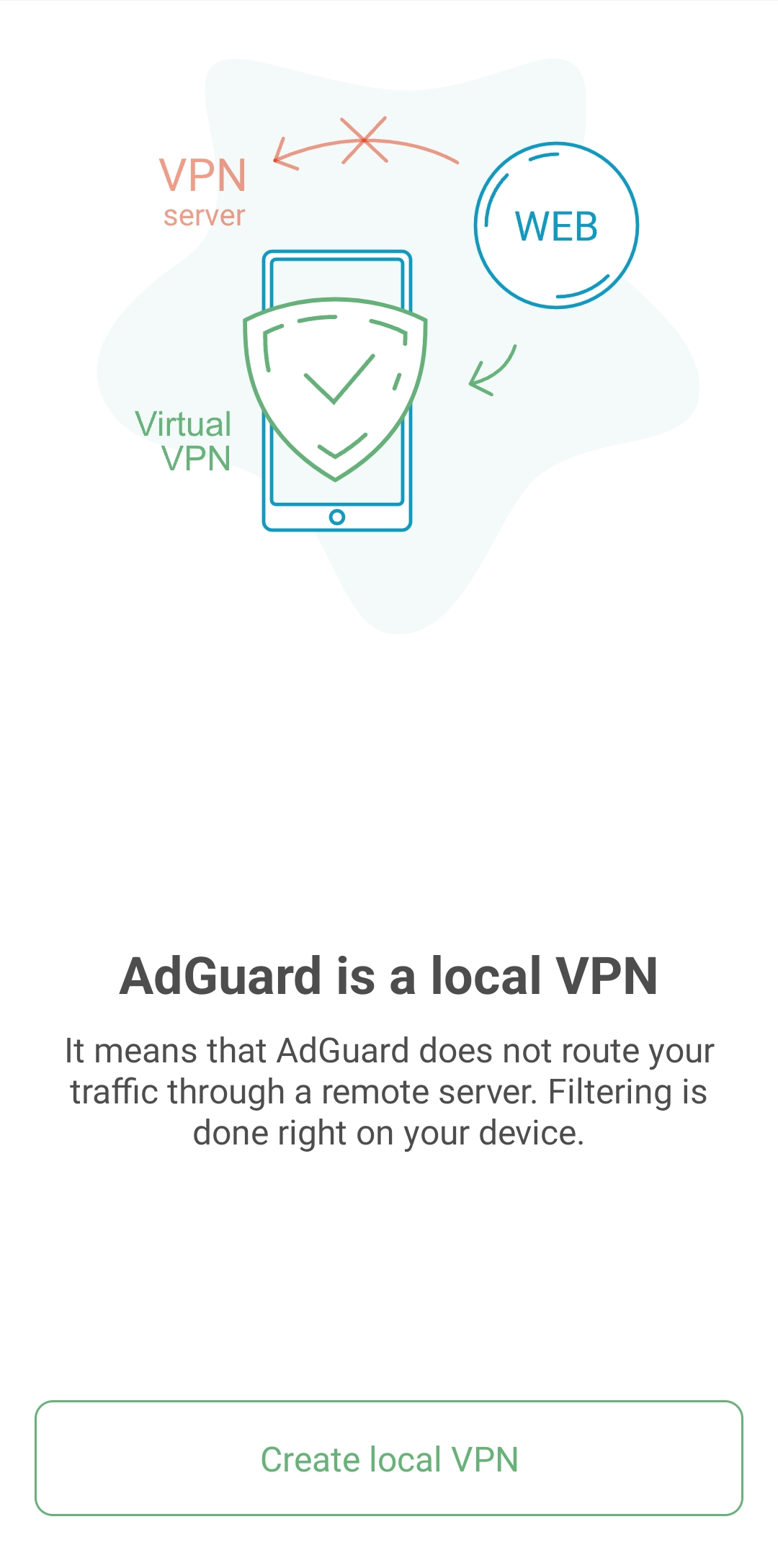
- Create a local VPN.
In order to filter all traffic directly on your device and not route it through a remote server, AdGuard needs to establish a VPN connection.
- Enable HTTPS filtering. It is not a mandatory option, however, we advice to turn it on for the best ad-blocking quality.
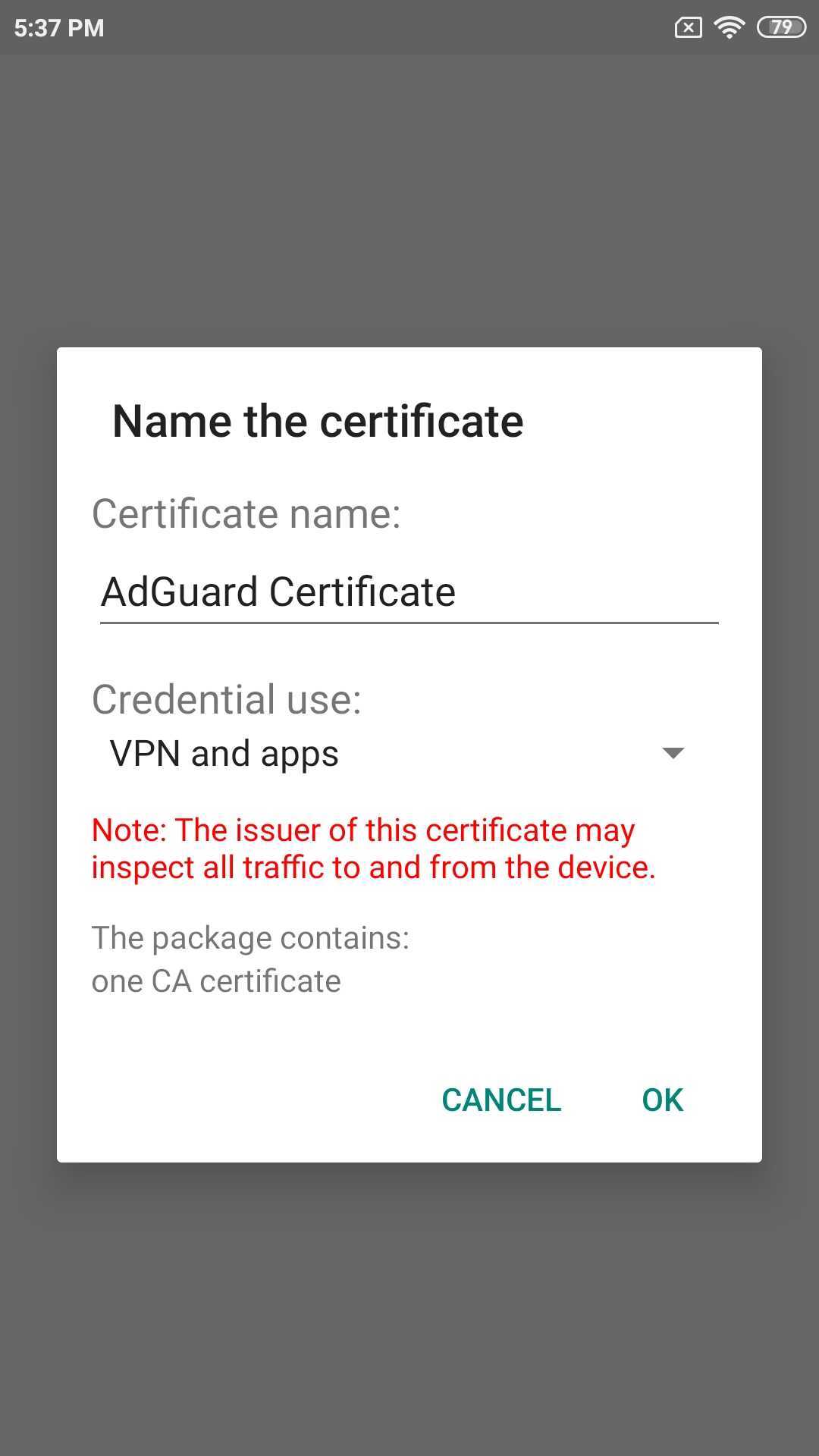
- If your device is running Android 7–9, you’ll be prompted to install a root certificate and configure HTTPS filtering after the local VPN setup.
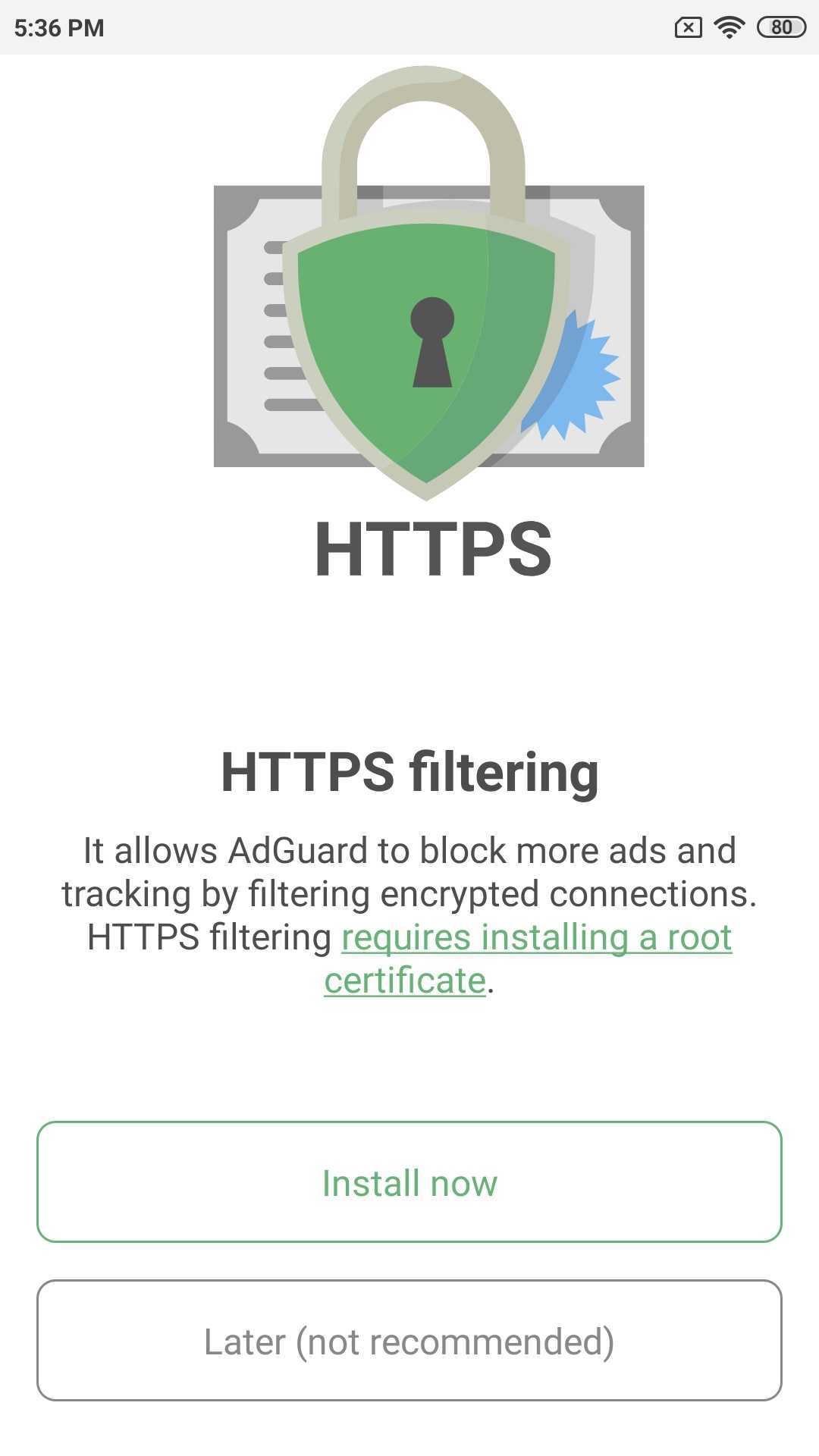
After you tap Install now, a prompt will appear asking you to authenticate the certificate installation with a password or fingerprint.
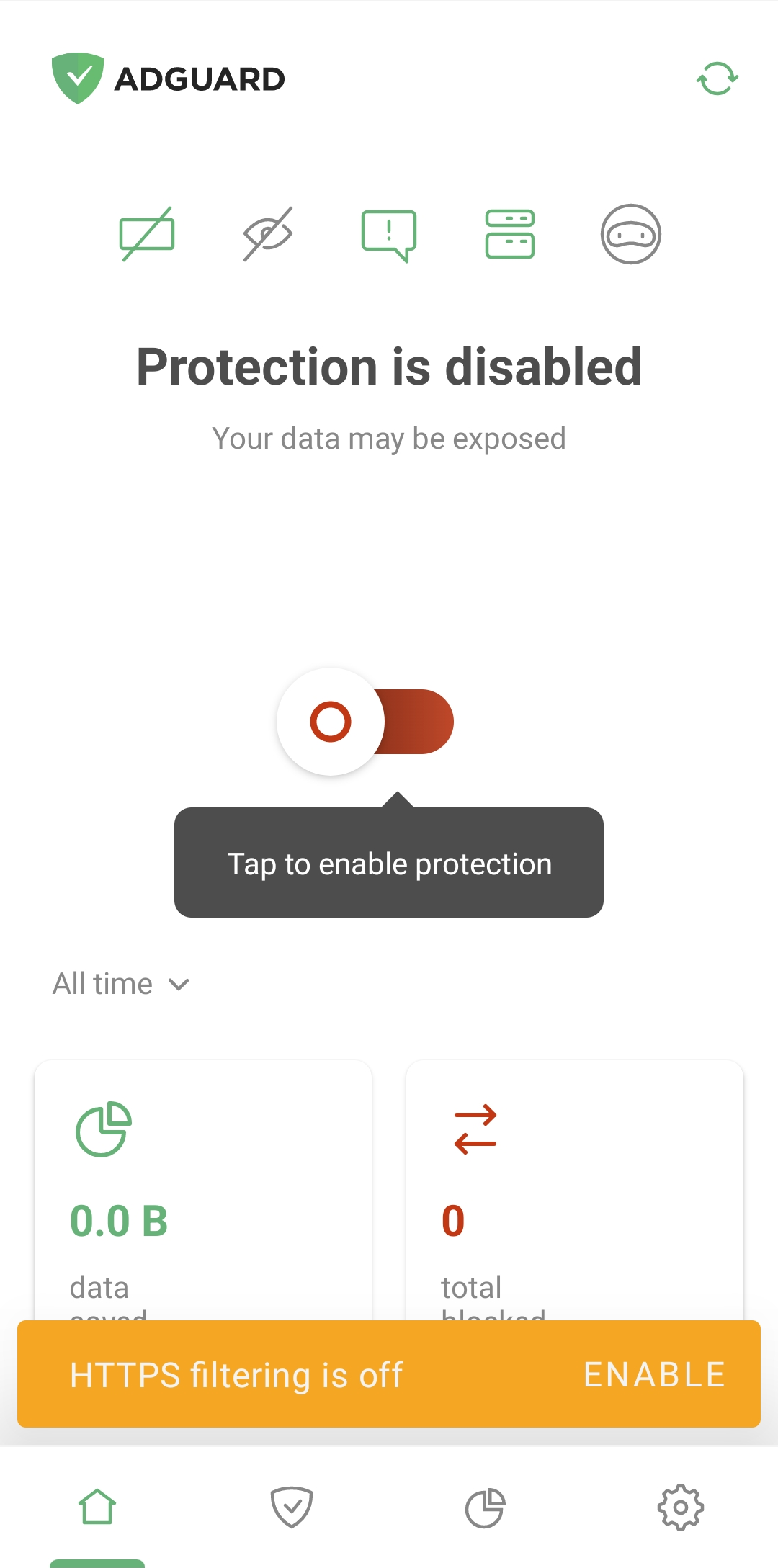
- If you have Android 10+ on your device, then after creating a local VPN, you will see the main app screen with a snack bar at the bottom: tap Enable and follow the instructions on the next screen.
- If your device is running Android 7–9, you’ll be prompted to install a root certificate and configure HTTPS filtering after the local VPN setup.
- AdGuard for iOS is an app presented in the App Store. To install it on your device, open the App Store and tap the Search icon on the bottom of the screen.
 .
. - Type adguard in the search bar and tap the string adGuard which will be among search results.
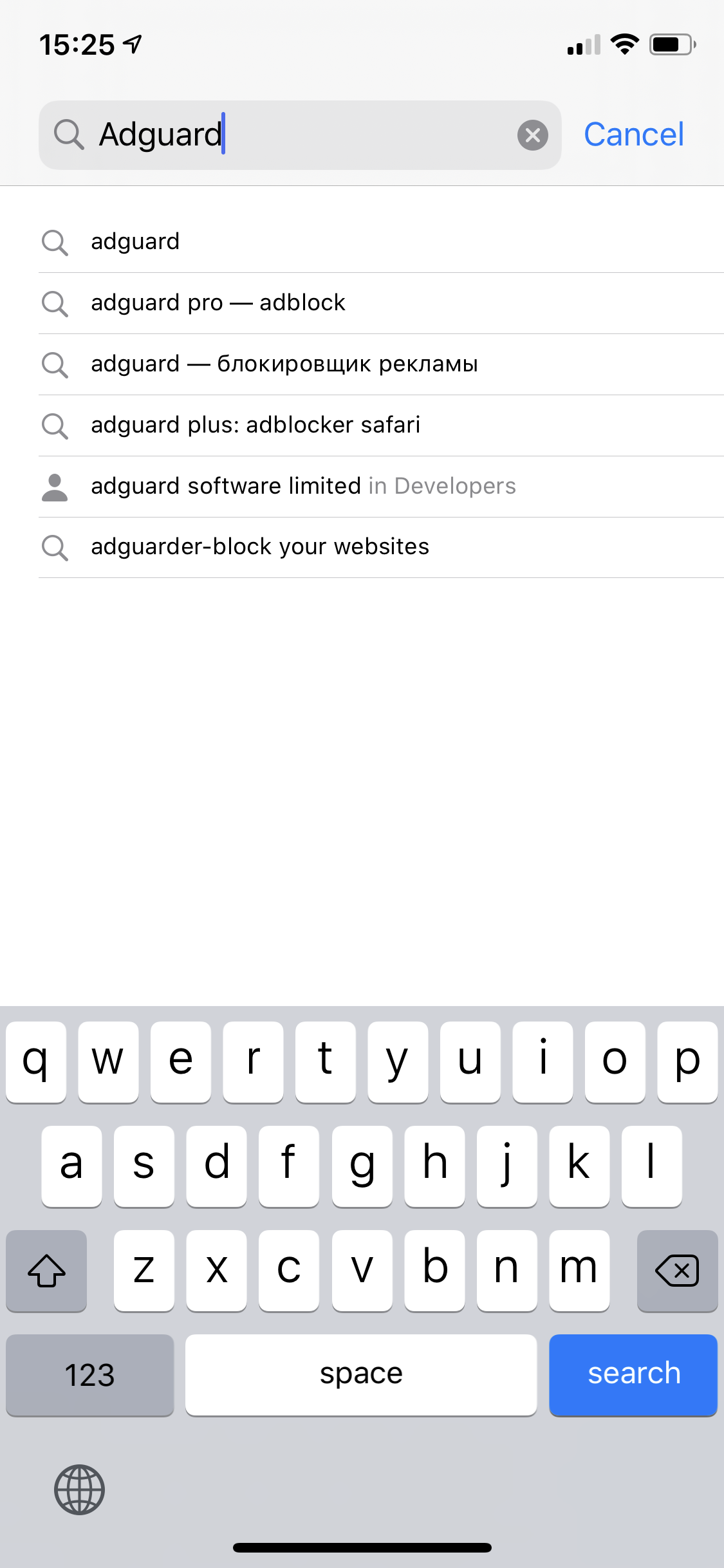
- On the opened page of the App Store tap GET under the AdGuard – adblock&privacy and then INSTALL. You may be requested to enter your Apple ID login and password. Type it in and wait for the installation to complete.

Safer PantyFlix Alternatives
Licensed platforms are safer because their operators, billing systems, applications, and advertising partners are identifiable. Depending on the viewer’s country and the desired title, paid options may include Netflix, Disney+, Max, Prime Video, Apple TV+, Paramount+, Peacock, or a local streaming provider.
People looking specifically for free content can use legitimate ad-supported services such as Tubi, Pluto TV, The Roku Channel, YouTube, and official broadcaster applications where available. Public libraries in some regions also provide access to services such as Kanopy or Hoopla.
No catalog is universal, and availability changes by location. Even so, using an accountable platform is safer than following a chain of anonymous domains, deceptive playback buttons, and rotating advertisers in pursuit of one movie.
Final Verdict: Is PantyFlix.com Safe or a Scam?
PantyFlix.com is a functioning but unofficial streaming site. Visitors may be able to watch movies and television shows without creating a paid subscription, which means the website should not be described as completely fake. That functionality, however, does not resolve the serious concerns surrounding the service.
The primary danger is the advertising ecosystem around the player. Pop-ups, pop-under windows, fake controls, redirect chains, browser-notification prompts, questionable downloads, and misleading offers can expose users to risks that have nothing to do with the movie they selected.
PantyFlix is also a very young domain with limited ownership transparency and mixed independent security assessments. None of those points alone proves malicious intent, but together they make the platform difficult to trust. Its confirmed place in the same network as RedFlix.co and BeFlix.top adds another concern, because switching among those brands does not move the visitor away from the same underlying operation.
The most accurate verdict is that PantyFlix is not necessarily a direct, single-purpose scam, but it is not a safe or legitimate replacement for a licensed streaming service. The movie may work; the page opened by the next click may not deserve the same trust. Avoid the site when possible, never install anything promoted through its ads, deny notification requests, and do not enter passwords or payment information on redirected pages.
Frequently Asked Questions
Does PantyFlix.com really have movies and TV shows?
PantyFlix presents a large catalog and may connect visitors to playable streams. The central concern is not that every title is fake, but that using the player can trigger intrusive advertisements and send users to unrelated third-party websites.
Is PantyFlix legal?
PantyFlix does not provide the same visible licensing and company transparency associated with established streaming services. Copyright rules and liability differ by country, so users should rely on licensed platforms available in their region.
Is PantyFlix a virus?
PantyFlix is a website, not a virus by definition. Visiting it does not automatically confirm an infection. The greater risk comes from advertising pages that encourage downloads, installations, notification permission, or the submission of sensitive information.
Why does PantyFlix open new tabs when I press Play?
The site or embedded player may monetize clicks through pop-up and redirect advertising. An overlay can capture the first interaction and open an advertiser before the real video control responds.
Should I allow PantyFlix notifications?
No. Notifications are not required to stream a movie. Granting permission to PantyFlix or an unfamiliar redirected domain can allow advertising and scam alerts to appear after the browser tab has been closed.
Is it safe to create a PantyFlix account?
Avoid providing personal information or reusing a password on an unofficial streaming site with limited operator transparency. If an account is required, a licensed service with clear privacy and support policies is the safer choice.
Can PantyFlix steal my card details?
PantyFlix advertises free streaming, so there should be no reason to enter card information merely to start a movie or close an ad. A payment form reached through a redirect may belong to an unrelated subscription or phishing page and should not be trusted.
Will an ad blocker stop every PantyFlix pop-up?
It may stop many of them, but no blocker is perfect. Advertising scripts rotate and can change frequently, while some websites attempt to bypass filters. Blocking ads reduces exposure but does not make the service licensed, transparent, or completely safe.
Am I infected if I only watched a movie?
Probably not, provided you did not download a file, install an extension or application, grant permissions, or enter sensitive information. Close the advertising tabs and check notification permissions if you are concerned.
Are RedFlix.co and BeFlix.top safer alternatives to PantyFlix?
No. RedFlix.co and BeFlix.top are part of the same streaming-site network as PantyFlix. Their branding and layouts may differ, but moving between these domains does not take the user to an independent provider or remove the advertising and redirect risks associated with the network.








