

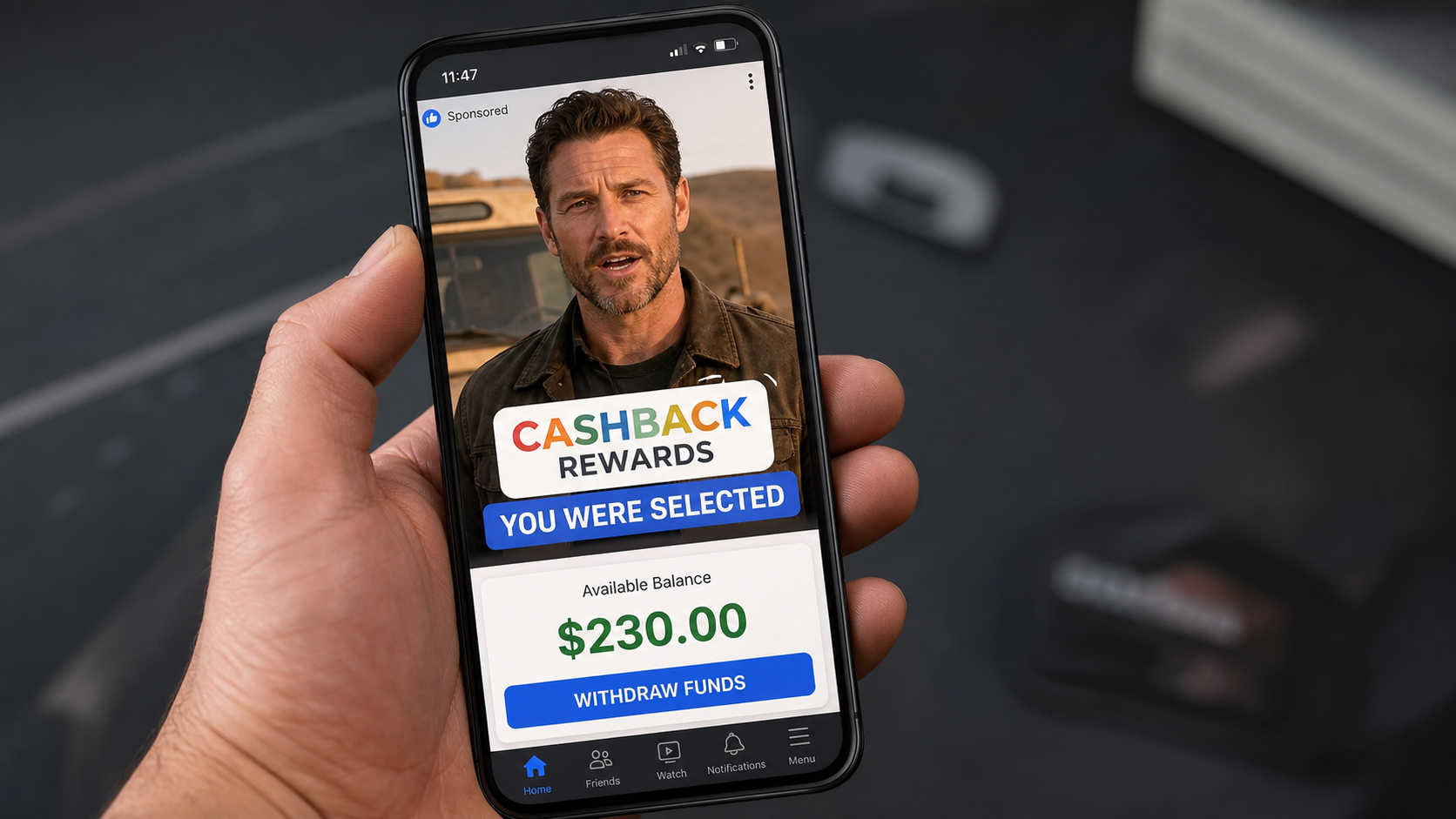
A polished video says Google has selected you to recover forgotten cashback. A counter starts climbing before you have done anything, and the page makes the money feel close enough to touch.
The balance is not a gift. It is the first prop in a carefully staged money-making scam that borrows Google’s name, synthetic spokespeople, and a fake withdrawal process to make an upfront payment feel reasonable.
Overview
What the Google CashBacks Program Claims
The campaign claims Google created a private tool that lets ordinary people claim cashback other shoppers forgot to use. Visitors are told they were selected, can earn $150 to $400 a day, and may withdraw an opening balance after completing a few simple validations.
The task can be as trivial as typing Nike, Amazon, or Apple into a box. Each entry produces an instant reward. The dashboard may show about $230 within seconds, even though no purchase, customer account, or real cashback entitlement has been verified.
What We Could Verify
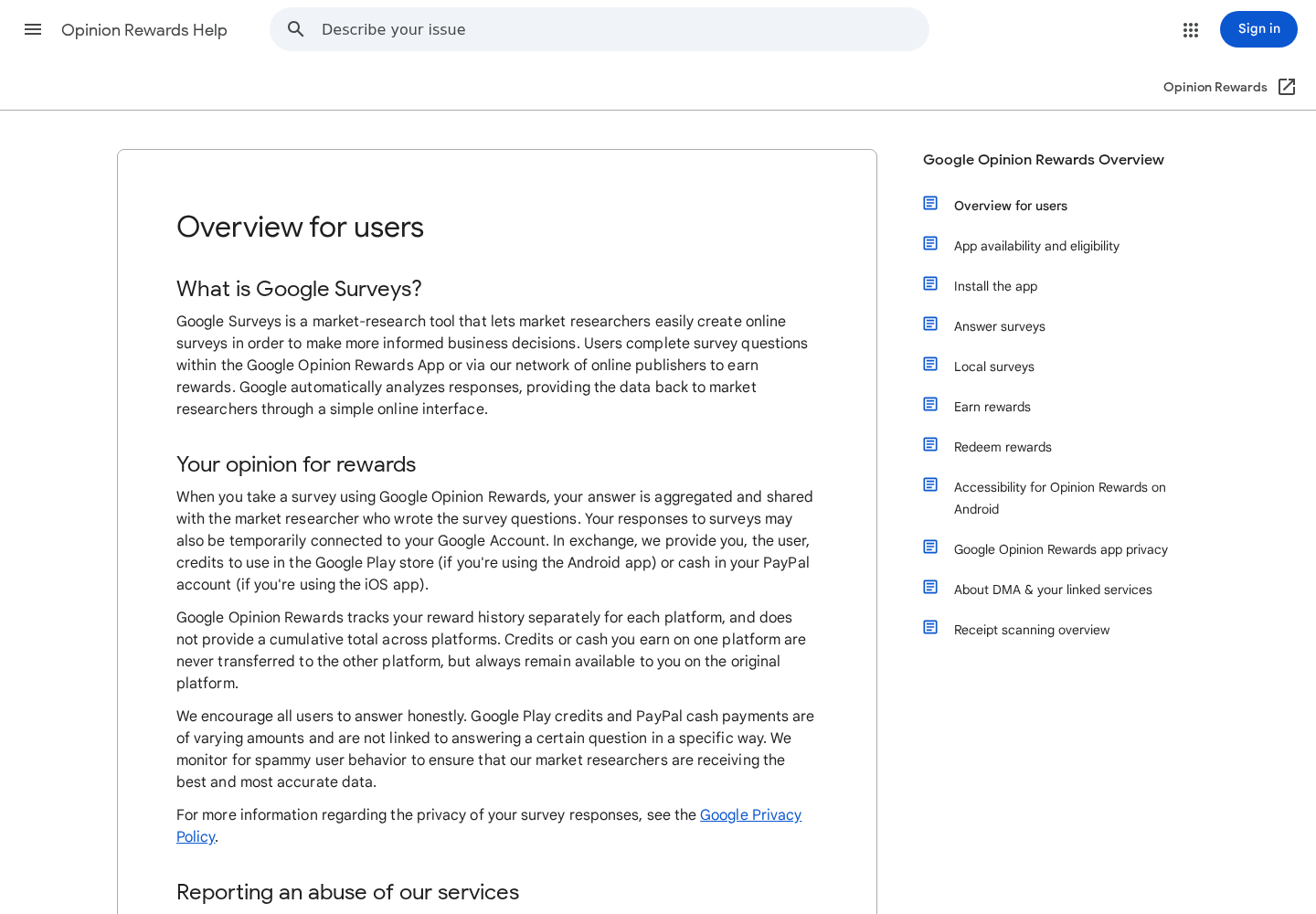
Google does operate legitimate reward services, but they work very differently. The official Google Opinion Rewards documentation explains that users answer market-research surveys for variable Google Play credit or PayPal payments.
Google does not document a public program that pays people hundreds in cash for recovering strangers’ unused cashback. The scam page sits on an unrelated domain, invents earnings before doing real work, and eventually asks the visitor to pay before the displayed balance can be withdrawn.
- The supposed balance is generated by the page, not confirmed by Google.
- The spokesperson and testimonials may be AI-generated or manipulated.
- Typing retailer names does not redeem a real customer’s reward.
- The withdrawal is blocked until the visitor pays an access fee.
- The payment page may introduce additional billing or membership terms.
Why the Offer Is So Convincing
The story combines three familiar ideas: Google is wealthy, cashback programs are real, and forgotten rewards do exist. The false conclusion is that Google needs strangers to release that money and will share it with anyone who completes a few clicks.
The page also lets the visitor watch a balance grow. That small interaction creates ownership. Once someone feels the $230 already belongs to them, a $25 or $27 fee can look like a minor obstacle instead of the actual purchase the funnel was built to obtain.
Is the Google CashBacks Program Real?
No. The campaign described here is not a Google program, app, or authorized income opportunity. It uses Google’s name and a Google-like color palette, but those visual cues do not establish ownership or endorsement.
A real Google service should be verifiable through an official Google domain, help center, app-store listing from Google LLC, and clear program terms. This campaign depends on a standalone sales page, synthetic testimonials, and an invented withdrawal balance.
Google’s own online-safety guidance warns that scammers use AI-generated photos, voiceovers, and deepfake videos alongside fabricated news stories. It also advises users to inspect unfamiliar URLs and verify claims through official resources rather than the page making the offer.
The Fake Logic Behind “Forgotten Cashbacks”
Cashback is normally tied to a specific purchase, account, card, or loyalty agreement. If a shopper earns a reward, the rules governing it belong to that shopper and the company that issued it. An unrelated visitor cannot normally type a retailer’s name and take ownership of someone else’s credit.
The scam never provides a credible accounting trail. It does not identify the transaction that created the cashback, the consumer who earned it, the retailer’s authorization, or the contract allowing a stranger to redeem it.
Instead, the page replaces evidence with animation. A loading bar, success sound, green check mark, and rising cash total create the appearance of a financial process. Those effects can run entirely in a browser without contacting Google, a retailer, a bank, or any reward system.
How the Google CashBacks Program Scam Works
Step 1: An AI Video Stops the Scroll
The campaign begins with a sponsored video on TikTok, Facebook, Instagram, or another feed. A friendly user says they checked a secret eligibility list and discovered that Google owed them money.
Other versions use a recognizable actor, a television presenter, or a confident financial expert. Lip movement may not quite match the voice, expressions can look stiff, and the wording often sounds translated. The apparent endorsement is not reliable proof that the person ever recorded it.
Step 2: A Fake Google Page Announces You Were Selected
The ad opens a page with familiar colors, clean cards, and language such as “Congratulations” or “You received access.” It may claim only selected surnames or accounts qualify, although every visitor sees essentially the same message.
The domain is the key check. A page can display the word Google and imitate its design while being controlled by an unrelated operator. A lock icon only means the connection is encrypted. It does not prove the business behind the page is Google.
Step 3: The Dashboard Manufactures an Instant Balance
Visitors are asked to enter a few large brand names. Each answer triggers another supposed reward, often building to about $230 in less than a minute. No proof of purchase or loyalty account is required because the task is theater.
This is a common gamified-scam technique. The FTC explains that fake task platforms display earnings that do not exist, then use that balance to persuade victims to deposit their own money.
Step 4: A Long Video Explains Why a Fee Is “Necessary”
When the visitor clicks withdraw, the page delays the payment and starts a presentation. The narrator claims too many people took their opening balance and stopped working, so Google supposedly introduced a small activation fee.
The script repeats that the fee remains yours and will return within minutes. Repetition is deliberate. It tries to convert a clear warning sign, paying to receive earnings, into a harmless verification step.
Step 5: Fake News and Testimonials Remove Doubt
The presentation may claim Fox News covered the opportunity or show fabricated users saying they cleared debts, quit a delivery job, bought restaurant meals, or saved for a home. These emotional stories are not accompanied by independently verifiable identities or payment records.
A news-style lower third can be copied in minutes. If the report cannot be found through the real outlet’s website, and the only clip appears inside a payment funnel, it should be treated as advertising evidence created by the seller.
Step 6: The “Small Fee” Captures Payment Details
The final page may price access around $25 to $27, add a countdown, display a guarantee badge, and warn that the offer will disappear. The low amount reduces hesitation and gives the operator valid card details.
The buyer is not purchasing a genuine balance. They are paying for access to a system whose earnings were generated on screen. Additional upsells, memberships, or repeat charges are possible if the checkout terms authorize them, so the full page must be saved and reviewed.
Step 7: Withdrawal Fails and the Demands Can Grow
After payment, the promised withdrawal may remain locked behind more tasks, a higher account tier, a tax, or another verification charge. A contact may move the conversation to WhatsApp or Telegram and encourage the victim to keep depositing.
The FTC’s rule is simple: never pay anyone to get paid. A balance that exists only on the scammer’s dashboard is not money you own, and another payment cannot make it real.
Deepfakes, Fake News, and Manufactured Social Proof
Modern scam ads no longer need a real spokesperson. A promoter can combine licensed stock footage, a cloned voice, face animation, and captions to create a believable endorsement. Compression inside a social feed can hide small visual defects.
Watch for teeth that change shape, blinking that feels irregular, blurred edges around the mouth, lighting that shifts across frames, or audio that lacks natural breathing. These clues can help, but a technically excellent video can still be false.
The stronger test is external verification. Search the public figure’s official channels, the named news outlet, and Google’s own websites. Do not use links or phone numbers supplied by the same ad you are investigating.
Testimonials deserve the same treatment. A first name, stock portrait, and screenshot of a PayPal notification do not prove a person earned anything. Genuine earnings claims require context, typical-result data, and evidence available outside the seller’s presentation.
Company, Address, and Fulfillment Checks
The Brand Name Hides the Real Merchant
“Google CashBacks Program” is not a transparent legal identity. The name shown on the ad can differ from the company on the payment page, receipt, and card statement. Record each name before paying, because a vague descriptor makes later cancellation and disputes harder.
If the checkout does not identify a legal seller, registration country, and working support channel, close it. Google branding cannot substitute for a merchant identity.
The Address May Be Missing, Copied, or Merely a Mailbox
Search any listed address independently. Scam funnels may use an unrelated office, a residential property, a virtual mailbox, or no physical address at all. An address appearing in fine print is not useful if it cannot be connected to the operator accepting payment.
Support Often Exists Only Until the Charge Clears
Test the email and phone number before buying. Ask who owns the program, what the purchase provides, whether any billing repeats, and how a refund works. No reply, scripted answers, or pressure to continue on WhatsApp are reasons to stop.
There Is No Product or Fulfillment Trail to Audit
This offer sells digital access, so there may be no warehouse or physical package. That makes the operator’s identity, checkout terms, and payment processor even more important. A dashboard login is not proof that an income-producing service exists.
Save the exact landing page, checkout URL, terms, receipt, and statement descriptor. Disposable domains can vanish quickly, taking the public-facing company details with them.
Red Flags You Can Spot Before Paying
- The ad says you were selected for money you never applied to receive.
- A fake balance appears before any valuable work is completed.
- The page uses Google’s name on a non-Google domain.
- A celebrity endorsement exists only inside a social ad or sales video.
- The presentation promises $150 to $400 a day for trivial typing.
- The withdrawal requires a fee, deposit, tax, or account upgrade.
- A timer and “limited spots” warning pressure immediate payment.
- The operator’s legal name, address, and support details are unclear.
- The conversation moves to WhatsApp or Telegram.
- The guarantee is prominent, but the refund procedure is vague.
What to Do if You Have Fallen Victim to This Scam
- Stop paying immediately. Do not send another activation fee, withdrawal tax, crypto deposit, or verification payment. A larger payment will not unlock the fake balance.
- Call your bank or card issuer. Use the number printed on your card. Describe the impersonation, the false earnings display, and what you were promised. Ask about a dispute, blocking future charges, and replacing the card if necessary.
- Save the evidence. Keep the ad, video, URLs, checkout, terms, receipt, emails, chat messages, phone numbers, and statement descriptor. Capture the fake dashboard before the domain disappears.
- Secure any exposed accounts. If you reused a password, change it everywhere, starting with email. Enable two-factor authentication and remove unfamiliar recovery methods or sessions.
- Scan the device. If you downloaded an app, extension, or file, uninstall unknown software and run a full scan with Malwarebytes. A payment scam can also distribute unwanted or malicious software.
- Reduce repeat exposure. AdGuard can block many malicious ads, trackers, and known scam destinations. It is an extra layer, not a substitute for checking the domain and offer.
- Report the campaign. Report the sponsored post for impersonation and fraud. U.S. victims can file at ReportFraud.ftc.gov and report internet-enabled crime to IC3.
- Ignore recovery agents. Someone may later claim they can recover your money for an upfront fee. That is often a second scam aimed at people already identified as willing to pay.
Frequently Asked Questions
Is the Google CashBacks Program a real Google app?
No. The campaign described here is an impersonation funnel, not a verified Google service. Google’s real rewards products are documented on official Google domains and do not create a large balance for typing retailer names.
Does Google pay people to recover forgotten cashback?
We found no official Google program matching that claim. Legitimate cashback is normally tied to a specific purchase, account, or agreement. The scam provides no transaction records showing that its displayed rewards exist.
Is the $230 balance on the dashboard real?
No evidence shows it represents withdrawable money. The same page can display a balance to every visitor. It is used to make the later access fee feel small and to create a false sense that the viewer already owns the funds.
Did a celebrity endorse the Google CashBacks Program?
The campaign has used manipulated or synthetic-looking public-figure clips. An appearance inside a social ad is not an endorsement. Verify any claim through the person’s official channels and independent reporting.
Why does the page ask for a fee before withdrawal?
The fee is how the funnel turns a fake balance into real revenue. The explanation about inactive users or account verification is part of the script. Honest employers and reward programs do not require payment to release supposed earnings.
What if I entered my card but no charge has appeared?
Contact the card issuer now. Ask it to monitor or replace the card and block the merchant if possible. Save the page and review statements for unfamiliar descriptors, because an attempted or recurring charge may appear later.
The Bottom Line
The Google CashBacks Program is a fake money-making funnel. Google did not select you to claim strangers’ forgotten rewards, and the balance generated by the page is not evidence of real earnings.
Close any site that asks you to pay before withdrawing money it created on screen. Verify Google offers only through official Google properties, and act quickly if you shared payment or account information.








