

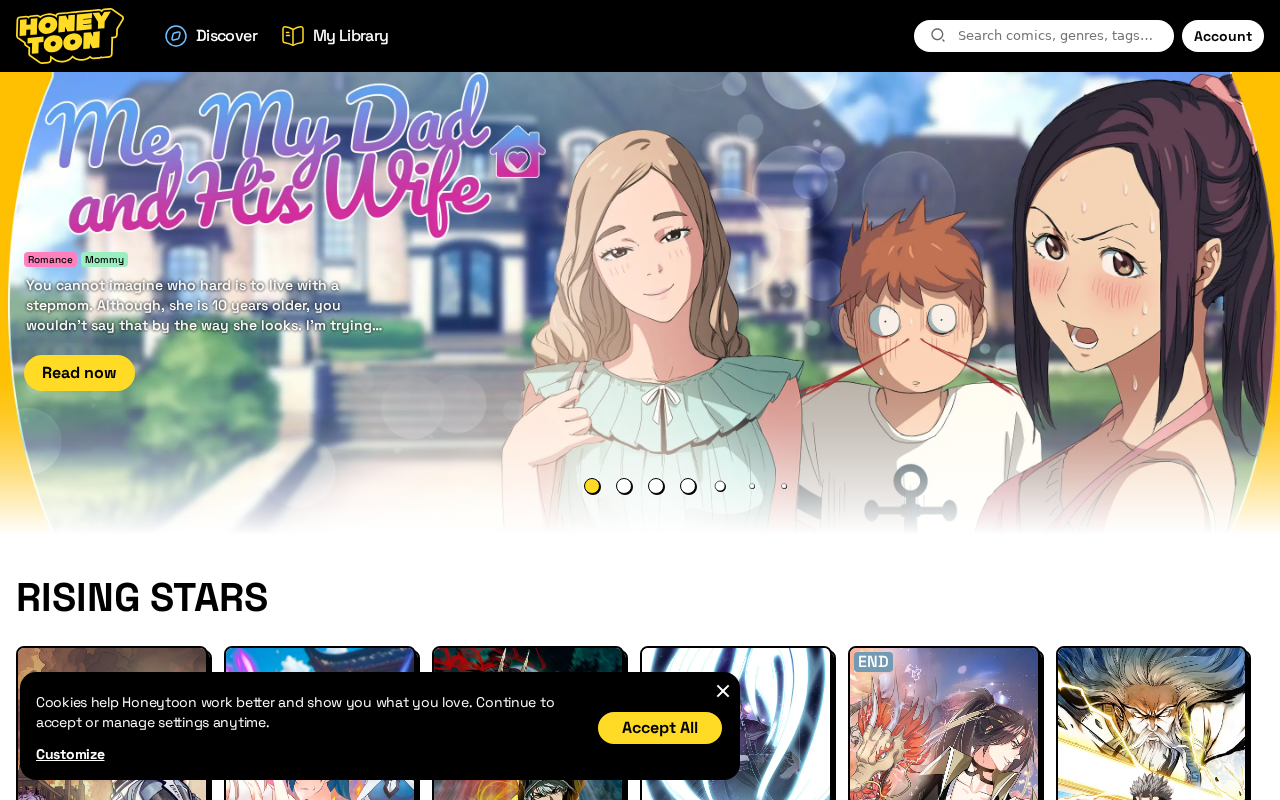
You have probably seen the clip already. A romance panel. A yellow Read Now button. A stepmom tag sitting under a mansion. Then a checkout that wants the card before you finish a chapter.
That is why people search Honeytoon reviews after a charge they did not plan to keep. The page looks like a real comics site. The later statement looks like a membership they cannot turn off in the account.
This is the same pattern as the other unlimited-access subscriptions. An intro price. A longer plan that renews higher. A cancel path that lives in an inbox, not next to the card. Then a $69.99 or $79.99 line people say they thought they had already stopped.
Overview
You tap Read Now for unlimited comics. Checkout sells an intro price, then $7.99 every week or a longer plan that renews at $69.99. There is no cancel button in the account. You have to email, at least 24 hours before the next charge. Once the library unlocks, the page treats the sale as used and the refund as closed.
Honeytoon is a live comics and webtoon reader at the Honeytoon homepage. It is not an empty shop. The trap is the billing, not a fake storefront. The live pages answer that in writing. The complaints sit on top of those pages, not instead of them.
The weekly renewal
Honeytoon sells two products that sit next to each other. Premium or Ultra membership is a recurring plan that unlocks episodes for a set number of weeks. Coins are a separate virtual currency used to unlock individual chapters. The English Terms of Use say coins are not real money, have no monetary value, and can only be used on the site.
Honeytoon does not publish one clean price on the homepage. It publishes plans inside checkout popups. In August 2026 two live plan endpoints on the same domain did not match.
The standard plans popup listed Premium like this:
- 1 week: $7.99 every week until you cancel
- 4 weeks: $12.99 first, then $15.99 every 4 weeks (printed as 18% off)
- 12 weeks: $23.88 first, then $34.95 every 12 weeks (printed as 32% off)
- 24 weeks: $40.56 first, then $69.99 every 24 weeks (printed as 42% off)
- Coin packs: 450 coins at $35, 1000 coins at $65, and 2000 coins at $90, each labeled /mo
A second upgrade popup on the same site listed higher renewals and an Ultra tier for uncensored titles:
- Premium 4 weeks: $13.49 first, then $16.99
- Premium 12 weeks: $24.99 first, then $36.99
- Premium 24 weeks: $41.99 first, then $79.99
- Ultra 1 week: $9.99 every week
- Ultra 4 weeks: $16.99 first, then $20.99
- Ultra 12 weeks: $29.99 first, then $42.99
- Ultra 24 weeks: $49.99 first, then $99.99
The longer plan is the discount costume. $40.56 or $41.99 looks like a deal next to a printed weekly rate of $1.69. The line that matters later is the renewal. $69.99 or $79.99 every 24 weeks is the number that shows up in the worst Trustpilot complaints. Ultra prints $99.99 on that same cycle.
Each plan block says the first purchase is the only discounted one. It also says you get immediate access and agree that refunds are not available after activation. Cancel instructions point to the Payment and Refund Policy or to contact@honeytoon.com. That sentence is doing two jobs. It sells the cheap start. It closes the easy exit.
A weekly $7.99 plan looks small until you do the month. Four of those charges are $31.96. The 4-week plan that renews at $15.99 or $16.99 is the quieter version of the same timer. The FAQ says premium renews on the same date every 1, 4, 12, or 24 weeks. It also says you can see the last day of the period in Account. It does not put a Cancel button next to that date.
You cannot cancel in the account
There is no self-service cancel button on the FAQ, the contact page, the plan text, or the Payment and Refund Policy. All of them send you to email. Modern subscriptions usually die in the same menu that shows the next bill. Honeytoon sends you to contact@honeytoon.com.
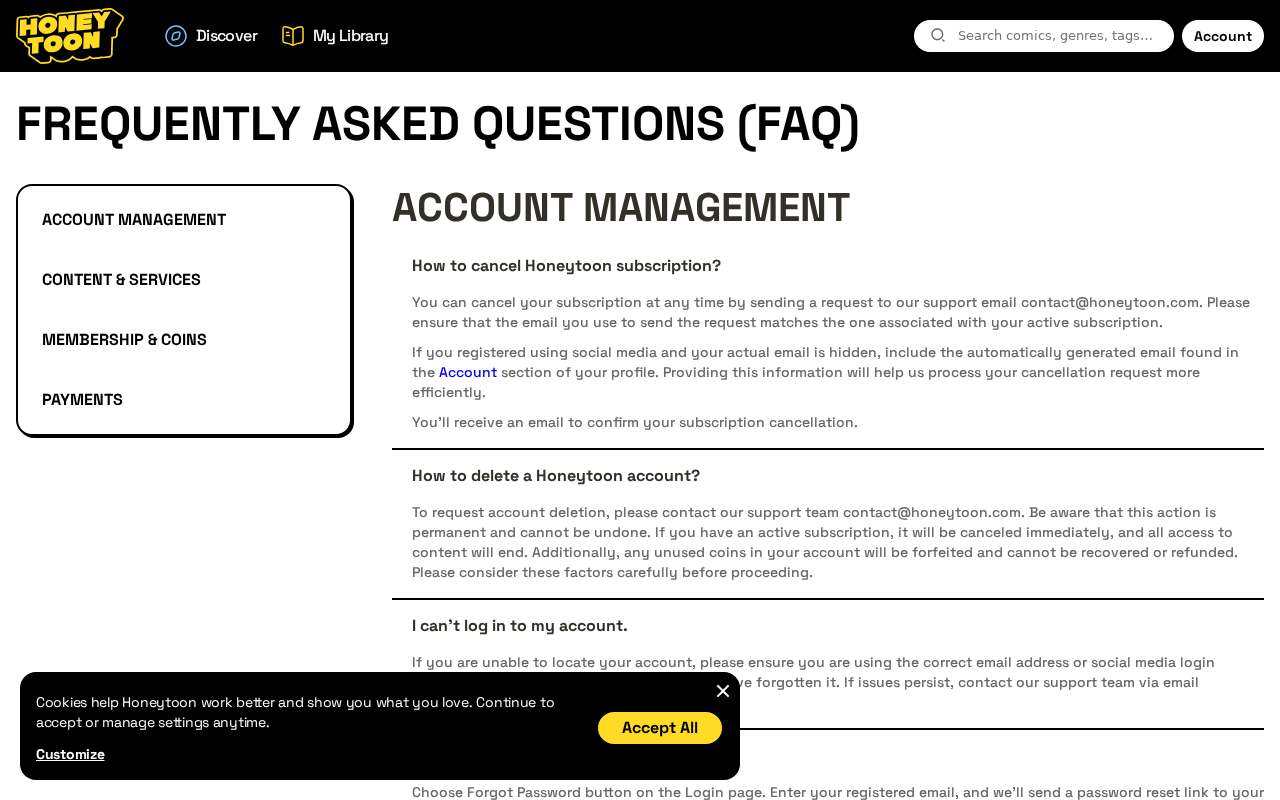
The FAQ answer is short. Send a request to contact@honeytoon.com from the email tied to the subscription. If you used social login, include the generated address from Account. You will get a confirmation email. Account deletion uses the same inbox. Delete an account with coins still sitting there and the FAQ says those coins are forfeited and cannot be refunded.
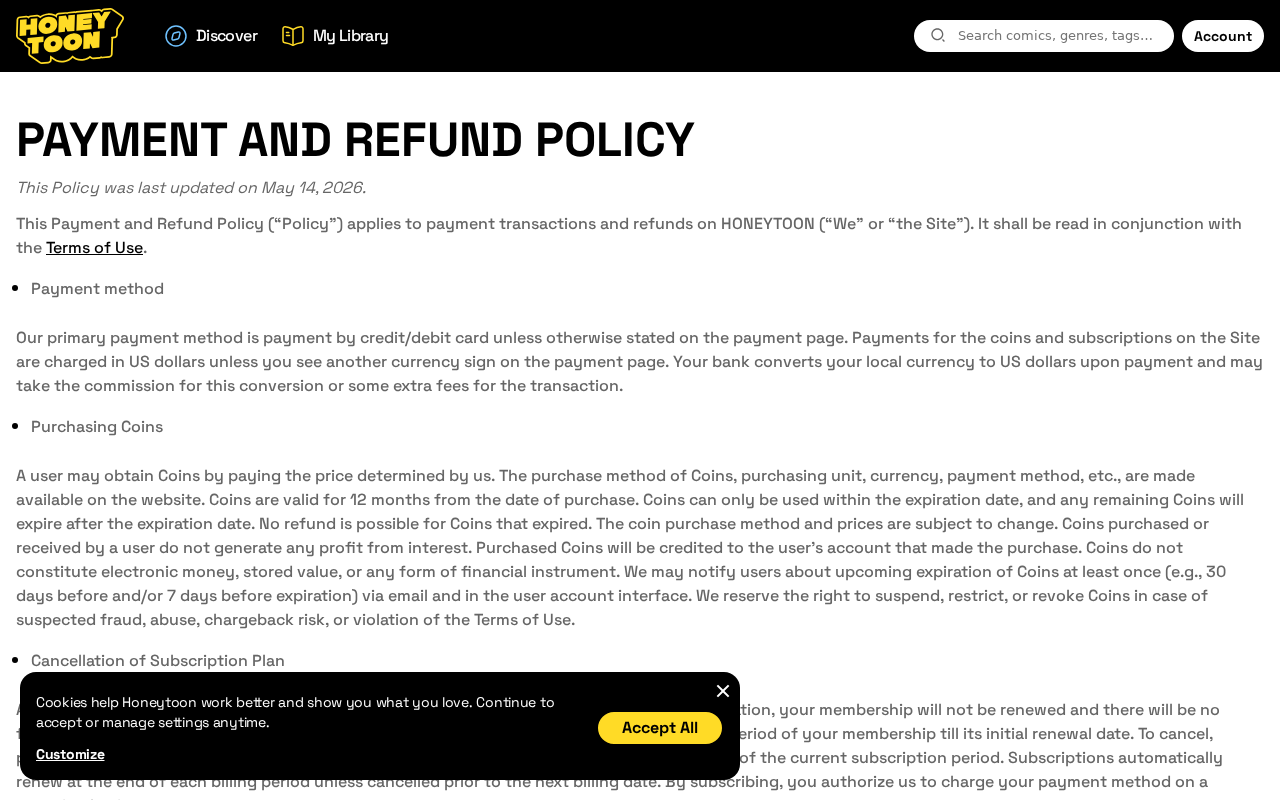
The payment policy, last updated May 14, 2026, adds a clock. Cancel by email at least 24 hours before the period ends. Plans renew at the end of each billing cycle unless you cancel first. By subscribing, you authorize recurring charges on the card you used. Change the plan or the card? That is another email.
Support replies on Honeytoon Trustpilot reviews often point to a second inbox, honeycare@honeytoon.com. Some public replies say an email is sent with a secure link, and that the cancel is not finished until that link is used. The FAQ does not mention a second click. If you only sent the request and never opened a follow-up link, later charges can still land.
Some people get a same-day reply. Some people get a link they did not know they had to click. Some people get a charge, then a note that the website cancel did not count. You cannot remove the card on the pages reviewers described. If the inbox is slow the week your 24-week plan ends, the renewal can land while you are still waiting for the confirmation they promised.
On the main Trustpilot listing in August 2026, HoneyToon showed a 3.8 score from 612 reviews and a note that the company had replied to 95% of negative reviews. People like the comics, the art, and the variety. People hate the subscription, the cancel path, and the refunds. That split is the product. The library is real. The exit is an inbox.
Refunds close after you read
Checkout says refunds are not available after activation. Immediate access is the reason. The payment policy repeats the general rule: fees for products and coins are non-refundable except where the law requires it or the policy itself makes a narrow exception. You tap Read Now, the library unlocks, and the refund door closes on the same click.
California residents get a three-business-day cancellation window after registration, with money back in ten days if they use it. EU residents get the usual 14-day withdrawal story, then lose it once digital content is delivered. Coins are delivered instantly. A subscription that unlocks the library on the same click is built to burn that right immediately.
Voluntary refunds, when they exist, go to contact@honeytoon.com within 120 calendar days, with evidence, and only if you used a card. Support wants at least 48 hours. If they ask a question and you do not answer in 7 days, they can reject the request with no appeal. They can pay a partial. They can wait out an investigation. Spent coins are a discretion case, not a promise. Unused coins die if you delete the account.
Coins are written two ways. The FAQ and the contact page say coin validity is unlimited. The payment policy and the checkout coin packs say coins last 12 months from purchase, then expire with no refund. The policy also says coins are not electronic money, and that Honeytoon can suspend, restrict, or revoke them for suspected fraud, abuse, or chargeback risk. That last phrase is there for people who later call the bank.
The 1-star pile is specific about what happens after that door closes. One reviewer said they were charged $69.99 on 29 July 2025 for a plan they had not used in over a year, then were refused a refund under the “already activated” rule. Another said they unsubscribed and were charged anyway, then were told to change the card to get loose. A UK review dated 21 October 2024 said £83.99 left the account after a cancel, following an earlier £15.99 charge, and support called it non-refundable.
Honeytoon’s Trustpilot replies treat that as a completed procedure on their side. Reviewers treat it as a charge they already tried to stop. Both things can be on the same ticket. The written cancel path is email-only. The written refund path is discretionary. The written renewal is automatic. That combination produces the exact 1-star pattern sitting on the listing.
There are also quiet 5-star notes from people who emailed, got a reply in minutes, and had the plan stopped. That does not erase the 1-star file. It shows the inbox can work when someone is watching it. It also shows the product is a real reader for people who only wanted the comics. The money problem is the renewal design, not a blank website.
Do not mix this site up with the unrelated Google Play app also named Honeytoon. That listing is a mini-comic generator under a different package name. Honeytoon’s own FAQ talks about the website, not an official store app, and says offline reading is not supported. Third-party “MOD” readers that borrow the name are a separate risk. Use the official domain or leave it.
How The Billing Works
Honeytoon is a working comics site. The trap is the billing, not a fake storefront. Here is how a normal reader turns into a weekly charge they did not plan to keep.
1. The ad or search sells unlimited comics
You do not land here looking for a company number. You land here because a clip, a shared panel, or a search for a romance title promised unlimited webtoons. The page does not lead with $69.99. It leads with the story. The card form is already waiting under a 700-coin gift banner.
Mature romance and drama sit in the first fold. The legal age line is in a 2022 terms file. By the time you notice the plan text, the intro price already looks like the whole deal.
2. Checkout sits on the same screen
The homepage, the FAQ, the terms, and the refund page all carry the same overlay. Lucky Ultra member. 700 coins. Fast payment. Credit card. Pay Safe & Secure. You can be reading a cancel answer and still have the card box on the page.
That is not how a careful shop separates browsing from buying. It is how a funnel keeps the card one click away while you are still deciding whether the library is real. The library is real. The pressure is also real.
3. The intro price is not the renewal
The plan text is honest if you read every line. It is easy to miss if you only see “Just $12.99” or “Just $40.56.” The first cycle is a discount. The next cycle is the full price. On the 24-week Premium track that jump is $40.56 to $69.99, or $41.99 to $79.99 on the upgrade list. Ultra prints $49.99, then $99.99.
A weekly $7.99 plan looks small until you do the month. Four of those charges are $31.96. The 4-week plan that renews at $15.99 or $16.99 is the quieter version of the same timer. The FAQ says premium renews on the same date every 1, 4, 12, or 24 weeks. It also says you can see the last day of the period in Account. It does not put a Cancel button next to that date.
4. You cannot cancel in the account
Modern subscriptions usually die in the same menu that shows the next bill. Honeytoon sends you to contact@honeytoon.com. The payment policy wants that email at least 24 hours before renewal. Social-login users have to find a generated address first. Change the plan or the card? That is another email.
Some people get a same-day reply. Some people get a link they did not know they had to click. Some people get a charge, then a note that the website cancel did not count. You cannot remove the card on the pages reviewers described. If the inbox is slow the week your 24-week plan ends, the renewal can land while you are still waiting for the confirmation they promised.
5. Refunds close after activation
Checkout says refunds are not available after activation. Immediate access is the reason. The payment policy repeats the general rule: fees for products and coins are non-refundable except where the law requires it or the policy itself makes a narrow exception.
California residents get a three-business-day cancellation window after registration, with money back in ten days if they use it. EU residents get the usual 14-day withdrawal story, then lose it once digital content is delivered. Coins are delivered instantly. A subscription that unlocks the library on the same click is built to burn that right immediately.
Voluntary refunds, when they exist, go to contact@honeytoon.com within 120 calendar days, with evidence, and only if you used a card. Support wants at least 48 hours. If they ask a question and you do not answer in 7 days, they can reject the request with no appeal. They can pay a partial. They can wait out an investigation. Spent coins are a discretion case, not a promise. Unused coins die if you delete the account.
6. The confirmation email is not always the end
This is the step that turns a real service into a charge they cannot stop from the same page. A person emails. They get an acknowledgement, or they click something that looks like unsubscribe. They stop opening the app. Weeks or months later the 24-week price hits. $69.99. $79.99. £83.99. Support points at the policy, or at a link that was not used, or at a cancel that arrived after the bill date.
Honeytoon’s Trustpilot replies treat that as a completed procedure on their side. Reviewers treat it as a charge they already tried to stop. Both things can be on the same ticket. The written cancel path is email-only. The written refund path is discretionary. The written renewal is automatic. That combination produces the exact 1-star pattern sitting on the listing.
7. The name on the card may not match the logo
If you later need a company to write to, the English file gives you Honeytoon LLC and Delaware law. Other language pages use different company names. The merchant name on the statement may not say Honeytoon the way the logo does. Save the descriptor anyway.
A reader still deserves one name on the card, one cancel button, and one address that matches the page they paid. When those three things do not sit together, chargebacks get slower and letters get lost. That is not proof the comics are fake. It is proof the exit was not built for a quick stop.
8. Getting out is slower than the Read Now button
By the time someone searches how to cancel Honeytoon, they have usually already paid. They want a toggle. What they get is an inbox, a 24-hour cutoff, a no-refund-after-activation line, and a second email address that only appears after they complain in public.
A leftover card keeps the same plan alive if the email cancel never lands. People lose money on the first discount cycle. They lose more on the renewal they thought they had already killed.
What To Do If You Already Paid
If Honeytoon already has the card, work the charge first. Do not wait for a second 24-week cycle while you argue about a chapter.
- Save the evidence. Screenshot the plan you picked, the first price, the renewal price, the FAQ cancel answer, the payment policy date, the confirmation email, and the line on the card. Write down dates, amounts, and the merchant name as it printed. If you got a “secure link” email, save that too.
- Email both inboxes, do not only chat. Write to contact@honeytoon.com and honeycare@honeytoon.com from the address on the account. If you used social login, paste the generated email from Account. Say you want the subscription canceled, no further renewals, the card removed, and a refund to the original method. Ask for written confirmation that the plan is dead. Do not argue about a comic in that email. Argue the charge.
- Quote their own clocks. The payment policy wants 24 hours before renewal. Checkout says no refund after activation. The policy still allows a voluntary card refund inside 120 days. Put those three lines in the email so they cannot pick one in silence. If they send a link, open it, then keep the result.
- Do not delete the account first if you still have a billing fight. The FAQ says unused coins are forfeited on deletion and that access ends at once. Deleting can close the library and the evidence together. Cancel the plan. Keep the mail. Take the coins argument second.
- Read the next two statements. Look for $7.99, $15.99, $16.99, $34.95, $36.99, $69.99, $79.99, $99.99, or a similar amount under a different descriptor. The 1-week and 24-week plans are the ones that surprise people most. Dispute anything new quickly.
- Call the bank if they stall. Ask about a chargeback for a recurring digital subscription you tried to cancel, or for a renewal after you emailed. Send the screenshots and the policy page. Chargebacks have deadlines. Their own policy tells you a chargeback is separate from their refund desk and that skipping their inbox may slow their side. Your deadline is still the bank’s deadline.
- If you paid through PayPal, Apple, or Google, cancel in that account too. Honeytoon’s FAQ is written for cards taken on the website. A store subscription does not die because you emailed a comics inbox. Open the wallet or the store subscription list and stop it there, then keep the receipt.
- If they stall after you wrote both inboxes, stay with the bank. This is a recurring comics bill from a live publisher, not a malware page. Use your card issuer’s dispute path. If you paid from the EU, add your local consumer body. Report the clip on the platform that sent you if the ad hid the weekly price. Use AdGuard if you want fewer of those clips. An ad blocker does not cancel the plan or refund the week.
If a friend forwarded you the reader as a cheap Webtoon alternative, send them this page instead of the checkout. These plans travel in group chats. That is part of how a $12.99 start becomes a $69.99 renewal nobody in the chat mentioned.
The Bottom Line
Honeytoon is a real comics site. The homepage in August 2026 was selling webtoons, not an empty cart. Trustpilot sat at 3.8 from 612 reviews, with praise for the library and a long 1-star file about renewals.
The live plans start at $7.99 a week or $12.99 for four weeks, then renew higher. The 24-week track reprints $69.99, $79.99, or $99.99.
Cancel is an email to contact@honeytoon.com, with a 24-hour cutoff in the May 14, 2026 payment policy. Refunds are written as closed after activation. Coins are unlimited on the FAQ and 12 months on the policy. That is not a mystery shop. It is a subscription designed so the easy part is the first charge.
If you have not paid, leave it unless you are willing to calendar the renewal and email before the 24-hour mark. If you already paid, keep the screenshots, write both inboxes, watch the next statement, and take the charge to the bank if the confirmation never matches the card.








