

Your inbox begins filling faster than you can read it. Newsletters, account confirmations, mailing-list welcomes, and password notices arrive from companies you have never contacted. It looks like ordinary spam, only louder.
Then one message in the flood mentions a real purchase. That is the moment an email bombing scam stops being an annoyance and becomes an emergency.
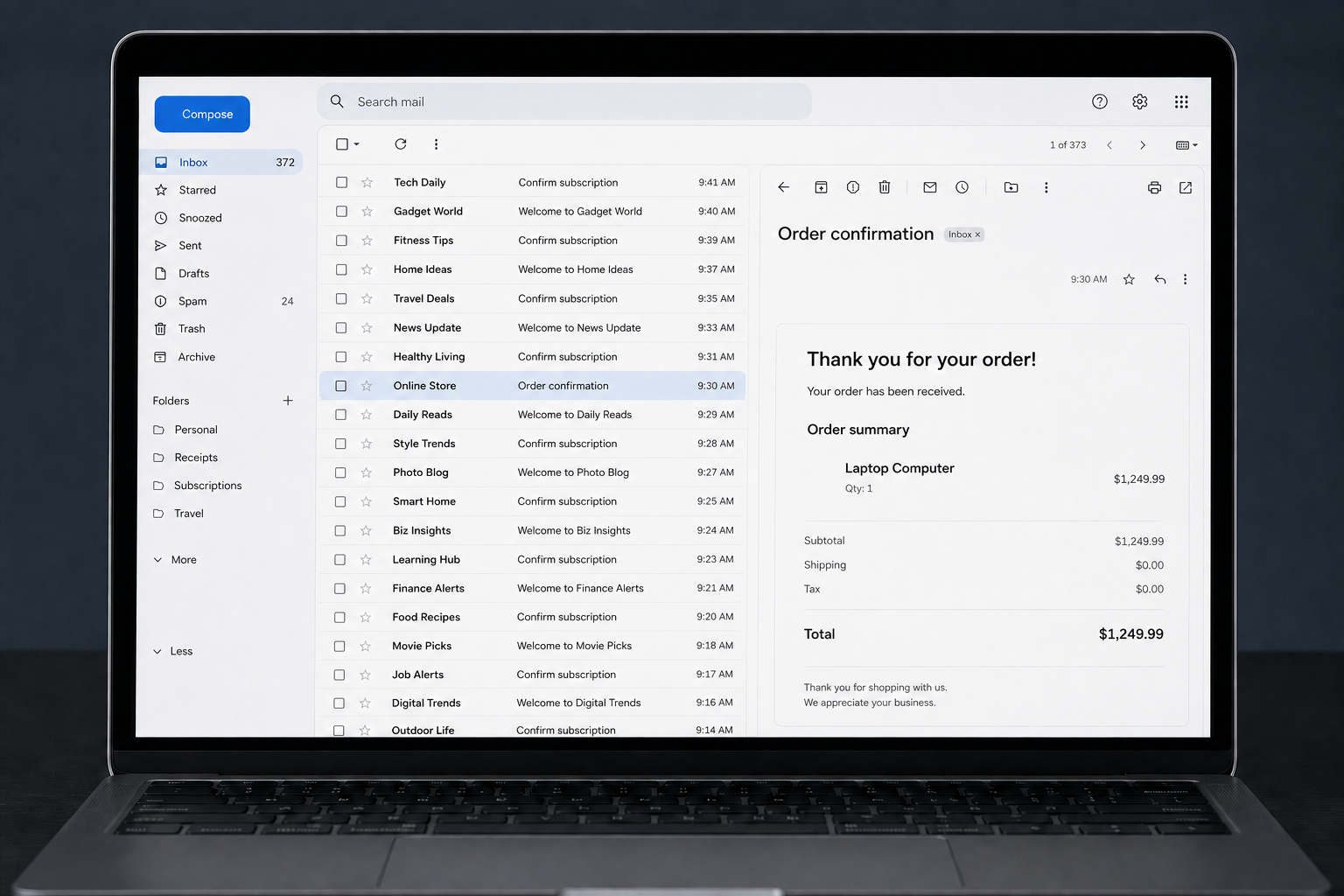
A recent consumer report described more than two dozen subscription emails arriving in quick succession. Buried among them was a Best Buy alert for a Dell computer allegedly ordered with the victim’s stolen card details and scheduled for store pickup.
The person searched the inbox instead of deleting everything. They contacted the card issuer through a trusted number, canceled the card, signed into Best Buy directly, and stopped the pickup. The report is an individual account, but the concealment method is well documented.
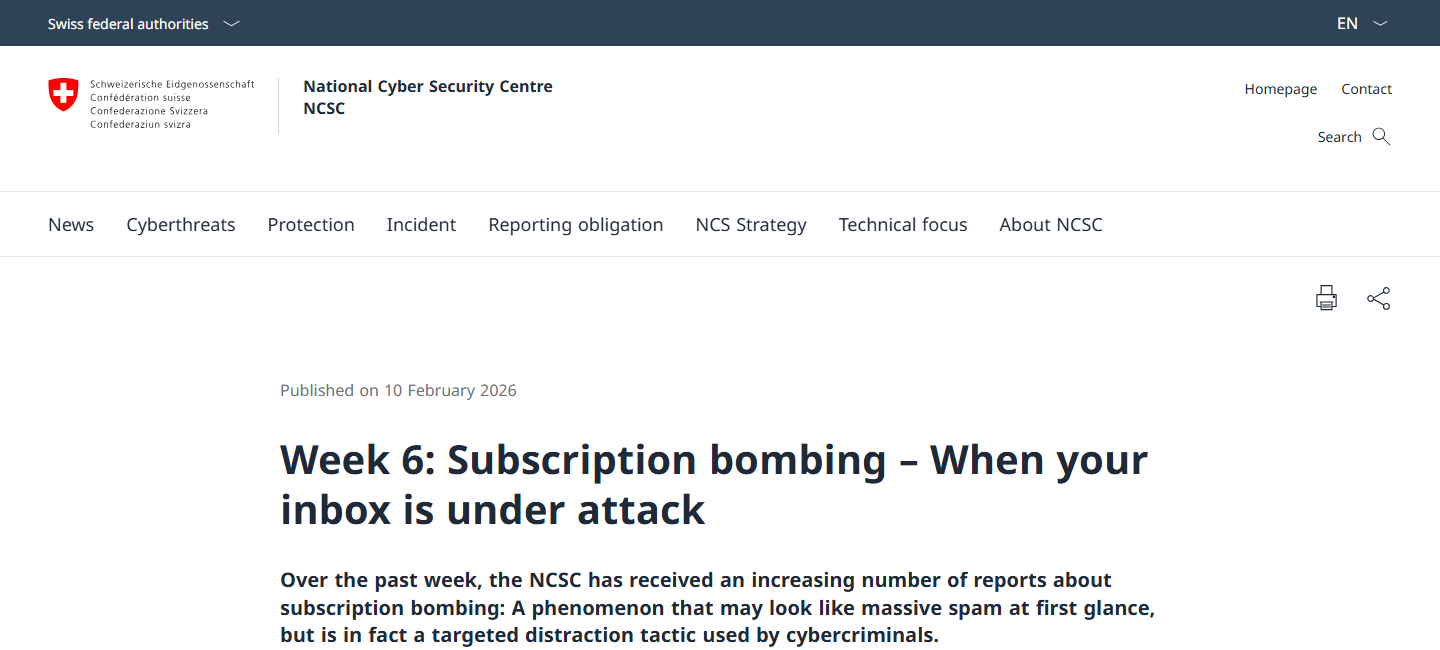
Switzerland’s National Cyber Security Centre has warned that subscription bombing can produce hundreds or thousands of legitimate confirmation messages. The noise is designed to hide the one email that matters, such as an order receipt, password change, or security alert.
Overview
The inbox flood is camouflage, not the main attack
Email bombing is the rapid enrollment of one address into many newsletters, trials, and notification lists. The messages often come from real websites. That is why they may pass spam filters and appear more convincing than a normal junk-mail campaign.
The attacker is usually trying to consume your attention. While you are deleting irrelevant messages, a genuine fraud alert or transaction receipt can scroll out of view. The bombing may begin just before or just after the hidden action.
The hidden message reveals what is actually at risk
The concealed event can be a retail order, gift-card purchase, bank transfer, password reset, new forwarding rule, or change to an account’s recovery details. The flood itself does not reveal which account was breached.
That distinction matters. Unsubscribing from newsletters will not cancel a fraudulent order or secure a stolen card. The urgent job is to locate the meaningful notification and verify it through the real company or financial institution.
Real emails can still be part of a criminal tactic
Many subscription messages are technically authentic because the attacker submitted your email address to real forms. The sender domains and authentication checks may be valid. The deception comes from volume and timing, not necessarily from forging every message.
Look for these clues:
- Dozens or hundreds of signup confirmations arrive within minutes.
- The messages cover unrelated languages, stores, charities, and services.
- One email mentions an order, payment, password, security event, or pickup.
- Your bank, retailer, or email account shows activity you do not recognize.
- A caller offers to “fix” the flood and asks for remote access or a code.
Why an Email Bombing Scam Is So Effective
Most people treat a busy inbox as a cleanup problem. They select everything, mark it as spam, and move on. The attacker relies on that automatic reaction. Speed becomes the weapon because the victim has little time to separate harmless noise from a costly event.
The attack also exploits the way phones display notifications. A lock screen might show the newest five messages while pushing an earlier order confirmation out of sight. On mobile, subjects are shortened and sender names can appear more prominent than the actual domain.
There is a second psychological trap. Once people realize they were subscribed to dozens of lists, they may focus on who “sold” their address. That question can wait. The immediate concern is why someone needed the distraction at that exact moment.
The Best Buy Order Story and What It Proves
The reported Best Buy incident is useful because it shows the complete shape of the attack. The victim did not find a fake Best Buy email asking them to call a scammer. They reportedly found a real alert connected to an unauthorized computer order.
A scheduled in-store pickup can create a narrow response window. If the fraudster has enough account or payment information, the order may look ordinary to automated systems. Bombing the victim’s inbox may delay detection until the item is collected.
However, one anonymous post cannot prove who placed the order, how the card data was obtained, or whether every email came from the same actor. It demonstrates a pattern, not a court finding. The correct lesson is to investigate the account activity quickly and preserve evidence.
It is also possible for a fake invoice to be planted inside the flood. Never trust a phone number or link merely because the message looks urgent. Open the retailer’s app or type its known address yourself, then check orders from inside the account.
How the Email Bombing Scam Works
Step 1: The attacker obtains useful account or payment data
The fraud may begin with card details from a data breach, a reused password, a phishing page, malware, or access to a shopping account. Email bombing does not create that access. It is commonly used after another compromise has already occurred.
Sometimes the attacker knows only an email address and uses the flood to prepare a later social-engineering call. In other cases, the attacker already has enough information to place an order or modify an account.
Step 2: Automated forms subscribe the address at scale
Scripts can submit the same address to many public mailing-list and account forms. Each real website generates its own confirmation message. The resulting mix can include familiar brands, small organizations, foreign-language sites, and services the victim has never used.
Because many senders are legitimate, ordinary spam filtering may not stop the burst. Blocking each sender also has limited value because the messages come from unrelated domains.
Step 3: A valuable action is placed inside the noise
The attacker makes or has already made the action they want concealed. It could be a purchase, reset request, recovery-address change, wire instruction, or creation of a new payee. A genuine alert then arrives among the subscription messages.
The hidden message may arrive near the beginning of the flood rather than at the end. Search the entire time window, including the minutes before the first obvious signup email.
Step 4: The victim is pushed toward mass deletion
The volume creates frustration and fatigue. On a phone, deleting messages one by one feels impossible. Selecting all of them can erase the very evidence needed to stop the underlying fraud.
Do not empty the trash immediately. Mail timestamps, full headers, order numbers, and sender domains can help a retailer, bank, or investigator reconstruct what happened.
Step 5: The attacker tries to complete the transaction
For a retail order, the attacker may wait for pickup or shipment. For an account takeover, they may add a forwarding rule, change recovery details, or use the mailbox to reset other accounts.
Every minute matters, but panic creates mistakes. Use official apps, saved bookmarks, and numbers printed on physical cards. Do not follow contact instructions embedded in an unexpected message.
Step 6: A second scam may arrive by phone
Some attackers call while the inbox is chaotic and pose as bank, retailer, or technical-support staff. They may claim they detected the flood and need a one-time code, card number, or remote access to secure the account.
A legitimate fraud team does not need your password or an authentication code to cancel an unauthorized transaction. End the call and dial the institution yourself.
Step 7: The noise continues after the urgent event
Subscription messages may keep arriving for hours or days even after the purchase is canceled. That does not necessarily mean new fraud is still happening. It does mean you should continue monitoring financial and online accounts for further changes.
Once the urgent accounts are secured, create mail rules carefully. Avoid a broad rule that deletes every message containing “welcome” or “order,” since it may hide later evidence.
Company, Address, and Fulfillment Checks
The visible senders may be innocent websites
A newsletter operator can send a completely valid confirmation after its form is abused. Its presence in the flood does not prove that the organization participated in the fraud. Examine the hidden transaction separately from the subscription mail.
The delivery or pickup address is more useful than the newsletter list
For an unauthorized order, capture the shipping destination, pickup store, recipient name, and order time if visible. Do not travel to confront anyone. Give those details to the retailer, card issuer, and law enforcement when requested.
Support must be reached through an independent route
Search results, sponsored ads, and numbers inside emails can be manipulated. Open the official app, type the known domain, or call the number printed on the back of your card. Ask the representative to document the fraud and provide a case number.
The transaction trail should be preserved
Save the receipt, account activity, authorization amount, order number, and any cancellation confirmation. Take screenshots before the account changes. A clean evidence trail makes disputes easier and helps distinguish a canceled authorization from a completed charge.
How to Find the One Important Email
Start with focused searches instead of scrolling. The Swiss NCSC recommends looking for terms related to passwords, payments, orders, and security. Add names of your banks, major retailers, email provider, mobile carrier, and payment services.
Useful search terms include:
- order, purchase, receipt, pickup, shipment, or gift card
- password, reset, recovery, sign-in, or new device
- payment, transfer, card, wallet, or account change
- security alert, verification, one-time code, or forwarding
Sort by time and inspect the period shortly before the flood. Check spam, trash, archived mail, and automatic tabs. Attackers may delete or archive the meaningful message if they have mailbox access.
Next, inspect accounts directly. A missing email does not mean there is no fraud. Review recent orders, saved addresses, payment methods, active sessions, recovery details, and forwarding rules from inside each official service.
Warning Signs That Require Immediate Action
A few unwanted newsletters can result from a typo or a sold mailing list. A sudden, concentrated wave is different. Treat it as a security incident when it overlaps with any unfamiliar financial or account activity.
- A card authorization appears while the inbox is flooding.
- A shopping account shows a new address, order, or pickup person.
- Your email provider reports a new device or recovery change.
- Messages are marked read, archived, or deleted without your action.
- A new forwarding rule sends copies of your mail elsewhere.
- A caller knows about the flood and demands codes or remote access.
Do not assume a small test charge is harmless. Attackers sometimes test stolen payment details before making a larger purchase. Report every unauthorized transaction through the card issuer’s official process.
What to Do if You Have Fallen Victim to This Scam
- Search before deleting anything. Look for order, payment, security, password, and account-change messages across inbox, spam, trash, and archive. Preserve the surrounding flood as evidence.
- Contact the card issuer immediately. Use the number on the physical card or the official banking app. Lock or replace the card, dispute unauthorized activity, and ask whether pending authorizations can be stopped.
- Cancel the hidden order through the real retailer. Sign in by typing the retailer’s address or using its app. Do not call a number in the suspicious email. Save the cancellation confirmation and case number.
- Secure your email account. Change the password from a trusted device, sign out unknown sessions, enable two-factor authentication, and review recovery addresses, app passwords, filters, and forwarding rules.
- Check other high-value accounts. Review payment services, mobile carrier, shopping sites, cloud storage, and financial accounts for new devices, addresses, payees, or password changes.
- Scan any device used during the incident. If you opened attachments, installed software, or entered details on an unknown page, run a full scan with Malwarebytes. It can identify common credential-stealing malware and unwanted programs that an inbox cleanup alone will not remove.
- Reduce repeat exposure. AdGuard can block many malicious ad destinations and known scam pages before they load. It does not reverse a charge, but it adds a useful layer against follow-up links and fraudulent support ads.
- Report and watch for recovery scams. File reports with the retailer, bank, relevant national fraud portal, and police when required. Ignore anyone promising guaranteed recovery for an upfront fee or asking for another authentication code.
Frequently Asked Questions
Is every subscription email in an email bombing scam fake?
No. Many are real automated confirmations from legitimate websites whose forms were abused. Their authenticity is precisely what helps the flood pass filters. The suspicious element is the coordinated volume and timing.
Should I click unsubscribe in all the messages?
Not during the emergency. Some unsubscribe links are safe, but others can confirm your address or lead to unsafe pages. First find the concealed transaction and secure affected accounts. Clean up subscriptions later using trusted sender controls.
Does an inbox flood mean my email password was stolen?
Not necessarily. Anyone who knows your address can submit it to public forms. However, attackers may also have mailbox access, so checking sessions, recovery details, filters, and forwarding rules is essential.
Can I stop subscription bombing with one filter?
There is no perfect single rule because messages come from many unrelated senders. Aggressive filtering can hide genuine security mail. Your provider may help control the flood, but account checks remain the priority.
Why would a fraudster use store pickup?
Pickup can reduce the time available for a victim to intercept an order and may avoid shipping to an address tied to the attacker. Procedures vary by retailer, and a pickup attempt does not prove who made the purchase.
What if I found no unauthorized order?
Continue monitoring for several days and secure your email account. The hidden action could involve a password reset, account change, or later social-engineering attempt rather than a retail purchase.
The Bottom Line
An email bombing scam uses noise to steal your most valuable resource during a fraud attempt: attention. Do not let the flood decide where you look.
Search for the one meaningful alert, verify accounts directly, call financial institutions through trusted channels, and preserve the evidence. The newsletters are irritating. The concealed transaction is the real emergency.








